
Hi everyone! Kommissar here. Today I'd like to talk about custom maps, modding tools and all that stuff!
It's important to note that we never intended to add modding into the game in the first place. Even a map editor was a big "maybe" for a long time, skewing very far towards a disappointing "no". However, now that I had a little break from bug fixes, as we're not receiving many reports, I decided to tackle this subject to see if we can pull it off or not, and how far we can take it.
Unity Project
We've decided that building modding tools from the ground up and integrating them into the game would take far too long and would be way too difficult. We took a few shortcuts here and there in hope that it would speed up development and end up being far more friendly to use. We decided that our modding kit will consist of a Unity Engine Project. The engine is free to download, has plenty of tutorials available online, and is relatively easy to use. For those curious, we're using 2022.2.16.
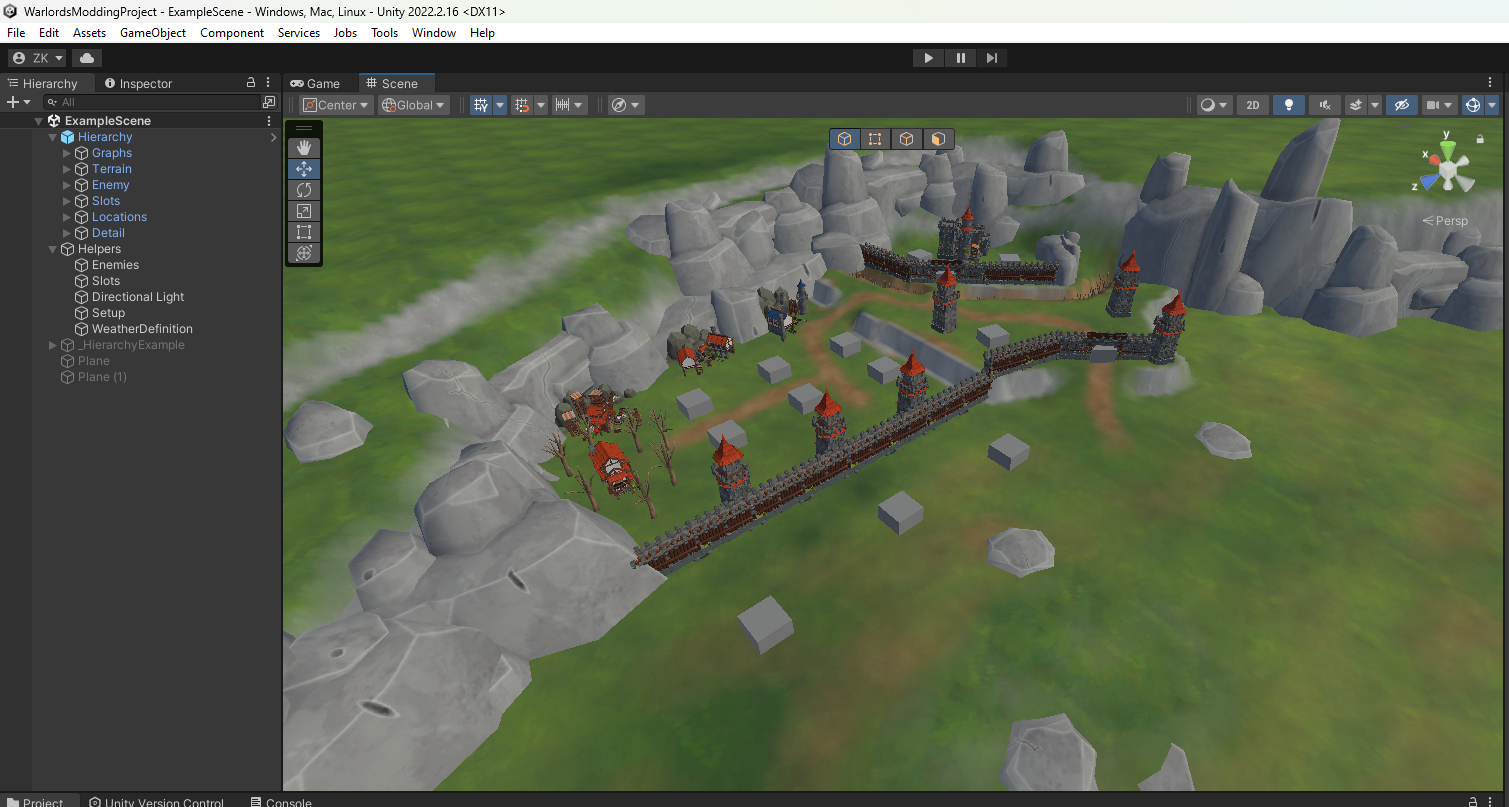
The Modding project will be shipped with the game - so once you navigate to your installation folder you'll be able to find it there. What does the editor allow us to do?
Creating New Maps
Building Slots
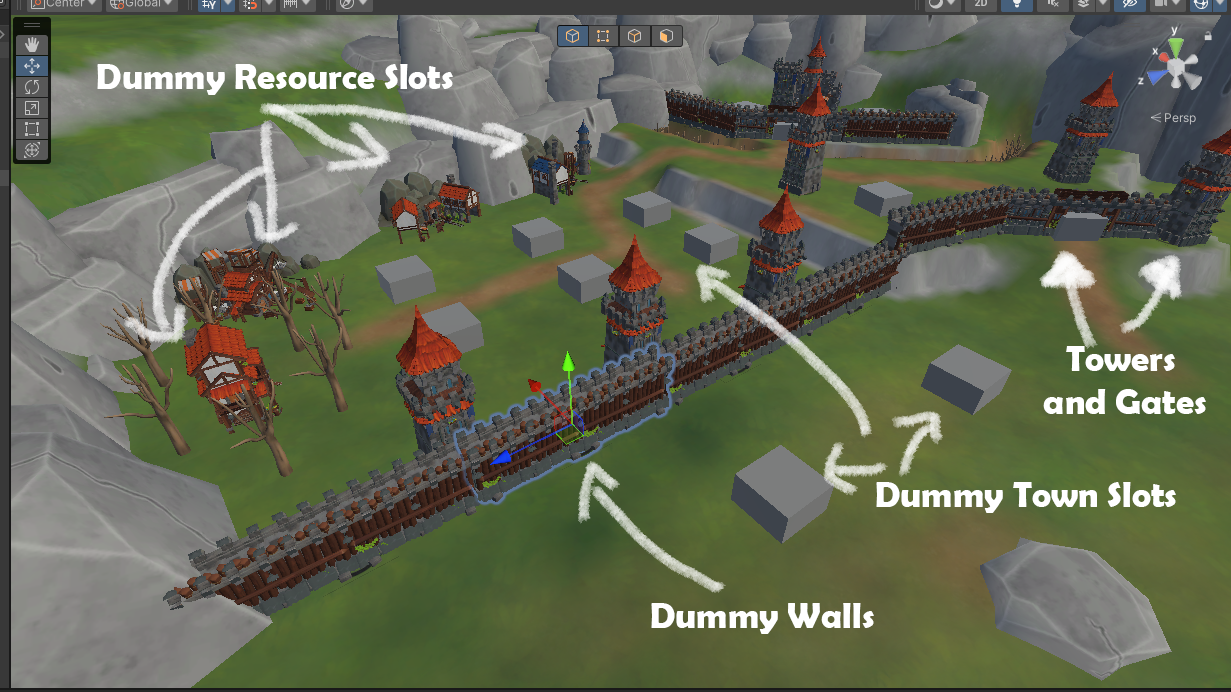
The biggest and most important feature of the project is creating new maps. Users will be able to drag and drop buildings on their new level, which represent locations where building slots will appear. We added in proper models there so you'll see roughly how much space the buildings will take. That way you can easily create wall sections, tower placements and what not. Obviously you have Unity Terrain tools at your disposal, so you can use them as you wish. You can also mark slots to be ignored by enemies, so unless they're in their direct line of fire, they won't engage with them (tower defence game, anyone?)
Process
I won't get into too much detail, but this is a rough outline of how it works:
- Create terrain in Unity, use assets provided, import free ones, or make your own
- Place dummy slots around the map
- Create a navigable mesh file (tutorial coming, simple stuff all done in Unity)
- Define enemy waves
- Define weather
- (optional) Write a script to do cool things in your map!
- Export and try it out! Upload to workshop when happy
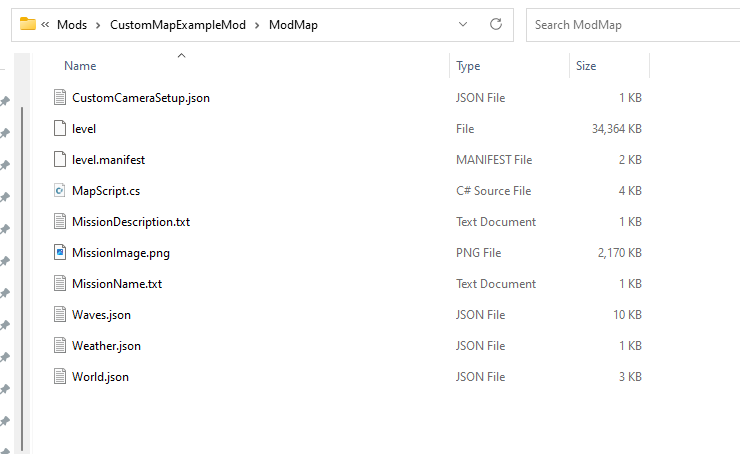
The setup is not very difficult, but has a strict hierarchy and some knowledge of file editing is required. Video and text tutorials will be provided of course by yours truly.
Scripting API
We'll be providing a simple API which you can use for writing scripts for your map. At first it will be quite bare bones - we'll expand it over time with feature requests - we're really counting on your help and feedback here. At the moment you can do things like:
- Play custom music and sounds
- Write events to the player log (bottom left)
- Intercept events (one second tick, weather events, units dying etc) so you can do something with them
- Give / Take away resources
- Change weather / Force weather
For example you may choose to make a map where there are no resource slots, but instead the player gets X resources for every killed enemy. We'll expose whatever we can over time and I'm sure many of you will find creative ways to use it.
You can also stop the players from receiving fate points for killed units, or give them the fate points whenever you like. You can also give them cards at any point you want. For example you might make a mod where the player does not gain any fate points, but instead is rewarded with a new card every X seconds.
Play and share!
Once you're happy, you can upload the map to the Steam Workshop where people will be able to download it. Whether you provide the raw map files for others to use is completely up to you - some people like to do it, others not. Your call!
Here's a quick test of our map working in the game!
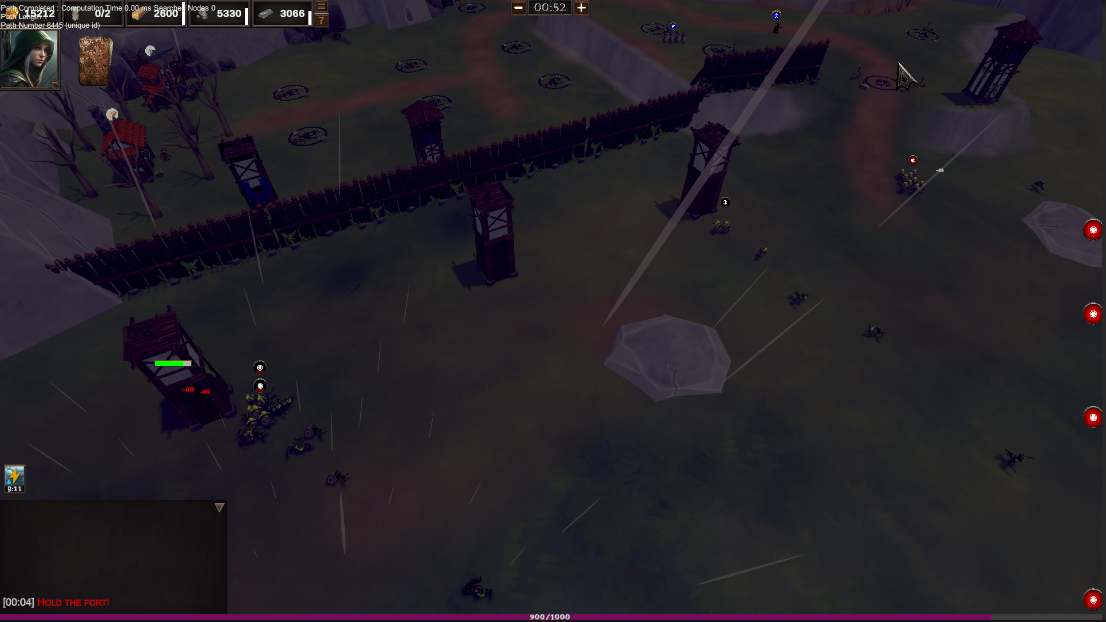
We plan to launch the map editor with at least three custom maps, and their projects available for download. That way you'll have a bunch of scripts and maps you can base your own versions on. At some point we'll probably organise a map making competition as well, but that will be sometime on release.
If you have any questions please let us know. Meanwhile stay strong, fight on, and see you on discord and discussions!