
Q: How to send a 1:1 inquiry? A: You can contact our support team:
VFUN Members: https://vfun.valofe.com/customer/inquiry
Non-VFUN Members: https://vfun.valofe.com/customer/inquiry_not_login?service_code=vfun
1. Set the game to O2Jam, select a category and subject related to your inquiry.
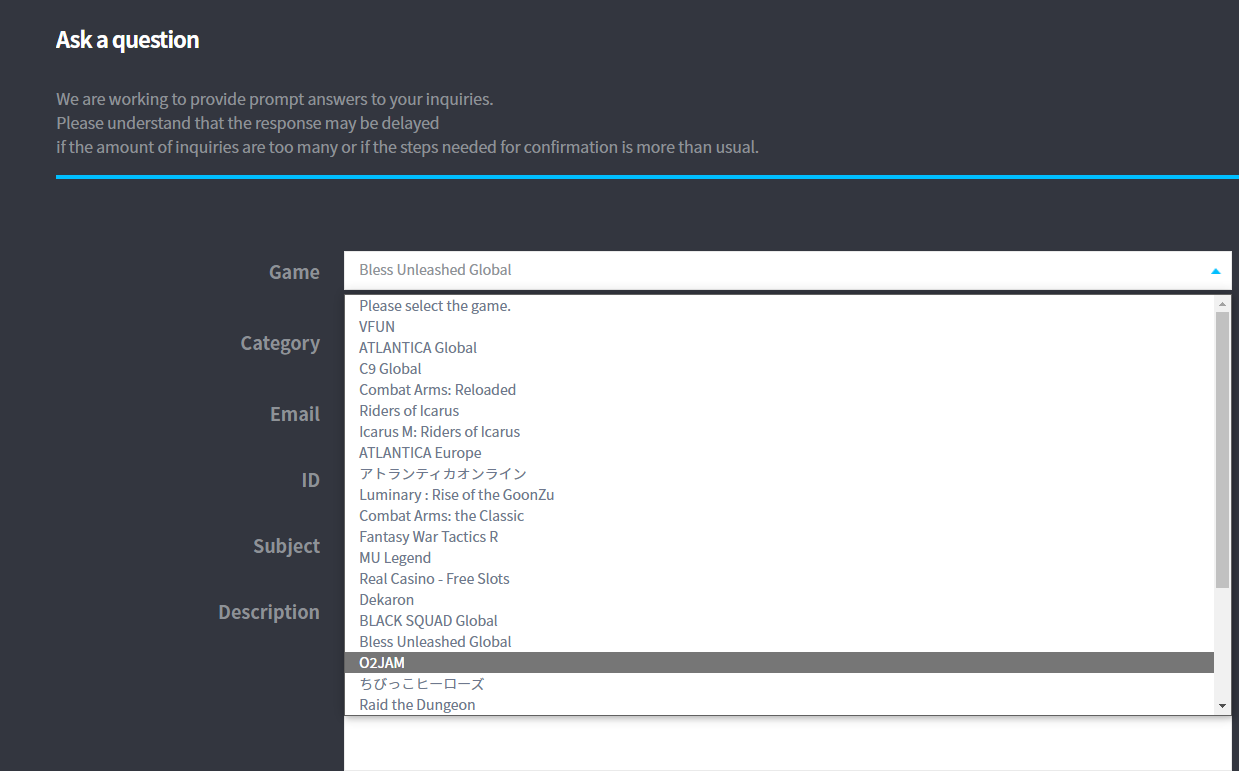
2. Give the full details in the description box provided.
3. Attach file if necessary.
4. Read and agree with the collection/use of personal information and click send.
Q: What are the supported languages for CS? A: Supported Languages are: English, Chinese, Korean and Japanese.
The answer of an inquiry will follow the language of CS platform where the inquiry was received.
Ex. Global official website Customer Support -> Processed in English.
Q: Where can I share suggestions and feedback for the game? A: Share your opinion and suggestions to our customer support by:
1. Go to Customer support.
VFUN Member: https://vfun.valofe.com/customer/inquiry
Non-VFUN Member: https://vfun.valofe.com/customer/inquiry_not_login?service_code=vfun
2. Select the “Game Suggestions” Category.
3. Enter the details of your suggestion.
4. Read and agree to the Collection/Use of personal information then click send.
Feedbacks is greatly appreciated and will help in improvement.
Q: What is the PC specifications for O2Jam Online? A: For smooth playing experience, please check the following requirements:
Minimum:
OS Version: Windows 7
Processor: Pentium 4
Memory: 1-GB
Graphics: G-Force 2MX
Network: Broadband Internet Connection
DirectX Version: 9.0
Disk Space: 3-GB
Recommended:
OS Version: Windows 10
Processor: Pentium 4 or higher
Memory: 2-GB
Graphics: G-Force 2MX or higher
Network: Broadband Internet Connection
DirectX Version: 9.0
Disc Space: 3-GB
Q: Can I live stream O2Jam online? A: You can record or stream O2Jam Online without limit.
Q: What are the community channels for O2Jam Online? A: We opened social media channels such as Facebook and Youtube.
Follow us on Facebook:
https://www.facebook.com/gaming/o2jamonline.vfun
Follow us on Youtube:
https://www.youtube.com/@VFunOfficial
Discord and other SNS pages will be announced soon.
Q: How can I install the game client on Steam Platform? A: To install O2jam Online on Steam, please follow the steps:
1. Login to your Steam account.
2. Search the Steam store for O2Jam Online.
3. Click “Play Now” button
4. Select installation directory.
5. Wait until process is complete.
6. Enjoy the game.
Q: Error occurs when I launch the game due to firewall or antivirus software on Steam platform. A: If an error occurs when you launch the game due to firewall or antivirus software, you may contact Steam Customer Support via the link below for the details.
https://support.steampowered.com/kb_article.php?ref=4361-MVDP-3638&l
Q: What should I do if O2Jam Online client patch doesn’t work in Steam platform? A: You can verify the integrity of Game Files via your library.
1. From the library section, right-click on the game and select “Properties” from the menu.
2. Select the “Local files’ tab and click the “Verify integrity of game files” button.
3. Steam will verify the game files. This process might take several minutes.
Q: How can I install the game client on VFUN Platform? A: To install O2Jam Online on VFUN, please follow the steps:
1. Go to VFUN website and login.
2. Download VFUN launcher.
3. Select installation path.
4. After the installation, download O2jam Online.
5. Set installation path.
6. Wait until process is complete.
7. Enjoy the game.
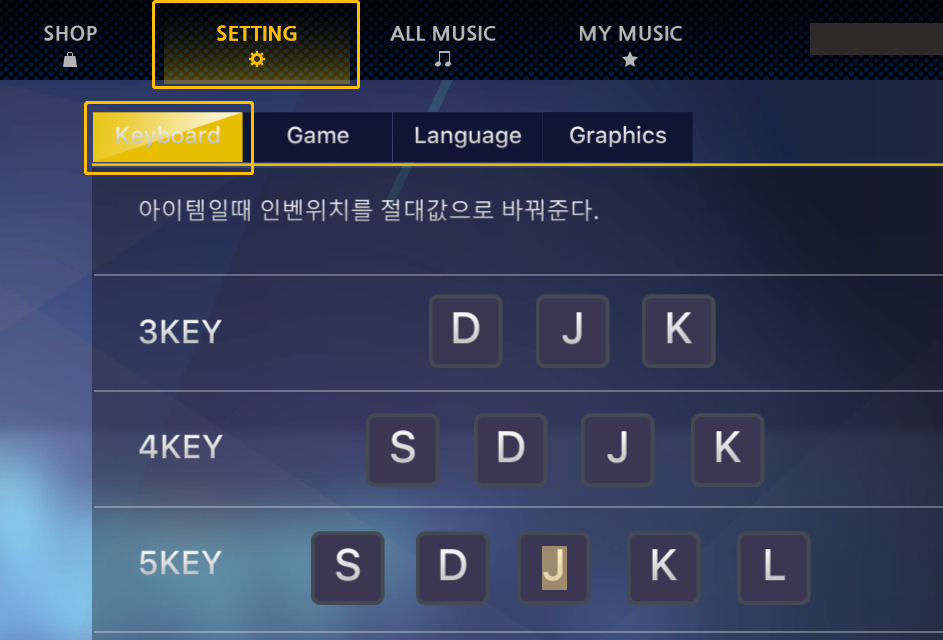
Q: Can I change or customize my keyboard settings? A: Yes, you can change and customize your settings to your own preference.
Go to Settings -> Keyboard
Click the keys and set your desired key control.
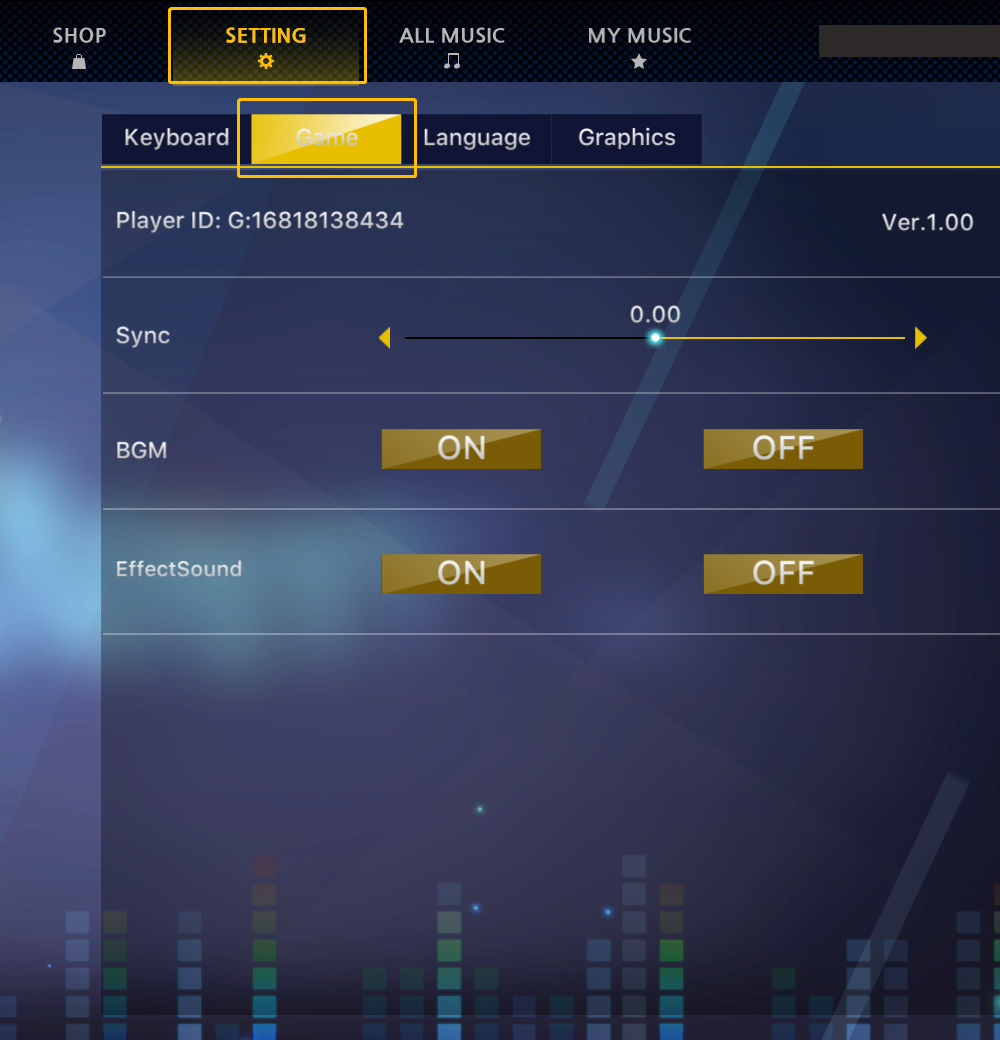
Q: I want to adjust the sounds (BGM, game sounds, etc.) A: You can disable the sound effects and BGM in the settings menu.
Go to Settings -> Game
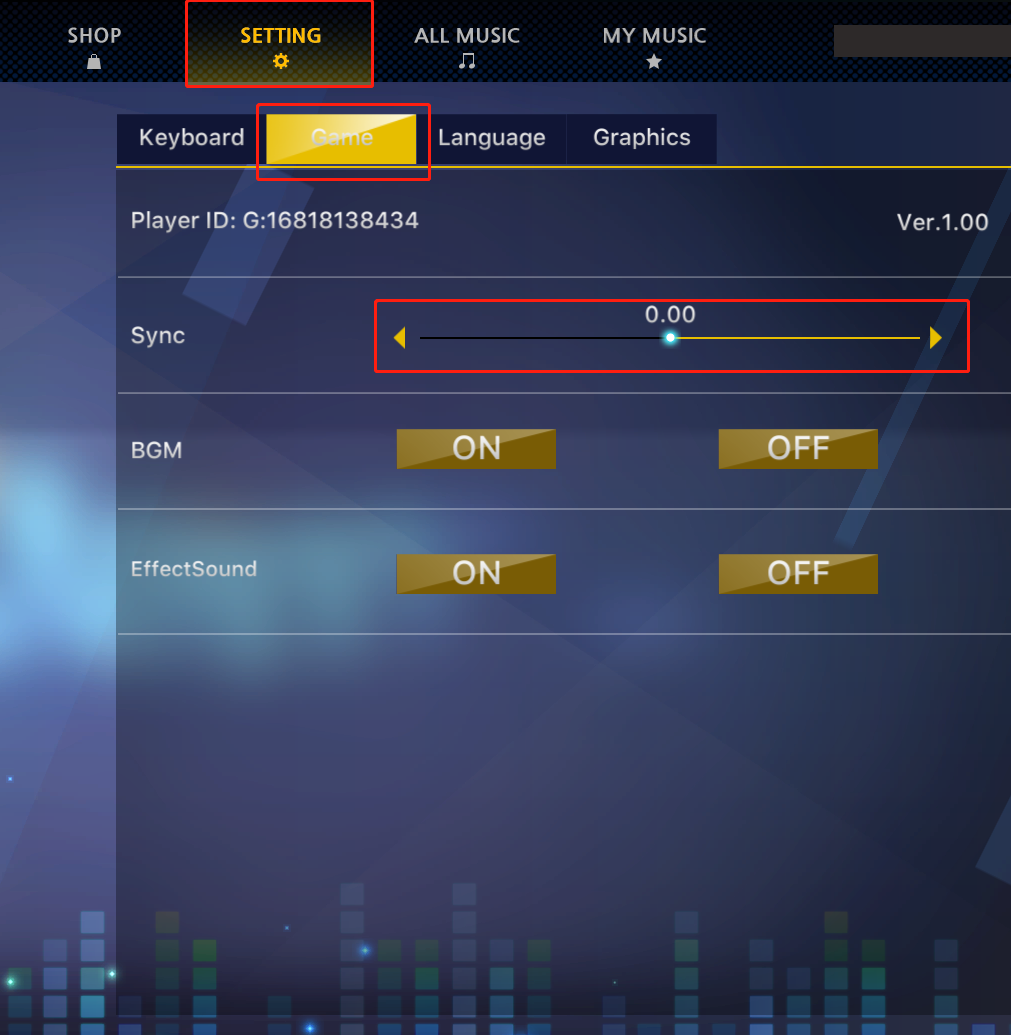
Q: The keys are not sync with the beat. How can I fix this? A: You can adjust and synchronize the keys to the beat by going to the settings.
Go to Settings -> Game -> Sync
Q: How can I adjust the in-game resolution or toggle window/full screen mode? A: Follow the directions below to change the resolution.
1. Go to “Settings”
2. Click on “Graphics”
3. Set your preferred Resolution.
4. Set to window/full screen mode.