
Hello everyone!
After several weeks of working on new features, bug fixes and improvements in multiple areas of the game, we're back with another Out of Ore Beta update!
With V0.37, we're introducing several new features and additions, including Mobile Plants and Mobile Conveyors, alongside improvements to Multiplayer sessions and stability, building placement style, camera settings and various other areas of the game.
We've also taken the time to address some older reported bugs and issues, along with making further improvements to existing features and gameplay systems.
This is the first part of our V0.37 Beta update, with more additions and improvements planned as development and testing continue.
Some of you may have been looking forward to the new drilling equipment. We've decided to hold it back from this initial Beta release, as there are still areas we'd like to improve and expand upon before making it available.
Development is continuing, and we'll introduce the equipment in a future update once we're satisfied with its functionality and overall gameplay experience.
As always, a big thank you to everyone testing the Beta and sending us your reports and feedback.
Remember that the Beta update is optional and is still being tested and polished with the help of those who choose to take part in Beta testing and reporting. We strongly recommend backing up your save files before switching between game versions!
How to join the Beta branch
Right-click Out of Ore in your Steam Library and select Properties.
In the Properties menu, select Betas from the left sidebar.
Select "beta - Latest beta for players" from the dropdown list.
The Beta should begin downloading automatically.

Below are some highlights of the new features, equipment, improvements, and fixes included in this update.
Mobile Plants
One of the first things this update introduces is new Mobile Plants, including a Mobile Crusher, Mobile Washplant, Mobile Sorter and two different Mobile Conveyors!
These new machines allow you to set up material processing and production lines without having to build stationary plants, giving you more flexibility.

Mobile Conveyors:
There are two different Mobile Conveyors available, a 24 m version and a 26 m version with a swivel function.
Both conveyors can be folded when not in use or for easier transportation, allowing you to save space when moving them around your mining site.
You can also raise or lower the feeder and conveyor belt to adjust their positions depending on your setup.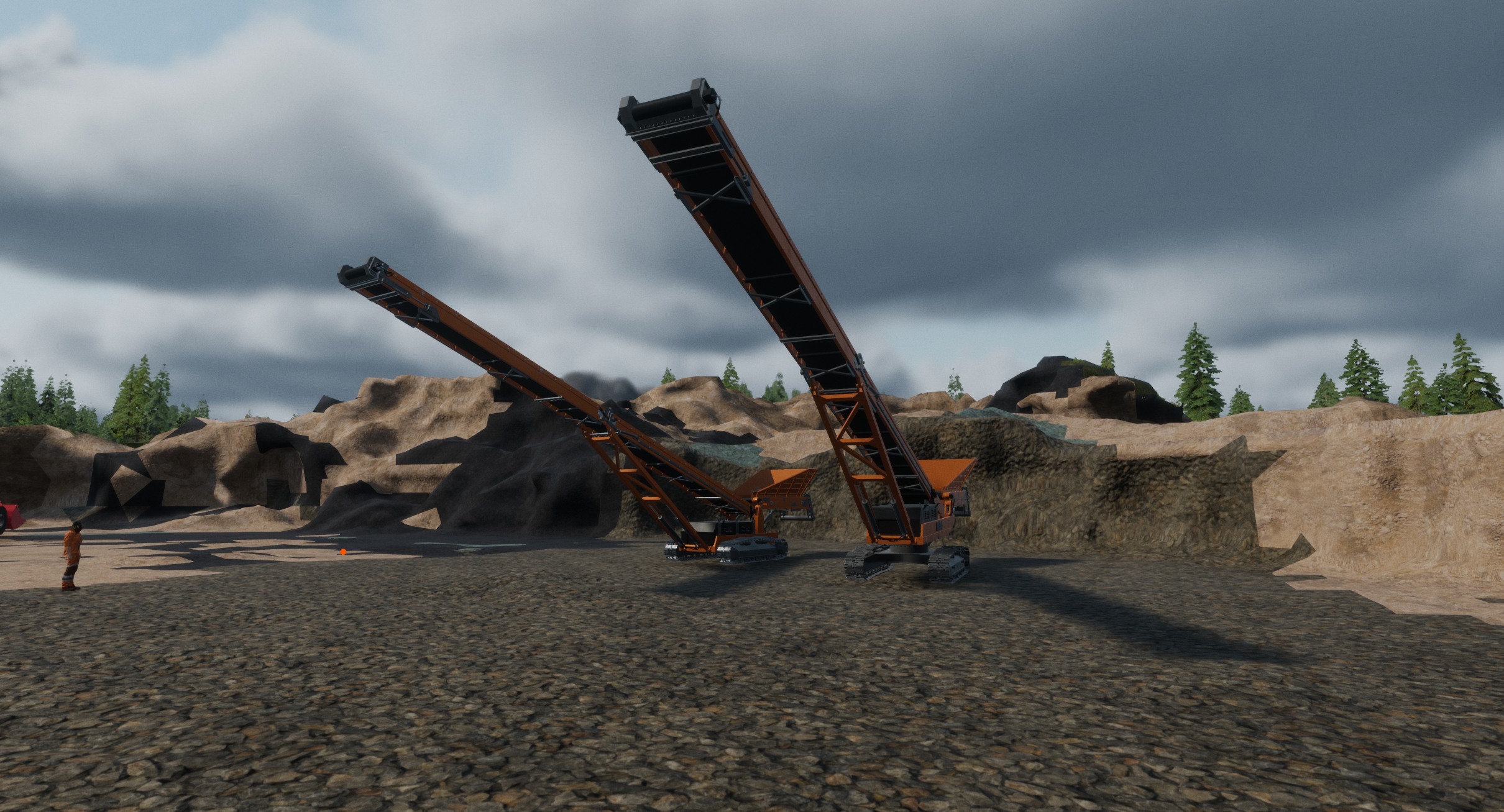
Mobile Washplant:
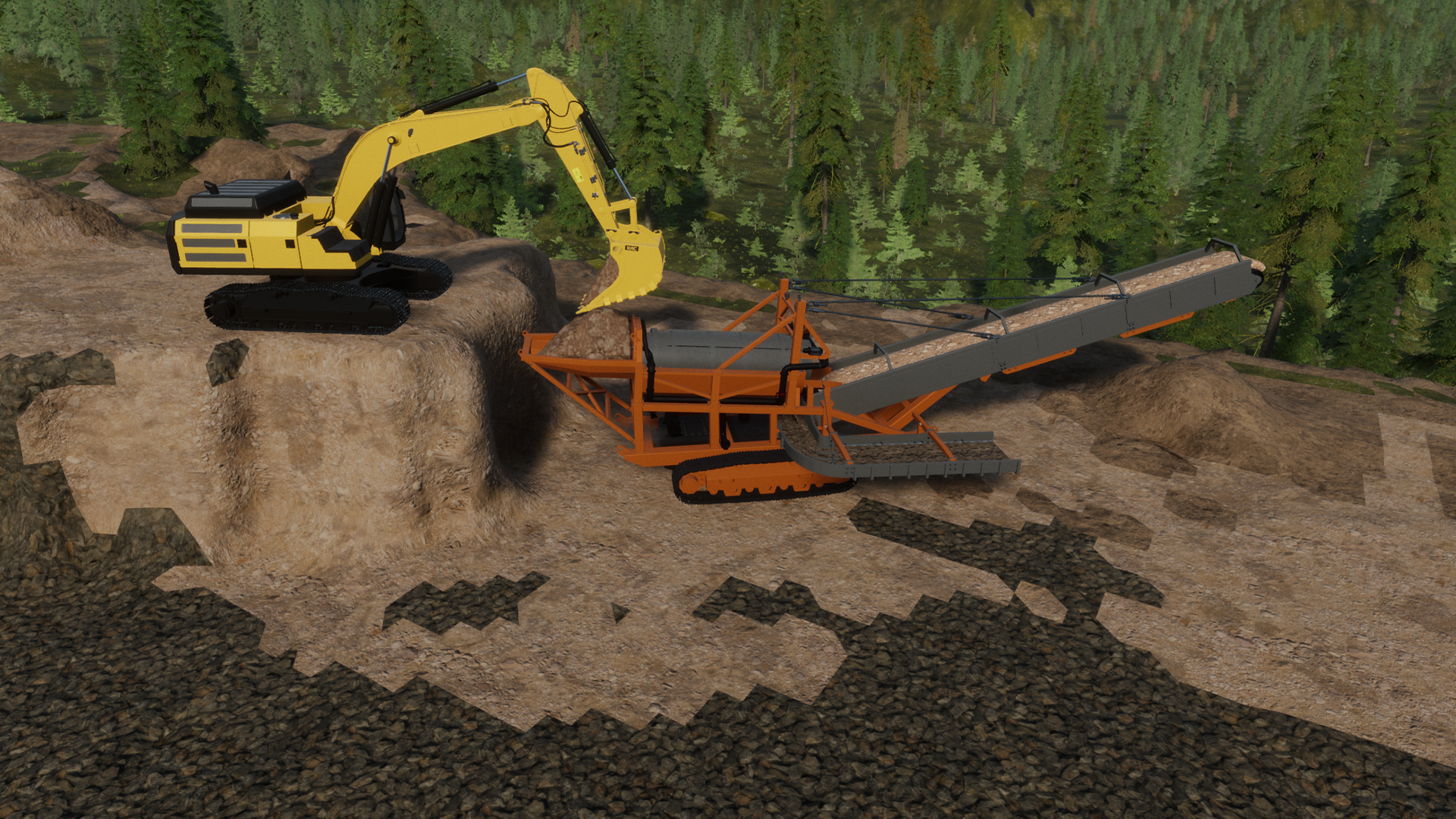
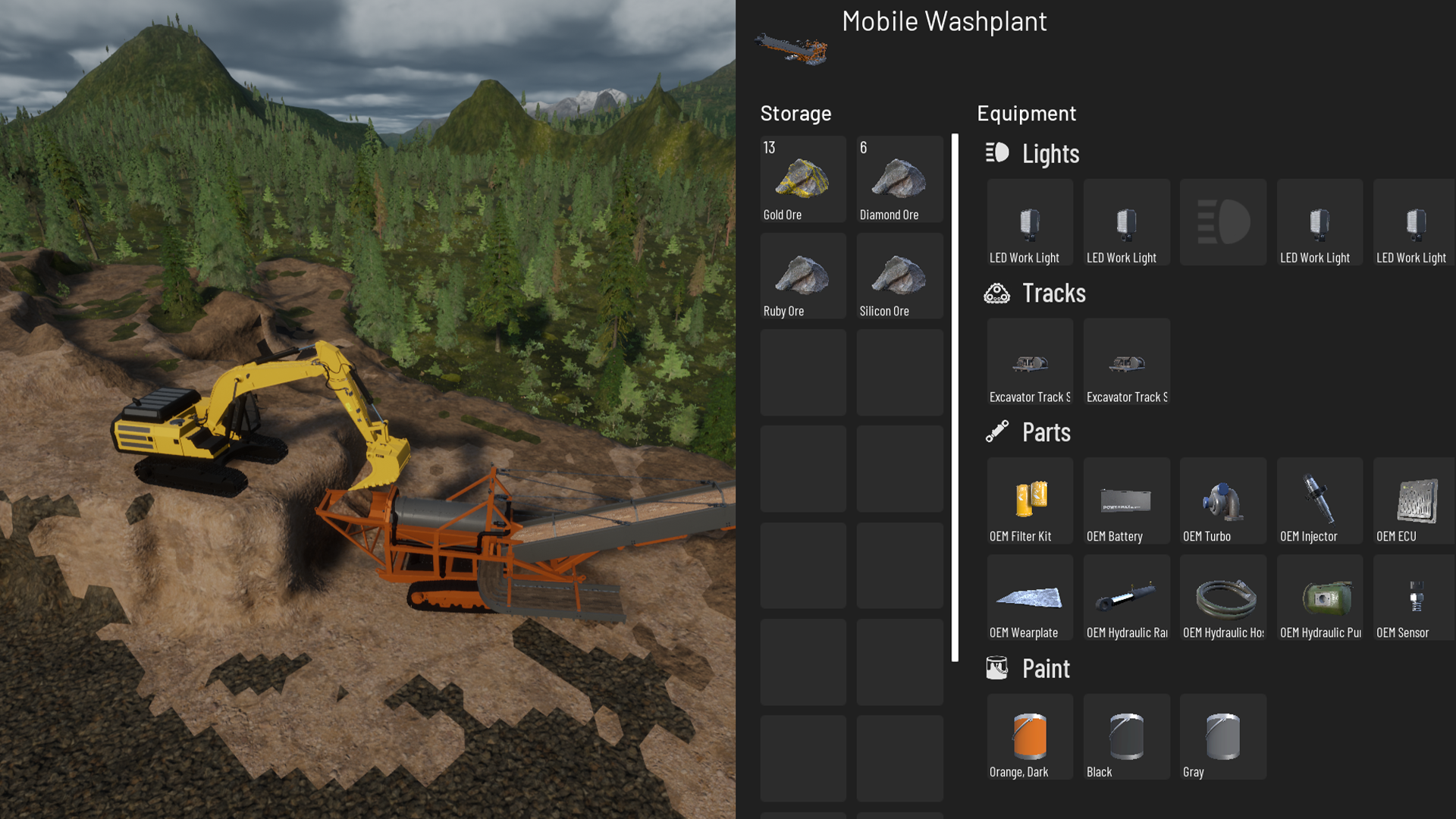
The Mobile Washplant is used to process Pay Dirt and recover valuable ores from the material.
During processing, Gold, Diamond, Ruby and Silicon Ore are collected in the washplant and can be accessed through the Mobile Washplant inventory. The remaining material is discharged as Dirt through the end of conveyor.
Mobile Crusher:
The Mobile Crusher processes Blasted Rock into Crushed Rock. To produce Gravel, the Crushed Rock needs to pass through the crusher a second time.
Processed material is discharged through the end of conveyor.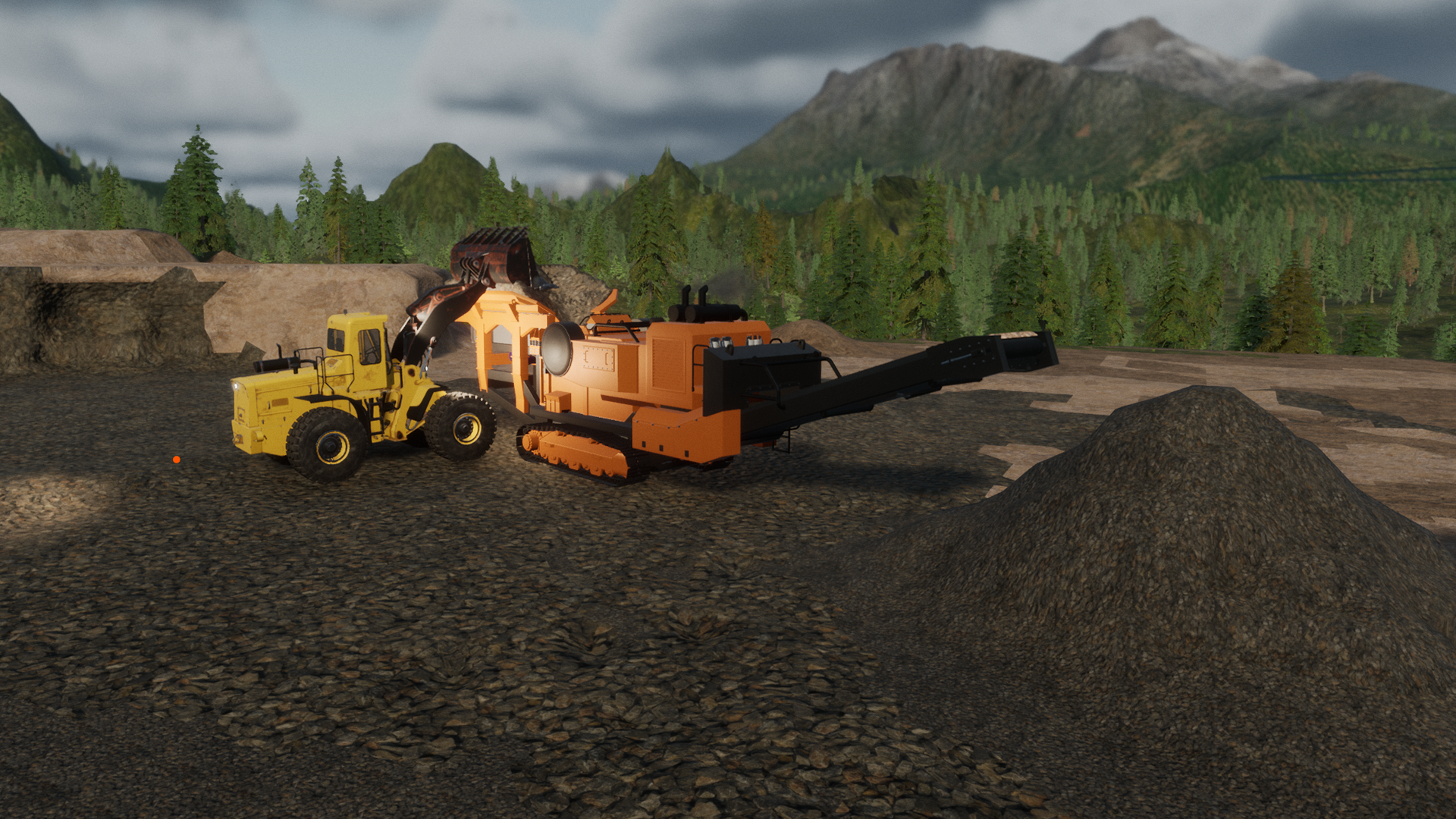
Mobile Sorter:
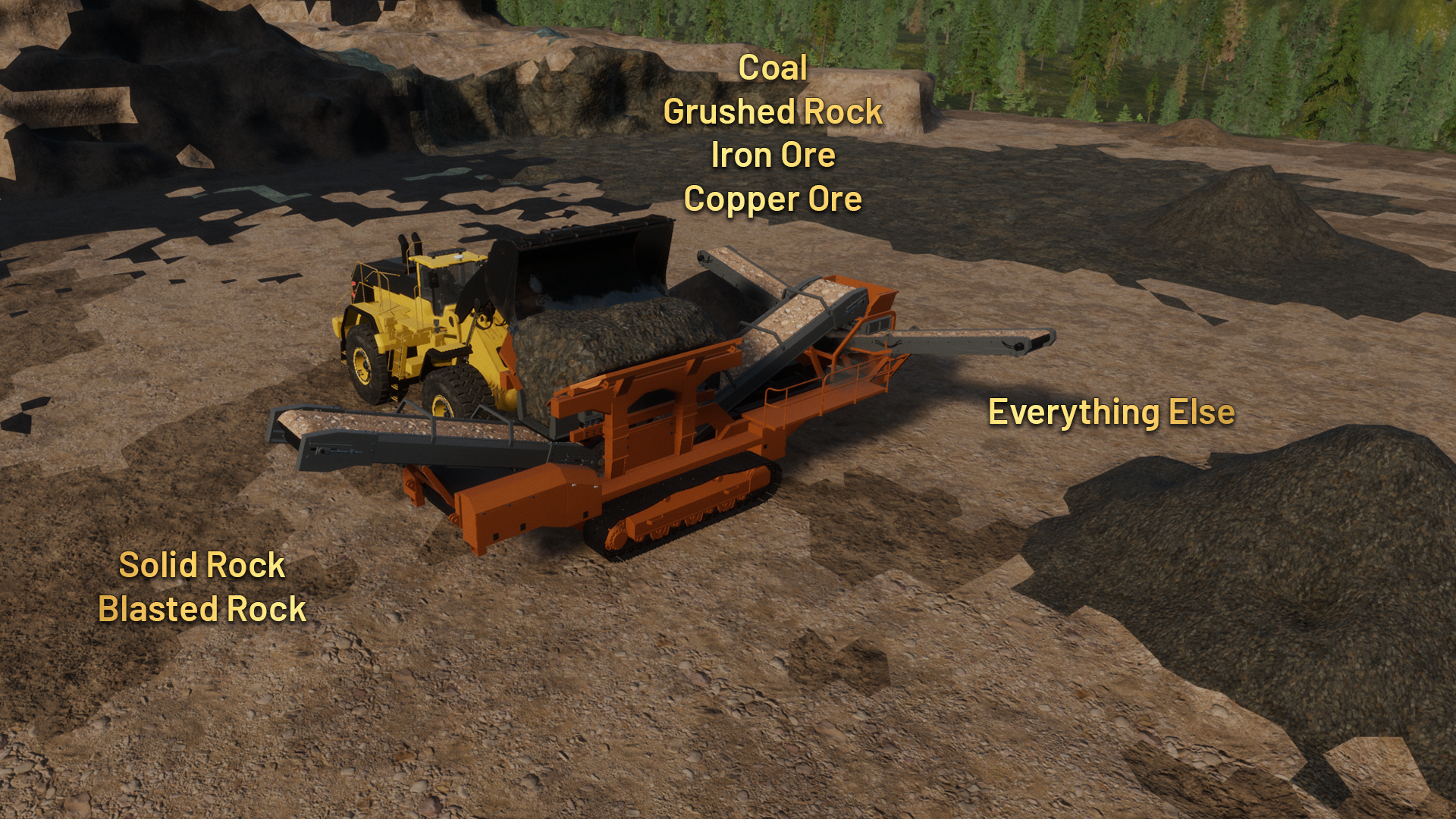
The Mobile Sorter separates materials into three different outputs, depending on the material type.
Back: Solid Rock and Blasted Rock
Left: Coal, Crushed Rock, Iron Ore and Copper Ore
Right: All other materials
Multiplayer Improvements
Multiplayer has received several improvements in this update, including a redesigned session browser, new search functionality, and improved session stability.
We've also introduced automatic Steam lobby recovery after temporary host connectivity interruptions, helping prevent long-running multiplayer sessions from disappearing from the session browser.
Additionally, we've added Steam text filtering for multiplayer chat and session names, improved the session joining interface, and added hidden password entry for better privacy.
Added search function to find sessions easier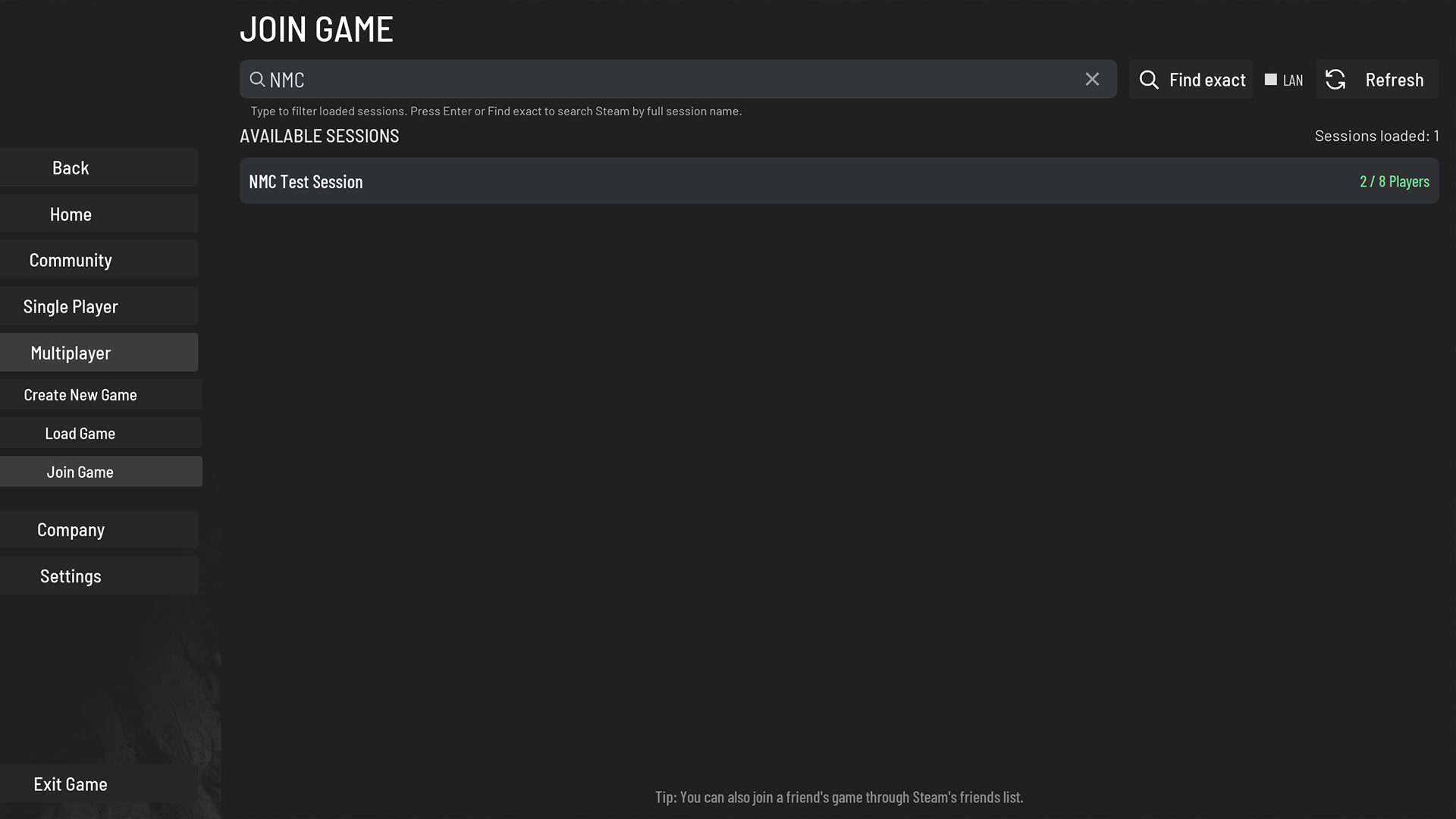
Added Steam Profanity Filter to both session names and in game text chat 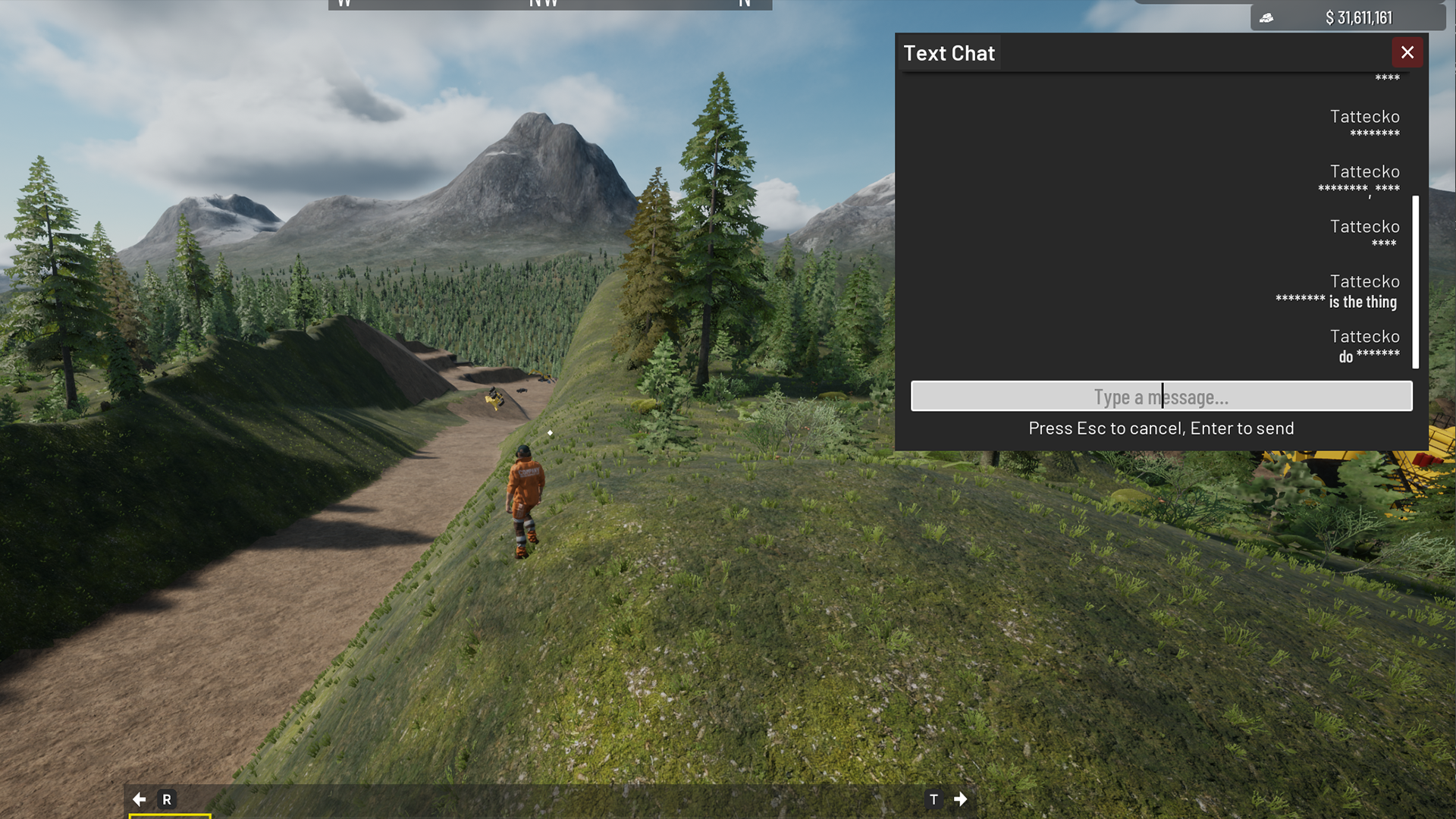
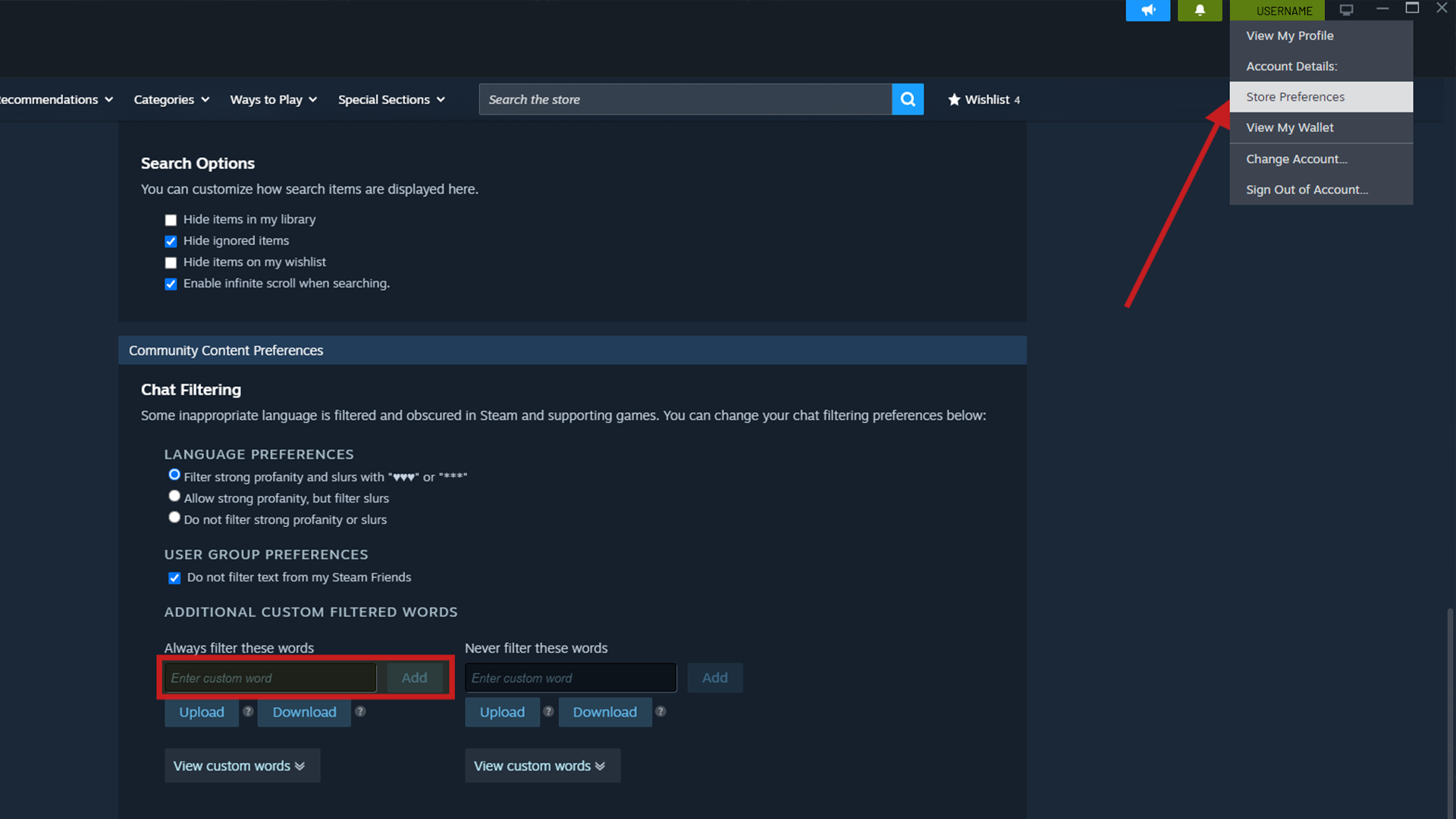
To set more filtered words , you can do this on Steam - Click on your profile up right corner - Store Preferences - Scroll down to Chat Filtering. You can add any additional words you wish to filter.
You can update your Steam text filtering preferences at any time. During testing, changes took effect without needing to restart the game.
Building Placement Style
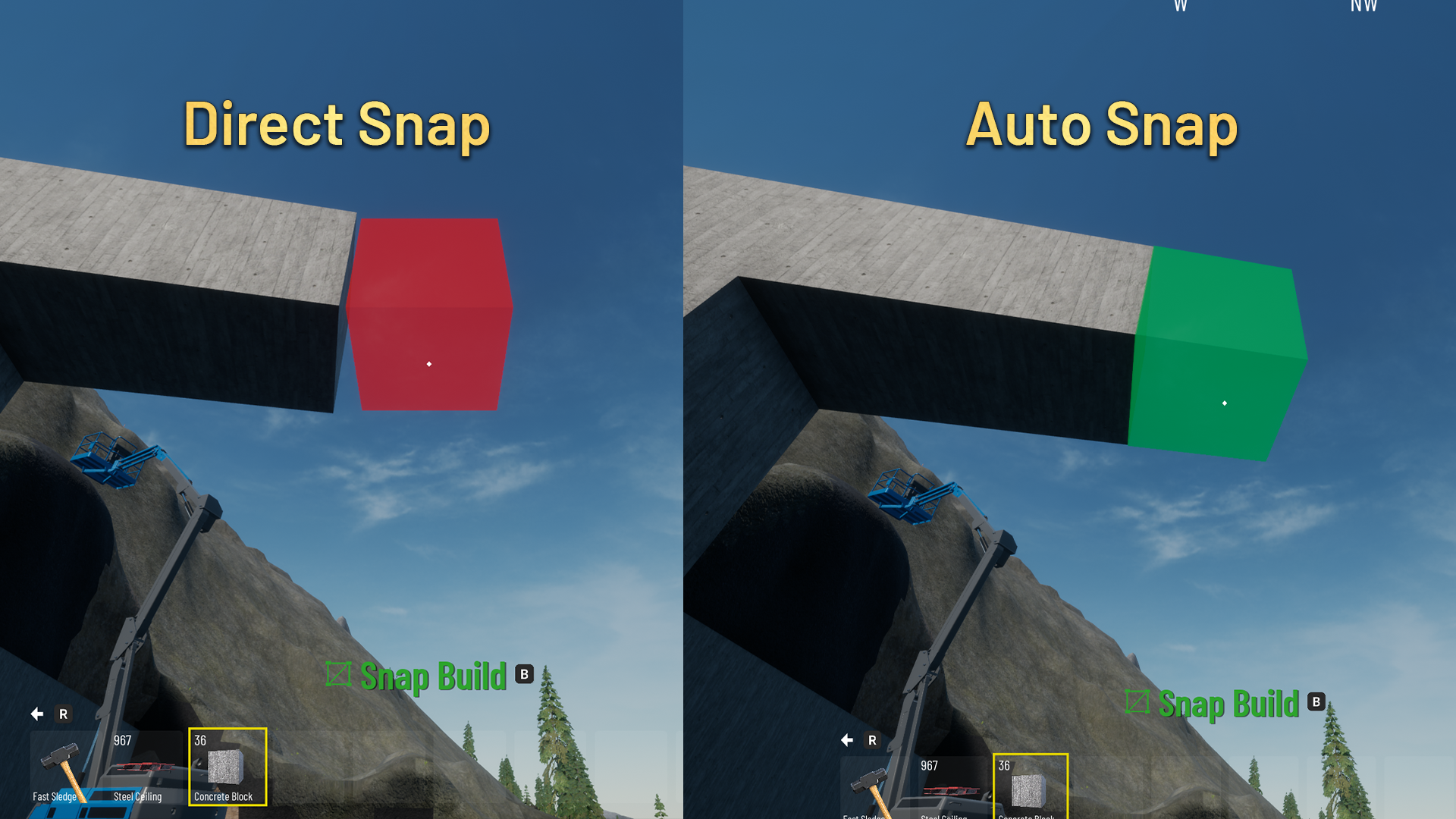
We have added a new Building Placement Style option in the settings, making it easier to place and connect building elements together.
Previously, you had to aim at the corner of an existing building element for the next one to snap into place. With the new Auto Snap option, you can simply aim near an existing element, making it easier and quicker to connect building elements without having to line them up as precisely.
The previous placement method, Direct Snap, is still available for players who prefer it.
You can find this option under Settings → General → Building Placement Style.

Lights turning on/off from generator/power source
We have added a new function that allows wall mounted lights to automatically turn on or off when their connected power source is switched on or off. This applies to generators, solar panels, wind turbines and coal plants.
The lights will also remember their previous on/off state when the power source is switched off.
For example, if you have 4 lights turned on and 3 turned off, switching the power source off and back on will restore the same setup. The 4 lights will turn back on, while the other 3 will remain off.
This allows you to control your lighting through the power source without having to manually turn each light back on.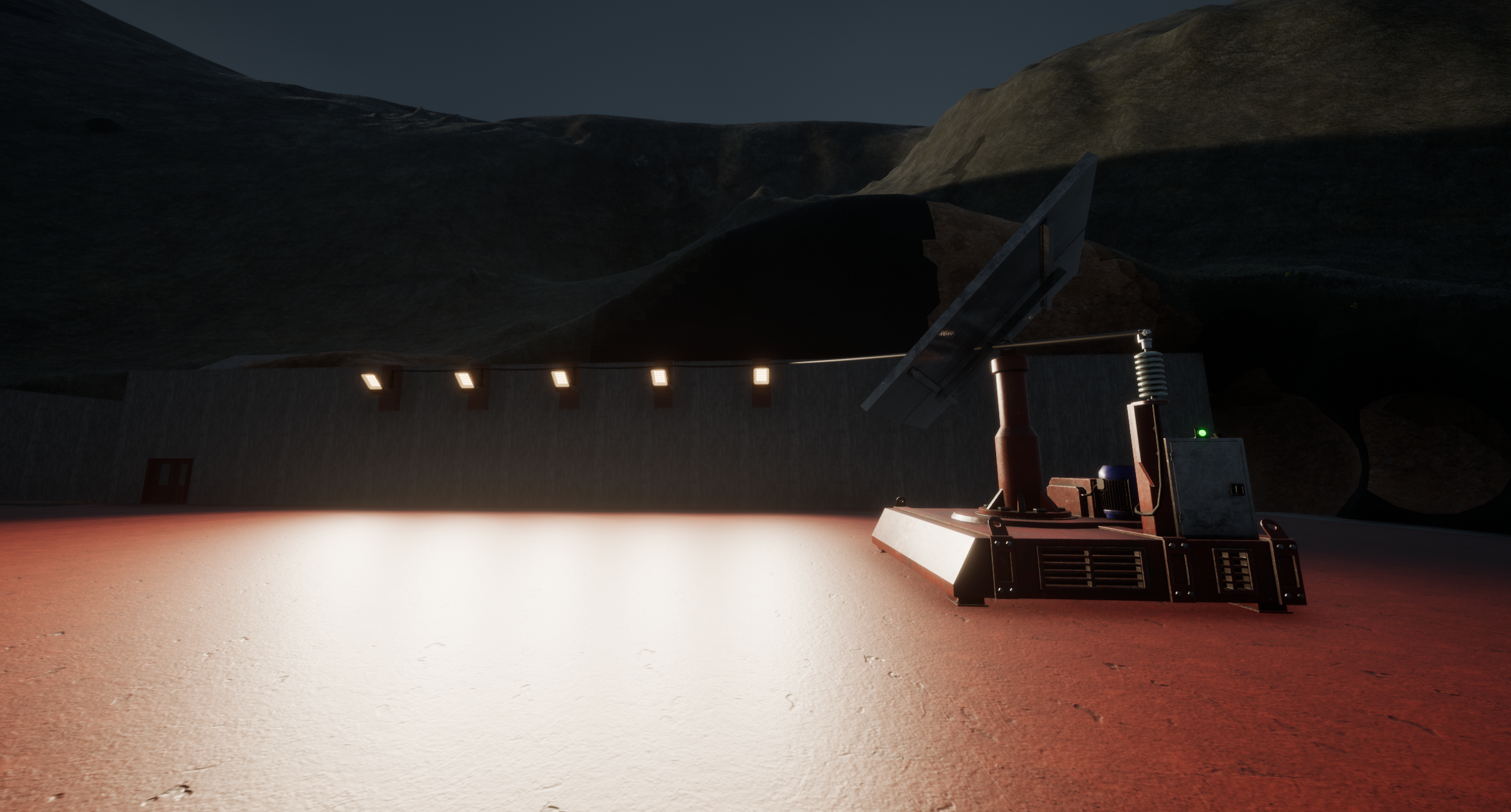
Camera Collision Setting
We have added a new Camera Collision setting that can be enabled or disabled depending on your preference.
When enabled, the camera will react to objects and structures around it, preventing it from passing through them. When disabled, the camera can move freely through these objects.
This setting applies to both the character and vehicle cameras, but does not affect camera collision with terrain (voxel ground).
You can enable or disable this option in the game settings.

Full list of current new features, fixes & improvements
New Mobile Plants and Mobile Conveyors
New Auto Snap building mode
New search function in Multiplayer list
New camera collision setting
Improved Controls menu by grouping different vehicle functions
Expanded joystick support from 32 to 128 buttons
Fixed issue where throttle and brake would stay locked on 50% under joystick settings
Improved Multiplayer session list handling, display, and filtering by game version
Multiplayer session join menu now hides password characters when typing
Fixed issue where first time using vehicle the camera would focus to center
Fixed physical stores reverting to the default store when switching between submenus
Fixed issue where loaders wobble in singleplayer modes
Fixed storage conveyor and rest of the structure being different tone
Fixed issue where autosave is not functioning after manual save
Fixed issue where handbrake would not stay on when applied manually
Fixed issue where player could duplicate inventory items when using hotkeys
Improved shadow clarity and quality
Added Steam text filtering for multiplayer chat and session names
Fixed automatic engine shutdown when quickly re-entering vehicles
Changed the default keybinds for rotating the building preview to alt + mouse wheel
Updated the auto save naming convention which will now always use the original name + AutoSave
Improved Wiki shortcut behavior to return to gameplay when opened using F1, while preserving an already open in-game menu
Fixed issue when player would be able to still fill fuel even if balance was negative
Fixed issue with overlapping GPS when both of them are equipped
Fixed inverted GPS side-angle display on front shovel cable excavators
Fixed issue where factory-installed vehicle parts were not receiving wear
Improved ground alignment precision for the 6-way dozer blade
Fixed the store search bar losing focus when moving the cursor away
Fixed input and output ratios when dumping materials between machinery and conveyors to be more precise
Fixed the paver incorrectly reporting an empty hopper when a small amount of material remained
Adjusted minimum and maximum zoom distances on all vehicles and increased default zoom speed
Fixed cable excavators missing dirt effect for clients
Adjusted Man Lifts, trucks, compactors camera modes
Added power indicator lights to solar panels, wind turbines, and generators
Fixed the host appearing underground for players joining an ongoing multiplayer session
Fixed issue where conveyor mergers were deleting excess material
Improved floating dirt clearing when digging with vehicles (less floating material)
Wall-mounted lights now automatically respond to their connected power source, while preserving their individual on/off states
Fixed issue where removing wheels or tracks would allow you to carry on driving
Fixed falling sand occasionally becoming desynchronized for multiplayer clients
Fixed vehicle follow cameras not correctly focusing on their intended attachment points
Improved saving by compacting voxel data before saving the game
Fixed certain storage conveyor components not being paintable
How to report a bug/issue?
When sending in bug reports, it is a huge help if you can describe the issue in as much detail as possible.
Useful information includes:
Your game version, which can be found on the main menu (for example, V0.37.5561)
What happened
What appears to cause the issue
Steps we can follow to reproduce it
If the issue involves a vehicle, which vehicle(s) are affected
If the game crashes, please include the crash report
Your Discord/Steam name or email address so we can reach out if additional information is needed
You can find the bug report link in the game menu or use the Bug Report Link.
How to find savegames and crash reports
Savegames:
%localappdata%\\OutOfOre\\Saved\\SaveGames
Crash reports:
%localappdata%\\OutOfOre\\Saved\\Crashes
Note:
Copy the path above and paste it directly into the File Explorer address bar or the Windows search box.
If you're unsure about %localappdata%, you can also find these files by navigating to:
C:\\Users\\YourUsername\\AppData\\Local\\OutOfOre\\Saved\[/c]

Live Q&A with the Developers!
This Saturday, November 21, we'll be participating in a Q&A live session hosted by Splitintwo, featuring the Out of Ore developers!
Join us as we talk about Out of Ore, what we're currently working on, and answer questions from the community.
We'll be live on YouTube, so feel free to stop by and join the conversation!
Date: Saturday, November 21, 2026
Time:
Central Europe (CET) 21:00 (9:00 PM)
United Kingdom (GMT) 20:00 (8:00 PM)
Eastern US (EST) 15:00 (3:00 PM)
Central US (CST) 14:00 (2:00 PM)
Pacific US (PST) 12:00 (12:00 PM)
You can watch it here: View game page
That’s it for this Beta update!
Thank you to everyone for your feedback and reports that help us improve Out Of Ore :)
More to come, and we will keep you updated!