Dear users,
We are thrilled to bring you a very important version update! To provide an even better experience, our main program has been officially renamed to MagicPaster. This is not just a name change, but a promise of continuous evolution for this productivity tool.
⚠️ [IMPORTANT: Incompatible with old clipboard history] Due to a complete overhaul of the underlying architecture and data storage in this update, the new version will not be able to display the clipboard history copied in previous versions. After updating, your clipboard history list will start fresh. If you have important data in your old history, please save it manually before updating. We apologize for any inconvenience caused!
Taking this major update as an opportunity, here is a complete overview of all the "magic" features MagicPaster has prepared for you:
🌟 Core Magic Features
Whether you are a programmer, designer, content creator, or heavy computer user, MagicPaster will save you thousands of tedious copy and paste actions.
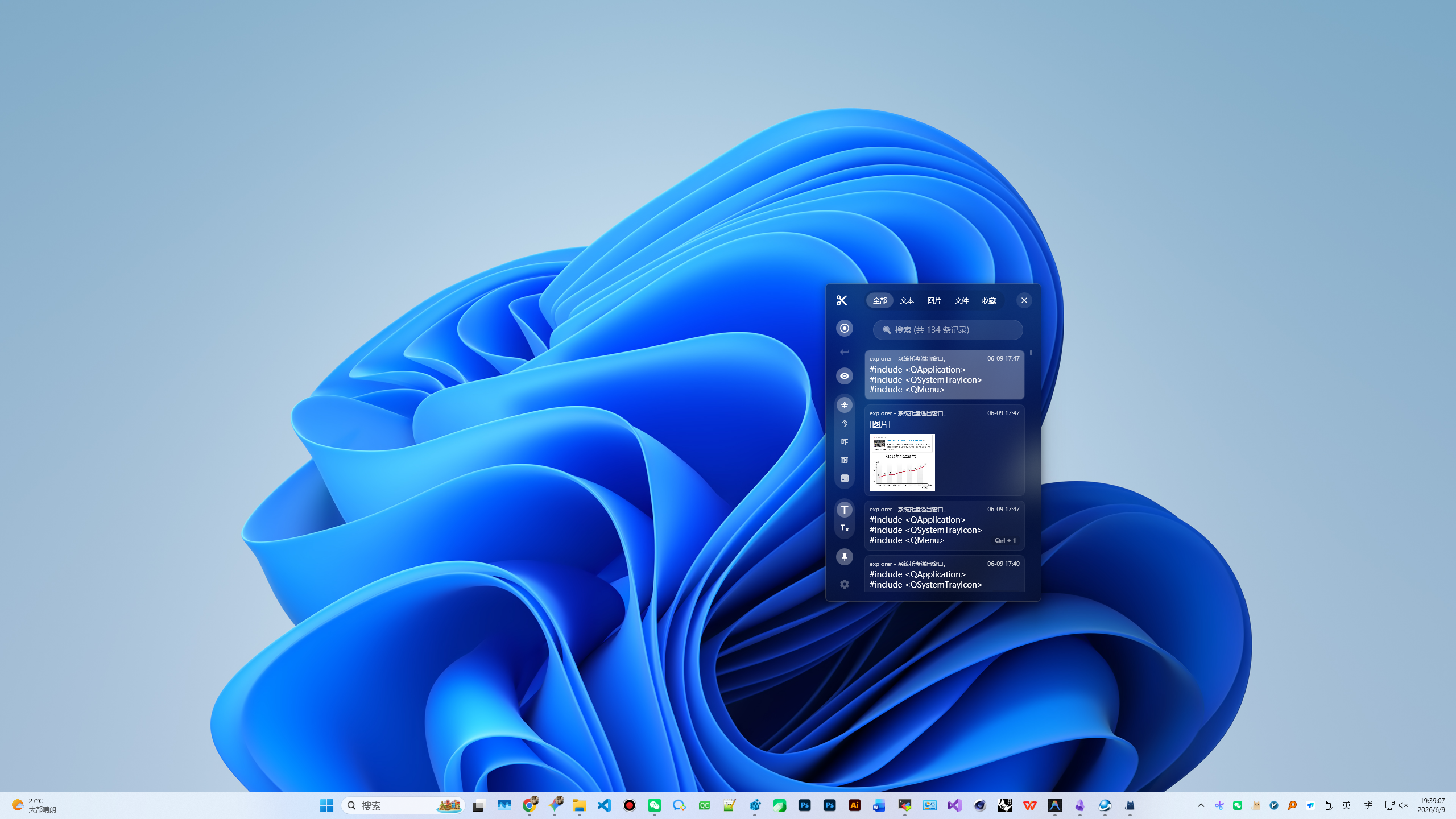
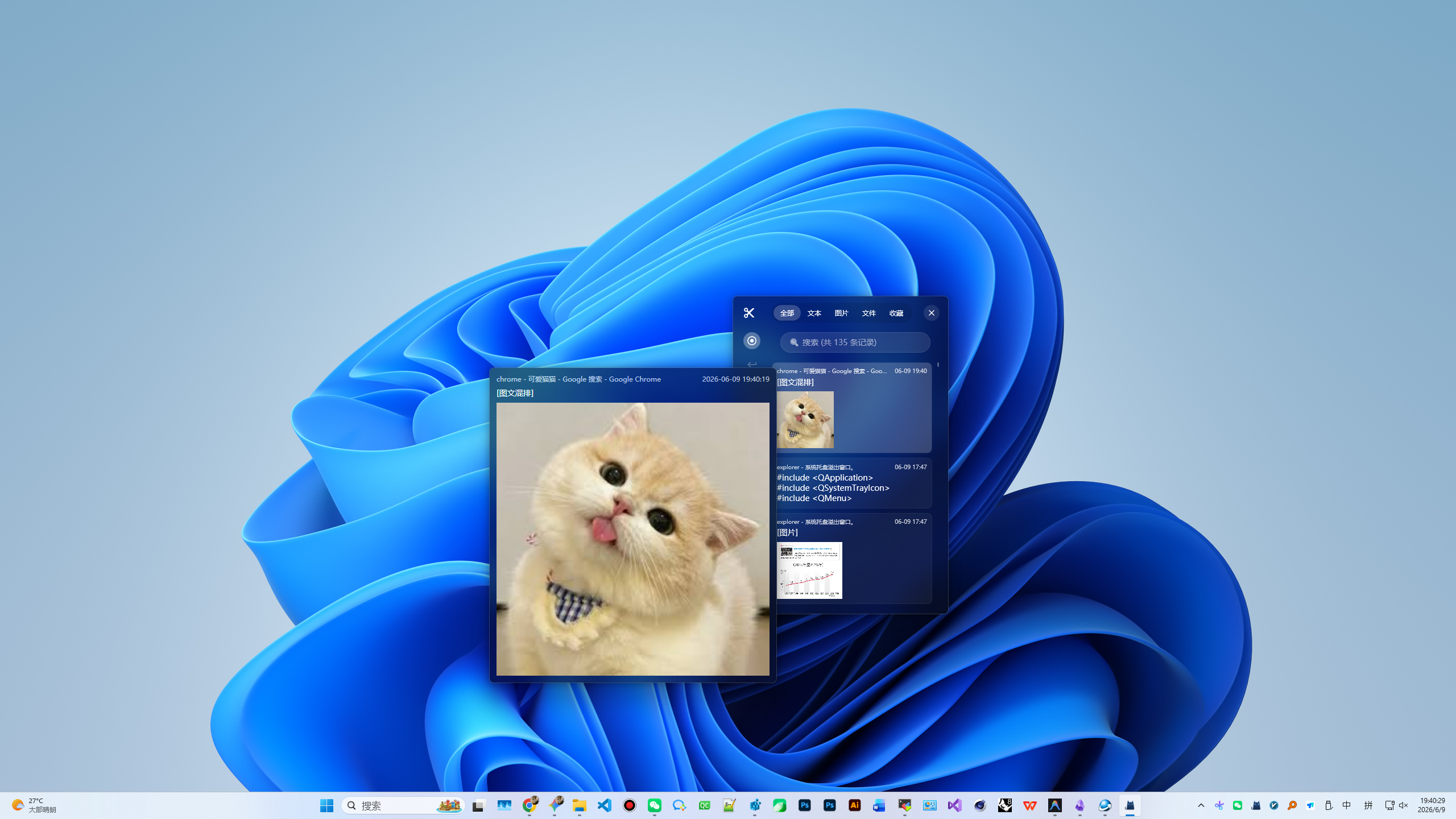
📝 All-Format Recording Say goodbye to the weak native Windows clipboard. It automatically records not only long text, but also high-res images, and even the copy history of files and folders! Accidentally overwrote what you just copied? Get it back in a second.
⚡ Global Hotkey, Instant Paste Summon the history list in any software. It supports mouse clicks, and more importantly, extreme blind pasting with 1~9 number keys, allowing you to finish operations without your hands leaving the keyboard.
🧹 "Plain Text" Purify Mode Copied text from a webpage with messy background colors, tables, and fonts? No problem! Turn on the [Plain Text] switch in the sidebar, and what you paste will instantly become clean, pure text—the ultimate gospel for writers!
🔗 Signature Feature: Drag-and-Drop Batch Pasting Say goodbye to the tedious process of copying and pasting one by one! Simply select and drag multiple history records directly from the list, and batch output them into your target document or chat window all at once. Stop the painful back-and-forth window switching and massively boost your organization efficiency!
🔍 Instant History Search Can't find the order number you copied yesterday? Type keywords directly into the search box to instantly fish it out from massive history records.
🔒 Local Storage, Absolute Privacy All your clipboard data (including passwords and important files) is encrypted and saved only on your local hard drive, thoroughly protecting your core privacy.
🚀 Special Update Notes (v3.x)
In this major release, we have also deeply polished the user experience:
Smoother Keyboard Interaction: Now supports using the [Up/Down Arrow Keys] to navigate through history records, and [Enter] to paste instantly! Most importantly, it will absolutely not steal focus from your current input window.
Underlying Logic Fixes: Fixed an embarrassing bug where copying a file would occasionally paste the "local absolute path" text by mistake.
Steam Experience Optimization: Optimized the underlying verification logic for Steam players, bringing the purest full-version experience. cloudcontpaste.exe is still kept in the folder for a seamless transition.
Thank you all for your continuous support and feedback! If it improves your work happiness, please recommend it to your friends! If you encounter any issues, feel free to reach out to us in the community at any time.