
This update was released over the past week in a few pieces, but I wanted to wait until I had a few changes and features to talk about before making a post.
The first thing to talk about is the updated eraser for map making. I had introduced a box eraser in a previous update, replacing the old point eraser. Although the new box eraser was certainly useful I found myself missing the old point eraser, especially when making campaign maps.
So I decided to re-add the point eraser to the game as a separate mode. Now when you use the eraser you can Left click to activate the point eraser which destroys whatever it touches, or Right click to use the box eraser which will erase everything inside the drawn box. With this I also fixed a bug where the box eraser wouldn't always appear, so it should work consistently now.
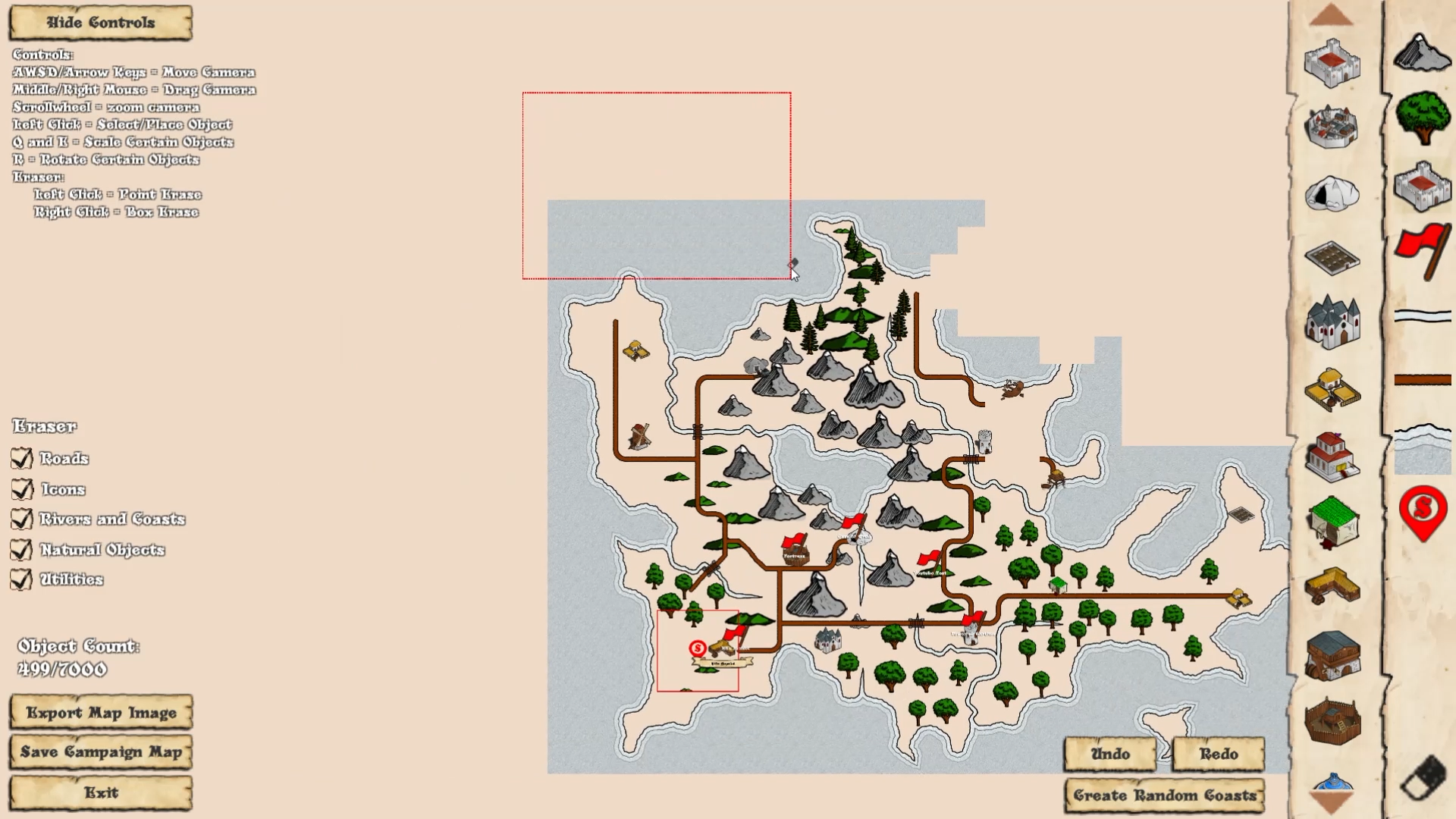
I have also added a new menu for the eraser that shows up on the left side of the screen, which allows you to choose the type of objects erased. Want to redo just the furniture in a house, select the furniture option, and leave everything else intact. This should allow you to more easily erase what you want from the map.
The second major update is the addition of Undo/Redo buttons on the map maker. These buttons allow you to undo most changes you make to a map on both the encounter and campaign map screens, as well as redo those changes that have been undone. It's not perfect, but it does a pretty good job reverting made changes, and should allow you to quickly correct mistakes.
As well there is now a coastline/island generator for the campaign map maker. Although there aren't very many options yet (you can just choose the map size, and island type to make), this tool will quickly generate a random coastline for you to start building your campaign maps.
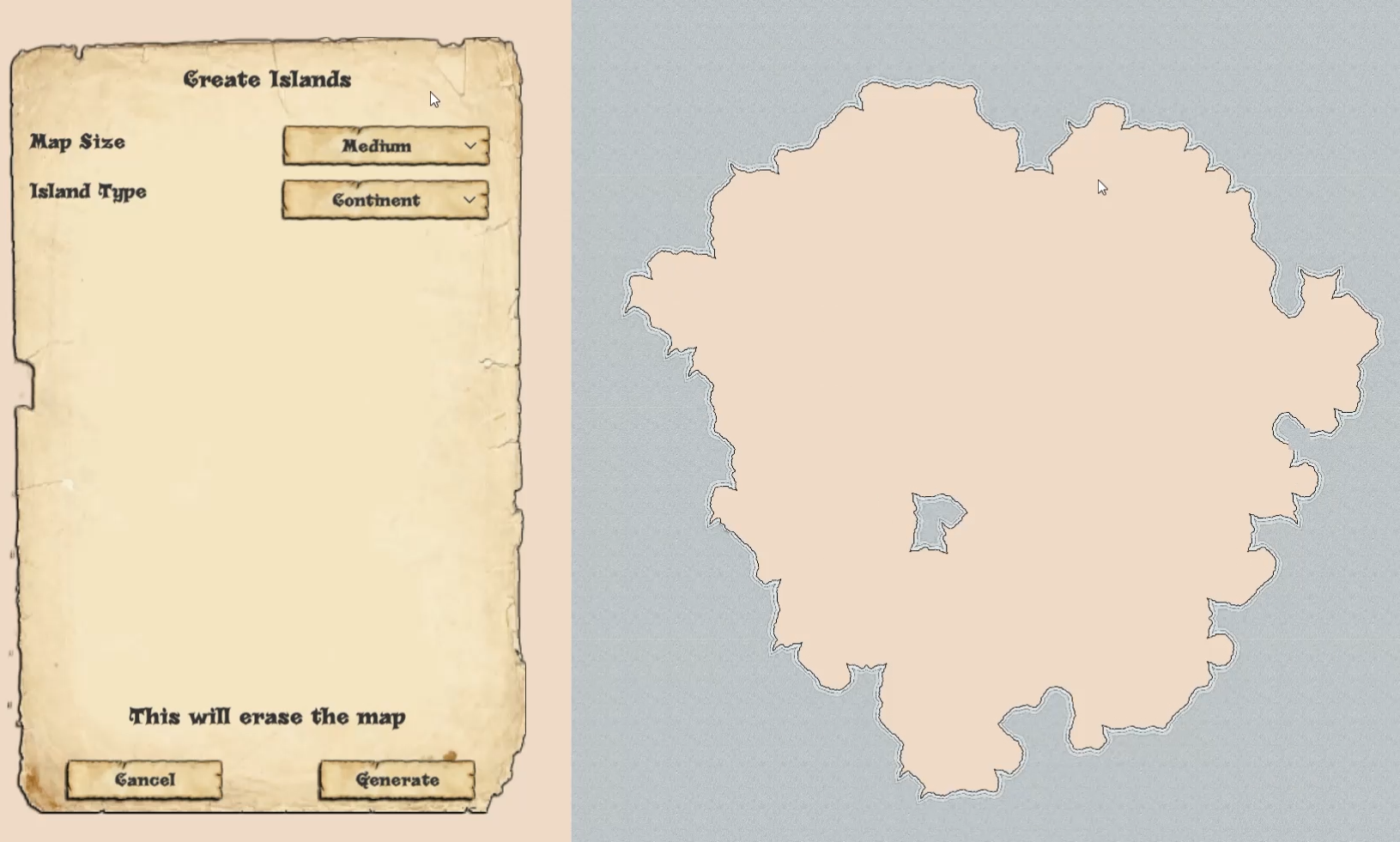
Along with the coastline maker is a freeform coastline placer that you can use to draw coasts along the edge of water, and it will randomize and connect the placed coasts, giving you a quick way to draw the coasts of your world, with a little randomness to make each one unique. You can also use this tool to click on a single coastal tile to change it's sprite to an appropriate one based on the surrounding water.
Along the same lines is the freeform road and river maker that has also been added to the map maker at the request of Steam user RMCora. These tools allow you to draw roads and rivers between any two points on the map, which will do their best to connect the points with slightly randomized tiles ensuring each connection is a little unique.
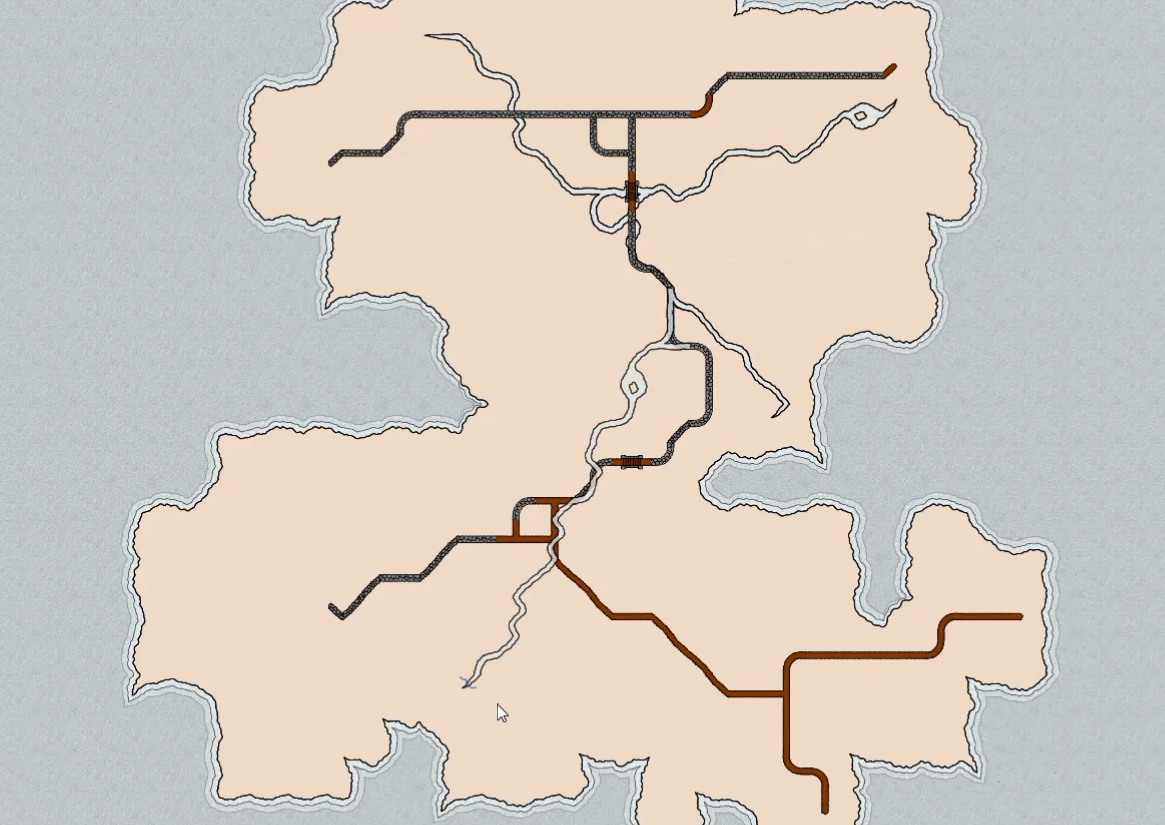
As with the coast maker this tool can also be used to quickly connect roads and rivers with the appropriate connecting piece by clicking on an existing road/river. This should speed up the map making process for everyone.
As for some small updates I expanded the DM note utility to accept notes up to 750 characters long, versus the previous 150, allow you to store a lot more info in your maps for you to reference.
I also fixed a bug in the random town generator that caused multiple walls to be placed in the corners of L-shaped buildings, which could mess up the sprites linking the walls. As well I made it so buildings generated by the town generator can appear closer to roads, making them more consistent in size when generated.
Please let me know if you run into any issues or bugs with the new updates, and suggest any other new features you would like to see.
Cheers
Brian