
We welcome a new monthly devlog about the development of Astride. The March month is over and we would love to give you some more insight into each developer's work during this time.
Hair, coats, and clothes
By Mathilde - 3D-artist
March has gone by too fast! I’ve had some different tasks this month and would like to elaborate more on them. Within the first weeks, I created a riding helmet to continue the work on the human character’s clothes (riding pants and boots) from the last month. The current “V” logo design is temporary until we build brands that will be in the game.
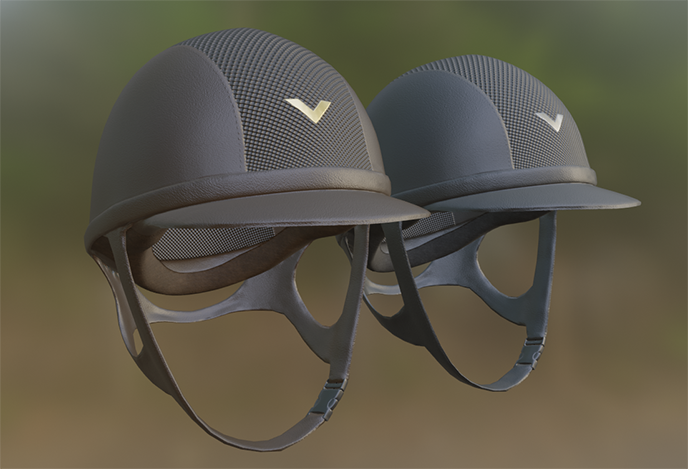
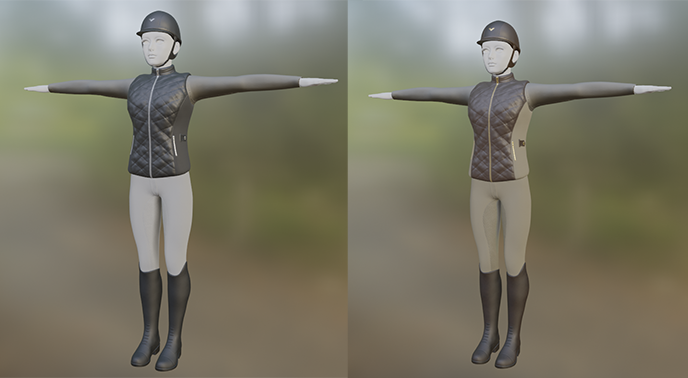
While the riding boots and pants were created by the character artist and textured by me, the riding helmet is something I made from scratch. When the helmet was done, I added them with the rest of the clothes to see if they fit the rest, and I was glad to discover they did! Since the daily work in progress only show snippets of what we are working on, I thought I would show you the full outfit in its entirety. Since we also created a sweater/baselayer and a riding vest.
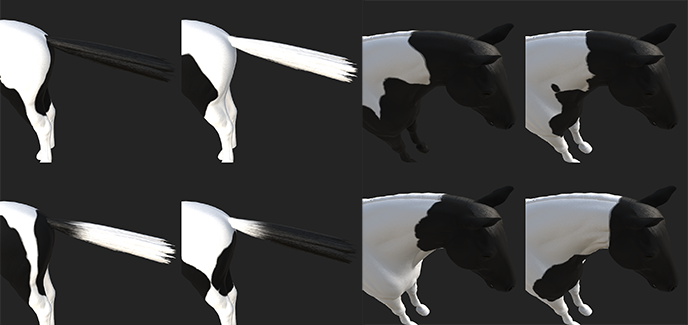
Moving on from the riding clothes, the setup of the hair for the horses has been revamped. With the previous method, painting on the hair cards one by one was not possible, but now the amounts of hair cards have been drastically reduced in trade for being able to paint on every single card separately. This will also make it easier to implement the feature where the tobiano patterns in the coat will affect the patterns in the hair. I can now make different tobiano coat patterns and match them with hair patterns almost seamlessly.
During this month I started reworking the Fjord horse. Or - I made it from scratch again using the already existing mesh of the Norwegian warmblood. This way I could make a shape like the Fjord horse quickly and work with the same textures and hairstyles. While I haven’t started the high-detailed mesh for the Fjord horse, this is a task I will be working on soon.
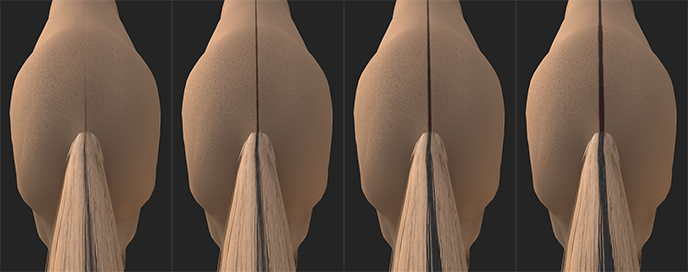
With the Fjord horse comes both the dun gene as well as dun mixed with pangaré. Since pangaré affects how dun looks, I made overlays for pangaré dun which differ from the regular dun. Dun horses as well as Fjord horses with pangaré dun have diluted color and dorsals. This not only affects the coat but also the hair. Therefore, we also needed overlays for the hair just as with the tobiano patterning. The mane has gotten lightened layers of hair over the original color, and the tail has also been lightened with a dorsal going through from the base to the end. Since the thickness of dorsal stripes varies from horse to horse, we have made a system that matches the thickness of the dorsal in the coat with the thickness of the dorsal in the hair. For now, we have four different thicknesses.
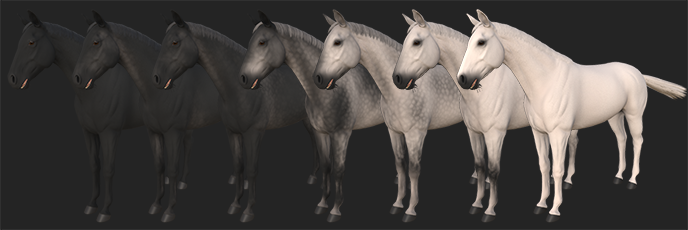
And finally, back to the greying we go! Since the hair was updated, I decided to update the hair greying as well. While being on top of this idea, I also decided I finally wanted to do a new iteration of the greying process. For some reason, I can never seem to get satisfied. While greying horses in real life isn’t as complex, creating it digitally while also looking realistic is not an easy task.
The hardest being the dapples themselves. This time I hand-painted every single dapple. While it may sound extreme, stamping on a pattern like this never looks right. Repeating patterns in such an intricate pattern becomes obvious very fast, so finding a way to produce dapples fast and still keep quality was a challenge. I played around with the brushes and made one that gave me a great starting point. It felt like splotches of color on the fur but still felt a bit uniform. There were all too round and perfect. So back to the thinking box I go.
The solution was to use this same fur-like brush, scale it down and get to work. I would shake my hand while making every dapple to create randomness at the edges to make them feel more like real dapples. I don’t think I can get them 100% looking like real dapples, but at least we won’t be using photos of horses as a texture, which is what I wanted to avoid. As of right now, I am pleased with the result, but I am sure that I will probably revisit the greying another time when I realize I’m not happy with it after all. I guess that’s part of being an artist!
Posters and hairstyles
By Maja - Concept Artist
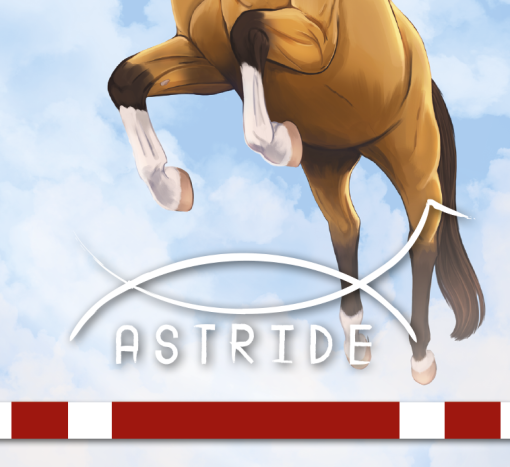
The early access launch gets closer day by day so I wanted to prepare a poster for it. Since the theme of the early access is showjumping I chose a jumping horse that jumps so high it flies in the sky. Fly high was the motto for it. I wanted this horse to have a buckskin color, which I haven't drawn before for any splash art. I love markings so the horse got some markings for its legs as well as its face. So very cute! The hardest part of this poster was the text. But I believe I've found a solution to it. I added a jumping pole with red and white colors which is a very nice contrast next to the horse and the blue sky. I cannot wait to show you the final poster at the launch.
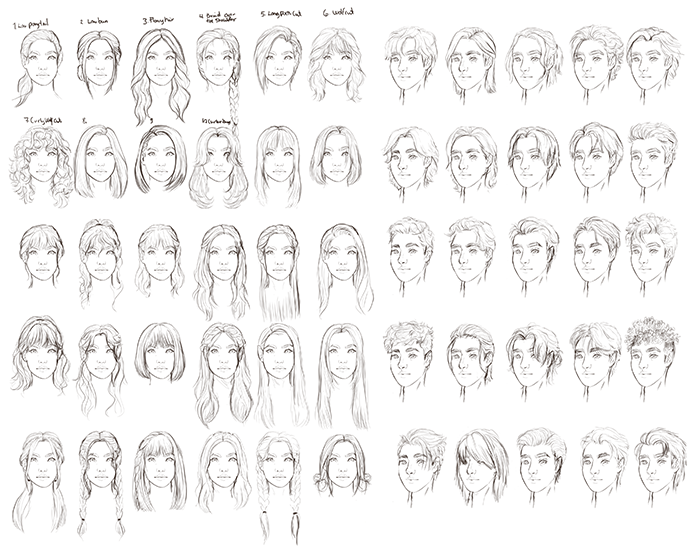
I've also done some concept art sketching for the game. This time I drew many ideas for different hairstyles for the player character. There are a lot more sketches than what shows in the screenshot, but I’ll show you some more here. And remember: even though I have drawn some hairstyles on a female model and some on a male model, the chosen hairstyles for the game will be available for any gender. So no worries there! Also even though I have made a concept of a hairstyle does not mean it will appear in the game. But hopefully, most of them will be added. I've made many sketches for curly and wavy hairstyles too, which we want in the game, but I know it's very hard to make it look good in 3D. But we will do our best!
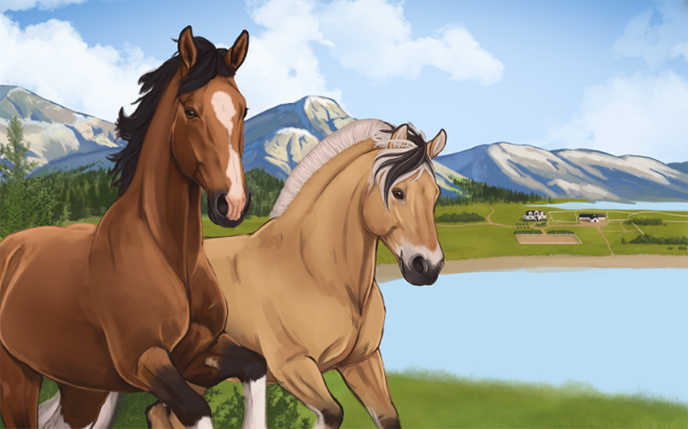
And the biggest art project at the moment is the Kickstarter art print which I kept secret for a while. It's coming along fine and I've been doing lots of background work for it like drawing mountains, forests, and a nice little farm. I wanted it to have two horses in the frame. The first horse is of course our dear Norwegian warmblood. It has a bay coat with some markings on its legs and face. The other one is the lovely fjord horse with a brown dun coat color. It gives me summer vibes for some reason. A fjord on grass. There is still lots of work left before it’s completed. Right now I'm focusing on the foreground and rendering the horses’ bodies and legs. Soon I'll have to make the water look cool as well. Wish me luck!
Menus and collisions
By Green Horse - Programmer
A problem with being an early adopter of new, experimental technology is that sometimes you have to figure out your problems all by yourself. For example, if you google an error caused by the old Unity workflow, you will have no trouble finding forum posts by users experiencing the same issues. However, since what we are working with is relatively new, you might be one of the first to discover a new bug, so you get to name it. Lately, I have been naming a lot of new bugs, and this has made me realize that I have feelings.
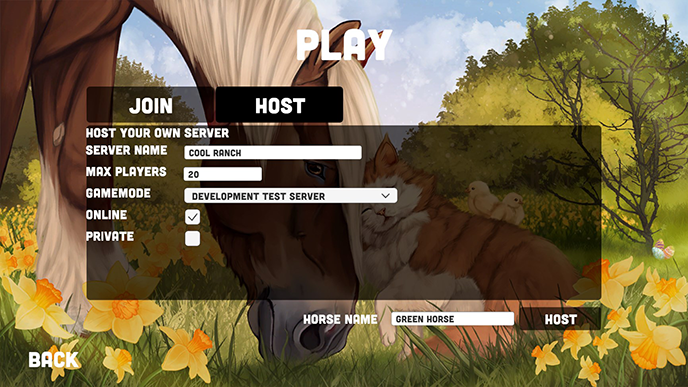
The old main menu was certainly a placeholder, and the current one is also a placeholder, but to a lesser extent. What is important right now is to ensure that the menus are wired up and working properly so that we can get our Patreon playtesters to experience the flow of the menus and provide feedback on their functionality. We are internally exploring different UI styles and will update the menu before Early Access, so we can gather feedback on the visuals too.
Here are some new main menu features:
- Join window where you can see active servers in a server list
- Host window where you can set the server name, max players, and other settings
- Basic options menu
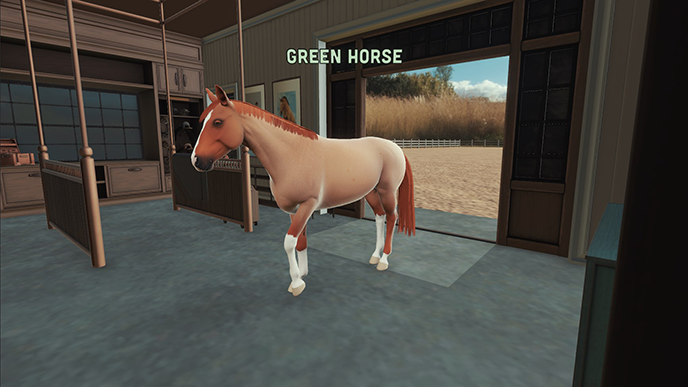
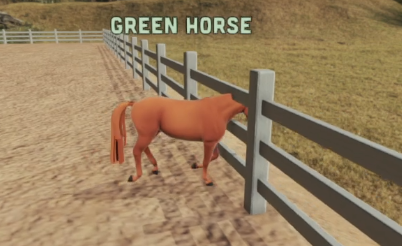
There are now walls with collision and we finally have the power to keep the horses contained. No more phasing through walls and going on infinite journeys into the void. Instead of the void, we now have a simple indoor riding arena with the ability to go outside into a fenced-off area for show jumping. We want to add some simple terrain geometry to the area outside the walkable space so that it does not look empty. This is purely for visuals, though, as collision with the terrain will be added once Unity releases the "Open World Streaming" package, and we start working on cross country riding.
Buildings and textures part 2
By Tirna - 3D-artist
Let's delve into the topic of buildings once again! Recently, we tested our riding arena in Unity and were in for a surprise - the measurements had been toggled on for inches instead of centimeters. As a result, our riding arena turned out to be much larger than anticipated. While it's great to have a spacious arena, it doesn't need to be excessively big.
As a solution, we're now working on adjusting the proportions and dimensions of our arena. While scaling everything down would be the easier route, we have to manually adjust the measurements because our doors and some windows are in centimeters. However, I see this as an opportunity to make some changes that I wasn't satisfied with before. It's great to have identified the issue and make adjustments accordingly. This gives us the chance to focus on optimizing the buildings to ensure smoother performance.
Side note: It seems like the entrance room will not require much tweaking when it comes to strange dimensions!
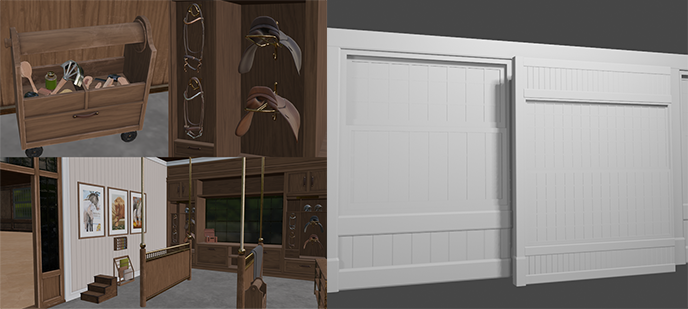
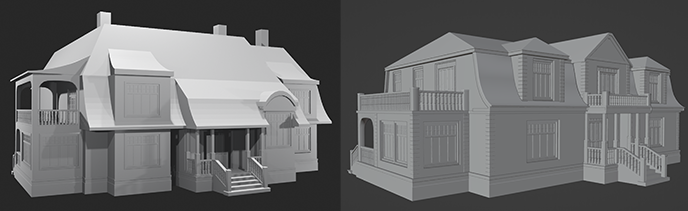
Even though we need to rework many parts of the riding arena, it will mainly look the same as before but with some changes in detail. For instance, the windows will have thinner bars, and the arches and doors will follow suit. We've made the planks slimmer to resemble normal pinewood planks, rather than something that looks like wide sycamore-tree planks. In this picture, it might be challenging to spot all the differences, but we hope you'll get a good idea of how much we're altering the dimensions of the riding arena. Below is the house before and after.
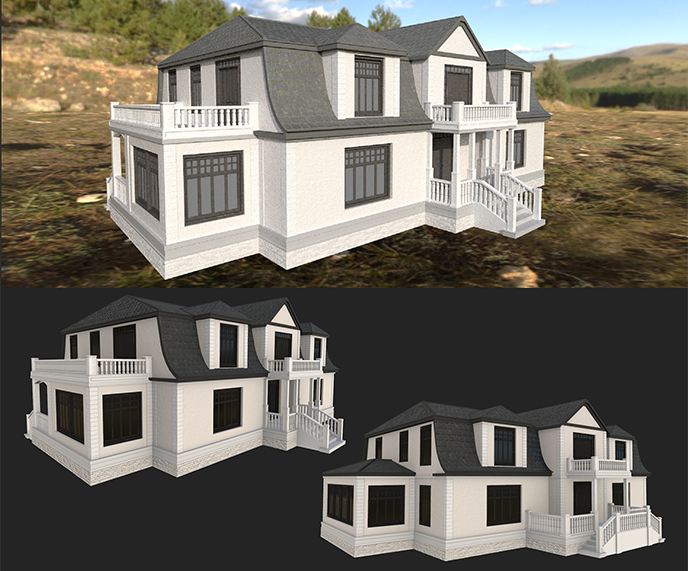
And below is the house with its first iteration of textures.
Adding missing pieces
By Marius - Animator
Most of this month has gone to generally improving already made stuff; and while going through our controls and movement, we realized we were missing something: two movement animations. Originally I had planned to work on a variety of animations for when you are not moving, but not quite idle yet. The movement animations took precedence though, so even though I had one variety animation almost ready, I had to put it on hold.
While we were talking about the technicalities of jumps in the game, we realized that we had been thinking too much about how to control the horse and not necessarily when you don’t have control. Specifically “what happens when the player is way off with the jump?” because usually, the horse would take matters into their own hooves and just refuse if they feel they won’t make the jump. This led me to drop what I was working on at the moment to make the jump refusal.
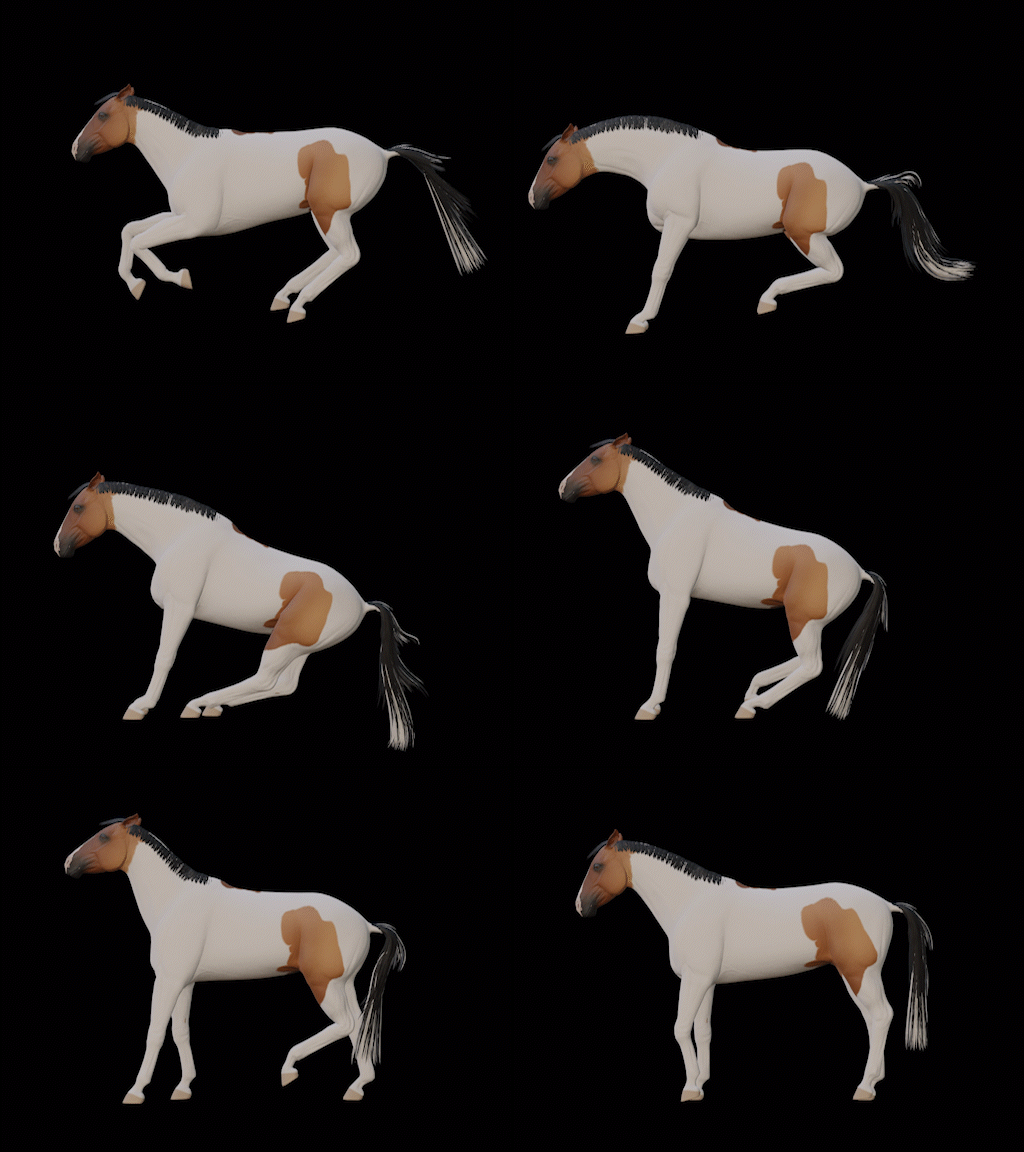
After the jump refusal was made I got to work on fixing a long-standing problem with the rig and deformations: the neck. After working on the human character rig last month I learned a few tricks that could help with the deformations that were far from optimal. While usually, the standard is to make corrective blend shapes, I used corrective bones to fix the neck.
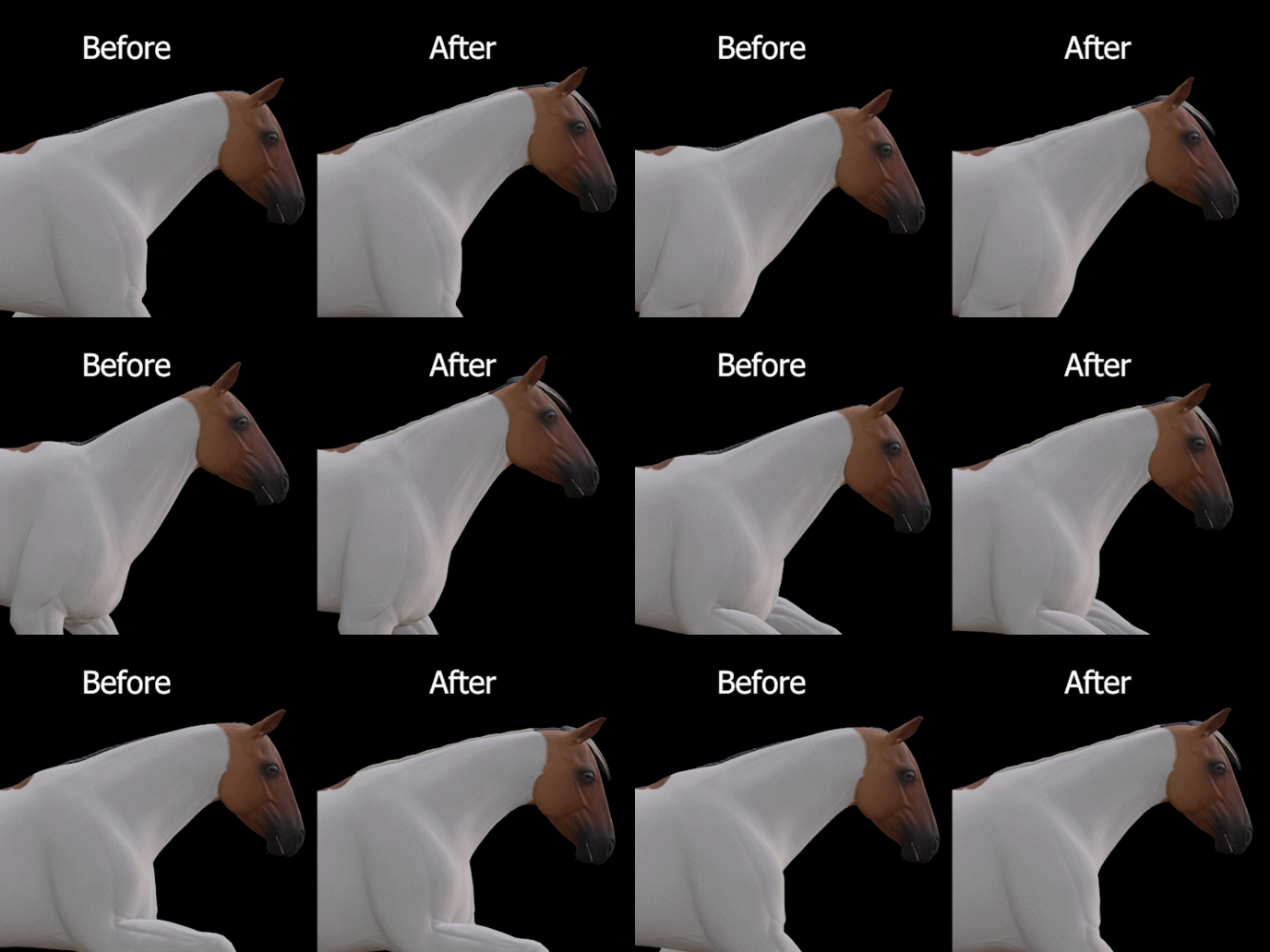
Corrective blend shapes are when you add animation information on the mesh itself to fix deformation by moving vertices to counteract whatever the problem is. While it is the standard way of doing it, you have to make one for every deformation problem you have. Because of this you usually don’t make them before you are at the point where you can’t fix the deformation with the rig itself. Corrective bones on the other hand are not something I learned about before, but I can also see why. The general rule you hear with rigs is that you should have as few bones as you can get away with for optimization reasons. But that is a rule that stems from when computers were not as powerful as they are now and it would save a lot of time (though you shouldn’t go bananas with the amount of bones). What corrective bones are is bones you add with the same purpose as the corrective blend shapes: to counteract faulty deformation. The reason I say it will save a lot of time is that corrective bones should be automatic if made correctly, though it needs some programming know-how.
Only testing will tell if I have to rein back on the corrective bones or not, but speaking of reining back; that is the second movement animation I made!
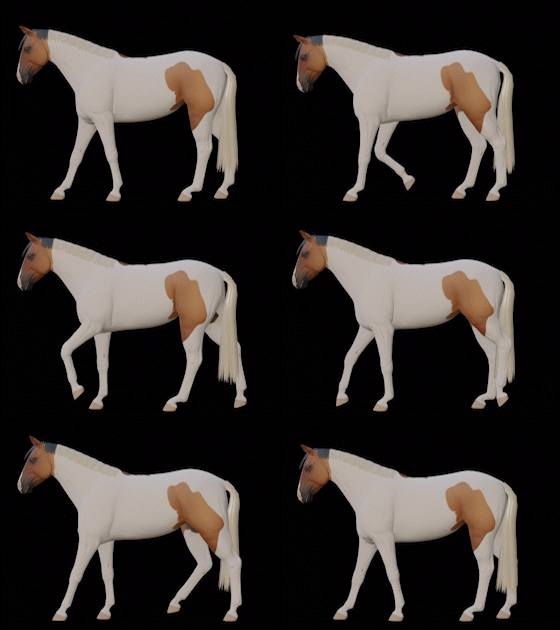
After realizing we were missing the jump refusal animation, I later took some time to go through more thoroughly what movements we would need in the early access build of the game. And while looking at Green Horse work and test stuff I had an epiphany, we were missing a backing-up animation, or rein back, as I learned it was called. Generally, we could not move backward. So I got to working on a rein back animation, which turned out to not take as much time as I feared it would take. I even added a second loop of the leg movement with some variation before looping the animation to break the uniformity.
Please note that everything shown in these devlogs is mostly showcasing work that is in progress and is not finished. To see work in progress daily, join our Discord server community here! To get more information about Astride, check out our website.