Hey guys,
today I've got another update for you, which features a new event system!
Effect events
The new event system is useful if you're working with the Godot or Unity plugin and want to make your game react to things happening in the effect. For example, you may want to play an audio clip when a specific emitter starts producing particles.
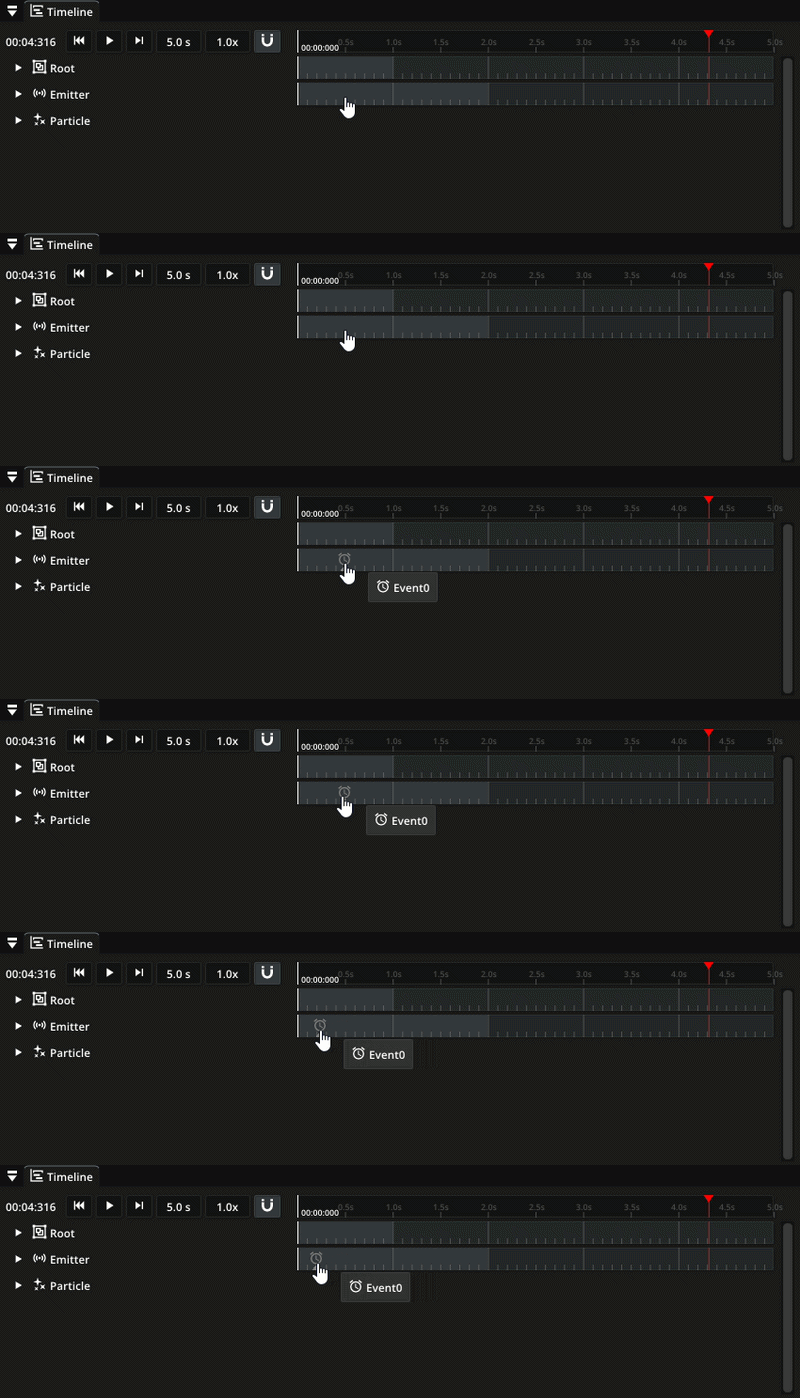
To create such an event in Pixelpart right-click on the timeline of the emitter. You can move the event on the timeline as well to invoke the event some amount of time after the emitter starts:
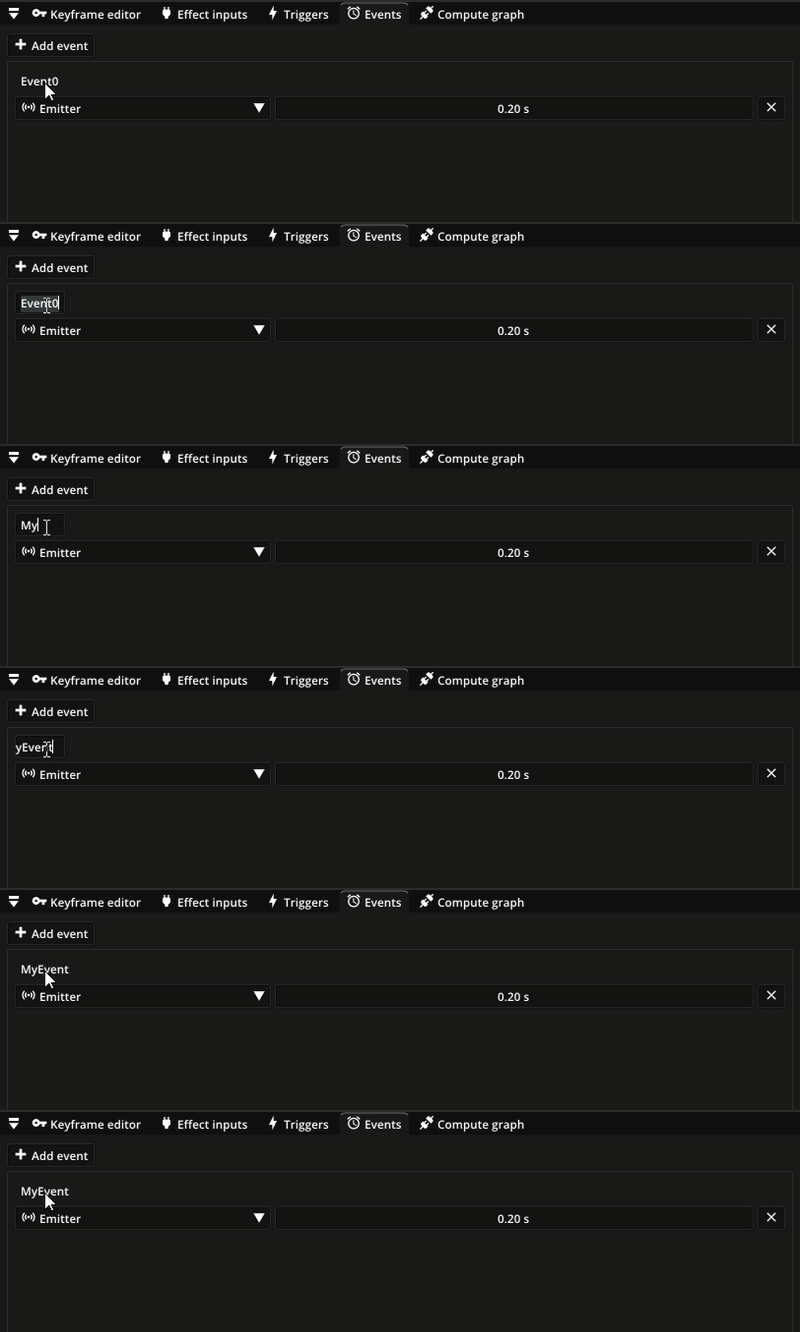
You may also give the event a custom name in the new Events window:
In Godot, connect to the effect_event signal to get notified when events are fired:
func _ready():
    $Effect.effect_event.connect(_on_effect_event)
func _on_effect_event(event_id, event_name):
if event_name == "MyEvent":
# Do something, e.g. play audio clip
In Unity, you can use the event EffectEvent of the PixelpartEffect component:
public void Awake()
{
    var effect = GetComponent();
    effect.EffectEvent += OnEffectEvent;
}
private void OnEffectEvent(object sender, EffectEventArgs e)
{
if (e.EventName == "MyEvent")
{
// Do something, e.g. play audio clip
}
}
Other changes
New frame rate setting for the scene preview (menu bar under Simulation)
New simulation rate setting for exporting
Fixed seamless rendering option
Improved some effect presets
Plugins
(Godot/Unity) Added event system
(Godot/Unity) Removed deprecated functions
(Godot/Unity) Updated and moved some enums