
I thought i'd release a preview build of the upcoming heat addition, so that those of you that want to check it out early can. Thought it would be a good idea, so that i can get additional feedback on new additions. Currently planning just testing/balancing over the next week or so, but if improvements are needed i can then make them before releasing to all. Please leave feedback in this heat preview discussion.
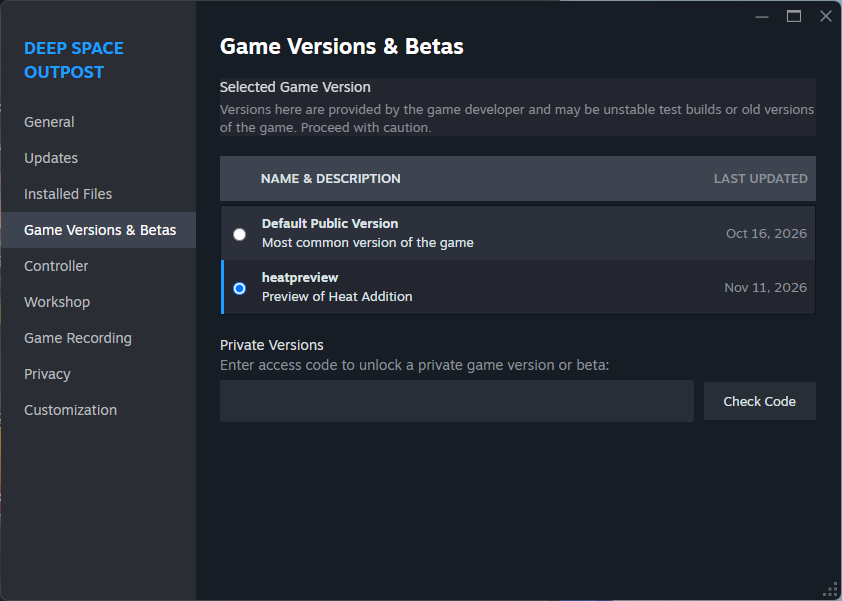
To enable the heat preview go to Deep Space Outpost properties in Steam, select "Game Versions & Betas" on the left side menu and select the "heatpreview" build.
So what’s new with the heat addition
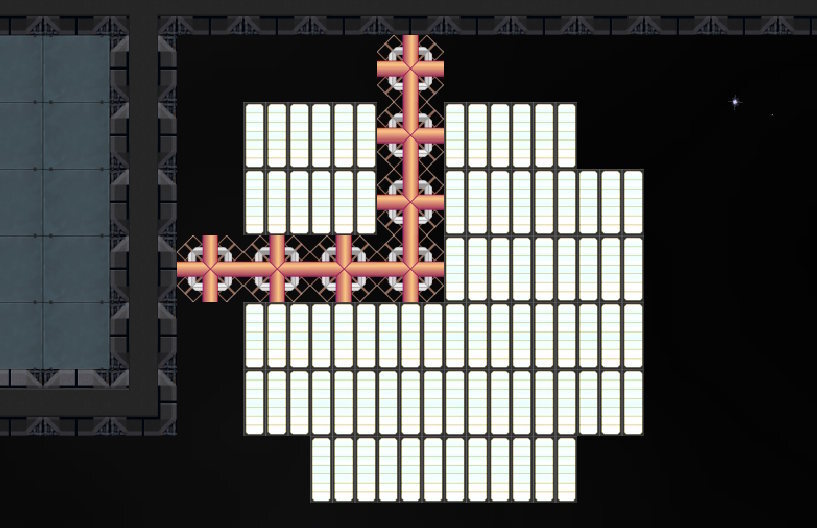
Most items now generate heat (now a temperature reading on these items). You will need to build heat pipes and radiators outside your station to reduce this heat. Also two new heat related items, thermal storage and thermoelectric generator. Thermal storage stores heat, which is an alternate method to use heat. It uses water, and if things are getting too hot, the water can be dumped to remove the stored heat and give you more capacity to use excess heat. The Thermoelectric generator also uses excess heat, and can generate you extra power from that heat.
You can get a breakdown heat/cooling (and power) via a new Engineering window. To keep things stable you require your total heat output to be less than your total cooling capacity (thermal balance is negative). If not item temperatures will gradually rise, and heat your air (if you have habitat air supply). Hotter items wear quicker, and are more likely to breakdown and start fires. If the air temperature gets too hot, your workers will take damage, robots need to use more power, and humans will have to wear their space suits inside, if things get critical.
Engineering window also gives you some extra functions. Items can be set to stop if they get too hot (they will restart once back to operational temperature). In an emergency all thermal storage heat can be dumped here as well.
Note, with this update, i've made some improvements to items that process resources. If an item doesn't have resources to process, the item will power down until resources available. This previously only occurred with some items. Now all items that behave like this will update their status to show this (eg - Offline - Not enough - [resource type]). Do let me know if anything here isn't working as expected.
Nick