
This Update:
- Added video preview interface with [←] and [→] buttons for fast forward and rewind
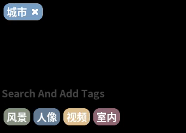
- Added colored tags and tag bar interaction
Enter a new tag and press Enter, or click the tag below the input box to add the tag to the selected image. You can also click the [x] to the right of the tag to remove the tag from the image.
- Optimized page refresh after renaming