
Steam Workshop for Aggressor
This update serves as the starting point for the gradual integration of Steam Workshop and user generated content in Aggressor. Currently, the only allowed form of content is loadout preset xml files. These files you create in the loadout editor present within the hangar by clicking Save As. To upload said file to Steam Workshop, you'd go back to the menu and boot up the Steam Upload Tool from there!
How to Use
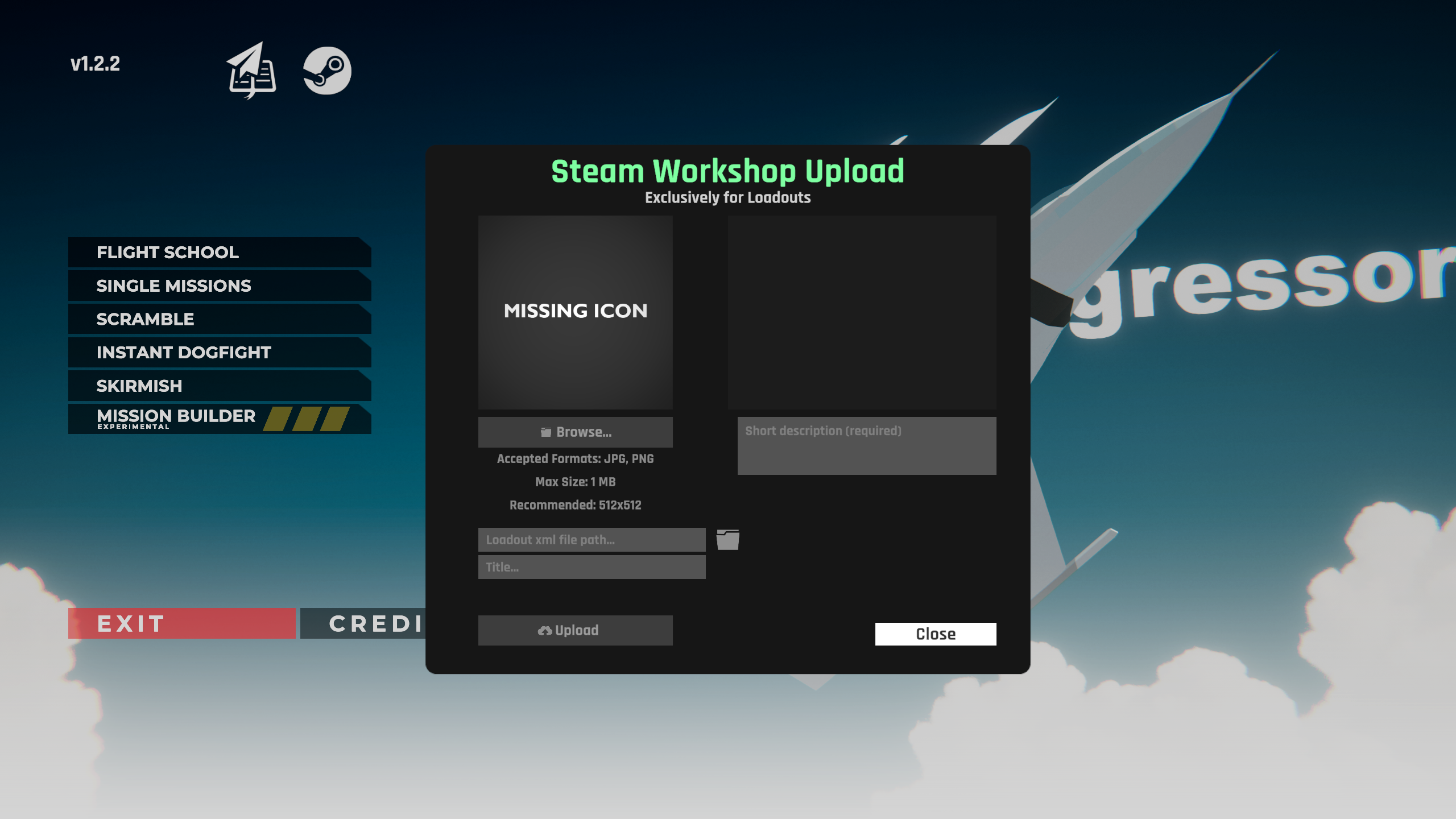
In the left top section of the menu, you see a Steam icon. Clicking on this brings up the upload panel. It is from here that all the action is driven. To upload your loadout to Steam Workshop, perform the following steps (order doesn't matter):
Set the icon (png,pjg,gif), this will serve as a thumbnail for your item. It can be no more than 1MB.
Navigate to the .xml file of your custom loadout using the file browser icon. This can be found under users/(your name)/appdata/locallow/Flashpoint/Aggressor/customs/loadouts/(the aircraft name)
Set a title. This is the display title you'll see in Steam Workshop
Set a short description that tells player something about your creation
Click upload
After clicking upload, your item will be automatically created on Steam Workshop. The final message usually comes a few seconds later and says something along the lines of "Item Updated!" This indicates your item was successfully uploaded and set with all the information you've provided. A link to it should open at this point.
Things to be Aware Of
Only loadouts are supported for now, though this will quickly be expanded to include missions as well in a later patch. The game will load your subscribed items on startup. No downloads/installs take place when Aggressor is running, this means that after you've subscribed to a new item while in-game, you'll have to restart Aggressor. Synchronization here is not supported yet. The same concept applies to de-subscription, try and avoid doing that while the game is running as this is largely untested territory.
Changelog
Steam Workshop basic integration for loadout presets
F4 phantom colliders fixed up
Flares for FS-7, FS-9 & FS-17
Flares for XFY-102, YFA-14
Mouse aim works slightly better in first person now
Cursor joy locks camera to forward in cockpit view
Maximum FOV in cockpit increased
Flares for MGI-33
YF-31 yaw stability improvement
There is a problem with the camera where it has become impossible to look around in first person mode. This will be fixed soon!