Source: Steam Community (opens in a new tab)
Steam Workshop
Downloading from Steam Workshop
- Go to the Steam Workshop page and subscribe to items to get them in the game.
Models
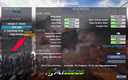
- Delete, duplicate, and share models by right-clicking the Model name in the selection list
Tracks
- In the Track Editor :
- Save As.. duplicate a track, creating a new one from the old one.
- Click the SHARE button to share your track on Steam Workshop.
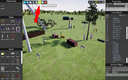
- Tip : you can share a track with 0 gates but only decor (and a start) for freestyle fun.
Display
- ! Change ! : Resolution, Monitor, Max FPS, and Vsync still auto-apply but no longer auto-save. If you bug (display or mouse) after modifying a setting, press CANCEL or ESCAPE to go back. If you like the new value, you now need to click SAVE to keep it.
- New : Monitor selection in video settings. Don't forget to SAVE to keep it for the next launch.
- Gamma has way more effect on the FPV camera now. Change gamma to get the camera brighter or darker
- New : working anti-aliasing. If you don't like it, the low anti-aliasing settings deactivate it completely.
- New : CINE quality for most settings. Cinematic quality is higher than epic, and is recommended only for very good GPUs.
- New : 220 FPS limit.
Fixes
- Switches Axis now displayed correctly in loading tips.
- Misc. other small things.
