
Hi folks!
The beta playtest for Erannorth Chronicles is now live, and will take place from 30 August till 8 September.
I'd describe the current development status, as quite close to release, but still with typos, a few balance issues and maybe bugs lurking around. Which I hope we'll be catching together.
There is lot of content to try, so have fun!
Looking forward to hear your thoughts and feedback, and of course if you encounter any glaring issues or bugs. Note, that only 16/9 resolutions are supported in fullscreen mode and I don't think I'll be supporting 16/10, as the whole game layouts need to be redesigned from scratch.
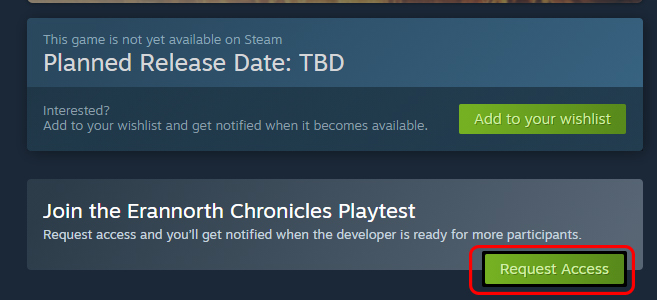
If you participated in the first or second playtest, the same application will update and you can jump right in. Otherwise you can visit the store page for Chronicles and click on the Request Access button.
If you participated in the first playtest you need to start a new game, older characters are probably incompatible and will cause you many unexpected issues and problems.
For a quick overview of what you should expect, you can also check out this video:
Or read all details in the patch notes below on what changed since Playtest #2.
Beta Playtest (#3) - v0.19.1 - Patch Notes
New Content
- Added Conjurer class (Disciple of - Baal, Abalam, Asmodai, Zagan, Vinea & Balam)
- Added Fay species (Seelie & Unseelie).
- Added Shapeshifter species (Werewolf, Werecat, Wererat, Werebat & Werecat).
- Added Celestial species (Angel & Demon).
- Humans can additionally choose the sub-archetype of Nephilim (Half-Angel) or Cambion (Half-Demon).
- Added Knight class (Knight Errant, Commander & Marshal).
- Acolytes can additionally choose the sub-archetype of Morheliss' Acolyte (Necromancer).
- Psychics can now access the Arcana skill through their exclusive Fortune Teller background.
- Added lots of new Cards (There are now 2553 cards in game).
- Added Tutorials.
- Added new Backgrounds, Challenges & Enemies
- Added descriptions in all Challenges.
- Added new Minor locations in the World Map & Points of Interest.
New Effects & Mechanics
Shapeshifting Mechanic
- RULE CHANGE (from Erannorth Reborn): Shapeshifted characters no longer Discard the non-Primal actions they draw. They can use all their Deck actions normally.
- Shapeshifter PCs assume the form that matches their [Classification] once they use a card with the Shapeshift:1 effect. The matching filename is used to provide the artwork for this transformation. ie. Werewolf.png for the Werewolf etc.
- If a Shapeshifter PC is still in their Hybrid Form as they start they turn (have Shapeshift 1) then they play for free the card named '[Classification] Form' ie. Werewolf Form. (if such a card exists.)
Fixed Damage
- FixedDamage:x can be used to define a fixed source of damage matching the cards element.
- i.e FixedDamage:4, Element:Air, will deal 4 Air damage.
- Fixed Damage doesn't need separate perk modifiers, it will get any benefits 'Damage' has.
- Resistance will apply normally.
Ripple Effects
- Whenever [Effect1] triggers create and play a card with [Effect2]. Some examples of Ripple Effect possibilities:
- ie1. Whenever you deal Damage get Defend 2. (RippleEffectDamage:Defend#2)
- ie2. Whenever you gain Defend, discard a card. (RippleEffectDefend:Discard)
- ie3. Whenever you gain Loyalty, Allies heal 2 HP. (RippleEffectLoyalty:HealAllies#2)
- etc.
- All Ripple Effects caused by Card, will trigger together (as individual smart-casted bonus effects) once every other effect in the card resolves.
- You get the bonus effect regardless of Effect1 outcome. i.e Even if the Enemy resists all Damage you'll still get Defend 2 in the first example.
- Notes to Modders: Ripple effects can be given through cards or perks but in both cases are stored as the same QuestState.
- The Syntax differs like so:
- As a Card effect: QuestStateRippleEffect[Effect1]>[Effect2]#[Value]:1 or QuestStateRippleEffect[Effect1]>[Effect2]:1
- ie1. Card Effect: QuestStateRippleEffectDamage>Defend#2:1, is stored as RippleEffectDamage:Defend#2
- As a Perk Reward: QuestStateRippleEffect[Effect1]:[Effect2]#[Value] or QuestStateRippleEffect[Effect1]:[Effect2]
- ie2. Perk Reward: QuestStateRippleEffectDefend:Discard is stored as RippleEffectDefend:Discard
- Each Effect can have a single Ripple Effect associated with it. ie in the part RippleEffectDamage, Damage is a unique identifier but the ripple effect (value of the quest state) can differ.
- ie. If you set RippleEffectDamage:Defend#2 and a bit later RippleEffectDamage:Draw, the second state replaces the first, so whenever you deal damage you'd draw a card.
- If used as a card effect you can have a single Ripple Effect per card. The second Ripple Effect is ignored. Perks can set multiple Ripple effects at once.
- To unset a ripple effect set its value to 'Unset' ie. QuestStateRippleEffectDamage>Unset:1, will remove this Quest State from the player and will disassociate Damage from its ripple effect.
- You can't set a ripple effect as the effect itself, such syntax is ignored because it would otherwise cause an infinite loop.
- ie. QuestStateRippleEffectDamage>Damage:1 or QuestStateRippleEffectDamage>Damage#3:1 is illegal syntax and both effects will be ignored.
- There is a build-in protection against indirect loops. ie. having both these states: Whenever you deal Damage get Defend 2 and Whenever you gain Defend, Deal Damage, will cause the ripple to break. You deal damage, get defend 2, because you got defend you deal damage and the ripple breaks.
- You can manually make cards to Ignore Ripple Effects by using the BreakRipple:1 keyword.
- Ripple Effect can also be a 'Scripted' effect.
- ie. Whenever you gain Defend, Heal 3 and Draw 1. (RippleEffectDefend:Healing=3;Draw=1)
- as a Card effect: QuestStateRippleEffectDefend>Healing=3;Draw=1:1
- as a Perk reward: QuestStateRippleEffectDefend:Healing=3;Draw=1
- If used as a card effect there is no card description for the Ripple Effects or the BreakRipple keyword, either can be set as Flavor texts.
Forsaking Expertises
- You can choose to Forsake up to 2 Expertises.
- To Forsake an Expertise click on the down arrow (reduce rank) while its rank is already at 0.
- The expertise text will change to "Forsaken"
- To revert click on the up arrow (increase rank) to set it back to 0.
- Any bonuses granted to that expertise will be lost once you start the game, which can make your Deck unplayable.
- You'll still be able to use * requirement Actions from that Expertise.
UI Additions/Improvements
Expert Mode
- While in expert mode hovering over cards won't zoom on them, neither show their tooltips.
- You can toggle the expert mode on/off with Shift+X or by clicking on the scroll icon next to the eye.
- Toggling the expert mode with the shortcut will also hide the currently zoomed card (if any).
Reveal Intent
- Shortcut 'I' or the new UI Button can be used to show and update the intent of all Enemies in the battlefield.
- While visible the Intent will update each time you hover over an Enemy, before and after the Enemy Acts and whenever you activate cards making the prediction way more accurate.
- You can press 'I' again to Hide all visible Intents.
- While hidden the Intent will update each time you hover over an Enemy and before and after the Enemy Acts. You can only see it by hovering over the enemy like before.
- This setting will be remembered and persist across sessions.
Compact View
- While 'Compact View' is on:
- Allies will display in 3 columns instead of 2 (6 Allies at once instead of 4), but without their buttons. You can still click to attack & right-click to use their ability.
- Enemies will display in 4 columns instead of 3 (8 Enemies at once instead of 6).
- This setting isn't saved and will only persist for the current session.
Misc Changes and Additions
- Merc:1 modifier for Summons was renamed to Elite:1. The relevant rule updated to: If an Elite Summon is already deployed, instead of Summoning a new instance: Reinforce their Lifespan by 50% (of listed stats) & Reactivate them.
- Fae Alliance bonus skills: swapped Herbalism with Nature Magic.
- Ordo Tenebris bonus skills: swapped Occult with Shadow Magic.
- Removed Organization ranks.
- Organizations cards have been assimilated to the various expertises they belong. But you still need the organization to find these cards.
- Cards that belong in an Organization have the organization's icon in their border.
- If your save file is using an organization, it's recommended to start a new game.
- Organization Perk benefits will apply to all cards.
- When clicking a Skill icon in Attributes & Skills to preview its card set, the card set will load faster & asynchronously (return immediately the first results)
- Clicking the Class/Race badge in Character Sheet will open the Class/Race info in the Rulebook.
- When an Ally use a special that has an ally as its optimal target, they will always try to target themselves first.
- Passive allies will display the text "Passive" instead of a damage range.
- Inactive allies will also become translucent.
- Added an explanation in the early references of LP & PP on what they are used for.
- Tweaked Hirdwood to become suitable as the starting area of the Fay.
- Updated the 'Gameplay basics' section of the Rulebook.
- Changed 'Wildshape' expertise & keyword to 'Shapeshift'.
- Limit:1, can be used in Actions to prevent them from being created if they already exist in player's hand.
- Removed the limit of 4 on how many types an ally can gain through AddAllyType[Type]. They can now gain as many types as your cards allow. (Note to modders: Forcing the change using a value of 5 is no longer necessary.)
- Changed the icon for 'All/Intense' as it was similar to 'Astral' icon
- Improved the clarity of the Element sprites
- In Character sheet: Clicking on the Expertise icon will show its associated cards.
- During character creation the HP displayed there, will also include the Bonus Starting HP from the Game Mode.
- When buying and selling cards in town, the transaction result will also appear directly in the button.
- RULE CHANGE: Invoke & Draw can now draw/create new cards as long as the PC has less than 10 cards in hand (instead of 7).
- Card text will change to reflect how many cards the card will most likely draw. ie. If the card can draw up to 3 cards, and you already have 9, it will show that you can Draw only 1 card.
- This number will appear in a red color to indicate that it's penalized.
- This number won't account for any cards that you may discard as a result of playing this card ie. due to Merge, Reaction, Recipe etc. Or if the card has draw conditionals etc. So you may end up drawing more or less.
- Discarding a card will re-evaluate all cards in hand and update any relevant values.
- Changed the visuals of Expert Mode & Cycle Hand to match with the new Reveal button.
- Changed 'Celestial' Magic & Runes to 'Angelic' Magic & Runes.
- Tweaked the Angelic Magic, Angelic Runes & Infernal Magic card sets.
- Tweaked the Leadership card set, Added 'Nobility' expertise/card set.
- Noble Background will now give +1 Nobility (instead of +1 Leadership).
- Changed the Starting Deck and Skill for Hyperion's Acolyte. They can now learn 'Angelic Runes' instead of 'Angelic Magic'.
- Changed how certain effects display. Their declaration is unchanged.
- EnemyBane[Group]:x effect will now display as 'Punish [Group] +x'. ie. EnemyBaneWicked:5, will display as 'Punish Wicked +3'.
- ExpendBuff[Resource]:x effect will now display as 'Pay [Resource] x'. ie. ExpendBuffFarthings:5, will display as 'Pay 5 Farthings'.
- Added a special/shorter notation for "Upgrading" summons (Summons that target a certain Archetype, then Unsummon the old ally and also pay Farthings in order to come in play.)
- In Codex entries: the Appendix section will also include any keywords that are part of a composite/conditional structure.
- Valor Tooltip explanation will change accordingly if the PC has a perk modifying how Valor works.
- Edit several sections of the Rulebook to reflect various rule changes from Reborn to Chronicles. Added a new rulebook section for the World Map.
- In Character Creation the amount of cards in Collection will display next to the button. This number will refresh each time you change something in your character.
- The Perks that change which Ally 'Doom' & 'Contract' summons, will now instead give a (Trinket) card that once played will gives the same benefit. This way you can choose if and when to activate that benefit. ie. Playing 'Morheliss' Gift I' will change your Doom effect to create 'Grave Lurkers'. You don't need to do that again, as this is a permanent change that is saved in your save file. But if later on you get 'Morheliss Gift II', you can use it to change your Doom effect to create 'Plague Zombies'. If you change your mind or need Grave Lurkers, you can replay 'Morheliss' Gift I' to swap back to Grave Lurkers.
- This change won't apply retroactively if you already have taken these perks.
- Athletics is removed for now and its 4 cards moved into a different Expertise.
- Misc Improvements/Optimizations in the Player's Handbook & Enemy Compendium
- Added a 'Kill switch' button in Player's Handbook and Enemy Compendium to manually stop the active search ie. if it's taking a long time or was the wrong search etc.
- Player's Handbook and Enemy Compendium will automatically terminate any active searches, when closed through its x button.
- Player's Handbook and Enemy Compendium will immediately stop loading new results, if the player clicks on a different category before the loading is finished or initiates a different search.
- Added a Banter message, when the Action fails because its requirements weren't met or the player picked the wrong target for this action.
- Added T9 Legendary items require 15+ in their expertise and level 13+ to equip them. They'll appear only as high level area rewards, and you can distinguish them from their (brighter) gold border.
- Added some additional options for opening chests. Lowered slightly the strength reqs for bashing them.
- Increased the cost to maintain Companies.
- Reduced max Ally Power & Health limits. They are set at (180,240) in Exploration & (120,160) in Conquest & Campaign difficulties.
- In Character Creation: the derived panel will include in parenthesis any perk modifiers that can alter the Proficiency or Resistance values.
- After completing an Area added a new Reward Summary
- If completing an area/challenge has rewards like XP, PP, Influence etc. a summary reward screen will appear to display them.
- This screen won't appear in random encounters as they don't give such rewards.
- Updated the progression section in the rulebook
- In Character sheet implemented part of the Progression tab.
- The first section in the progression tab will display the next level's benefits. New Max HP, New Max AP, New AP / turn, How many HP & AP will get refilled, LP & PP gained.
- Increased World map resolution.
- Added new minor/placeholder locations in the World map.
- They don't have a special function by default. Minor locations can be tied to a .json location file and used for quests, act as player's homes or starting locations.
- 'Areas' in Location.json files can be events. (Trigger events directly in the world map without assigning them to nodes).
- To change the area into an event set "Area_x_CompleteRequirements":"Event::EventID"
- ie. "Area_1_CompleteRequirements": "Event::Headquarters", will start the Headquarters.json event.
- Most other properties of that area can be used to set ie. the cover artwork (Area_1_CoverArtwork), unlock requirements (Area_1_UnlockRequirements), how the activity is named etc.
- ie.
- "Area_1_Name": "Abandoned Camp",
- "Area_1_CoverArtwork": "Abandoned Camp",
- "Area_1_UnlockRequirements": "Level:2",
- "Area_1_CompleteRequirements": "Event::Abandoned Camp",
- "Area_1_isRepeatable": false
- All other area properties are ignored.
- The amount of Completed Challenges is now tracked & saved.
- In Character sheet, Progression tab implemented the progression rewards.
- Progression rewards can be claimed from the Progression tab once certain amount of challenges are completed, or when the player reaches a certain level.
- Clicking a progression reward (similar to perks) will open its codex entry and display any associated cards.
- Notes to Modders:
- Progression rewards are declared in PerksDB similarly to perks.
- Name must contain the identifier Challenge:: & Level:: if we want these rewards not to also show up in unlocked perks.
- Either CompleteChallenges:x OR ReachedLevel:x must be used to set the reward requirement.
- The rest fields are as you'd expect from Perks.
- The description field is much shorter than in perks, and so the description should much more compact. Excessive text is cut and replaced with ellipsis.
- Added a couple of rewards in progression to test out the system.
- Updated the voice overs of several allies. Thanks @Gaist Heidegger ;)
- Updated the credits section
- Implemented a tutorial system.
- Added a short tutorial for the various Overworld Map functions/shortcuts. It will display only once after starting a new game.
- A tutorial on Areas and Leylines will appear the first time in the Areas/Activities menu.
- A tutorial on Nodes will appear at the first Dungeon Entry
- A tutorial on using Actions will appear at the first Encounter
- A tutorial/overview of the Character Sheet will appear the first time the Character Sheet opens
- Added a button in Settings to 'Mark all Tutorials as 'Unseen''
- Added Tutorials for the Character Creation sections.
- Challenge names can be used as requirements (as long as they are unique), using Challenge:[Challenge Name] ie. Challenge:Liberate Oggurnvald Keep
- Areas now support a description field. It will display only if "Area_x_Description":"" has a value other than blank.
- [Player Home] You can now liberate the Oggurnvald Keep (The fort below Lanmerih) from the Bandits that live there, and claim it as your Headquarters.
- [New Town Filter] "Don't show me cards I can use 'Untrained'": turning this filter on (and refreshing the merchant) will hide all cards with * Expertise Requirements
- Added codex entry for 'Ripple Effect'
- A banter popup with minimal duration will display whenever a 'Ripple Effect' triggers, as a reminder that something 'extra' happened.
- In Character Creation: After forsaking a skill, a notification will appear under skills to indicate that you can forsake up to 2 skills.
- Tweaked and rebalanced all perks that affect ally Power & Health.
- Tweaked Witch perks and variants
- Tweaked Acolyte Starting Decks
- Added a new Acolyte variant: Morheliss' Acolyte (Necromancer)
- 'Dark Witch' bonus expertise changed from Necromancy-oriented to Affliction-oriented (as now there is a dedicated Necromancer variant (Morheliss' Acolyte))
- In World Map:
- Whenever your avatar stands in an area with unique exploration options (major or minor) a prompt will appear in the top panel under the location name: "Press 'M' to Explore".
- Pressing 'M' aside from opening/closing the Area activities will also center the Map to the PC avatar.
- Hovering over a minor location will display a Tooltip with its name.
- If a minor location has anything worthwhile to do its tooltip will also include a "Point of Interest" tag.
- Clicking on minor locations marked as 'Point of Interest' will open their activities menu to preview what's is there.
- Preview Rewards button will get disabled if the Activity is an Event
- Using Forced March will no longer keep up building up your Fatigue.
- [Point of Interest] Nomad Camp: acts as a small settlement where you can purchase supplies and rest.
- [Point of Interest, Wicked PC home] Mournvale is small village. You can visit the local town (T0). Complete a challenge and finally claim a crypt as your headquarters (if you are Wicked). Mournvale's Mausoleum library upgrade will offer some of the darker expertises as learning options, that are unavailable in other headquarters.
- Added new character Backgrounds. Thanks @Risewild ;)
- Added descriptions in the various Challenges for more RP & immersion.
- Several Challenges are now 'part of a chain'. Completing them unlocks the next part of the chain, which can be another challenge or a treasure hunt and so on.
The following challenges unlock new challenges or events: - Lanmerih's Arena [Lanmerih] -> Lucina's Arena [Lucina] -> Innford's Arena [Innford] -> Barrow's Bay Pits [Barrow's Bay]
- Igor the Master of Kennels [Geirsver] -> Garmuth Bloodsmasher's Lair [Geirsver] -> Weapon Cache (Geirsver) [Geirsver] -> Ruined War Tower [New Ulnathiir] -> Destroy Varshukh's Loyalists [New Ulnathiir]
- Galdorak War Party [Grysbog] -> Unconventional Remedy [Grysbog]
- Galdorak War Party [Grysbog] -> Galdorak's Rise [Hirdwood] -> Fubakl's Revenge [Hirdwood]
- Galdorak's Lair [Nereis] -> Ascetic Life [Nereis] -> Galdorak's Revenge [Nereis]
- The Missing Fishermen [Herman's Rest] -> Herman's Undercroft [Herman's Rest]-> What Lies Beneath [Herman's Rest]
- Attempt on your Life! [Jarakkal Oasis] -> Speaker of the Eternal [Jarakkal Oasis] -> Cult of the Eternal [Nrekveil]
- Tebitha's Tomb [Nrekveil] -> The Staff of Supreme Power [Nrekveil]
- Trouble in Mournvale's Cemetery [+Wicked] -> Mournvale's Mausoleum
- Emerald Grove Archives [Celaenor] -> Emerald Guardian [Oakstead]
- Path of the Flame [Oakstead] -> Altar of Dominion [Oakstead]
- Liberate Oggurnvald Keep -> Oggurnvald Keep
- Spirit of the Grove [Rivermoor] -> Elixir of Eternal Life [Rivermoor]
- The Broken Council [Roverford Valley] -> The Plot Thickens [Roverford] -> Lord Vannedar [Roverford] -> Master of Shadows [Roverford]
- Skarfjord's Insurrection [Skarfjord] -> Weapon's Cache (Skarfjord) [Skarfjord]
- Unlocked Chain quests (if any) will now display in the Rewards summary screen.
- Once you complete enough challenges to claim a progression reward a reminder message will display in the Rewards summary screen.
- Tweaked/Nerfed Combat V,VI & VII perks.
- Added Starting Locations for Nephilim & Angel characters (Lucina) and for Cambion & Demon characters (Innford).
- In Character Creation: The Starting Deck displayed in Skills & Attributes / Derived wasn't showing up cards that added in Starting Deck with Perks.
- In Save/Load system:
- The summon limit value is now stored in the Save File.
- Perks benefits are calculated before recreating saved allies, as certain perk benefits (like increasing the caps of summon power & heath limit) wouldn't apply correctly on them.
- Added a version control system in save files. Older save files should upgrade automatically (to whatever) the latest save file revision is, once they are loaded.
- Codex entries will now include effects that are part of Gambit or Weave constructs in their Appendix.
- Added a "Special Rules" or "Recommendation" section in the archetypes that need (or should) pick a sub-archetype.
- Added 3x Negotiate cards to Human Starting deck.
- In character creation: If the player tries to start the game with insufficient card collection (fail meeting their min deck requirements) a dialog will show up to notify the player and prevent the game from starting.
- Modding related fixes/tweaks:
- Added a fallback icon for custom archetypes
- Adding custom Expertises via Mods should no longer hide vanilla expertises during Character Creation.
- It's now possible to add a single custom expertise, instead of having to define a list of at least two.
- Added a fallback icon for custom expertises
Bugfixes
- Expertise perk bonus for Power, Health & Lifespan wasn't properly displaying on the Card.
- Starting without a Background could cause an exception error.
- Fixed an issue with certain 'Self' Echo Actions not triggering properly.
- Moved the card preview higher. It will be rarer for tooltips to fall over the card itself and ie. block its discard button.
- Fixed a few definition errors in a couple of perks & cards.
- Summon Limit will properly not drop below 0, fixing the 'infinite' summon glitch.
- 'For the Pack' is properly excluded from Town Merchants.
- Changed the way bonus HP from the game mode are handled. This should prevent a rare bug that could cause the loss of these bonus HP mid-game.
- Fixed an issue with Merchants not offering the last unowned copy of a Playset.
- The scrollbar position will remain (mostly) unchanged while interacting with the Player's Handbook and Monster Compendium, instead of jumping you to the top.
- Bewitch Damage wasn't refreshing properly the enemy Health bar.
- Alt+Clicking Card Labels while in Character Sheet, was showing their codex entries unformatted.
- Alt+Clicking a Card will no longer show itself as a related card.
- Added a safeguard in Player's Handbook and Enemy Compendium to prevent creating duplicate entries.
- Fixed an exception error that could appear in Enemy Compendium after the introduction of the Enemy Intent Overlay in 0.15.9
- Some of the new ally definitions were missing the miniature keyword and would display as cards instead of characters.
- Eager Conscripts were missing from Commander's starting Deck.
- Slightly reduced the scale of Boss actors to prevent parts of them from getting cut by the scroll area mask.
- Archery Range II was giving only 1 Crossbow Infantry instead of 3.
- Fixed some definition errors in a few ally cards.
- While in Compact view the 'Zzz' status icon of allies is hidden. You can tell if they are active from their transparency.
- While in Compact view, Enemy elements will no longer overlap with each other.
- Exploration event was incorrectly stating that you can Camp through it. You can only camp using the Camp button.
- All Shortcuts are blocked while an Event or Story is running. (including the 'X' shortcut)
- The tooltip on the set preferred target button wasn't always showing up
- While the Compact view was on, newly summoned allies had their buttons visible.
- Fixed NNLB & NNLA card formatting tags to only apply in the card box and not in the codex entry.
- Viewing the Expertise card sets from the Character Sheet could cause the corruption of certain player data for the duration of the session.
- While viewing expertise card sets: Closing the 'view' with cards still loading, will properly stop processing in the background further cards.