Added in this update is the new accessible way to play Kanso.
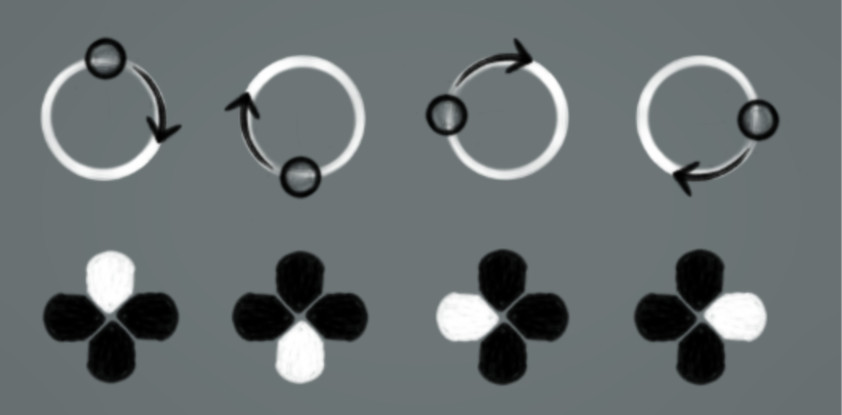
Simply press and hold a direction on your D-pad or Arrow keys. And you will start on the corresponding position on an ensō.
Keep holding the key and you will glide round each of the shapes, press two directions to slow your progress and avoid the Daemons.
Included in this update:
- New Accessibility mode
- New guide pages (accessibly in-game)
- Controller/mouse/touch tweaks
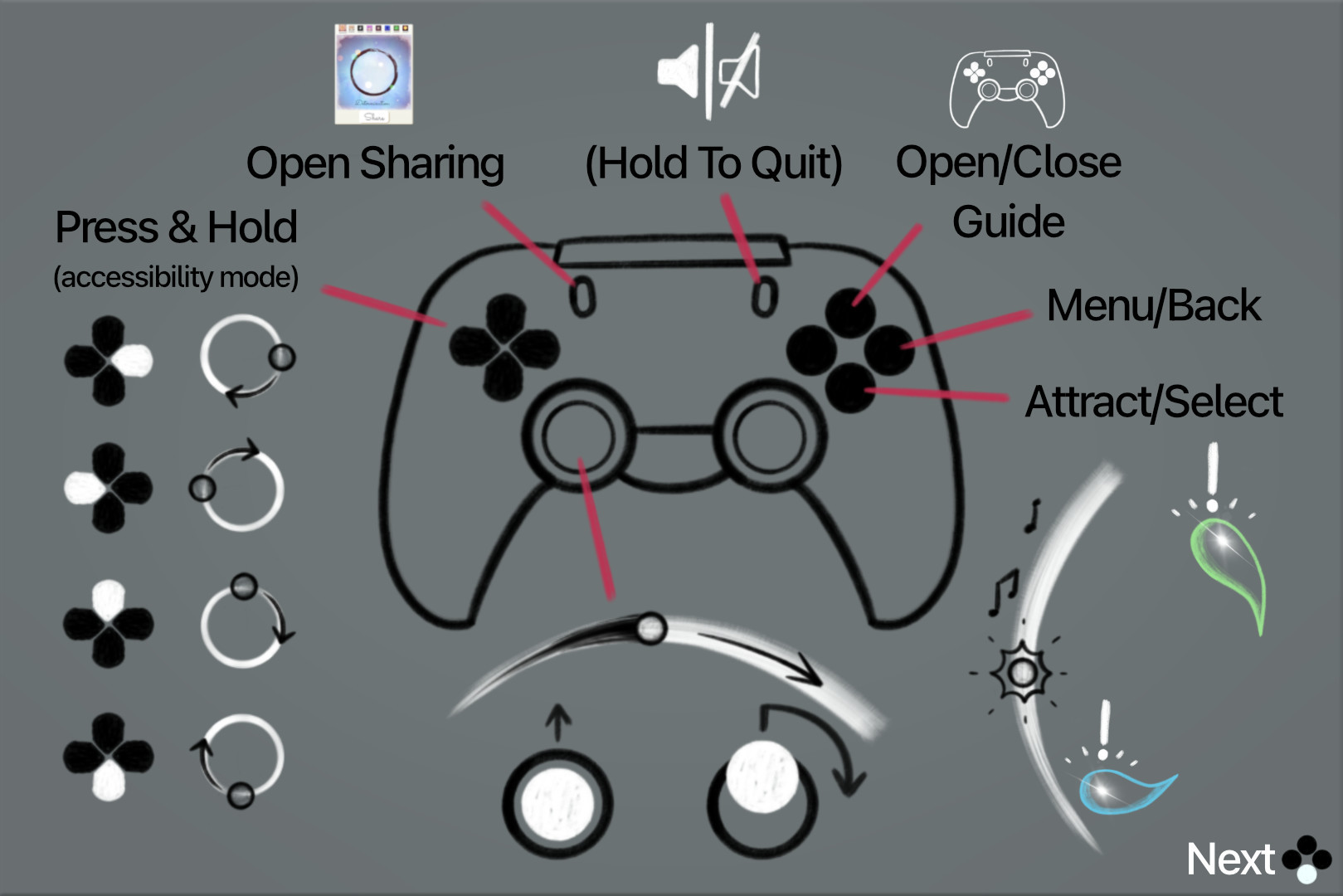
- New controller layout
- Bug fixes and tweaks
New controller layout described here.
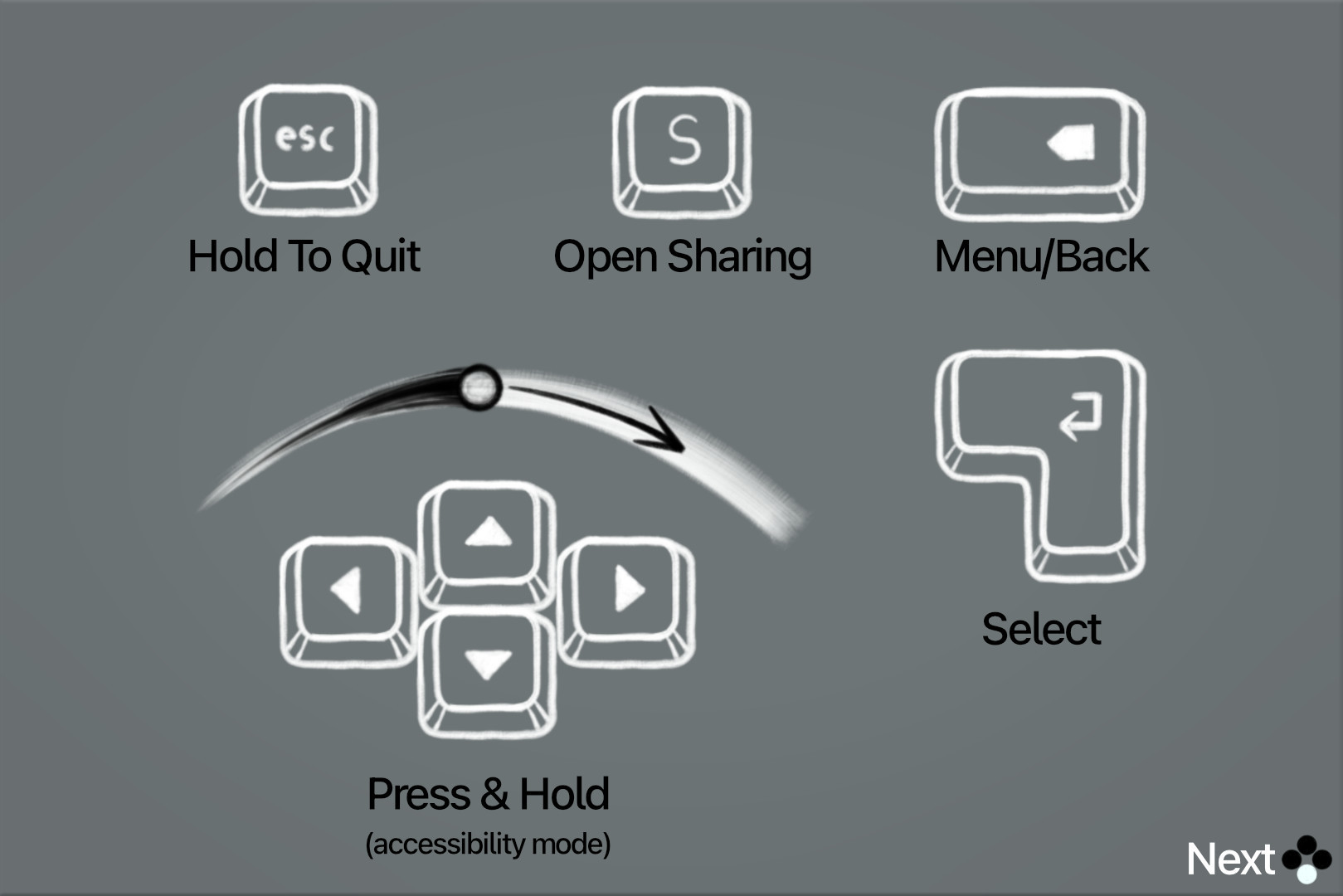
Now use your keyboard to play Kanso.
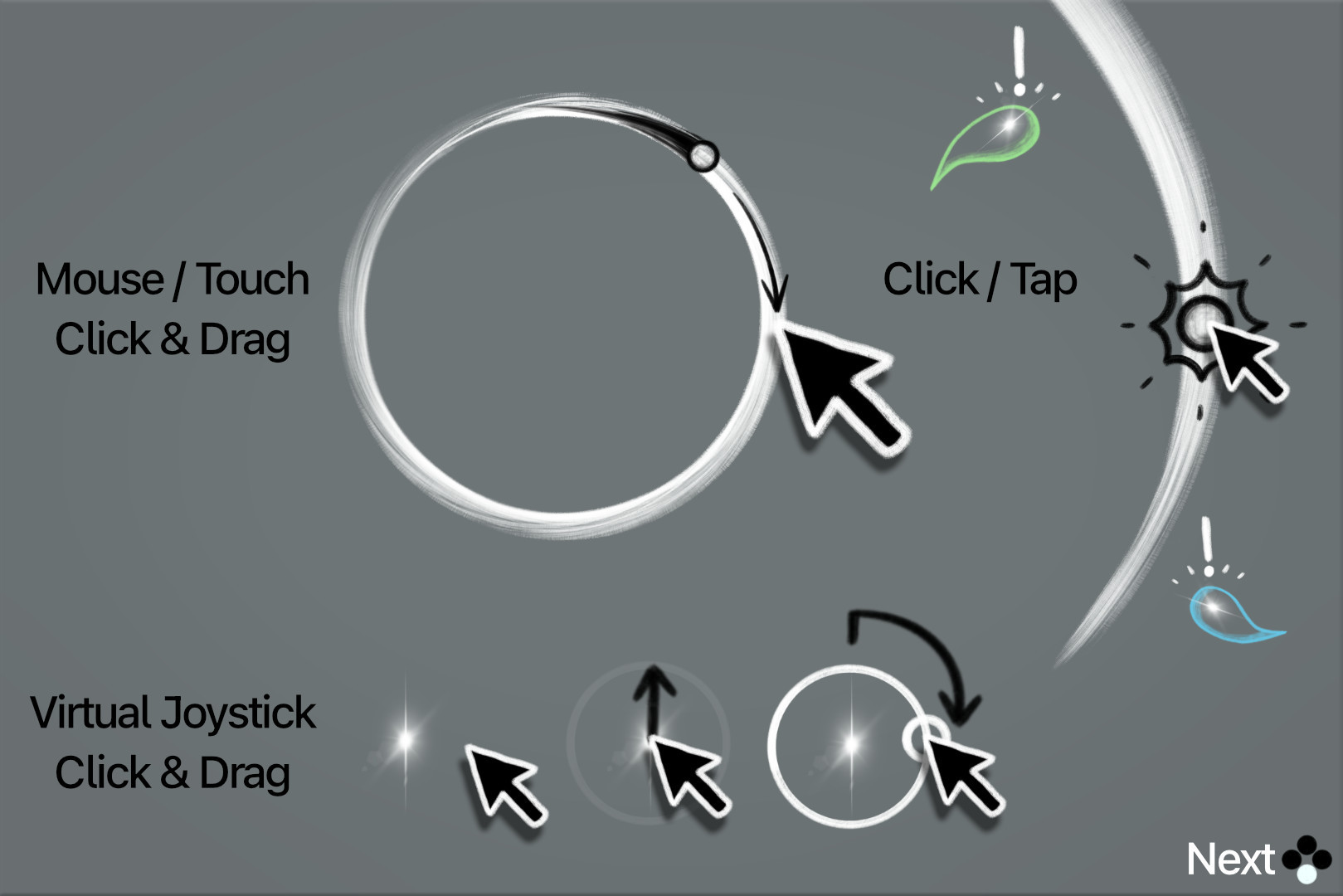
Touch on the ensō or use the virtual joystick.