
2.3.1 and 2.3.2 in one post. Song selection is rebuilt around a vertical wheel with the chart playing behind it, every beatmap has its own HP drain, and Play opens a loading screen that keeps the music going.
NEW SONG SELECTION
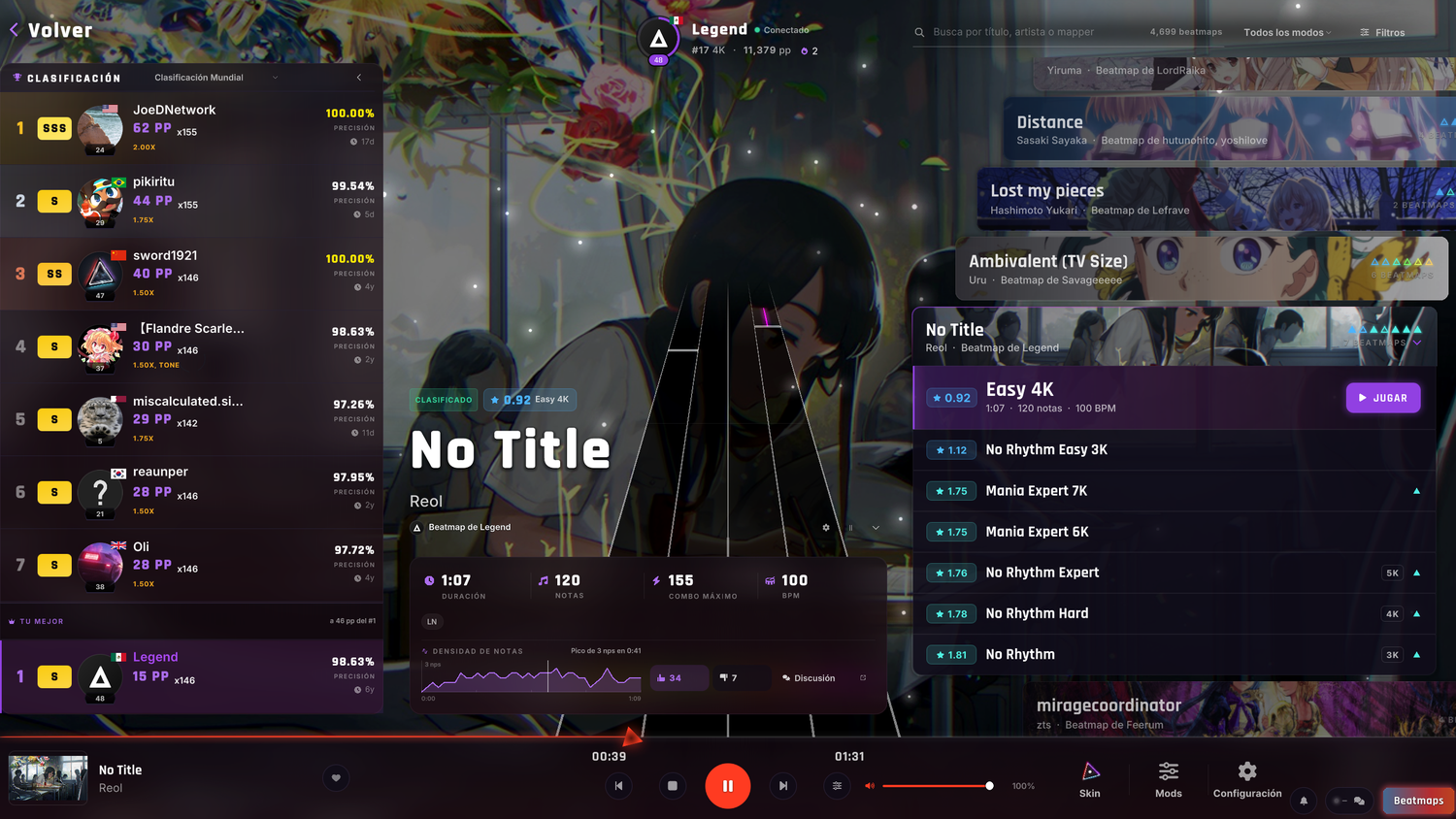
The songs on a wheel at the right, the chart falling behind them.
- THE WHEEL: one row per set and per chart on the right. Scroll it, drag it or fling it.
- THE CHART PLAYS BEHIND IT: the chart under the cursor falls in step with the song, in your skin, note speed and camera.
- IT PLAYS YOUR MODS: key mods, Mirror, Random, Hidden and Fade In show in the preview as they will in the run.
- ITS GEAR sets note speed, camera, skin, size and position, or switches the preview off.
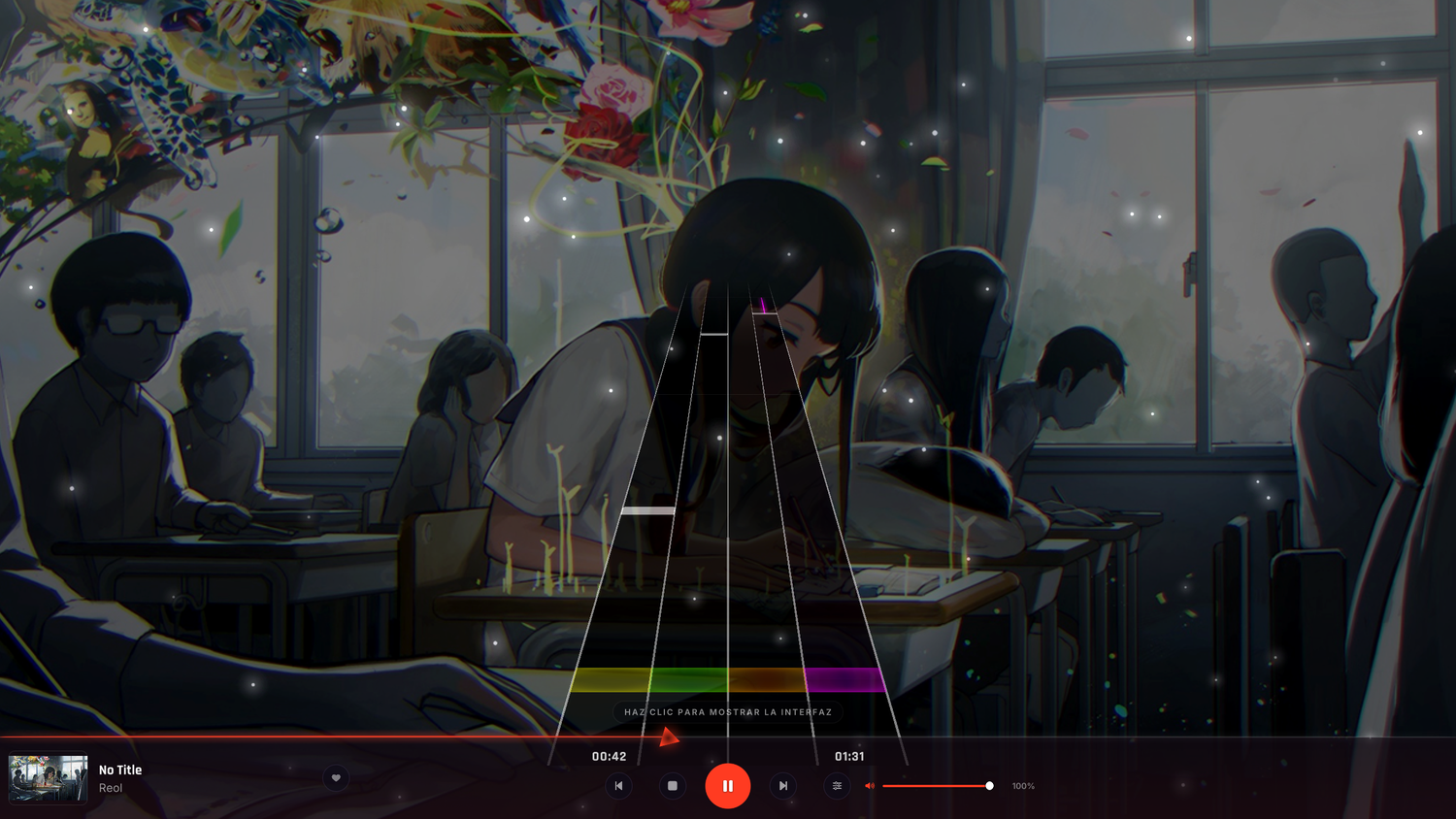
- CLEAR THE SCREEN: click the art and everything fades but the chart. Click again to bring it back.
- THE CHOSEN CHART is a title on the art, with length, notes, combo and BPM in one band under it.
- THE LEADERBOARD:
four rows⇒ seven rows, with your best under them. Tab folds it away. - ONE SEARCH LINE over the wheel, with mode, favourites, played, group, sort, types and genre behind Filters.
- RATE MODS COUNT: length, BPM and stars follow the speed you will play at.
- BIG SETS: difficulty chips keep their full width, and the rest fold into a +N.
- THE BOARD SAYS WHY IT'S EMPTY: out of date, no scores yet, or sign in to see National.
- THE MOUSE WHEEL scrolls the list freely. CHANGES DIFFICULTY and SELECT ON RELEASE bring back the old way.
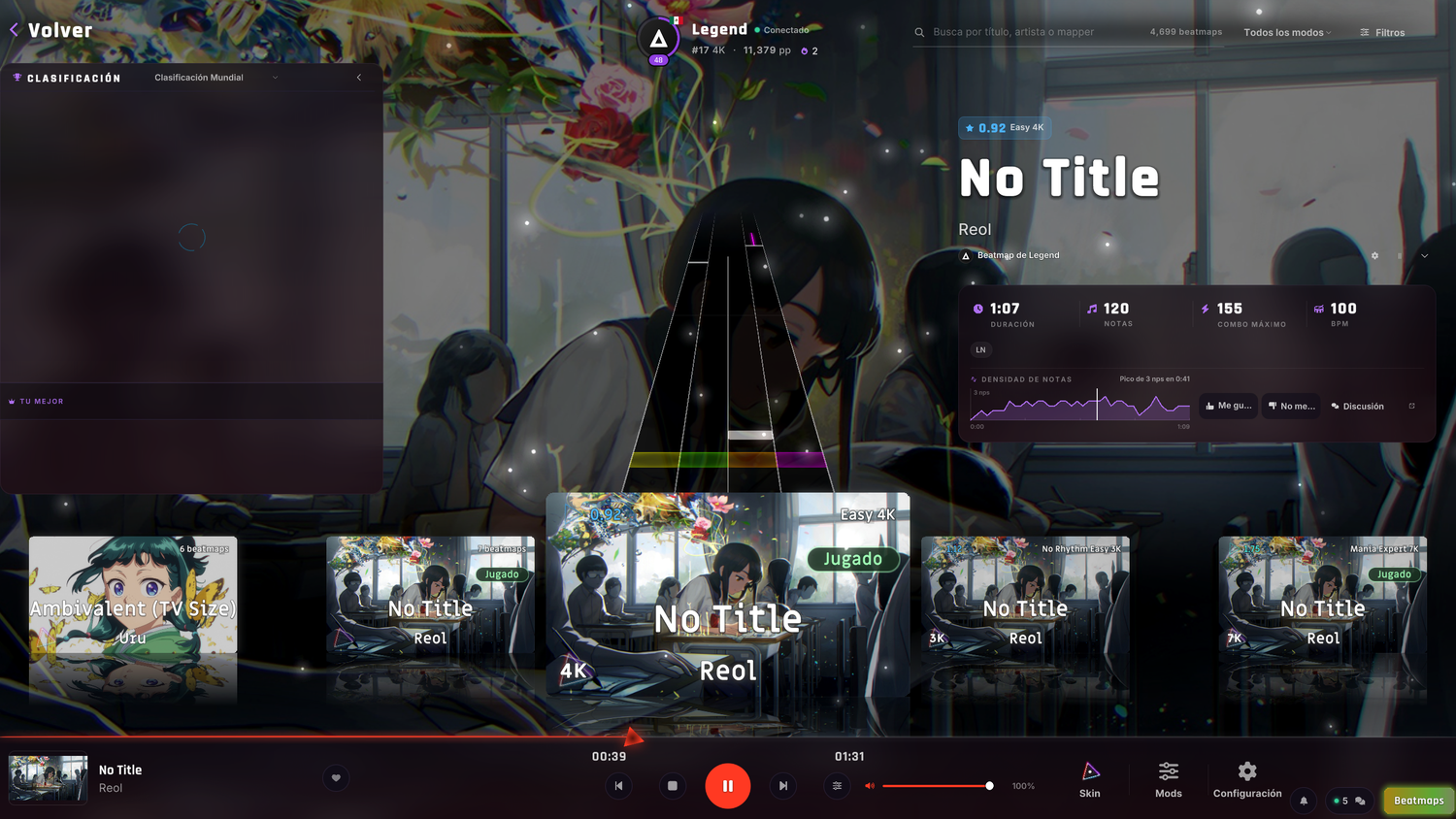
- PREFER THE CAROUSEL? SONG SELECT LAYOUT in Settings → Display brings the horizontal screen back, with the same controls and the chart behind it.
GAMEPLAY
- HP DRAIN PER BEATMAP:
one health table for every chart⇒ each chart sets its own drain from 0 to 10, the genre's standard way. - A CHART THAT SETS NONE plays at 8, where a miss costs what it always did.
- THE IN-GAME LADDER is ordered by pp and your run climbs it as you play. Tab hides it.
- BREAKS of five seconds or more show the seconds left, your grade and your accuracy.
- SKIP is a pill under the song's card, and Space no longer skips when it is a lane.
- MISS SOUND when a miss breaks a combo of 20 or more. Turn it off in Settings → Audio.
- PP COUNTER:
the projected total⇒ climbs as you hit notes. The projection is still an option. - BACKGROUND BLUR under the dim, the same strength in 2D and 3D.
- SHOW FRAME TIME puts the milliseconds under the FPS counter, and SHOW FPS now really hides it.
- RESULTS show how a run moved your world rank.
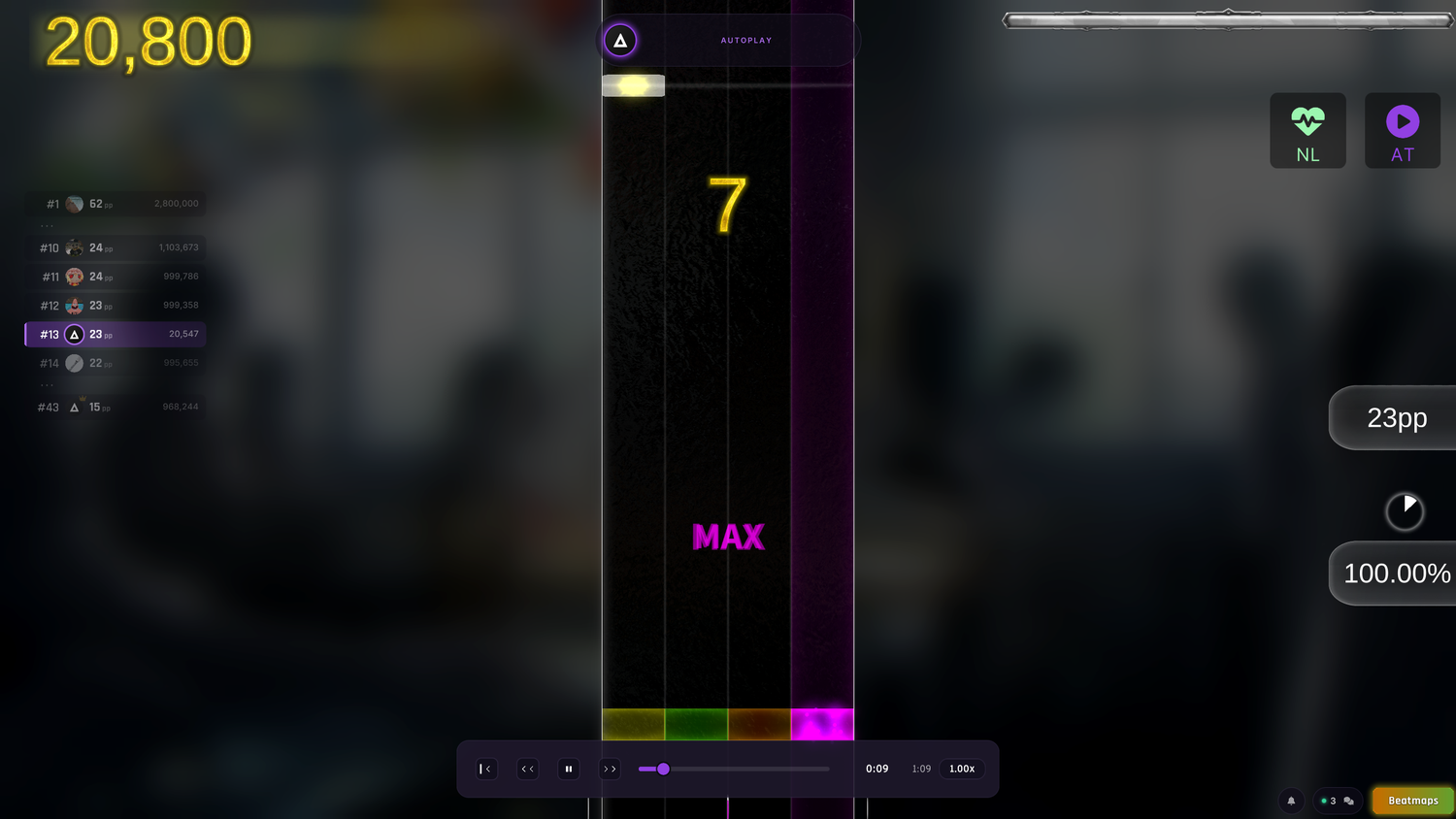
THE LOADING SCREEN
Play no longer cuts to black.
- THE SONG KEEPS PLAYING, muffled, while the chart loads. It replaces the Start Match jingle.
- SEVEN SETTINGS AT HAND: dim, blur, video, beatmap offset, note speed, fixed speed and 3D camera.
- IT WAITS FOR YOU. Keep the pointer on the panel to hold it, or press Enter to start at once.
- SOFTER SCENE CHANGES. Songs and covers crossfade, and the song carries between Home and Song Selection.
- PREVIEWS start at the beatmap's preview point, and go back to it when the song ends.
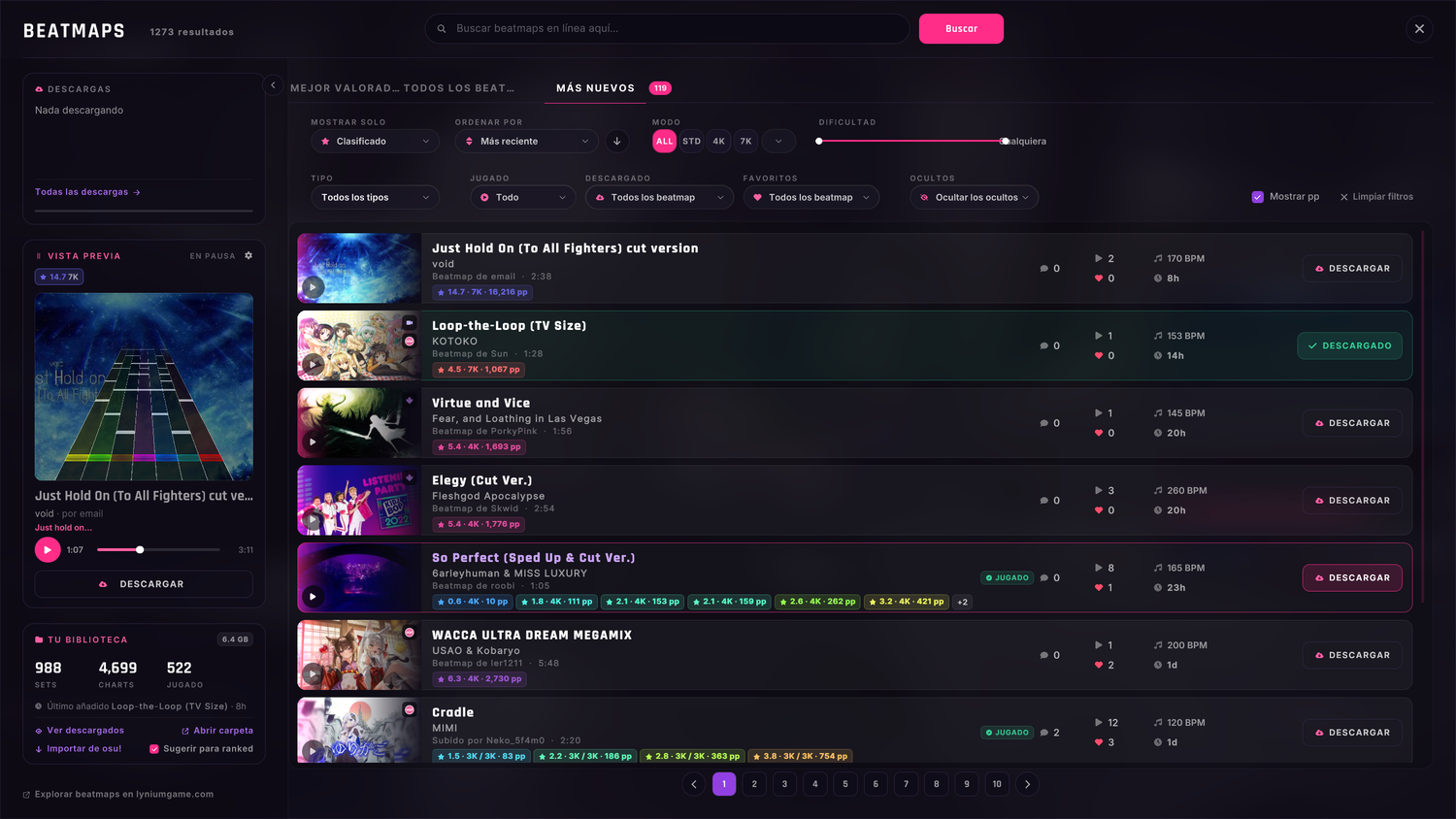
THE BEATMAP BROWSER
- SEE WHAT YOU HEAR:
the For you card⇒ the chart of the set you are hearing plays in the rail. - DOWNLOAD OR DOWNLOADED in words on every row, and PLAY under the pointer on a set you have.
- CHARTS UPDATE THEMSELVES in the background after you sign in, one chart at a time.
- GENRE has its own filter, and Hybrid joins the chart types.
- WHERE A SET CAME FROM: converted sets carry their original game's logo.
SKINS
- LYNIUM'S OWN SKINS are in your list from the first launch.
- A SOUND PER LANE: turn on OVERRIDE PER LANE under Metadata → Sounds, and each lane gets its own hit and miss sound.
- A LANE WITHOUT ITS OWN FILE uses the skin's sound.
- DELETE A SKIN from the Skin dropdown in Settings, with a confirmation. Default and Workshop skins stay.
- SAVE AS KEEPS THE SOUNDS. It used to drop even the hit sound.
- PAINTED THE RIGHT WAY UP:
the health bar, HUD plates and judgements loaded upside down⇒ they look the way they were painted.
HOME, CHAT AND NOTIFICATIONS
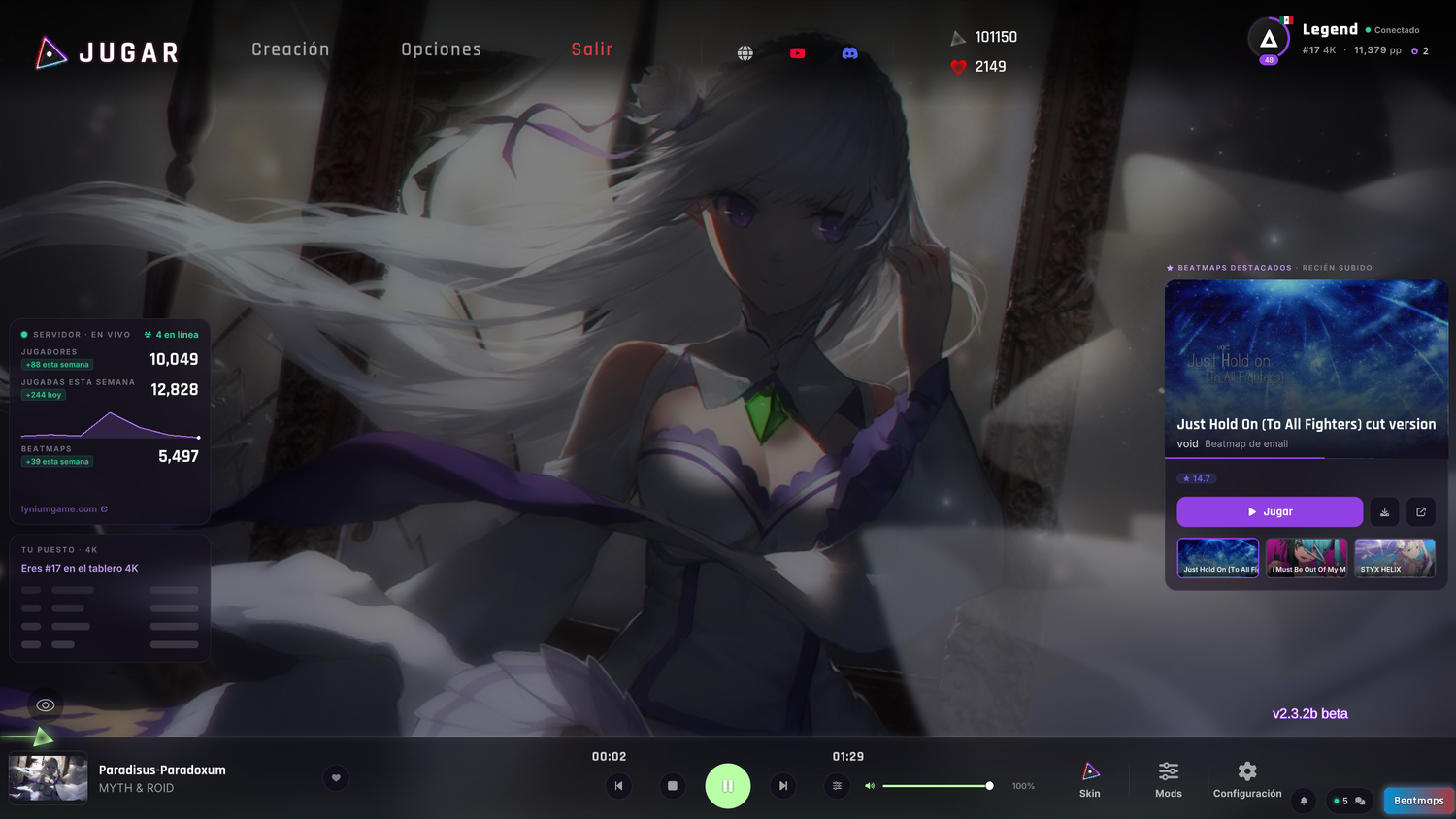
- A NEW WELCOME: three lanes write "welcome to LYNIUM" and fold into the mark, and Home builds itself from its triangles.
- THE BELL on the bar holds your notifications, with Mark all read and a way to the full list on the site.
- POPUPS in a corner for DMs, mentions and uploads, never during a song. POPUP NOTIFICATIONS and POPUP SOUND are in Settings.
- YOUR STANDING: a card on Home says where you are on your board, with the three players just above you.
- RECENT in the music player lists the songs you played or listened to, newest first.
- RESTART TO UPDATE appears beside the heart when a new version is live on Steam.
- THE PROFILE is a compact strip everywhere, and its menu is a card with Mode and Rankings in it.
- WHO IS ONLINE now sits in the chat button.
- BEATMAPS is the rainbow button again, so new players find it.
EVERYTHING ELSE
- BRING YOUR LIBRARY: coming from another rhythm game, import your 4K and 7K songs from the first run or the Beatmaps window.
- YOUR SCORES COUNT: songs Lynium already has come in as Lynium's copy, and you can suggest the rest for ranking.
- WHO CHARTED IT: every screen names the person who charted the beatmap, as the site knows it.
- ACHIEVEMENTS: 38 on Steam, keeping only the ones that ask something of you.
- SETTINGS scroll from one page into the next.
- NEW PLAYERS start on a fixed note speed, a darker backdrop and quieter hit sounds.
- RAINY AND SNOWY have their own icons, and the favourite star is half the size.
BUGFIXES
- The library no longer says "1 sets" for every build.
- Search finds a song typed without its spaces: "littlestar" finds Little Star.
- See result and Replay in YOUR BEST can be clicked.
- The restart key plays the song again from Results.
- The chat closes when you resume from pause, so the lanes answer your keys again.
- Sending a chat message no longer plays the selected song.
- Enter and the arrows leave the wheel alone while Settings, Mods or Downloads is open.
- A 7K chart no longer reads 4K on the wheel.
- A set downloaded from the browser no longer plays twice.
- A beatmap you already have opens from the downloads instead of offering to download it.
- Target difficulty in Mods follows the beatmap you select.
- Titles keep their apostrophes, accents and kana.
- A fail on the final long note counts as So Close, and no longer ends as a clear.
- Every attempt counts as a play, even one left before the song starts.
- Logging out keeps you out until you sign back in, and what you play meanwhile stays off your profile.
- A new install opens borderless, as the setting says, instead of in a window.
- A name in non-Latin letters, or longer than 15, can publish a beatmap.
- A new DM always says who it is with, and faces in the chat no longer turn white.
- The metadata dialog no longer erases a chart's Source and Tags.
- SSS and 100.00% fit on the Latest Plays screen.
- A docked health bar in the skin editor stays on screen.
[Website] THE SITE
- SONG REQUESTS: ask for a song in one mode, with one vote per player and the staff saying what came of it.
- PRIVATE MESSAGES on the site, the same ones the game reads, in a chat dock.
- HP DRAIN on every difficulty, and the wiki explains it.
- MAPPERS HEAR BACK when a reviewer ranks or declines their beatmap.
- GENRES get their own filter, and a set's uploader can change its tags directly.
- WHO CHARTED IT: beatmap pages say Beatmap by and Uploaded by, and profiles count charted and imported maps apart.
- SKINS IN THE WIKI: every skin file, its size, a template to start from, and the per-lane sounds.
- SORT BY NOTES in the beatmap list, and search finds a set typed without its spaces.
SEE YOU ON THE PLAYFIELD
Tell us how the new song selection feels, and which layout you kept.
- DISCORD: discord.com/invite/8E4yhX5EbH
- THE SITE: lyniumgame.com