
Hi everyone,
The posts this weekend will be a little odd - I drafted this post last week, but then forgot to upload it, and only just realised as I was writing the new one. I could of course do one long post, but then my numbering will be off, and we’ve noted before that I get a little specific about the numbering…
So, without further ado: the first week of 0.8 experimental has worked out rather well. In addition to having to explain the map and how to work it quite a few times, we also got some feedback about the sawmill workers sometimes getting stuck, which I have started investigating, but haven’t found a solution to yet.
I will be taking a break next week (this was 1st Jan - 6th), during which I will be responding to feedback, but won’t be able to work on the game. I will try to get to the bottom of the sawmill issues as soon as I am back, and will upload the fix once it’s done.
Before going off, however, I will briefly give a FAQ on the map:
Where can I find the map?
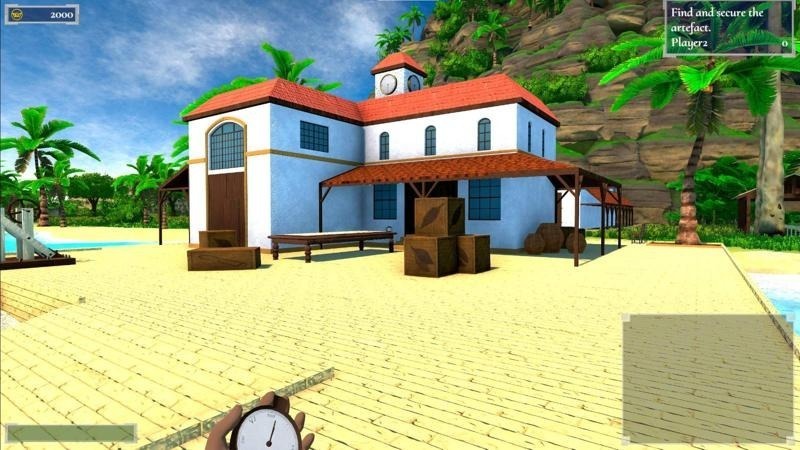
The strategic map is available both in the port (go around the left from the entrance, you will find it behind the building, visible in today’s image), and in any scout’s huts you have built (right in the middle).
The tactical map is available in your building book (the intelligence tab once you open it).
How can I use the map?
Both maps can be used in roughly the same way: If soldiers or scouts are visible on the map, you can select them by left clicking on the icon (you will select all units belonging to the same building), then you can send them to a destination of the map (including areas that haven’t been scouted yet) by right clicking where you want them to go.
What can the scout do?
Once you send the scout to an unexplored area of the map, the scout will slowly reveal the area around it. If the scout sees an enemy, he will also report their location on the map, which is useful as an early warning system.
Why is my scout not working?
If the scout runs into an opponent on his way to where you have sent him, he will stop walking and will hide until the danger has passed. If the danger is stationary (e.g. a pirate who is just hanging out in the jungle), the scout will wait until you have taken out that threat - you should see the scout not having reached his destination on the strategy map, and you should see the icon of a pirate near him.
I hope this helps, and I will continue to answer your questions this week!
I will upload the next post shortly!