
Developer Note
Hello Oblivity community,
this is by far our biggest update yet.
We heard your feedback and complaints about our old interface, so we reworked large parts of the UI.
many of the new features and bug fixes were requested by you on our official Discord server.
So feel free to join and help us to improve Oblivity!
We are also searching for new testers on the discord server.
Cheers Poly Games
Change Logs
Thumbnail System / UI Rework
We've made a significant alteration by transitioning from a typical SCENARIO LIST to PREVIEW IMAGES. These thumbnail images aim to simplify scenario recognition and enhance scenario comprehension. They are created locally on your computer using the scenario file data but operate deterministically, ensuring all users generate identical thumbnails.
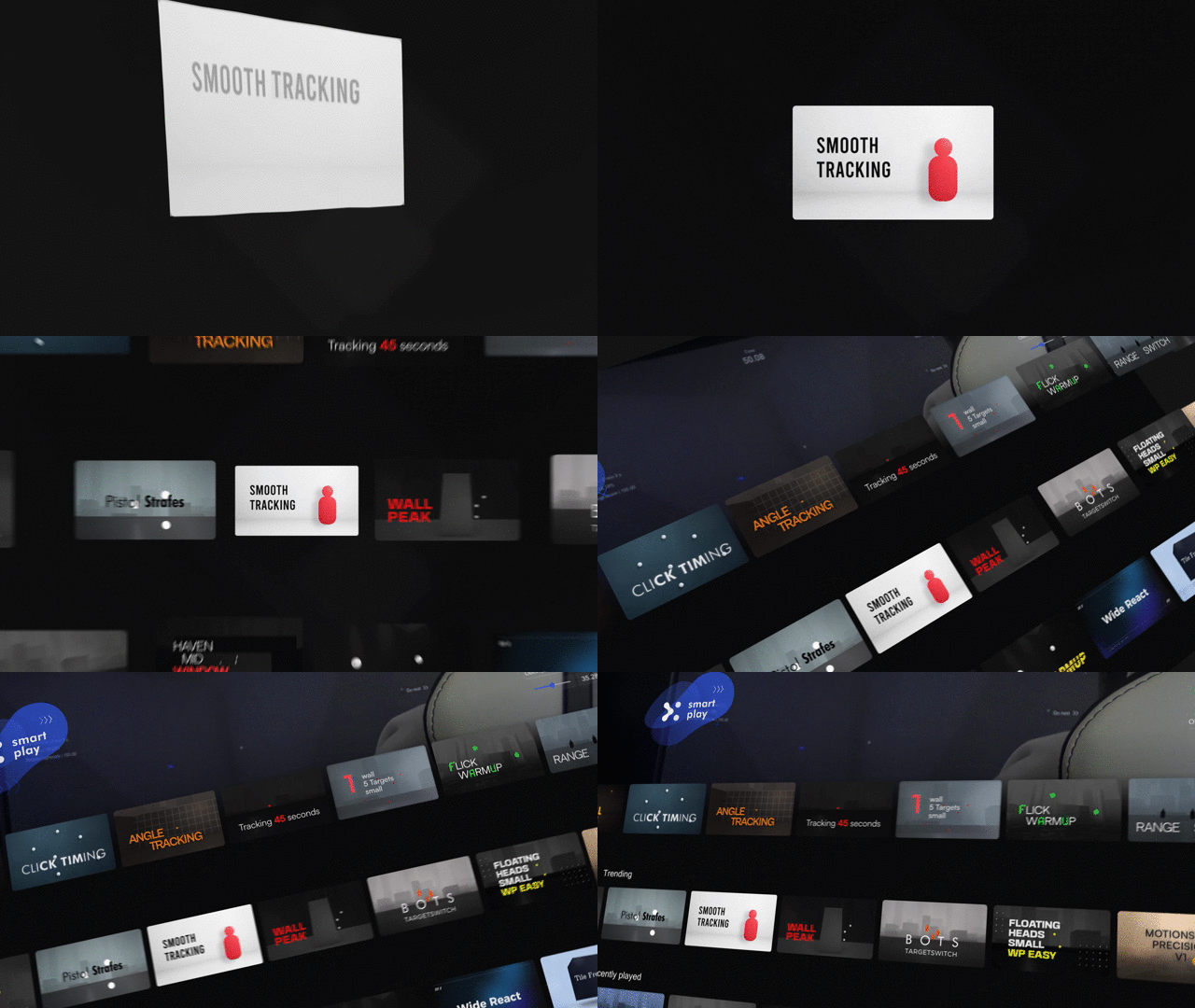
These Thumbnails are integrated in a row-based view, with many different row designs.
We added a great variety of “Gridrows” (around 8), to display different categories or playlists.
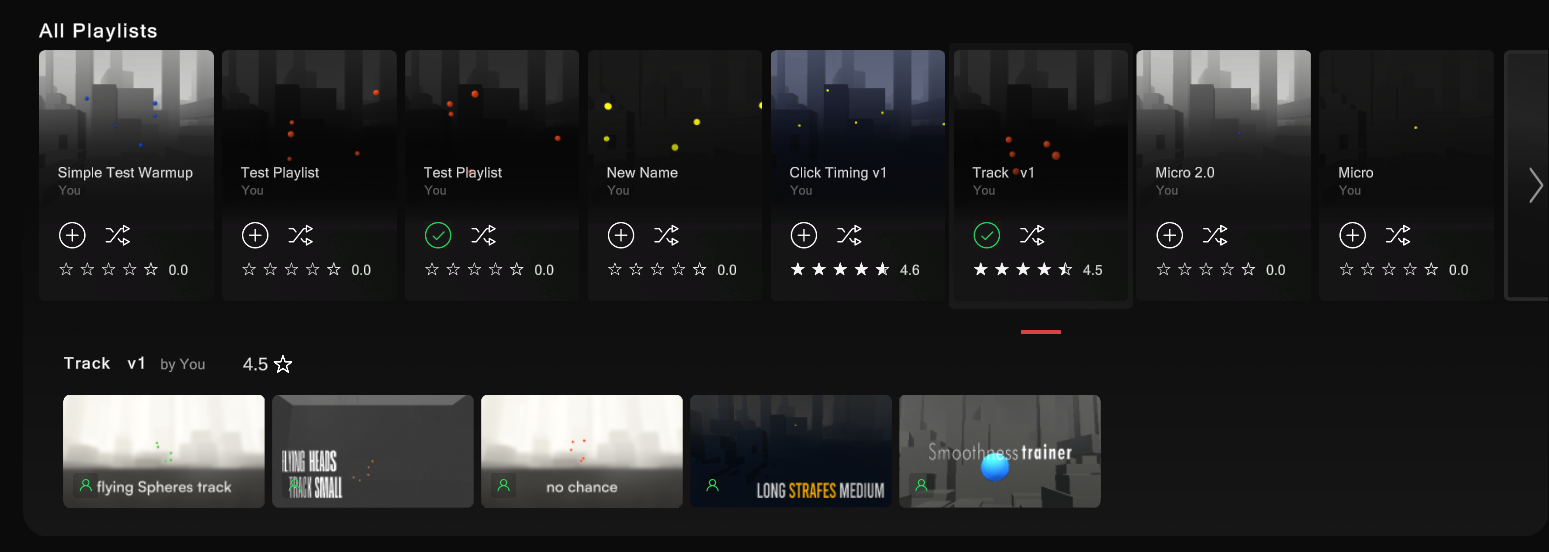


Trainer new look
This is what the trainer looks like, you can scroll down to explore more Gridrows.
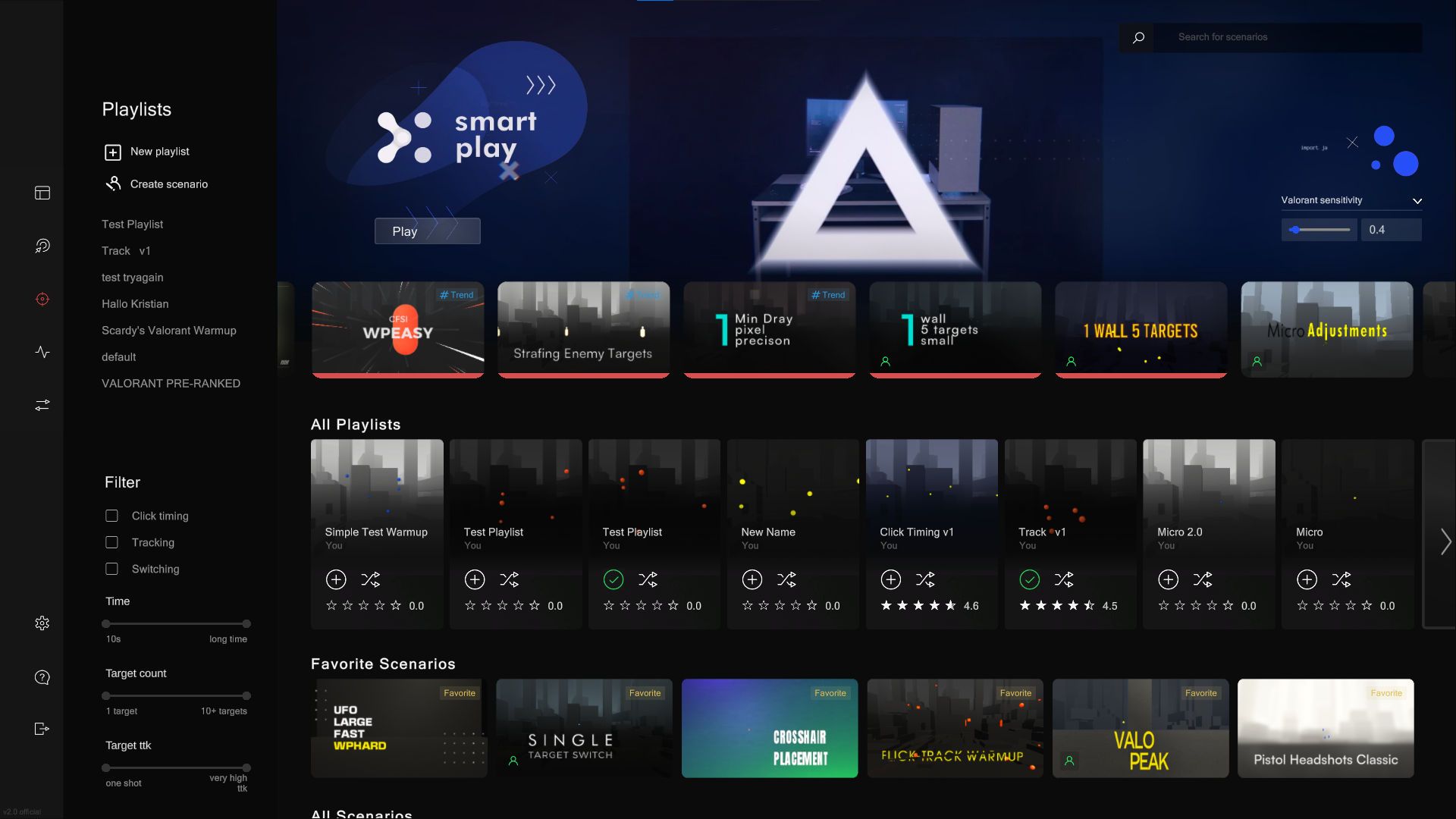
These Thumbnails replace the original scenario list in every part of the UI, you will find them on the Overview, Sensitivity Finder, Ingame or while using the ultimate search bar.
Smart play
The Smart Play algorithm automatically selects scenarios for you to play, so you don’t have to.
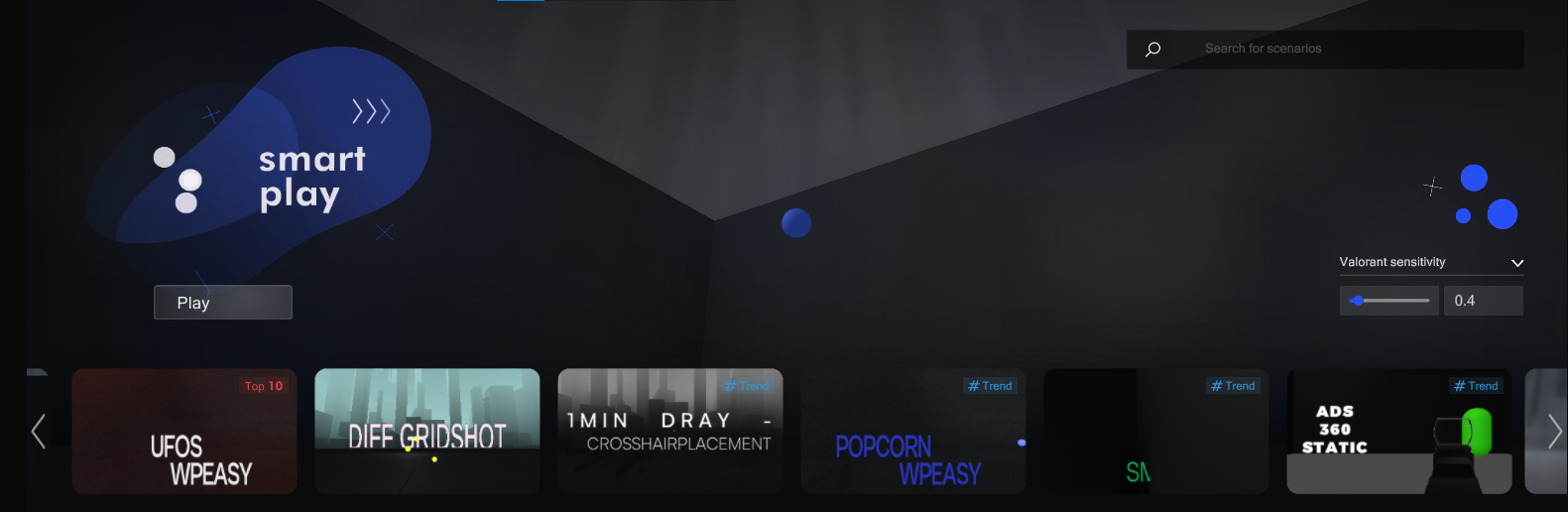
You can always click “Go Next” (F) ingame and a new Scenario will start playing.
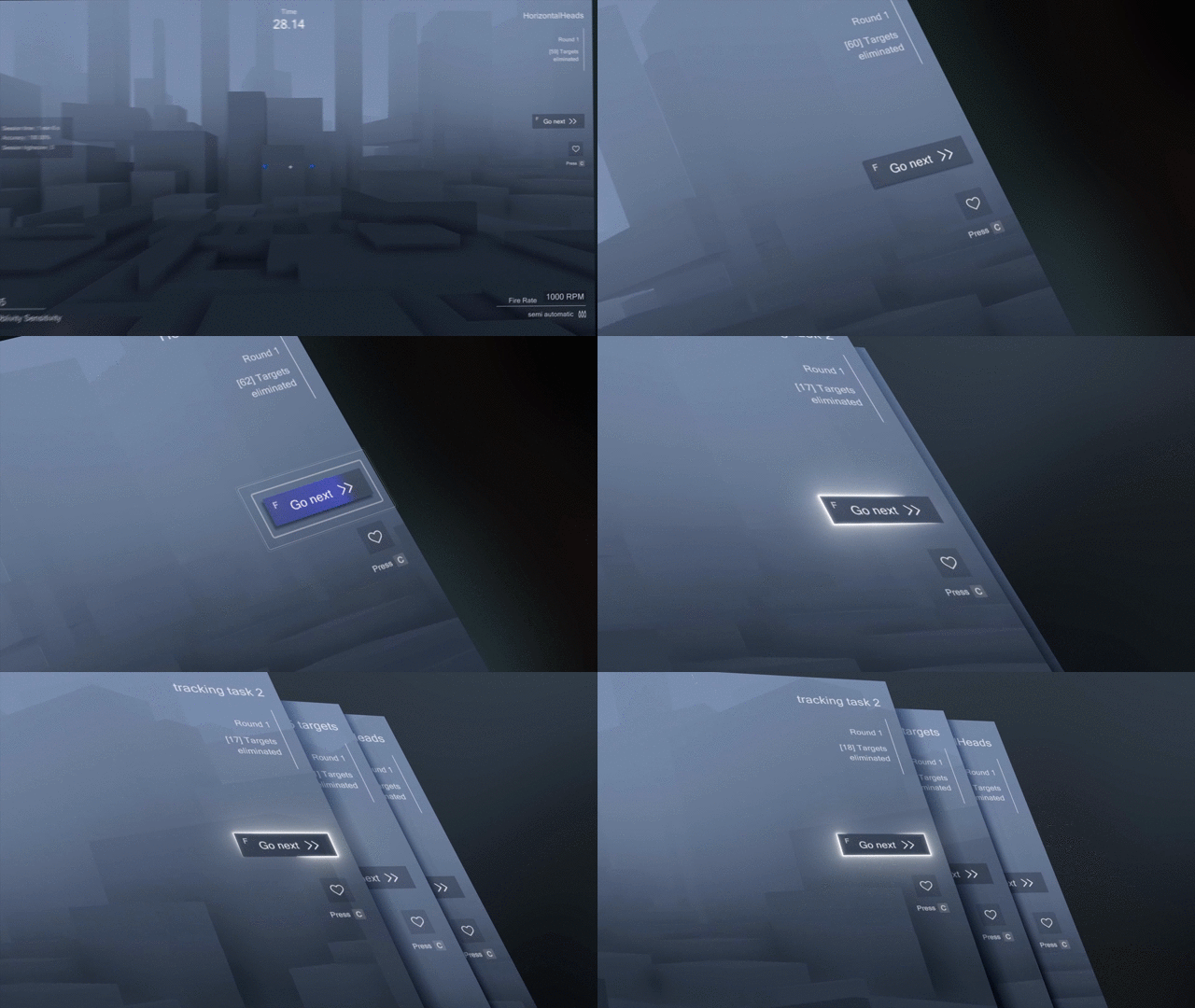
This mode's concept is to dive right in without hunting for appropriate scenarios. It utilizes an algorithm that showcases trending scenarios and customizes to your taste. Therefore, it selects scenarios compatible with your proficiency and gaming approach. If a scenario doesn't appeal to you, simply move to the next, and the algorithm will recalibrate. This mechanism should draw more focus to new scenarios, making it easier for high-quality content to achieve popularity.
Social Media System / Author System
With this update, Oblivity tracks your clicks, the time you spend playing, and the rounds you play in each scenario. You can see these stats and a preview by moving your cursor over a thumbnail. The data collected also helps power the 'just play' function and improves the scenario recommendation system.
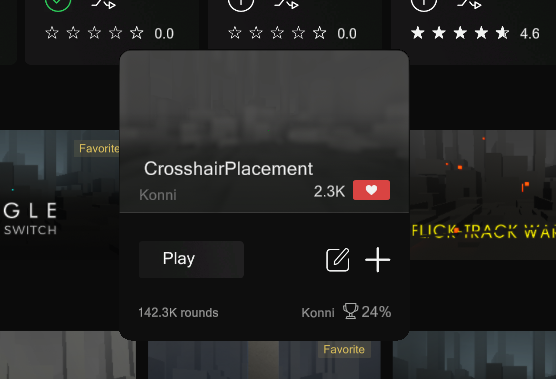
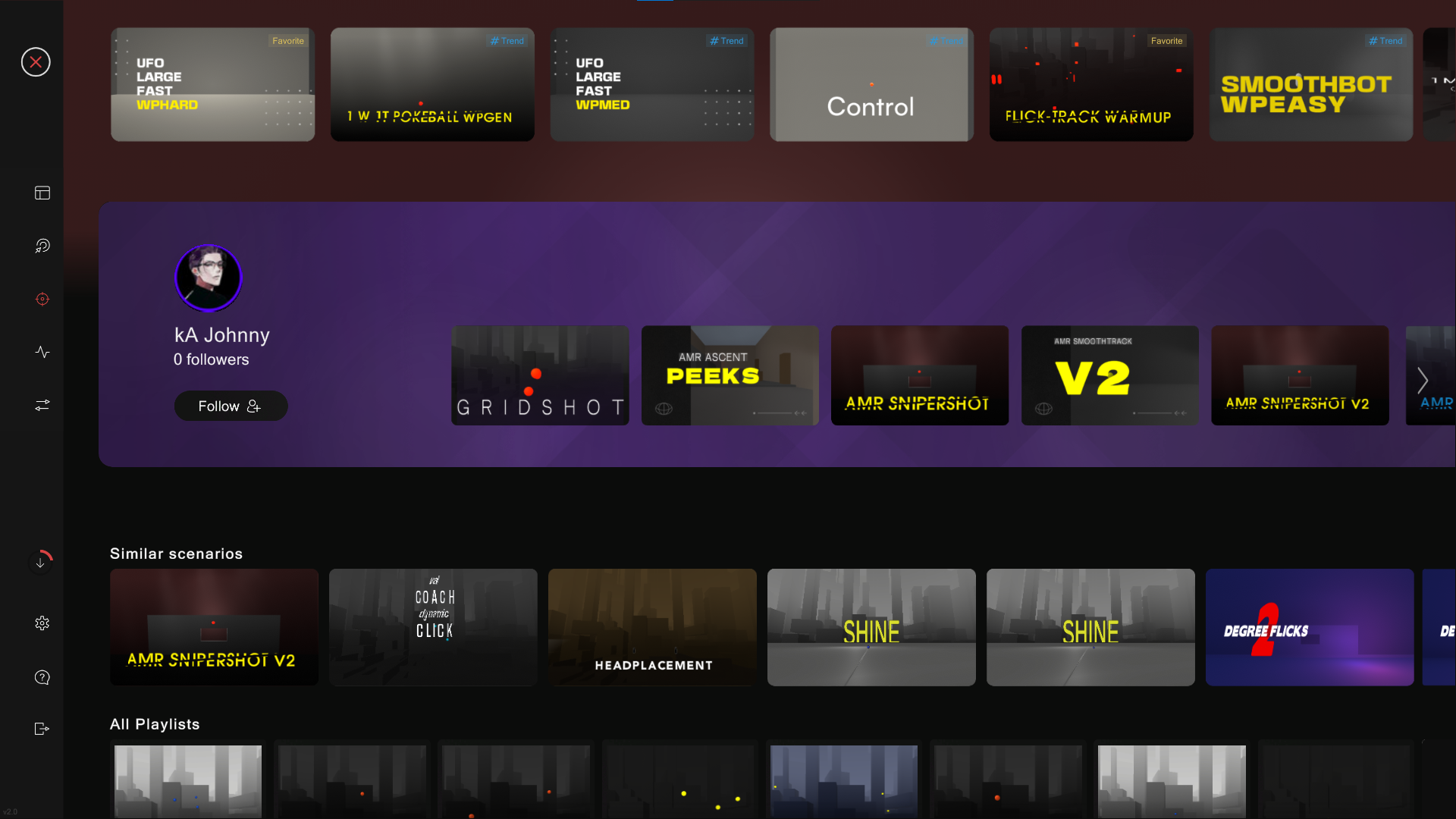
We've also introduced a new Author Page. Here, you can view all the scenarios and playlists created by them.
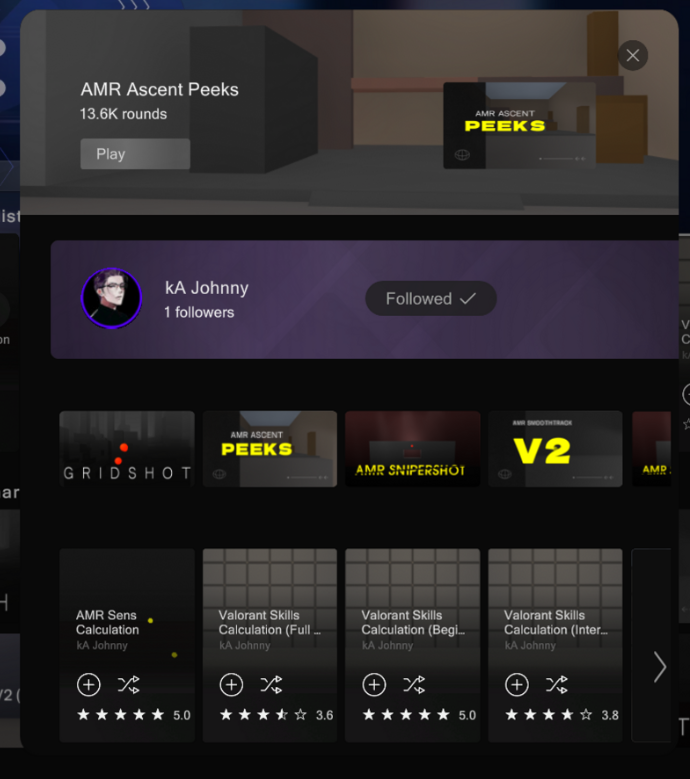
You can now follow Authors to see their content in your subscription row.
Scenario Rating
We realized that high-quality difficult scenarios had terrible ratings because they were frustrating to new players. So we moved from a rating system to a simple like system.
New Ingame Look
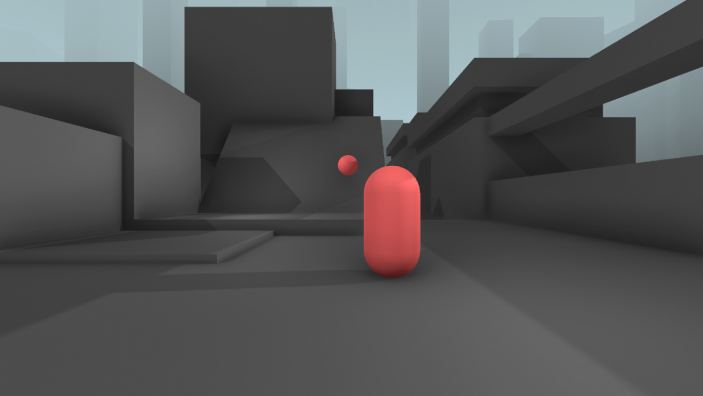
We reworked the ingame look, for better depth perception.
It should look cleaner and more modern, to fit the UI design better.
We also adjusted the background.
Pause Screen / Escape Screen
When you click esc ingame you open the new Pause screen.
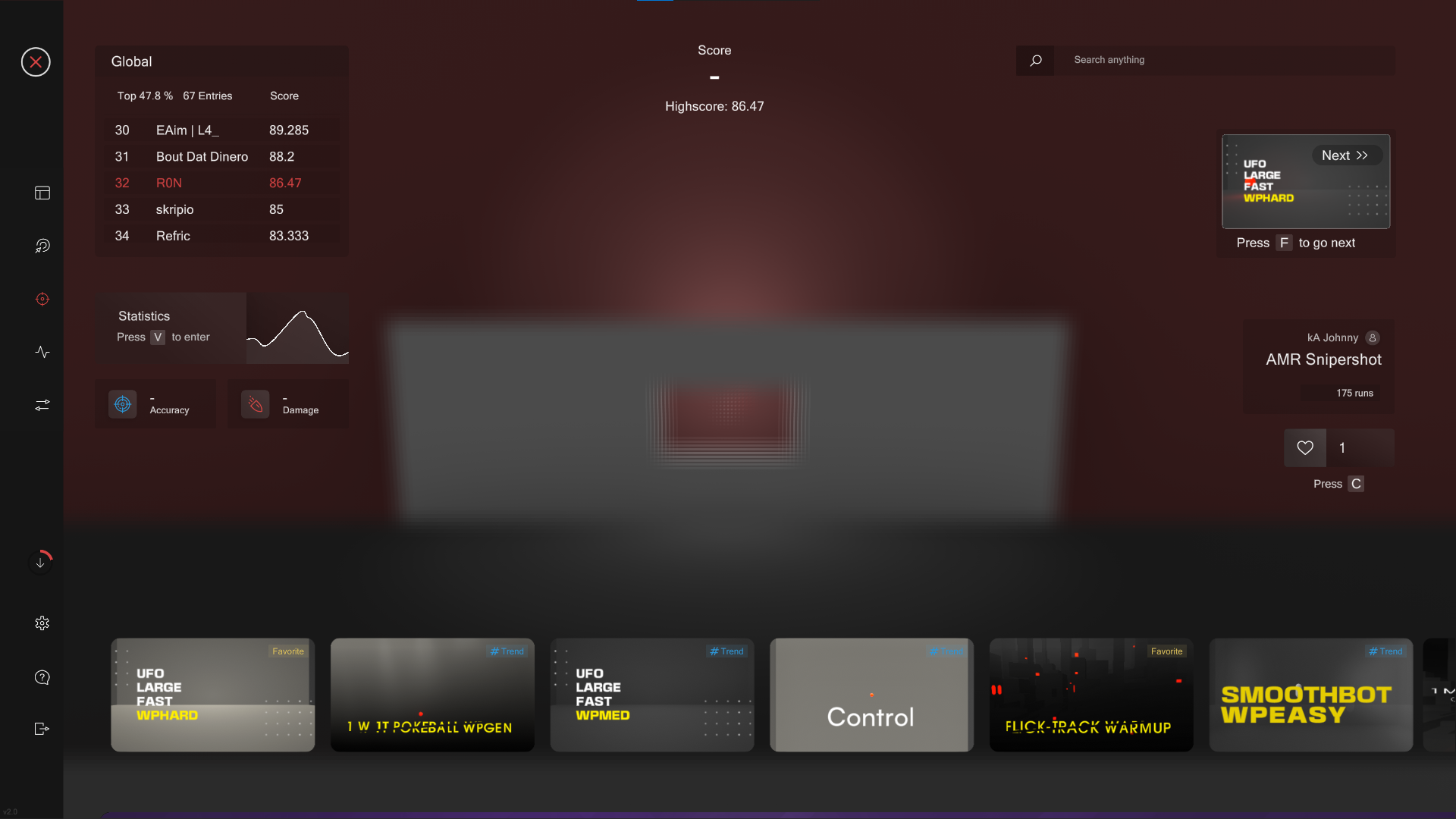
Here, you can check your statistics, access the leaderboard, and explore recommended scenarios. Leaderboards now also have a 'friends only' feature. Recommended scenarios could be from the playlist you're currently on, or smart play scenarios. As you scroll down, you'll see a grid similar to the trainer, which allows for infinite scrolling.
Filter System
We've implemented new Filters, allowing you to search based on scenario categories. Rest assured, the previous filters for categories such as ttk or speed are still available. We're currently developing a filter for difficulty levels.
Everything is Downloaded
Download status indicator on the left Navbar.
Another concept we added to Oblivity, is “Everything is downloaded”. It means Oblivity automatically downloads all new scenarios/playlists so you always have a working copy of all Content.
This removes annoying loading times altogether, and we can always display previews of scenarios.
Also, the total size of all downloaded scenarios and playlists is only 20MB, so don’t worry (around 3000 files).
This also means that Oblivity is fully functional in offline mode.
New Playlist System / Editor
We added a New Playlist creator.
You can now also see the status of your own playlists, and on edit, you can upload the changes.
Sensitivity Finder / Valorant Playlists
The Sensitivity Finder UI was reworked
Added Quick Play: so you don’t have to care about selecting the right scenarios
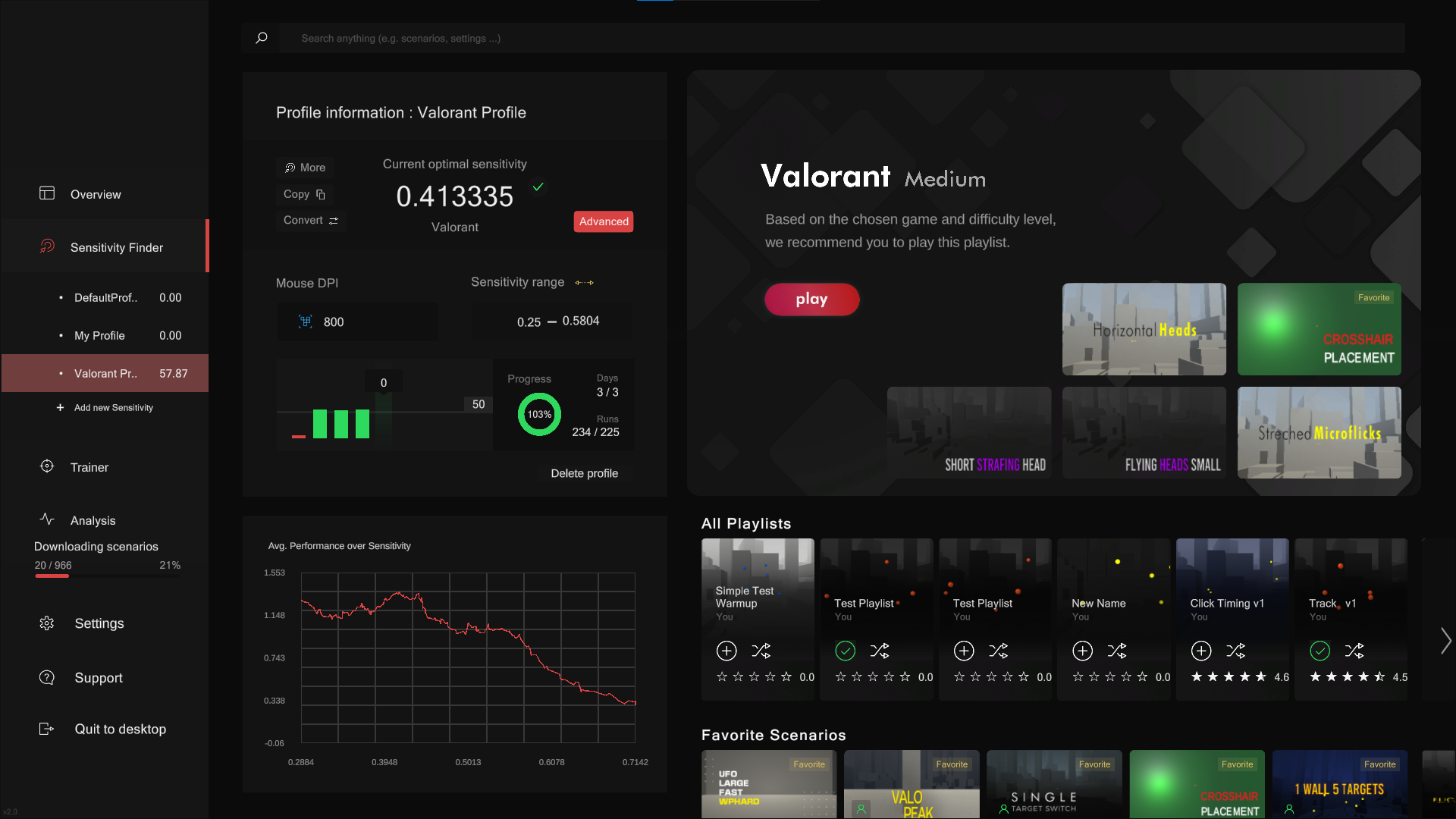
We also included new Valorant Playlists for different Skill Levels
Bug Fixes
fixed a bug where the optimal sensitivity changes after a restart
prevent sens profile names with “/”
so many stuff should be here …