
Just in time for Halloween, one of the most famous pieces in the orchestral repertoire takes the stage.
DANSE MACABRE — Camille Saint-Saëns
Symphonic Poem · 1874
Inspired by an old French legend about a midnight dance in a graveyard, Danse Macabre is one of the most recognised orchestral works ever written, heard in concert halls, films and television every October.
The harp marks twelve strokes of midnight. Then the solo violin enters with its top string tuned down a half step, giving it a dark and unsettling colour. From there, a fast waltz starts to build and keeps gaining energy, section after section, all the way to its dramatic climax.
Listen for the xylophone: its mallets strike every note just as Saint-Saëns wrote it.
It's a piece that rewards a clear, steady beat and confident entries. Lose control of the tempo and the orchestra will run ahead of you.
IMPROVEMENTS
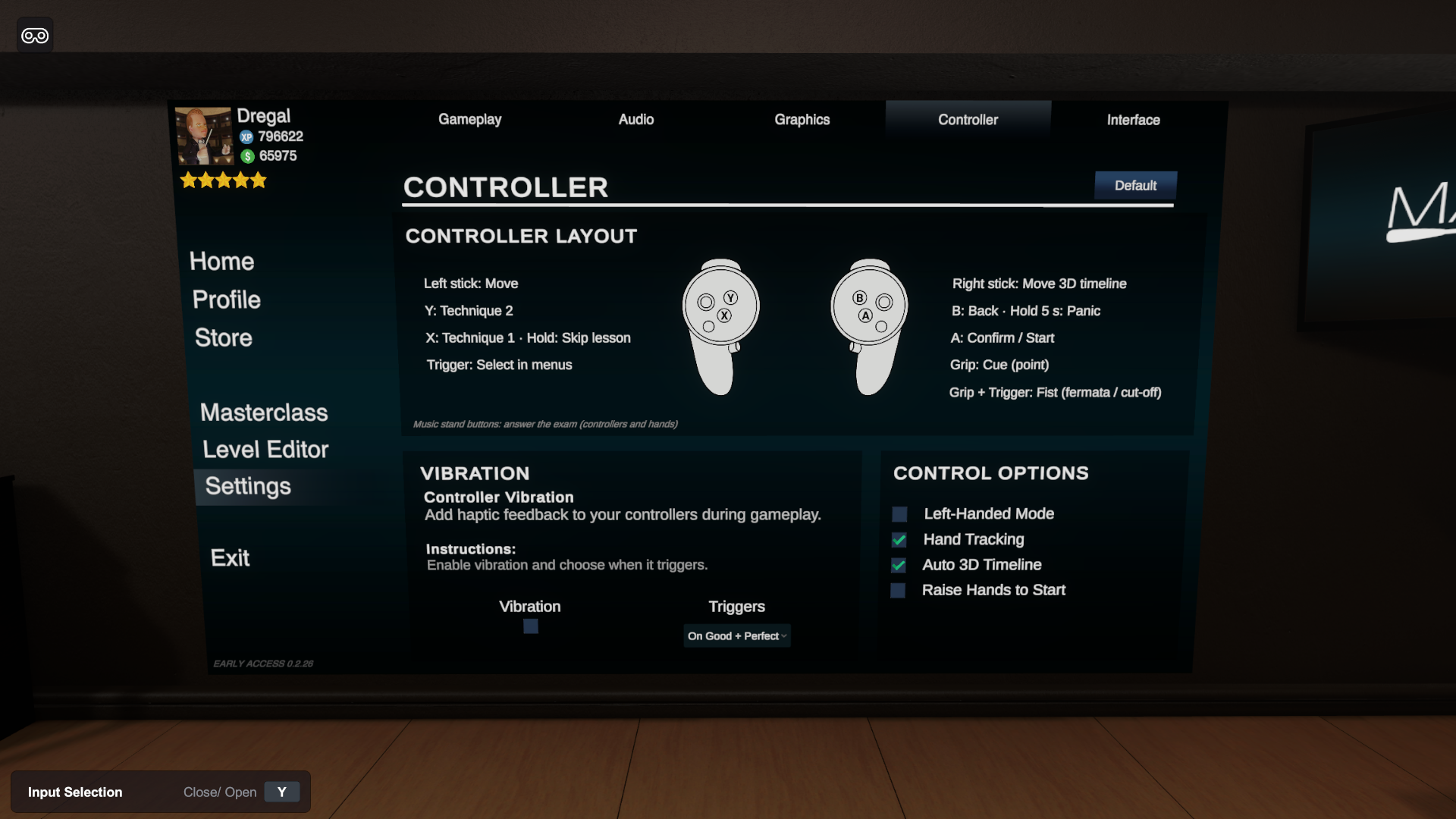
Raise Hands to Start: raise both hands and hold still to start conducting. You can turn it on or off in Settings.
Controls map: Settings now shows what every button does.
Masterclass: exams can now be answered with the numbered buttons on your music stand.
Maestro Level Editor panel: a new in-game panel explains what you can create with our free level editor and opens its Steam page.
Hand Tracking (optional)
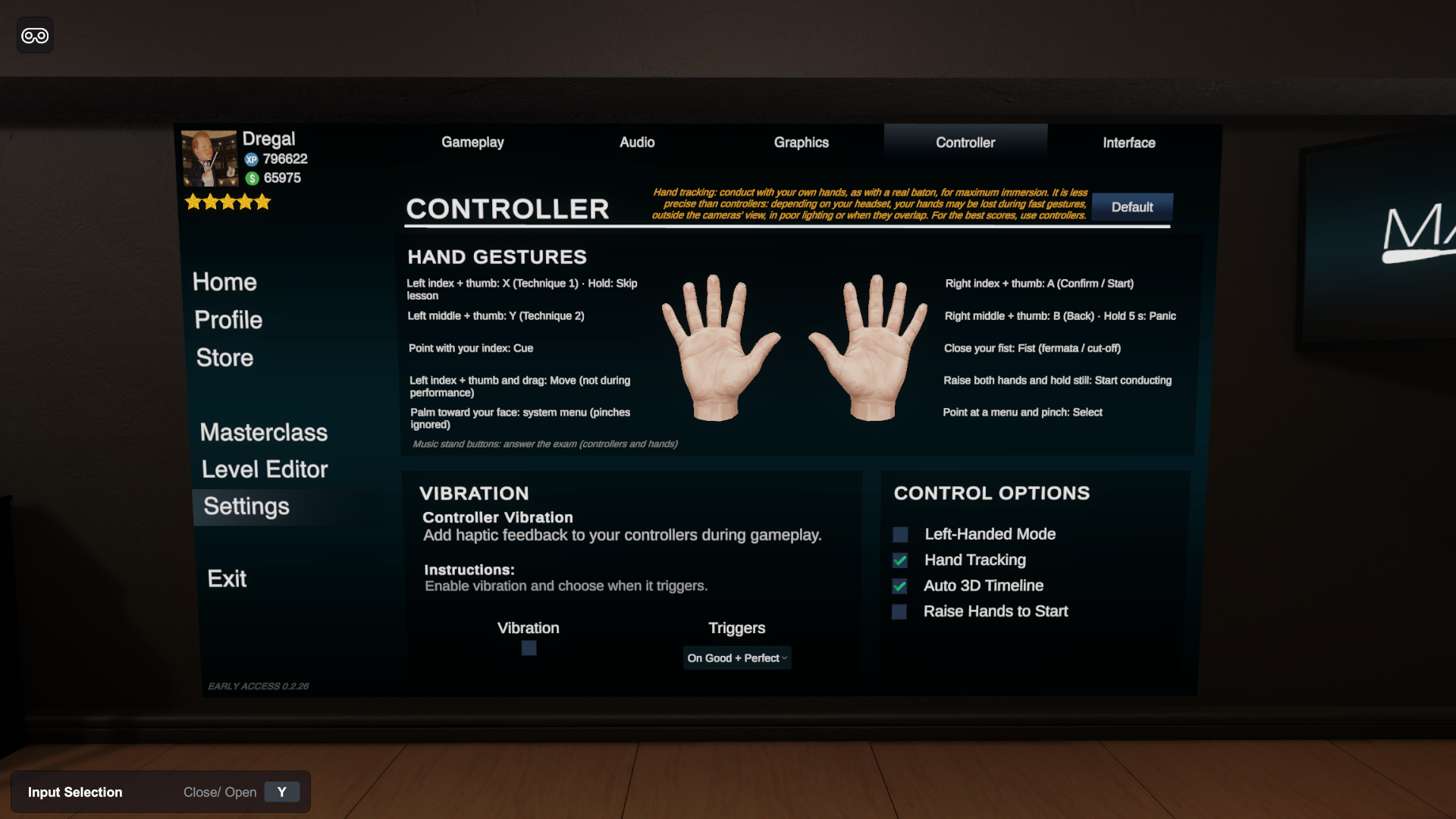
For extra immersion, you can now conduct with your bare hands. Point at a section to cue it, close your fist for fermatas and cut-offs, and pinch to confirm or use your techniques.
How to use it:
Make sure hand tracking is enabled on your headset.
In Maestro VR, go to Settings > Controller and check that Hand Tracking is turned on (it is on by default).
Put your controllers down. After a moment, the game switches to your hands automatically. Pick the controllers back up and it switches back.
PC VR compatibility: Maestro VR uses standard OpenXR hand tracking, so your headset and connection must pass your hand data to the PC.
Meta Quest with Steam Link: supported in SteamVR 2.8 and later. Update SteamVR and the Steam Link app, then turn on hand tracking in SteamVR's controller binding settings.
Meta Quest with Virtual Desktop: enable hand tracking forwarding in Virtual Desktop's settings and use its VDXR runtime.
Meta Quest with Quest Link / Air Link: Meta only passes hand tracking to PC apps when "Developer runtime features" is enabled in the Meta Horizon Link app, which requires a Meta developer account.
Headsets without camera hand tracking, or connections that don't forward it, will keep using controllers as usual.
Hand tracking depends on your headset's cameras. Hands can be lost during fast gestures, in poor lighting, outside the cameras' view or when they overlap, so it is not as precise as controllers. Maestro VR is designed and balanced for controllers, and they remain the recommended way to play and to get the best scores.
MAESTRO LEVEL EDITOR UPDATE
Maestro Level Editor gets a completely rebuilt time signature system and more precise MIDI import. Full details are in the Maestro Level Editor news.
More pieces are on the way. Raise the baton.