
DeedPlanner is coming to Steam - 3.4.0 will be the first release on the platform! Let's walk through all the changes you can expect.
New store graphics
The first and most obvious change you might've noticed is the new store graphics - updated screenshots and trailer on the store page will follow within next three weeks. That's also when final release date will be announced - the wait will be definitely worth it! I'm targeting before the end of September, though I'm padding for some personal commitments that month - I'd rather under-promise and over-deliver.
New save/load system
DeedPlanner 3.4.0 introduces new save/load system home screen - it's a complete overhaul of the previous system that's been around since early version 1 days. Changes are many, so it's best to show them in the list format:
Home screen where you can see all recently worked on maps, create a new map or filter maps by save location
Autosave and restore save support
Maps remember their identity - so you can just save overwriting existing map instead of having to manually save every time
Maps now carry an embedded screenshot with them - so you can see them on the home screen visually
WebGL LocalStorage support - save your in-works maps directly in the browser, or download them for a more secure backup
Steam Cloud support
I think this is a part of the new save/load system that's worth mentioning separately - in addition to all the pre-existing save locations, Steam version of the program will also feature Steam Cloud saves - so, you can easily backup your saves and share them between computers on the same account. Steam Workshop support may come out in the future as well for sharing the maps with other players, but it's out of scope for 3.4.0 release.
Bridges
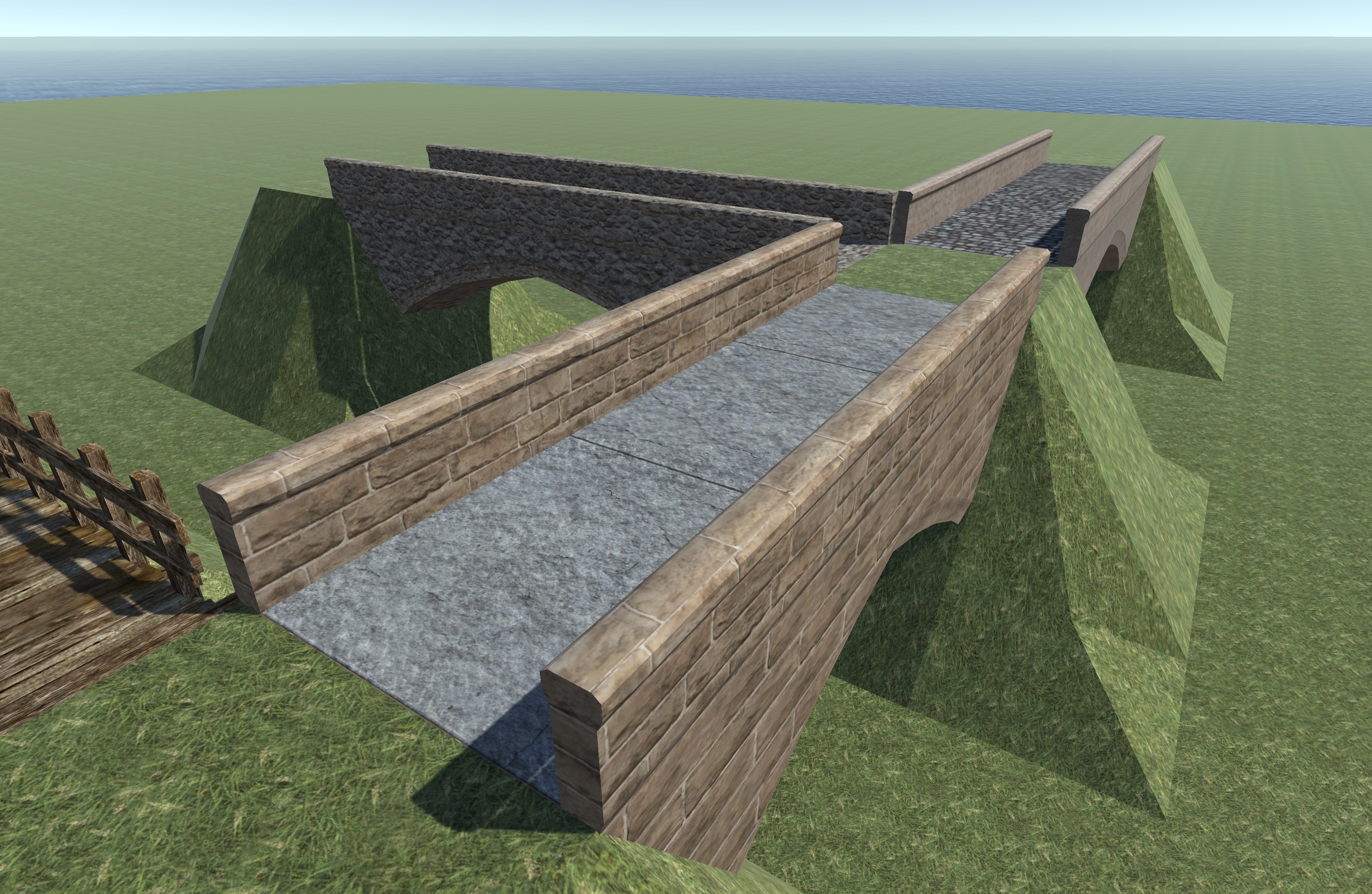
Work continues on bridges. DeedPlanner 3.3.x saw two bugfix releases, and 3.4.0 will follow-up with more bugfixes - but bridge pavements are the star of the show. You will be able to paint pavements on top of existing bridges, as shown on the screenshot below.
Docks
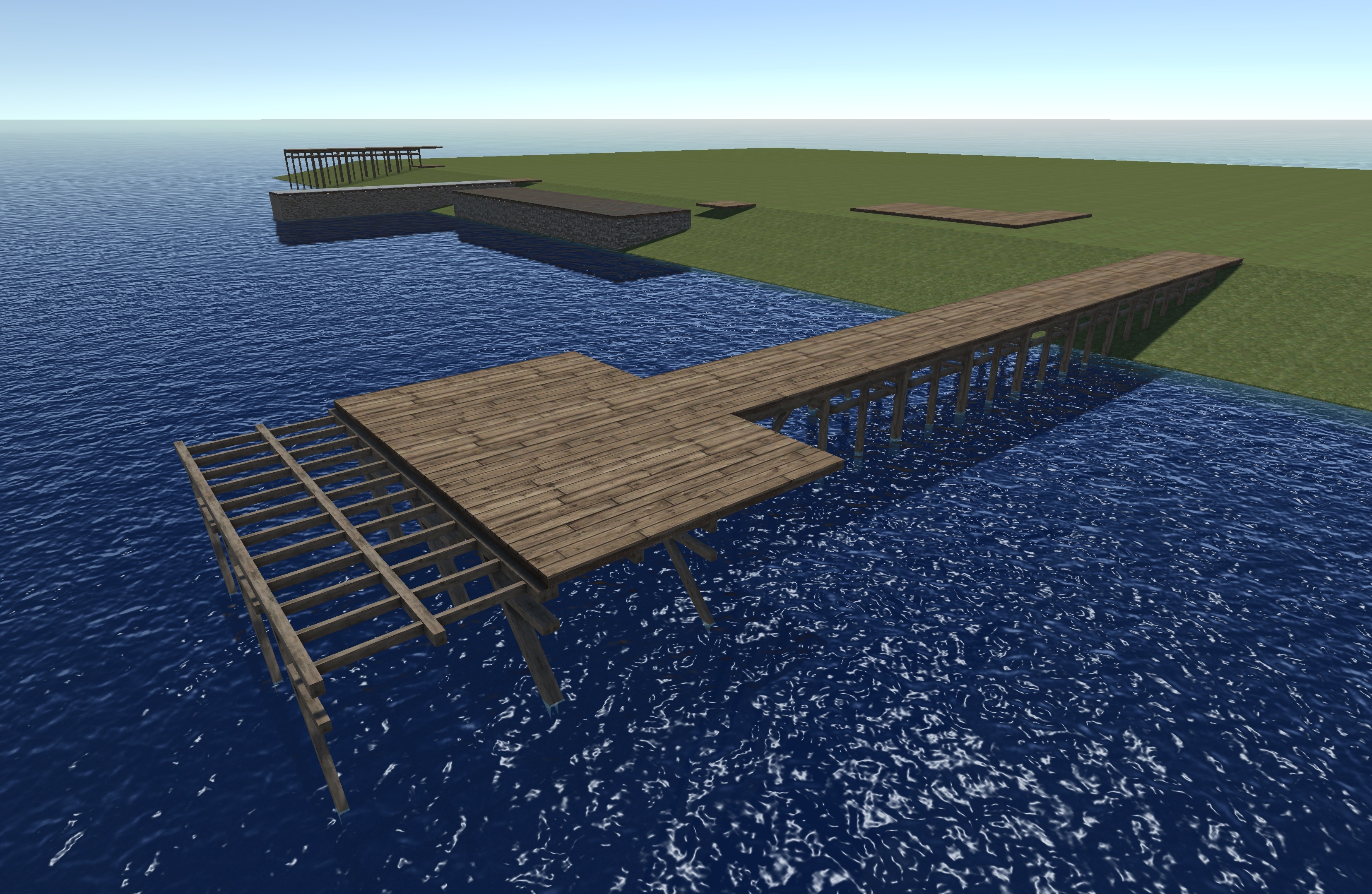
Docks are one of the newest big Wurm features, and now you will be able to plan and preview them in DeedPlanner as well! They are already functional, getting polished, and will come out in DeedPlanner 3.4.0.
Graphical improvements
DeedPlanner 3.3.0 saw first wave of graphical improvements - migration from Unity's built-in render pipeline to URP, improvements to water rendering quality and performance and overall rendering optimizations especially on larger deeds. 3.4.0 continues with introduction of tonemapping, bloom, color grading and SSAO. You will notice colors are more vibrant, shadows look better, distant terrain gets less distracting. I will continue iterating on graphical improvements according to user feedback and my personal observations, so more changes are expected to come later as well.
Smaller changes
There are some smaller changes coming as well - I think the biggest worth mentioning is ability to take screenshots. The screenshots taken in-program will be of higher resolution and render quality by default than manual screenshots, so that's perfect option if you want to showcase your deed from afar!
Pricing
It's free. It always was, always will be. Of course, tips are welcome - and they are likely to circle back into dev tools used for DeedPlanner development. :)
Thank you, I can't wait to share new stuff with all of you. You can wishlist the program on Steam now to get notified when it comes out!
Warlander
Wurm is waiting