
Hi there.
This week I've been working on how the player interacts/marks tiles to solve the puzzle. I'm finding that this has been a challenge in terms of art and animation. As Pictoglyph has a 'theme' of sorts - keywords like "ancient, stone, Mayan, temple" etc. and does not have a simple, minimalist abstract art style, it has been hard to help to show the player when they are marking shapes.
In Pictoglyph there are several ways to mark tiles:
- you can block out tiles which are not part of the solution like in a normal nonogram puzzle
- mark tiles in a generic way - these tiles you suspect to be correct, however you do not know which 'Pictoglyph Shape' they belong to
- mark tiles as their corresponding 'Pictoglyph Shape'
The gif below shows how a player would mark tiles belonging to the 'Snake' shape - which in this save is a Tetris like letter "L" which is on its side.
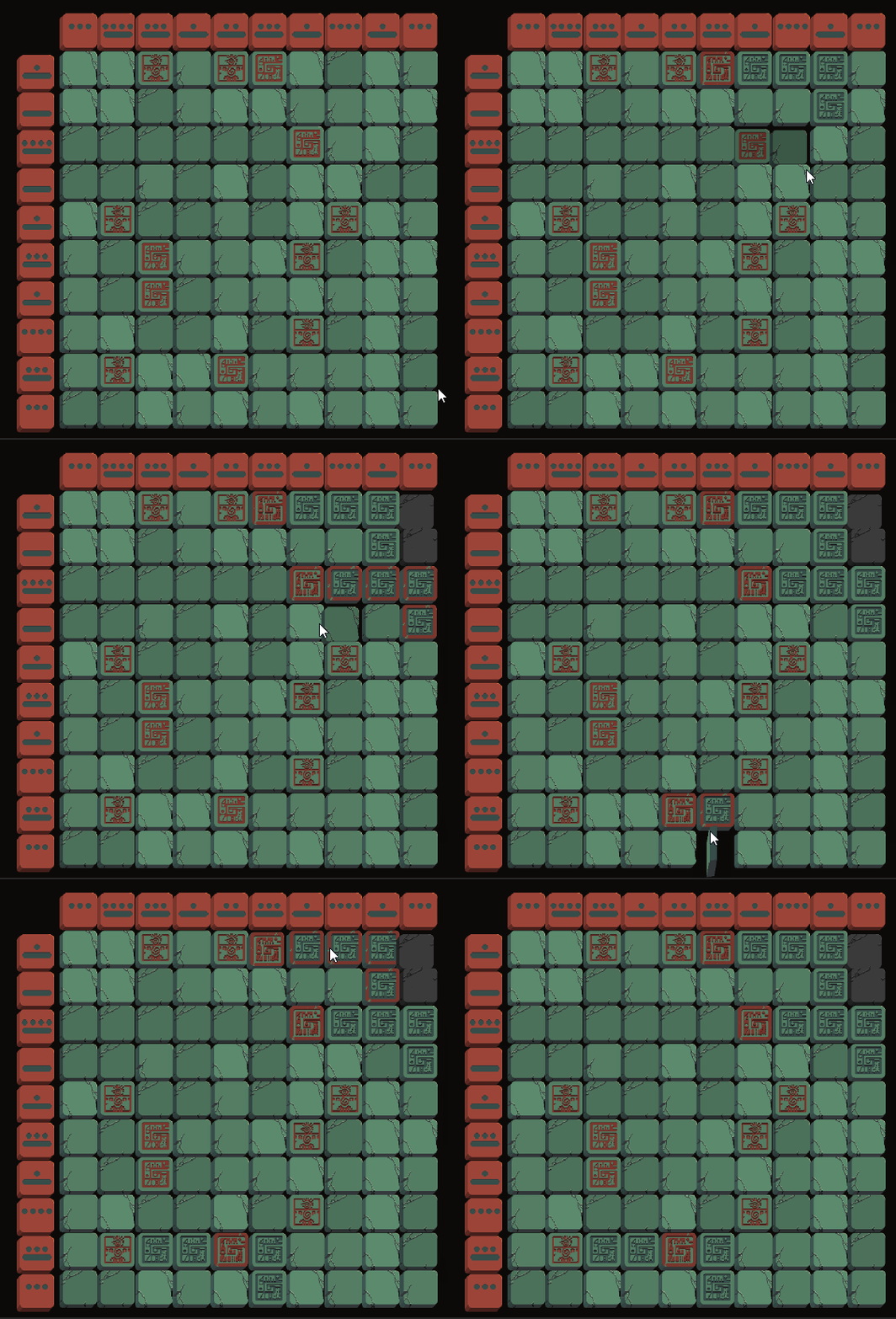
The player first clicks a clue tile to begin marking tiles they have worked out to be part of the Snake Shape. The clue tile could be any one of the tiles of that shape of course. While marking, the tiles appear to have a red border. Once the player is finished marking tiles for that shape (to cancel they can click the Clue Tile again or right click etc) The tiles flip back, lose the red border and become 'normal'.
As there could be many of the same "Snake" shapes in the puzzle, the red border around the tiles you're currently marking helps the player keep track of which shape they're actually interacting with. I'm finding that explaining this sounds more complicated than it is in practice. I cannot wait for feedback from the demo once that is out.
Also, please note, all the animations/symbols/tile sprites etc, will have a couple of art passes (one for the Demo, then a final one for release) so the final game will look slightly different.
Thanks for reading.