
The following guide will walk you through the steps to play with your friends!
Please note, Ember Knights will have full online multiplayer support for Early Access!
Step 1: Install and launch the Ember Knights Combat Demo! Note, only the host needs the game installed.
Step 2: From the Main Menu, open the Steam Overlay and invite your friend.
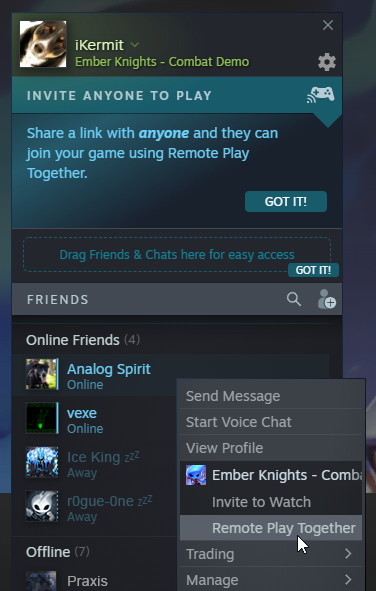
With the game running, open the Steam Overlay (SHIFT+TAB).
From the Friends menu, right click on the friend you’d like to invite and select Remote Play Together.
Step 3: Confirm the joining player’s settings.
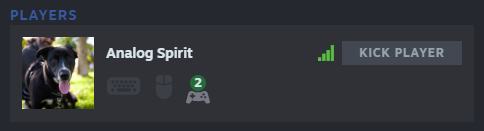
Step 4 (Optional): Invite up to 2 more friends.
Step 5: Close the Steam Overlay and select Play!
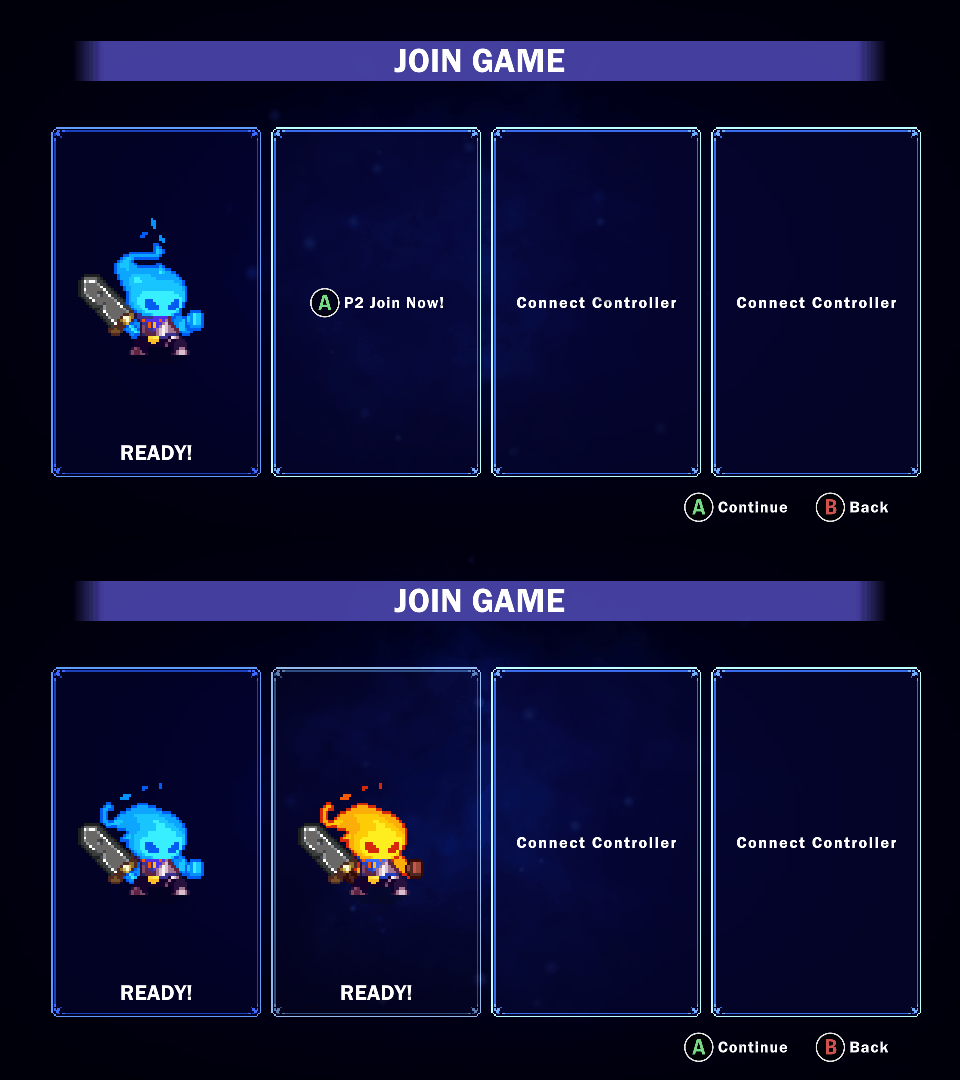
Have your friend join on the player select screen and you’re ready to go!
For additional information on Steam's Remote Play, click here.
Attention Keyboard Players!
If you're looking to play with a mouse and keyboard, please see the image below for the currently supported configuration.
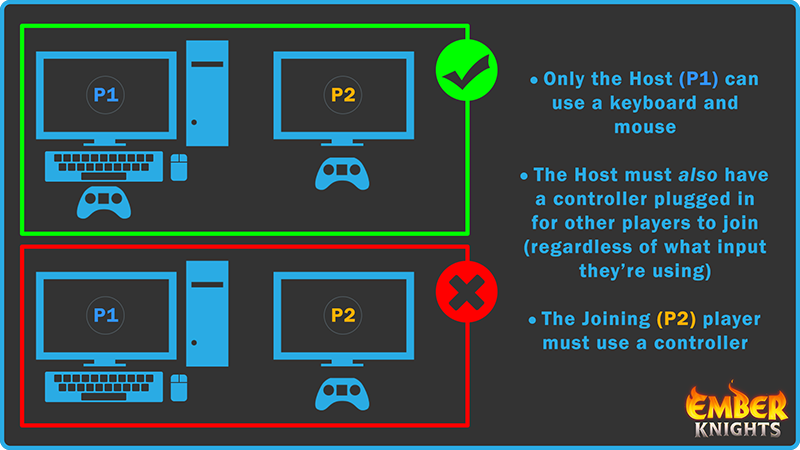
Thanks for checking out the Ember Knights Combat Demo! Don't forget to wishlist the full game!
https://store.steampowered.com/app/1135230