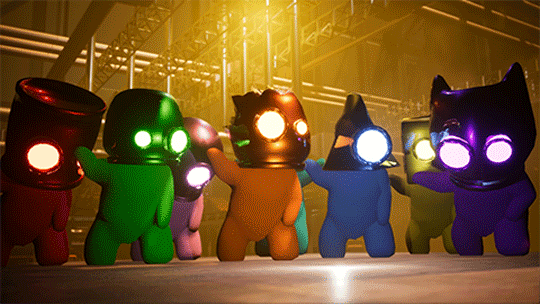
VERSION: EPIC KEYBOARD OF DOOM #1
Hello my fellow metal heads!
This is the full update notes for the most recent update.
THANK YOU
Firstly, thank you all SO FREAKIN' MUCH for being so patient in waiting for this update....I was wanting to get it out much sooner, but the online network improvements set things back significantly....totally worth it though!
If you want to skip my random rambling, that's ok, skip on ahead and go to the change log :)
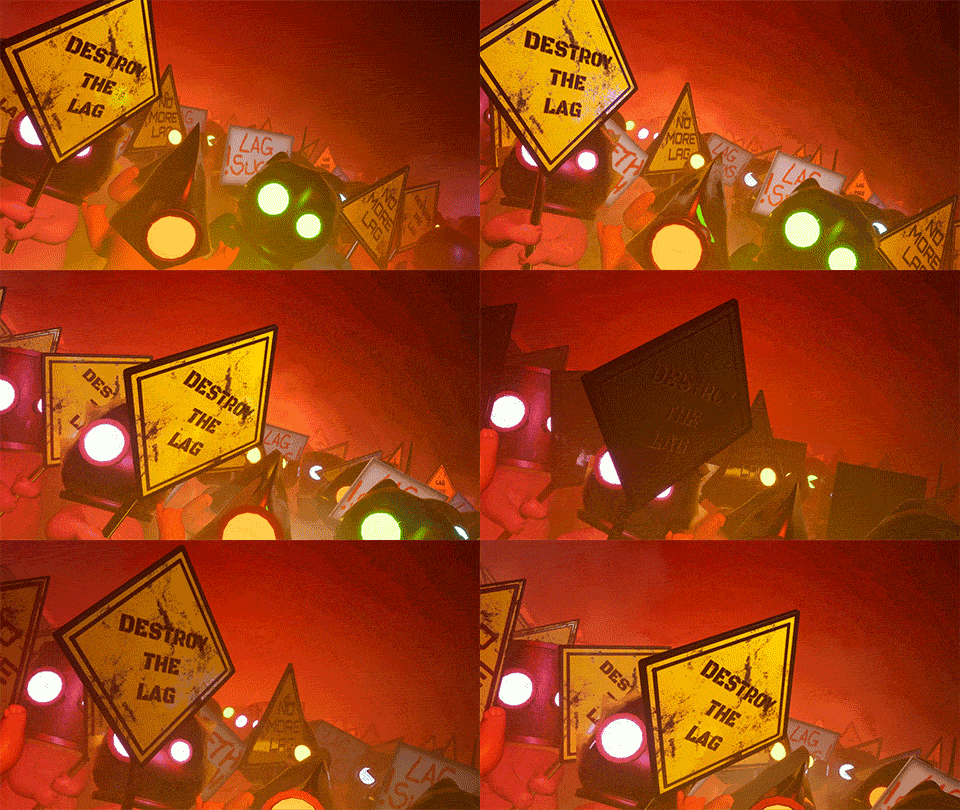
WHAT HAS HAPPENED SINCE THE LAST UPDATE?
Since the last update, I have been wanting to fix up a bunch of bugs that have been kind of ruining the experience for a lot of players, as well as focus very heavily on improving online multiplayer performance, since most mini-games were just not very playable at all online.
I also rescued an abandoned mother cat and her kittens, and adopted them...but I'll explain that after the change log for those interested.
CHANGE LOG (This is why you're here right?)
NETWORK PERFORMANCE
To summarize, basically Blue Ballin, Pipemare, Laser Lunacy, Wheely, Deadly Disco, Coallateral and other mini-games have had a network improvement overhaul.
This is why the update took so long to come out, as I essentially had to break the mini-games, re-do the networking, test them, and repeat until I was happy with a solution.
The caveat to this is that dropping into a mini-game mid-round will make for a very broken experience, as will trying to play with a huge ping.
(Read the end of the update notes for more of a technical/raw look at why this was such a pain to do).
BETTER STREAMING EXPERIENCE/BETTER PERFORMANCE
The frame-rate has now been capped at 60fps, as I found if people played Metal Heads with the VSync turned OFF (like me), the frame-rate was unlimited, since I haven't yet discovered a way to find the player's current monitor refresh rate.
What I found was happening was those with VSync off, would stream the game, and they would be dropping frames badly (30-60%) in their streams. This was happening to me as well, and when I discovered it, I fixed it immediately.
Bear in mind, this is a temporary solution, a "band-aid fix".
The goal eventually is to add a slider and input box so that you can set your own refresh rate to what you want, because if you're anything like me who has a higher refresh rate monitor...you like to play games at that high refresh rate, rather than 60hz.
Due to the 60fps cap, laptop and PC fans shouldn't go crazy anymore, I've noticed my laptop is not as noisy when playing the game anymore, YAY!.
BOARD GAME ITEMS ADDED
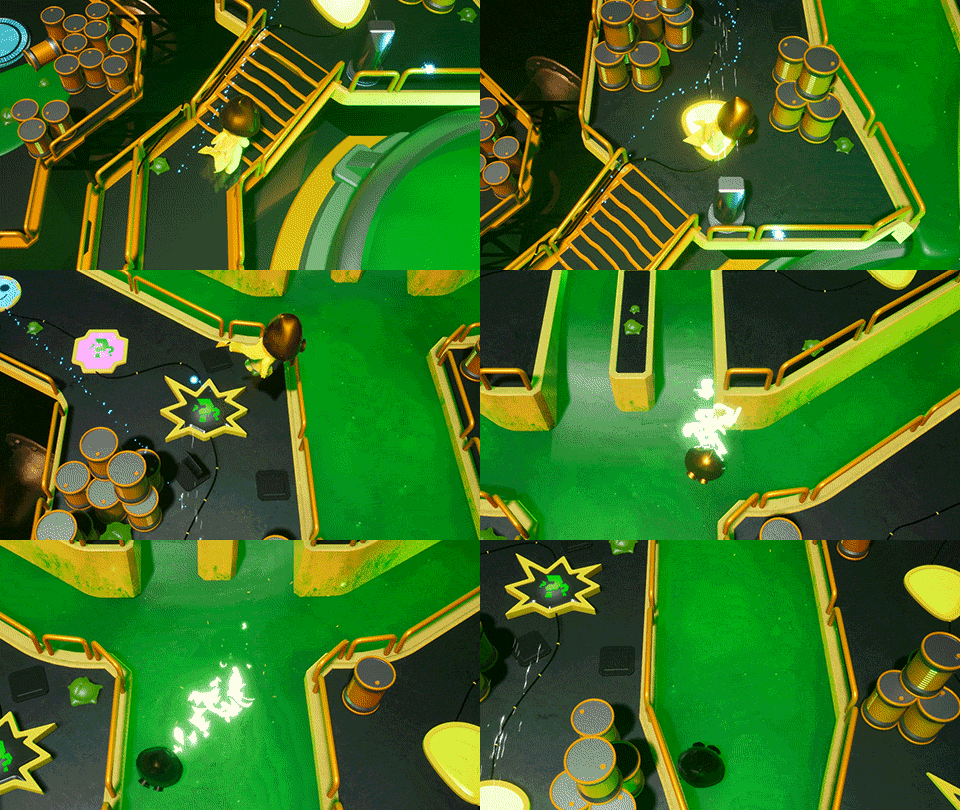
STICKY TAR:
Place this down, and whenever players walk through it, they will be slowed down and unable to jump.
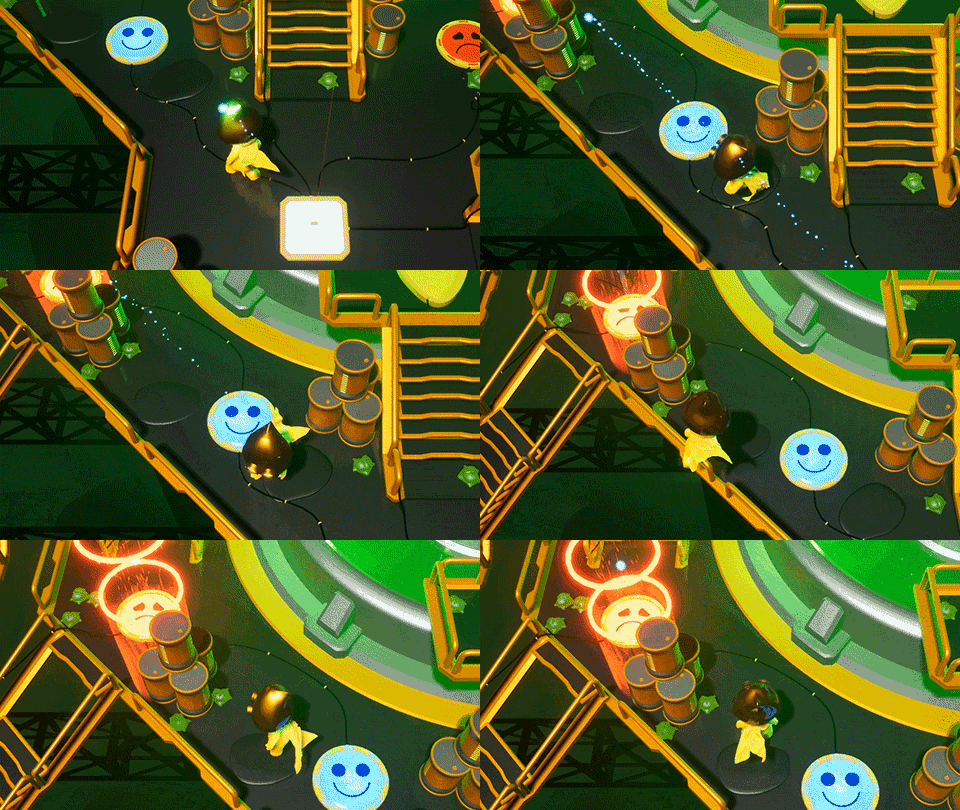
PLASMA TURRET:
Every few seconds, shoots a plasma ball. Combine it with other traps like the Sticky Tar to create a super dangerous area.
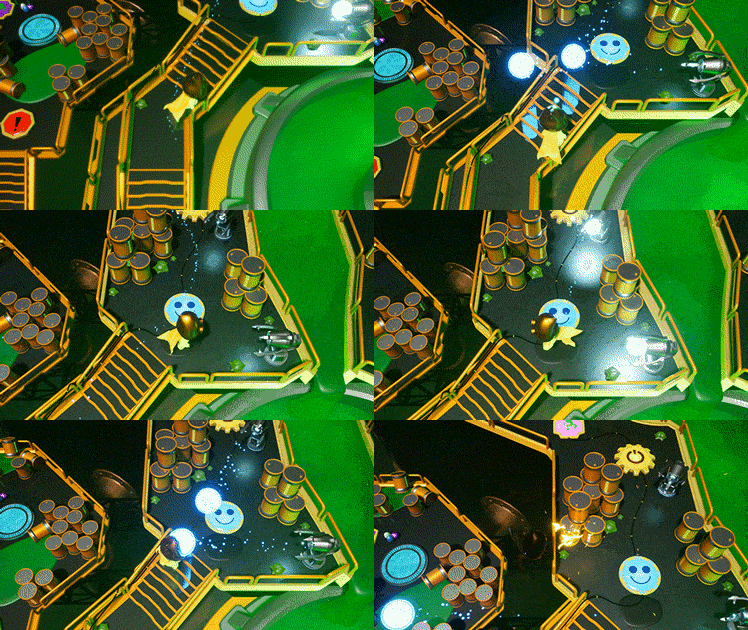
BLOWER and SPRINGBOARD:
The Blower (tentative name) simply blows players away from it, which is great when trying to deny access to an area, or push players into other traps...such as the springboard, which might just launch them to their death, or away from their destination.
FREEZE RAY:
The freeze ray will disable player movement, trapping them in an ice cube, and making the player super slippery, which could be fatal, especially when combined with other deadly traps.
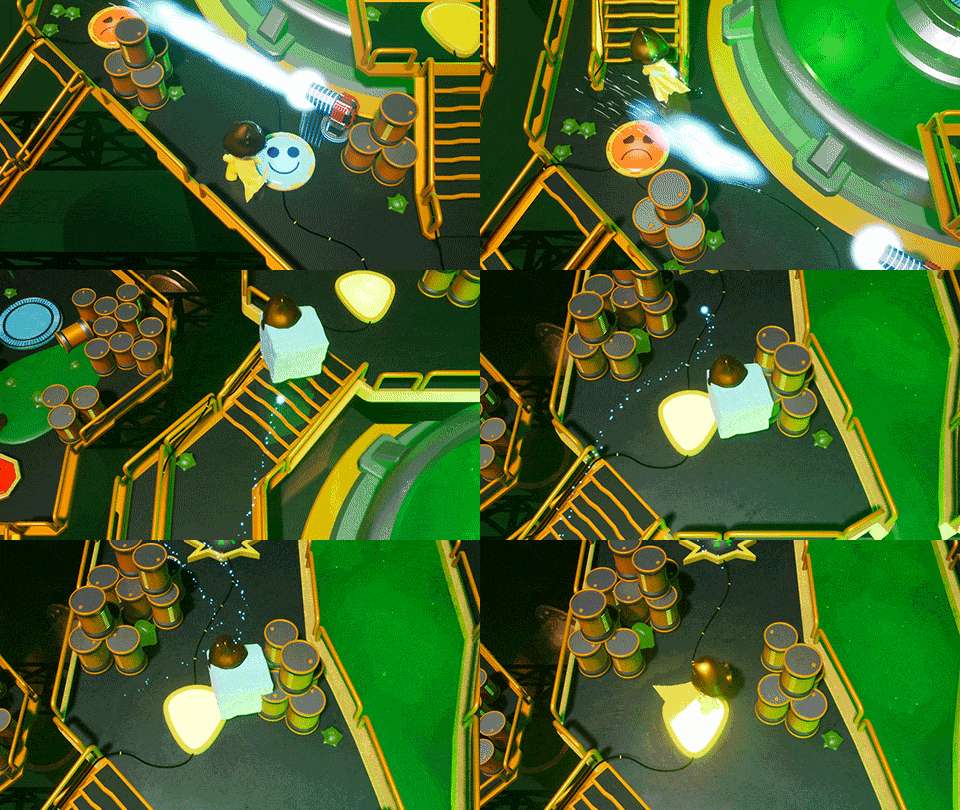
Bear in mind, there are currently other traps, such as the stun trap, snap trap, and spike trap which are a bit of a hazard, with plenty more silly items to come.
The idea of the game is to eventually add platforms, obstacles etc so that players can really change the board in a big way. I am still working out the gameplay loop for the board game mode however, so please bear with me while I work on trying to make the board game as fun as possible.
QUALITY OF LIFE IMPROVEMENTS
I have added a bunch of keyboard key UI elements so that those using the keyboard can see what keys they need to hit at the various screens.
This is really just a temporary solution until I can figure out how to switch icons to xbox, ps4, nintendo and keyboard controls seamlessly.
For now though, it works and should help in preventing confusion.
COLOUR CHOICE! YAY!
You can now choose your own colour! YUS!!!
I have been wanting to add this back into the game for a while now, and thankfully this didn't take too long. I heard your calls, and kicked by own butt to make this happen only 2 days ago.
Originally, before Metal Heads was even known to the public, back when it was an offline only/local multiplayer game, players could choose their colour, but there were a lot of issues back then as a result, and I had no idea how to deal with those issues until now.
I WAS going to remove the ability to choose the same colour as another player, to avoid confusion in games like Melting Memory, but I like the idea of people having a freedom of choice...so if you want to be pink, and another player is also pink...that's up to you to decide.
It does open up the potential for fun/funny gameplay when there's 8 players, all the same colour in mini-games like Cognitive Collection and Melting Memory.
OTHER CHANGES AND BUG FIXES
In no particular order. Here's a list of changes and bug fixes:
- Player names should be fixed up, no more "player" showing up....or at least this should never happen.
If there is a player with the same player name as someone else, followed by a "(1)", this means that the player joined another controller since the game supports multiple players per PC online.
The keyboard counts as a separate player, so if there's a keyboard and controller connected, you can't hit ENTER on the keyboard and expect to move the character with the controller.
- There was an issue in the board game mode, where if the player kept tapping the A button rapidly enough or hit the A button at the right time when doing the movement wheel, the movement wheel didn’t get updated correctly, and therefore stopped on nothing.
I have now made it so when hitting A, the movement wheel does a forced check to see what number it landed on, the default number for the movement wheel is now 1, rather than 0 to prevent this from happening.
- Worked on making the movement wheel more network optimized. The segments were server controlled and this was unnecessary. On slower connections, these segments took time to load in, which just looked stupid, now the segments will be there, but the only time taken to load in while be based on how long it takes the client’s movement wheel to be updated.
- Set the audio pitch modulation at the start of mini-games and the lobby back to 1.0 so hopefully music actually sounds the way it should. I kept noticing that the pitch modulation was staying at the lowest possible number for people at times.
- Fixed problem where newly CONNECTED players could change player 1's head, and creating a lot of confusion. Now a connected player can only change head once the hit start/enter to JOIN.
- Melting memory now shows what number in the sequence the space is for the first 3 rounds to help make the gameplay more understandable.
- Fixed a rare Melting Memory crash.
- Fixed up audio issue. I was setting the MASTER volume to the SFX volume level when going into lobbygamestate or minigamestate which was hoooorrribly loud.
- Boss Fight pillars were broken if a player moved away from the pillar, and then back onto it. The bug didn't happen all the time, but now it's fixed.
- Boss character no longer gets stuck on the level.
- Boss players no longer moves at half speed after fully recharging themselves.
- Removed "A - Jump" from Deadly Disco tutorial, also went through all tutorials and removed irrelevant buttons in controls.
- Reduced the default master volume so new players don't have to go in and turn volume down.
- Button Bot no longer flashes the lights randomly before stopping. (NOTE: The Button bot will be eventually replaced with something more intuitive. I am finding most players just get confused by this mini-game).
- Created keyboard UI elements and placed them on relevant UI locations, however I may have missed a few, let me know if you notice this.
- Fixed an issue where if a gamepad user hit WASD keys on their keyboard, they lost control of the character using the gamepad and had to use the keyboard.
- Lots of other things that you guys didn't really see as it happened all in private testing, these were bugs that were caused as a result of fixing something else.
KNOWN PROBLEMS (Big problems):
- The BIGGEST problem which I am going to be focusing on immediately, is some players are unable to move their character sometimes at the start of a mini-game, or when respawning as a ghost.
I have been unsuccessful in causing the problem myself, or during test sessions with Discord users while I have had the developer log open, so it's hard for me to track down the root cause, but I will figure it out.
- Like the problem above, keyboard users sometimes can only move up and right.
I believe this to be related to the issue above, so hopefully fixing one issue fixes up a whole lot more.
- Black screen fade during the board game when the game switches player turns.
This seems to only happen when a player goes to a shop bot in the board game mode, and I am able to replicate the issue, but only very rarely.
I sat here for over an hour the other day restarting, repeating the steps to cause the problem and just repeating that over and over until it eventually happened, but the developer log wasn't open at the time so I missed out potentially finding the cause :(
This bug may actually already be fixed, but it's so hard to find, if you see it, let me know.
- No audio when in the board game mode for some reason. It seems isolated to the board game mode, so hopefully it's a simple fix.
- Board game UI shows the "USE ITEM" prompt despite not having equipped an item. The prompt is showing up at irrelevant times and confusing players.
- A bunch more problems of course, but I want to work on these next.
WHAT TOOK SO LONG?!
^ All of the above ^
But it was mostly the network improvements, this basically required me to scrap how I was currently doing things, and re-do it. But also try out a bunch of different methods, most of which just had too many problems....trial and error is perhaps what took the longest time.
This is mainly because games like Blue Ballin', Dodgy, Pipemare etc have so much happening on the screen at a given time, and it's all relevant, so I needed to figure out a way to avoid constantly needing to send the client players information about what is going on.
In the case of Blue Ballin, there were hundreds of updates happening per second if there were several client players, and so the whole thing was just a laggy mess, but now it's only very few updates at the beginning, and the rest kind of takes care of itself.
The goal was that if I could get Blue Ballin to a point where it ran fine online with a large ping, like 100ms+ (I tested with 400-500ms), then I could apply the same logic to the rest of the mini-games that have lag issues...and that's exactly what I did, but it took a lot of time and sanity to get it to where it is at now.
While I am bragging, I admit it's still not perfect, you WILL still see lag from time to time, but it's a significant improvement.
The network performance improvements do have some caveats too...because the server and clients are synchronized at the start of the round, there is the possibility that players with a REALLY slow connection to the server (anything above 2000ms), will not be synchronized at all, and things will appear super broken...but lets face it...if you're playing with that kind of ping, don't expect the gameplay to be good, anything more than 100ms in most games is not a fun experience, even in first person shooters where there's not really a lot going on in terms of network synchronization.
The other caveat is that if a client joins mid-round in a mini-game, the mini-game will look all out of sync for them, so if you disconnect and reconnect, it's gonna be a bad time until the next mini-game.
There's not too many mini-games that allow drop-in multiplayer, and those that do, don't actually really have much to synchronize....maybe 10 things total, where as Metal Heads can have up to about 200 things needing to sync when a new player joins...this isn't due to bad networking, this is purely due to the nature of the gameplay, and it's why games like Fall Guys don't let you drop-in mid round.
KITTENS?
Bug fixes aside, as some of you may know, I spent a few days trying to rescue some abandoned kittens and their mother, I had to travel to my parents house where the cat and kittens kept appearing at night time, typically anywhere between 1am and 5am, and pretty much stay up all night for a few nights to try and tame them so that I could safely rescue them.
They have been rescued, and we have now adopted them, so have spent the last 1.5 weeks adjusting to this change in life-style as the kittens are requiring constant attention almost.
They are settled in quite well though, are very happy.
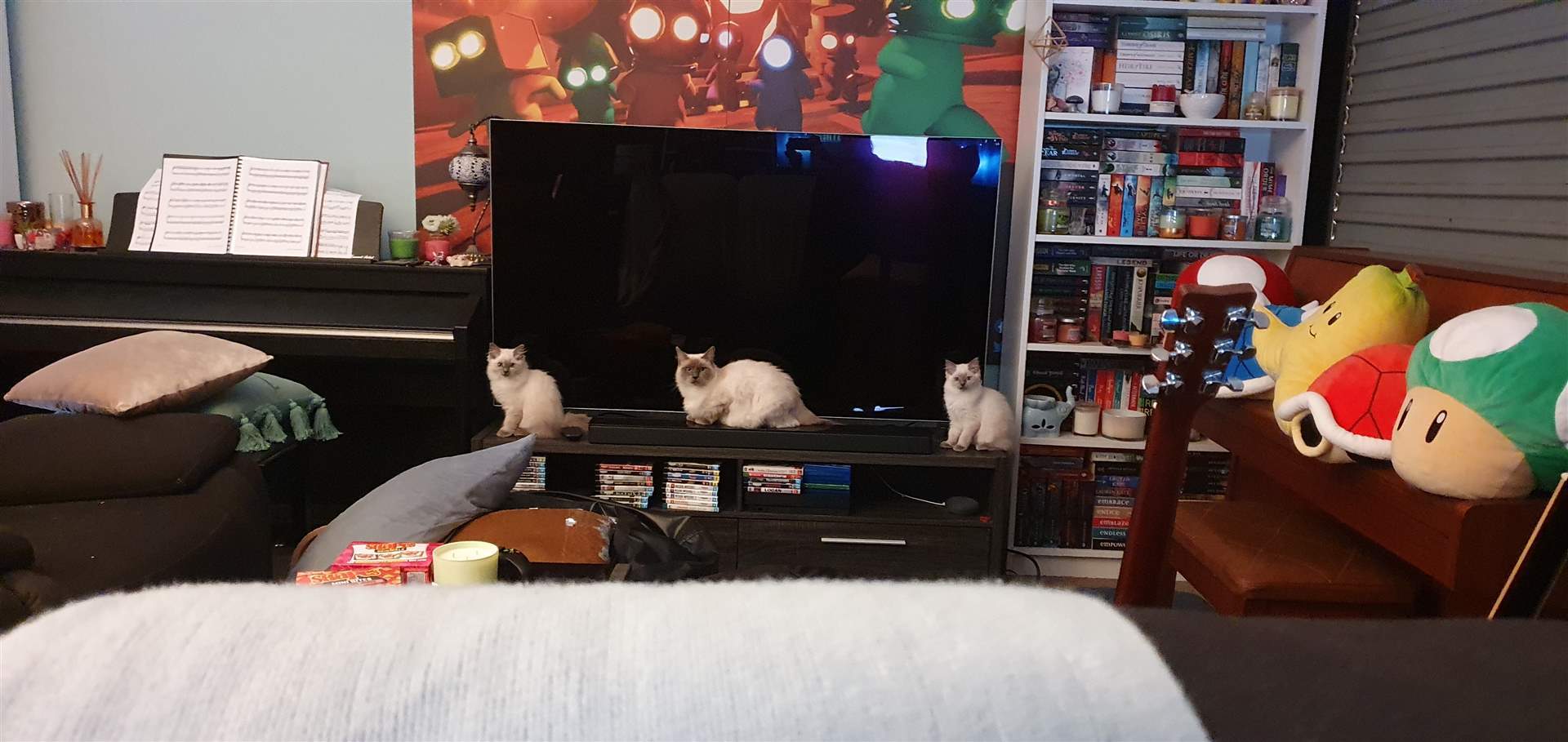
Everyone welcome Shyla (left), Ivy (mumma) and Minnoe(right) to the Metal Heads family \m/
WHAT IS NEXT?
I'll keep working on known issues, but what I want to do before the end of the month, is to add more mini-games.
I had already started on new mini-games, and updating old ones that haven't had "the online treatment" just yet.
I am aiming to have at least 3 new mini-games by the end of the month, more would be nice, but I don't want to get too far ahead of myself, as in a few weeks, I may be moving house, which may set things back a bit.
ROCK ON!