
Hello Gamecrafters!
Earlier this week we released an update that included some more powerful Physics blocks, the Game Over block and a few QoL updates. You can read the patch notes here: https://store.steampowered.com/newshub/app/1078000/view/2216277421433430737
Or watch a brief video covering the new cubes and how they can be used to make a quick and simple game in less than 7 minutes
Today, we’re going to give you a small peak at one of the massive new features we’ll be adding in the next Gamecraft update - Character Vulnerability!
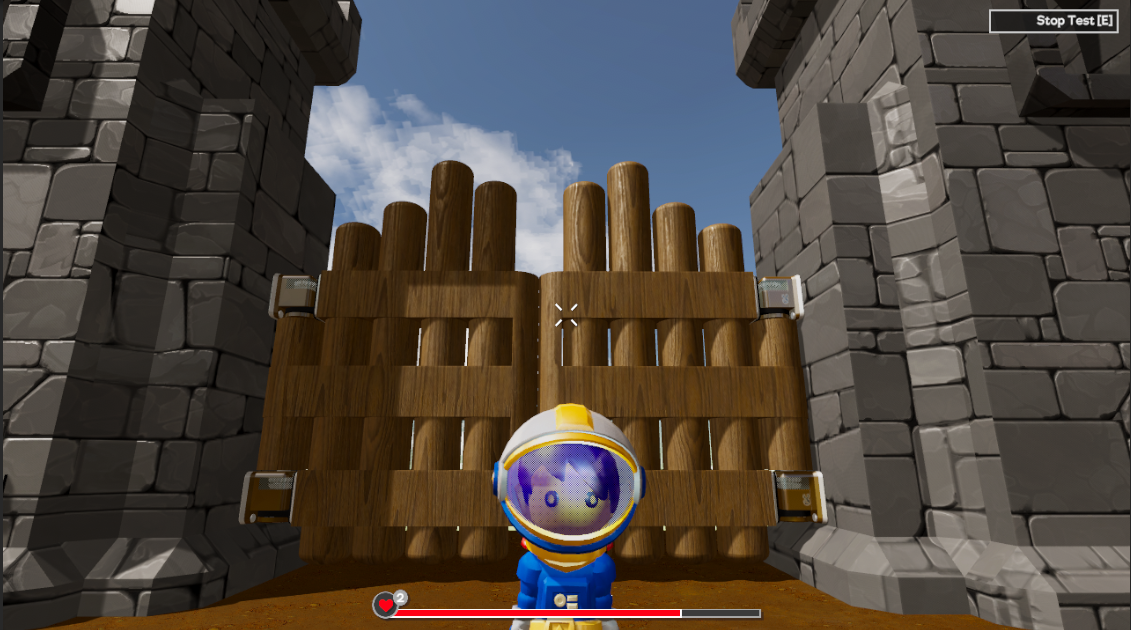
That’s right, we’ve been working hard on implementing character damage and death, with some improvements to the current character animations and controller as well! We’ll save the full details for the patch notes when this update is released but we’ll give you the short version now to get you as hyped as we are.
Before we can talk about the ways Leo can be damaged and how all of that works, we’ll start with ‘Character Health & Lives’. When Leo spawns inside a Spawn Point in a Community Game, he will now have a number of lives and a fixed amount of health, with lives being tweakable by the game creator. These will be shown at the bottom of the screen.
Any time Leo takes damage, the health bar will decrease by a certain amount (we’ll cover what can currently inflict damage and how that’s calculated a bit later) and you’ll get some visual and audio feedback. Lose enough health and Leo will eventually lose a life!
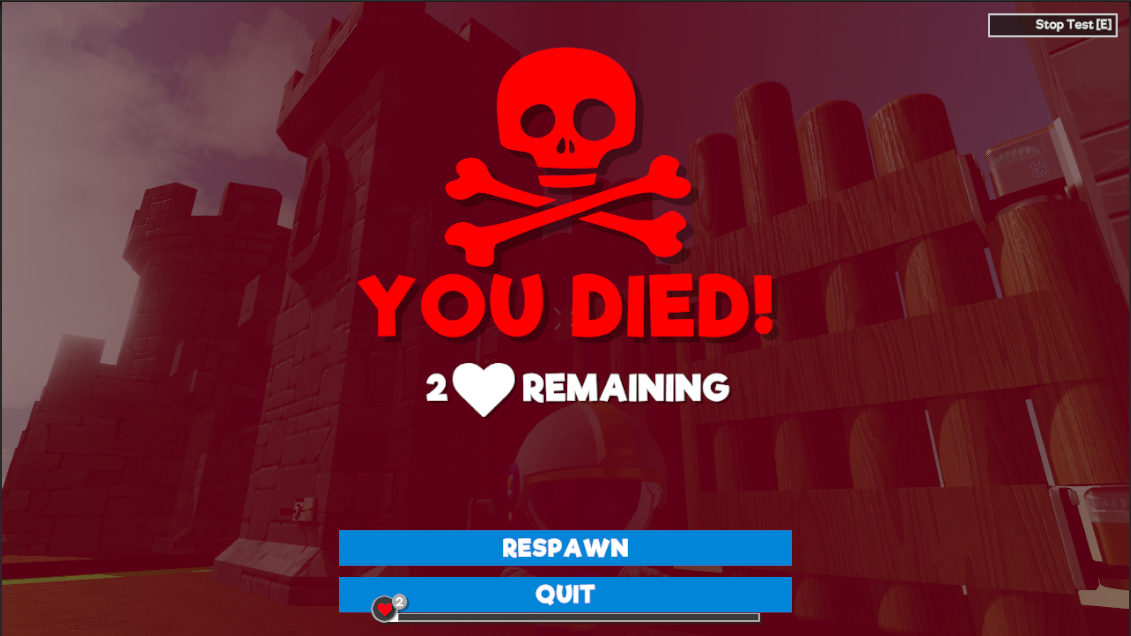
If this happens, you’ll see a screen like this, which will let you respawn from the Spawn Point (if you have extra lives remaining), where you’ll be able to carry on with the game in its current state, or a game over screen. Speaking of Game Over screens, we’ll be adding a default “game over” screen that appears when you run out of lives, but this can be completely replaced by your own custom one if you choose.
Of course, creators can turn off damage completely if the game doesn’t require it, so the player will not have to worry about taking damage or losing lives.
We’ll move onto damage next. For the first launch of Character Vulnerability Leo can take damage from the following actions:
- Being hit by a fast moving object
- Falling from a high platform
N.B: We’ll be adding to this over time with damage from being squashed between slow moving Pistons, hit with weapons and a whole host of damage volumes and surfaces like lava or spikes.
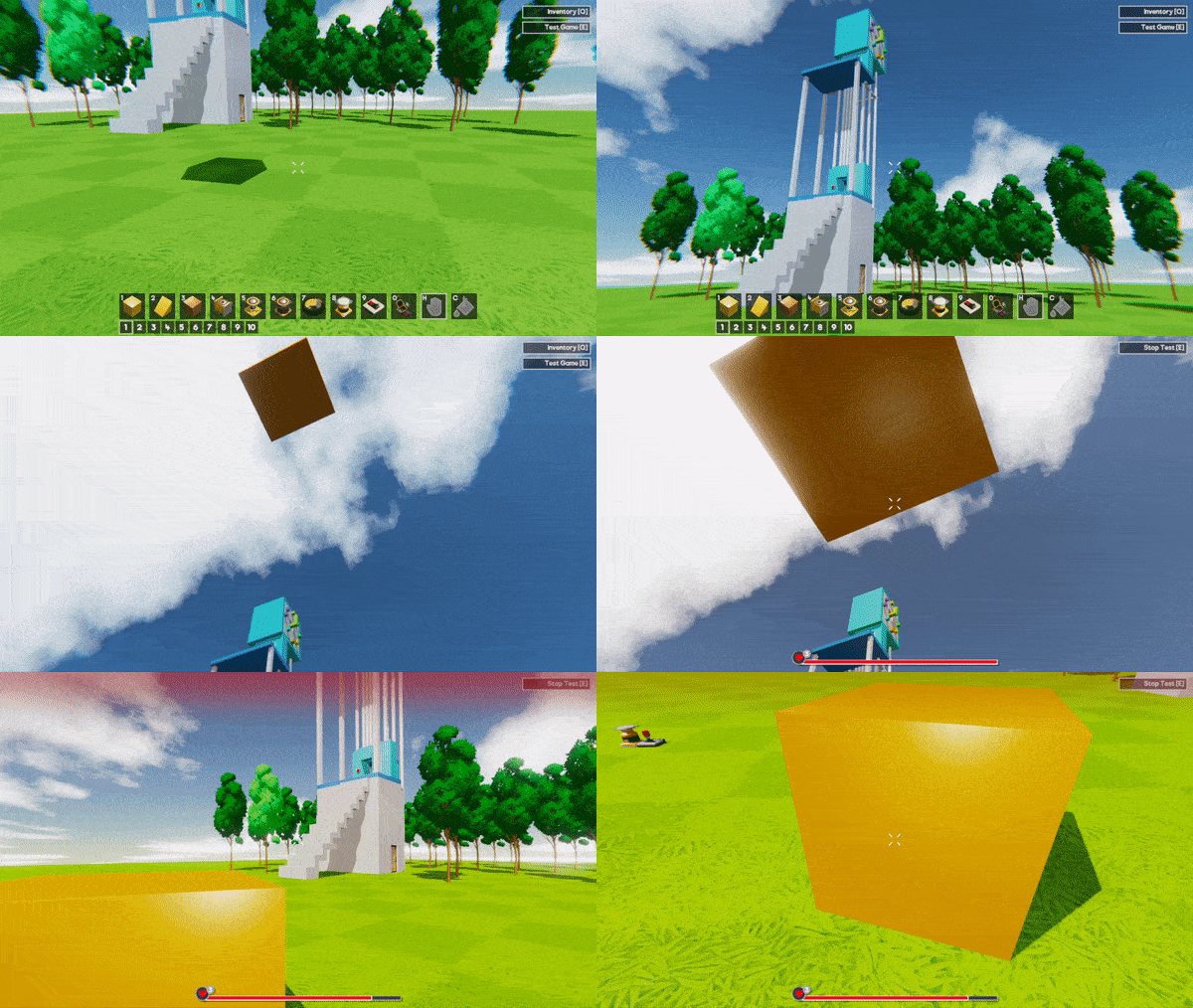
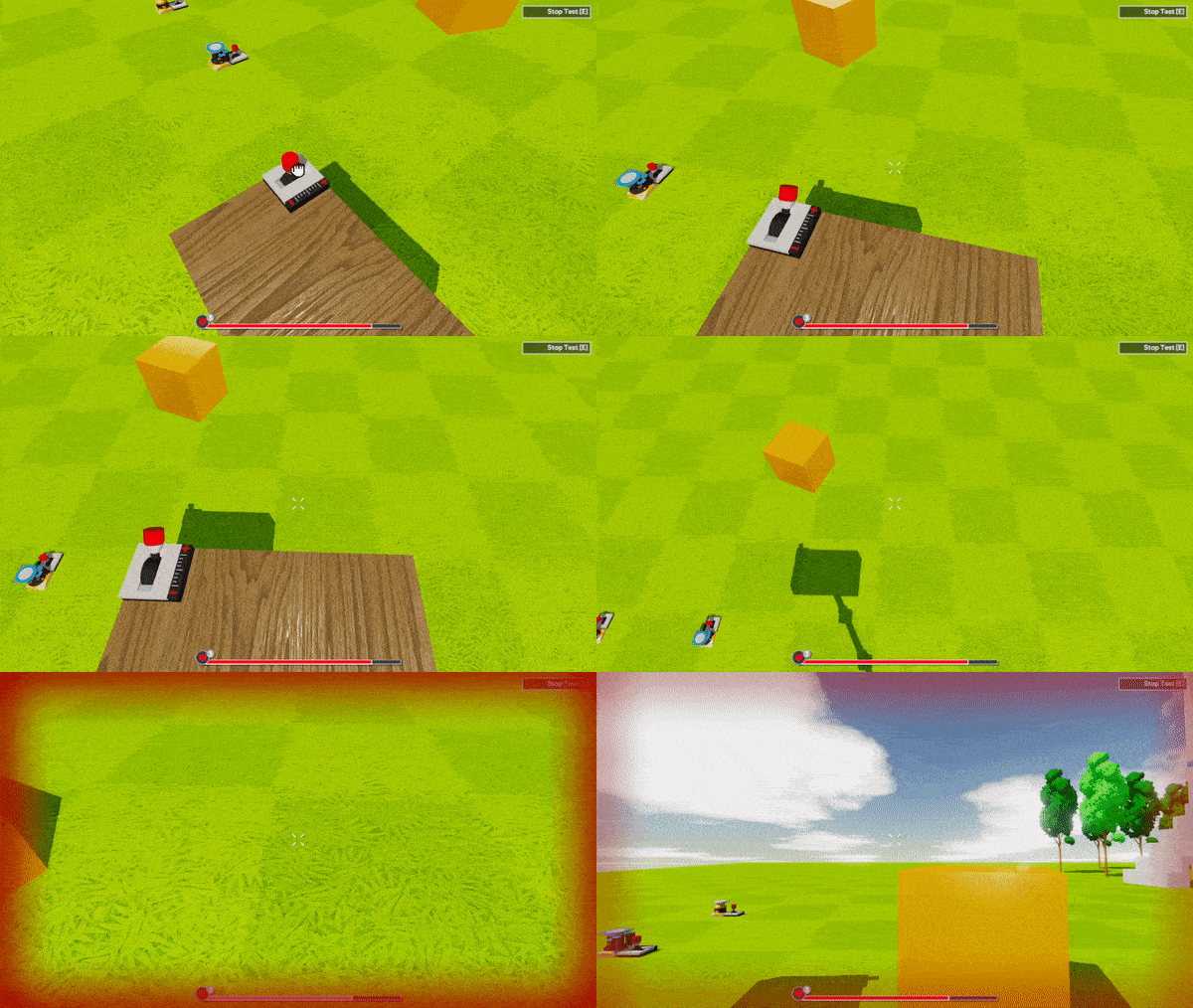
Both types of damage work by calculating the impulse of the collision with a few variables like mass, angular velocity and even which point you collided with, like a corner or the full face of a cube. So, for fall damage this could be the speed you hit the ground coupled with the area of the ground you’ve hit, with larger falls gaining more speed, leading to more damage if you land flat on the ground, or taking less if you just clipped the edge. Being hit by objects will calculate all of this as well, so a faster cube will hit harder than a slow one, as will a larger cube.
Finally, we’ll talk about some of Leo’s new animations and changes! We’re working towards Leo being able to hold weapons and other items and one of the first steps toward this is overhauling some of the animations and different ways of controlling Leo, to make them a bit more flexible later on. For this update we’re making two big changes and we’ll start with the changes to the way Leo moves.
Leo currently always faces the same direction as the camera, so moving to the right will cause him to strafe and moving backwards will cause him to walk backwards. We’re changing that so that he will always walk in the direction you’re pressing. Later on you’ll have the ability to switch back into the ‘old’ mode when holding weapons, as you’ll need to be able to aim with the crosshair still.
Lastly, we’ll quickly cover the new animations. We’ve made the decision to switch to a more general animation set, which will be much easier to share across multiple character rigs in future. This gives us a range of new animations to use. You’ll notice some obvious changes to our existing walking, running, crouching and other animations, but we’ll show those another time.
We’re not going to cover everything planned for the update in this week's blog but we hope you found this teaser as exciting as we did. We’re really looking forward to seeing some amazing new games that put this to use.
We’d also like to remind you that We're working with uk_ie & Keymailer to support GamesForCarers & PlayApartTogether to say thank you to our hardworking NHS Heros. If you work in the NHS and have an NHS email, you can get a free game code from us at https://giveaways.keymailer.co/nhs
Please follow us on our social spaces and share your creations with us:
Twitter- https://twitter.com/Gamecraft_FJ
Youtube - https://www.youtube.com/channel/UCkcRFCr9aQxszaYeXcWZjwA
Facebook- https://www.facebook.com/GamecraftGame/
Reddit - https://www.reddit.com/r/GamecraftGame/
Discord - https://discord.gg/gamecraft
Thanks for reading!
The Gamecraft Team