
Hi folks,
Before we dive in to the new additions, as a reminder for anyone who somehow missed it :P, there is an active modding Contest, and you can read all about it here ;)
While most of the additions in the recent patches are modding related, and in particular improvements on the Events & Tales systems, there are also several quality of life and UI improvements.
Let's have a quick look in the top three.
3. Starting Attributes Randomizer
During character creation you can now press the new 'dice' button in your Attributes section to have them set automatically for you. The way this works, is that up to 25 points are subtracted randomly from all of your attributes down to 8, then any points you have plus those we took away, are redistributed randomly to all attributes up to 18. Clicking this button repeatedly will reset your attributes to base attributs, and repeat the process offering you different assignments.
2. Skills Progression
Did you ever gained a level and never realized that you got free cards you could add to your deck?
We all did, and hopefully sooner rather than later, eventually found the new cards, but still...
Now whenever you gain a level if you have any (already) unlocked skills, that you can use, you'll receive a notification. Like so:
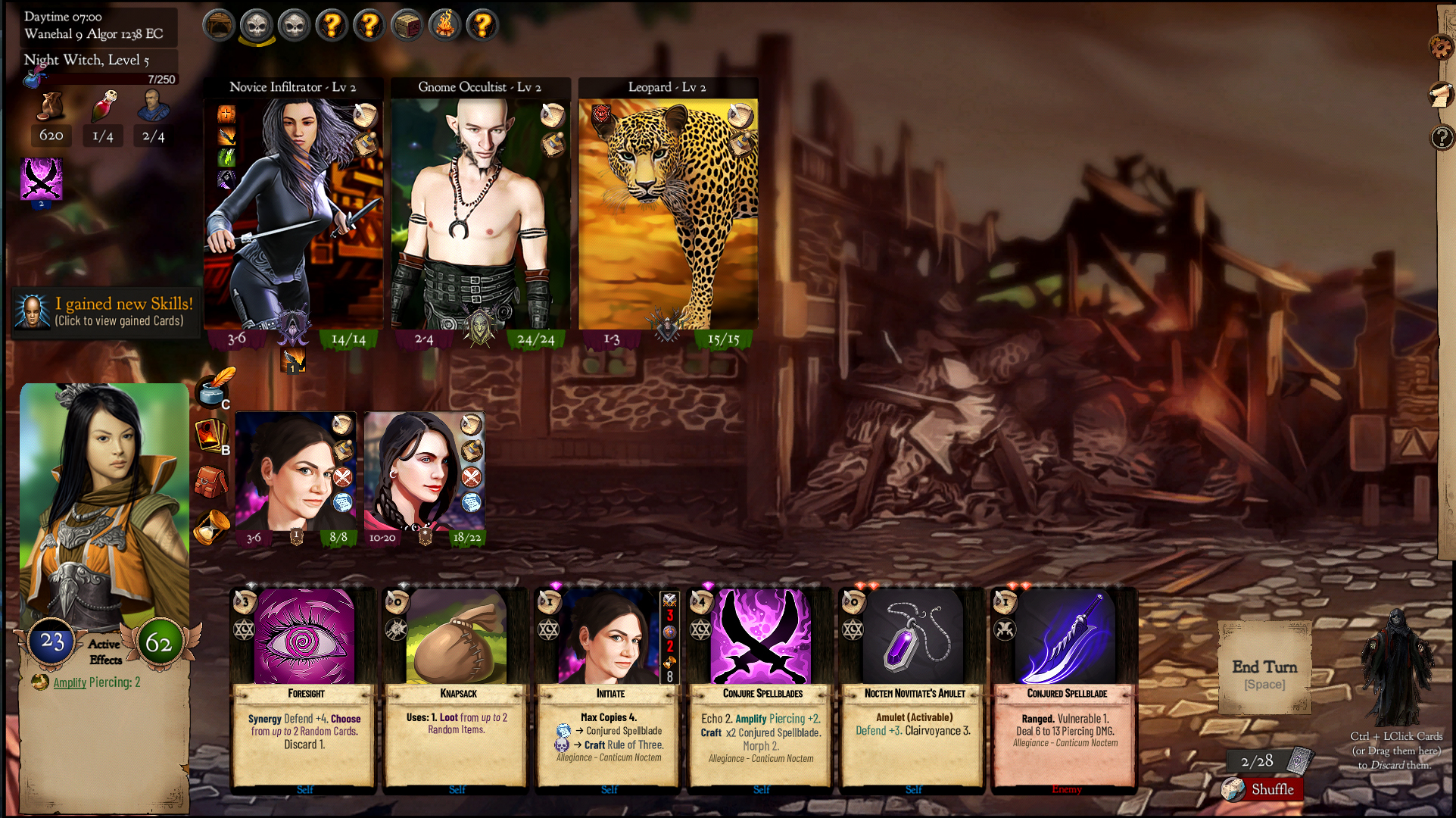
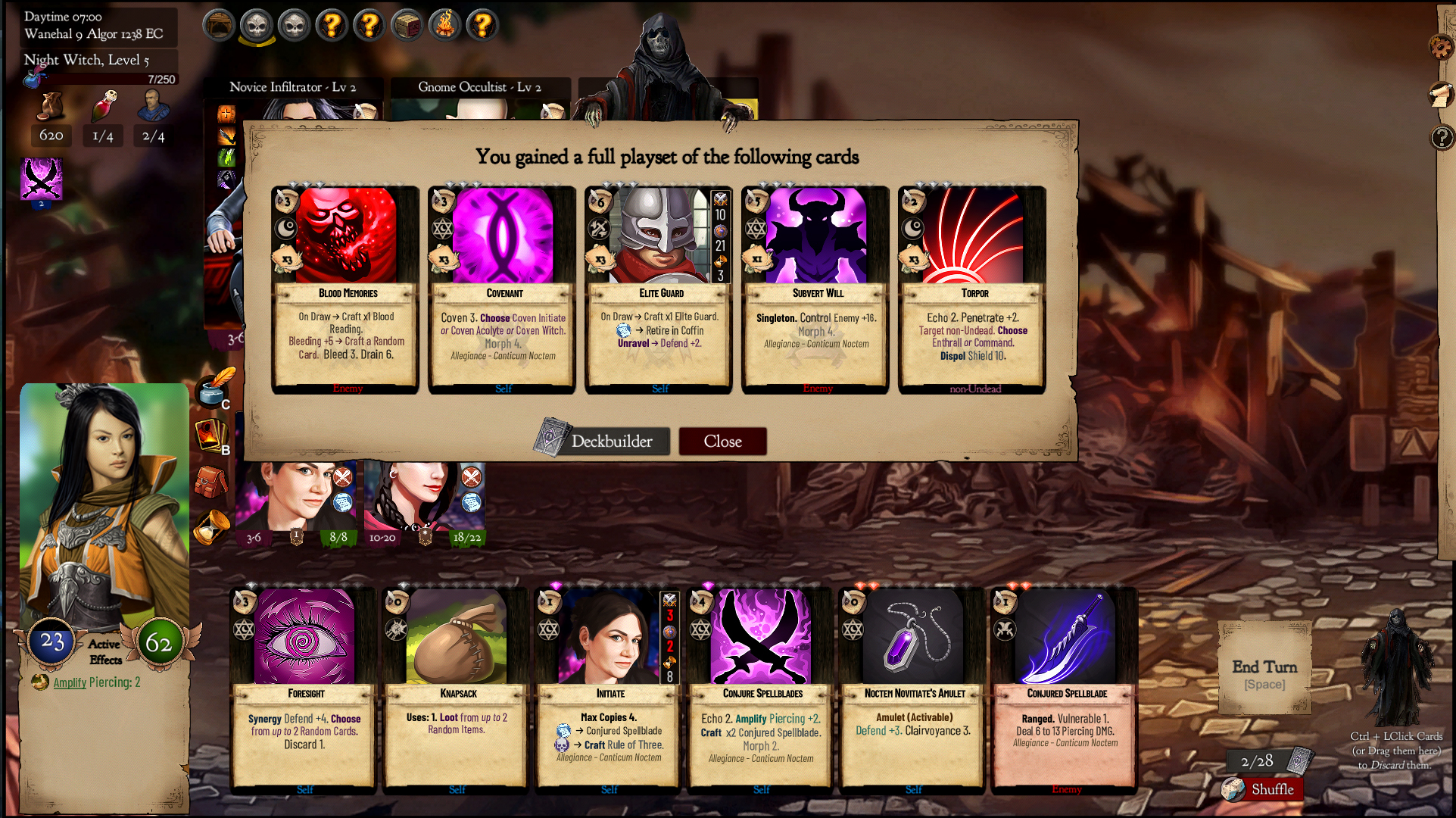
Once you click it, you will see the new cards you gained, and if any are interest you, click the button to jump to your deckbuilder or just close the notification.
1. Split Deckbuilder view and other improvements
There are many notable improvements in the deck builder, but perhaps the most handy will be the new split view.
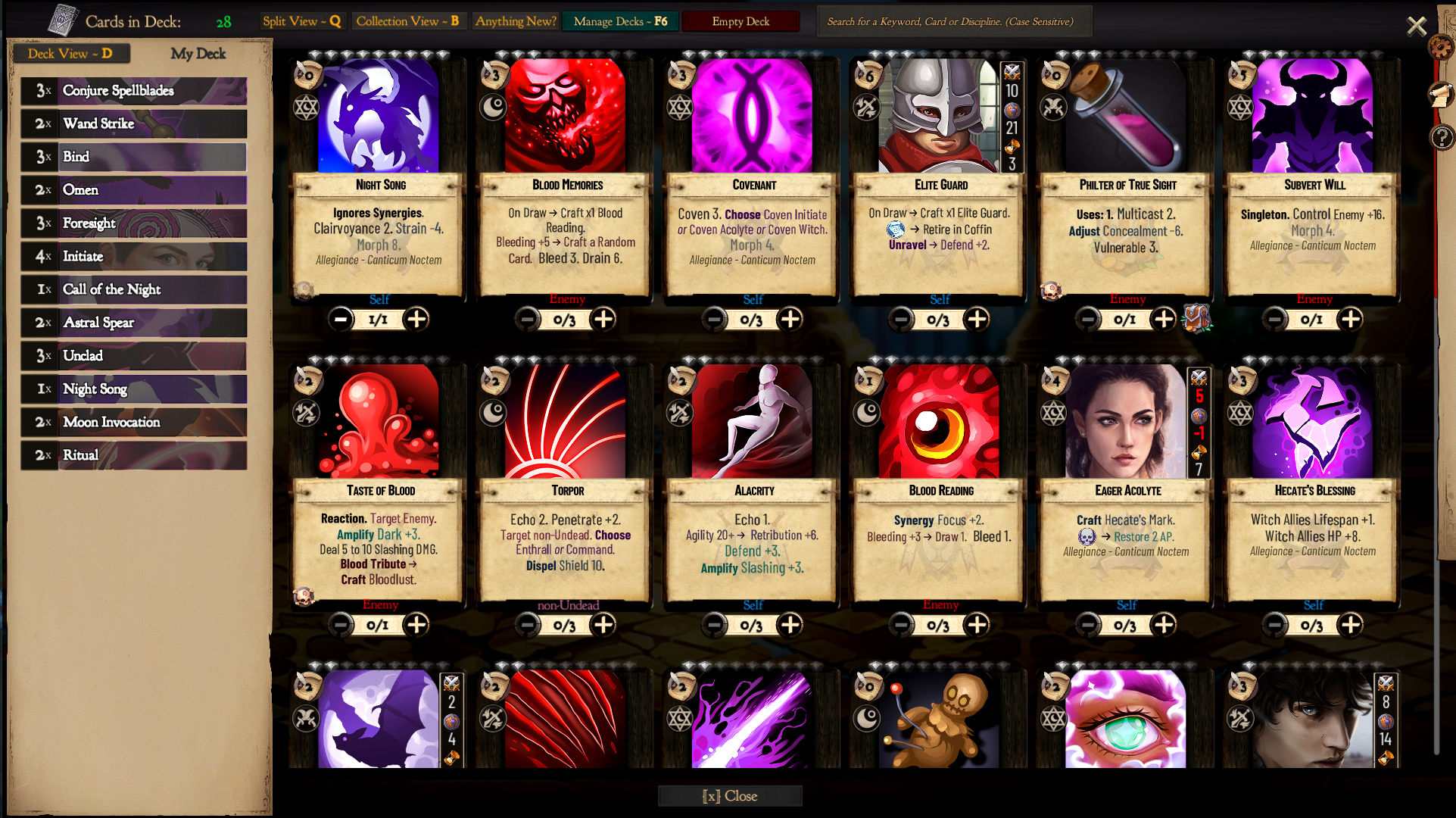
You can also find quicky the new skills you gained at your current level using the 'Anything New?' button.
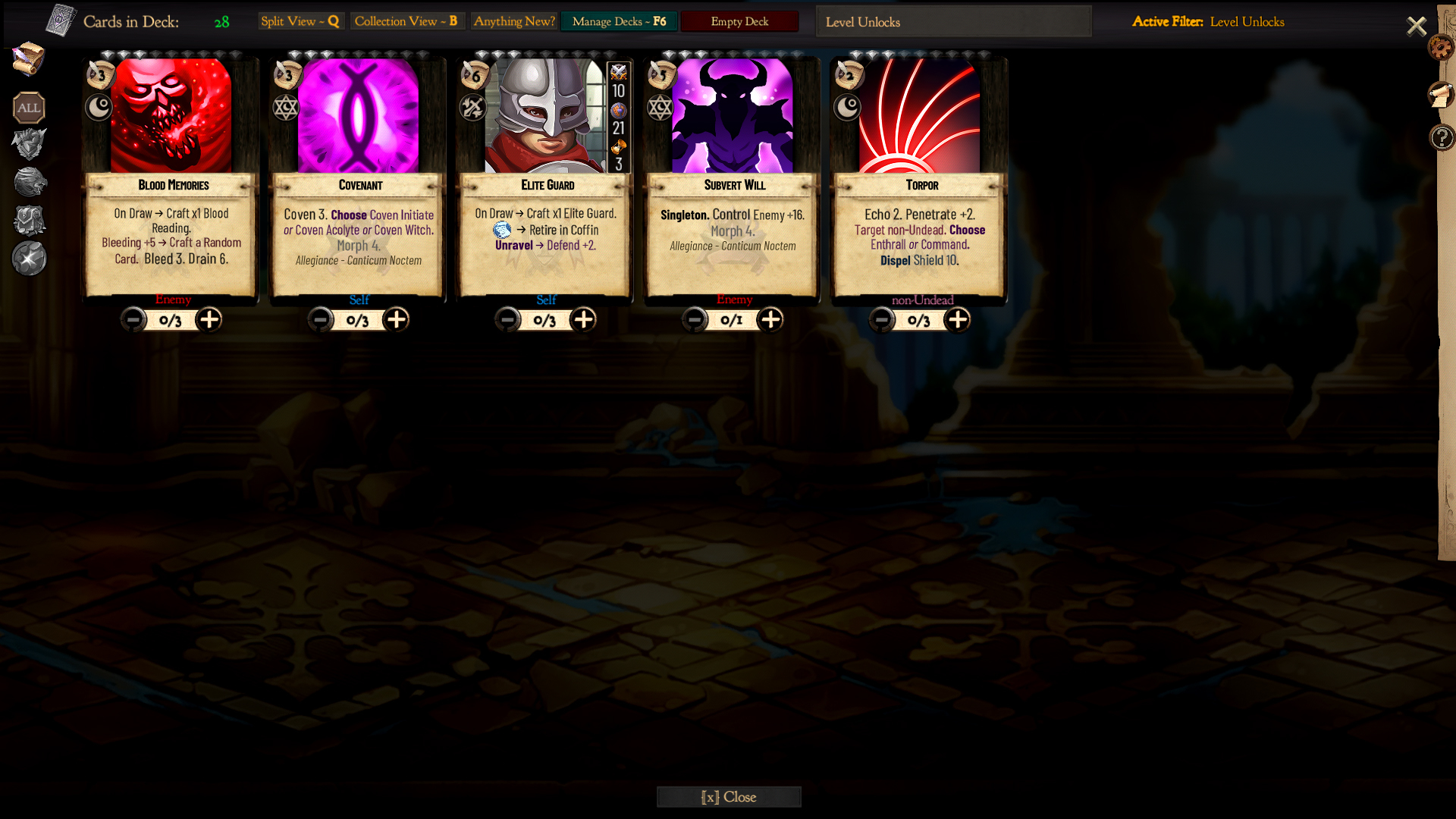
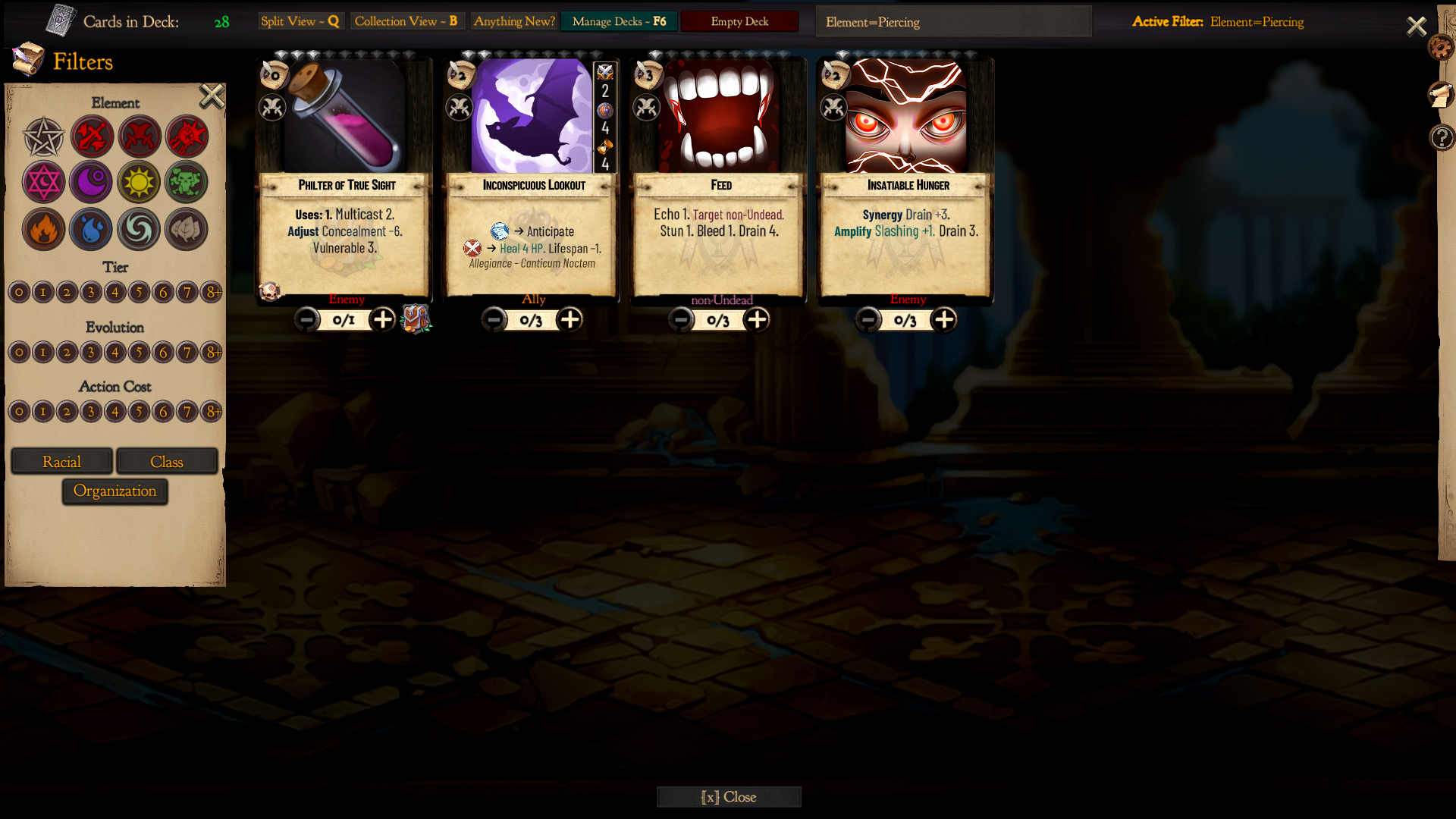
Filters aren't something new, but now some most commonly used are easily accessible in the new filters panel. You can click the scroll icon to access it. If you are missing a tooltip or two, is because you are using a mod with an older localization file. That's nothing important or game-breaking to worry about, and there isn't really a need to disable such mods.
In this example I clicked on the Icon to view the Piercing actions in my collection.
In the video below you can see these highlights in action:
Patch Notes - 1.076.9
Bugfixes
- Fixed an issue with skill card being inaccessible in the deckbuilder if they got unlocked by different means than mastery.
- Fixed some typos in Consecrate & Desecrate descriptions
- Fixed a typo in Hatred. Card will now properly get the PayLife effect at level 4
- Blood Scion Senaschals are properly excluded from Loot tables
- Summons that are also Skills will no longer appear in the Town merchants
- Cards returning to player's hand will properly lose the orange glow effect
- Fixed a bug that allowed cards to trigger/target other cards while returning them to hand
- Gaining organization mastery could in some cases incorrectly grant the 'Mod warrior' achievement
- Fixed an issue with Ink Event Rewards not processing properly if given in-between linked paragraphs.
- Fixed an issue with Ink Events not loading properly on Workshop mods
- When counting allies to determine if the summon limit is exceeded any allies marked for destruction are now properly ignored
- Hovering/unhovering over an enemy while they attack was removing the red background under their name indicating that they are the active enemy.
- Hovering exactly over the numerical value of an Enemy's status could block showing the Status tooltip
- Drawpile order (upon loading a save) was recreated based on the Decklist order; instead of restoring the actual Drawpile order from the save file.
- Passing over the status icons holding a card could interfere with the enemy info panel and make it disappear / act clunky
- Positive & Negative resistances had their colors accidentally swapped in the previous patch, while I was changing their tones to darker.
Deckbuilder Improvements
- Clicking the 'Anything New?' filter will show the card unlocks of your current level (if any).
- Added a new button that will toggle dialog box with filters for Element, Tier, Action Cost & Evolution.
- Added a split Deck/Deck Builder View. The old Deck view is still accessible within the Split view & the 'D' Shortcut.
- Shortcut 'Q' will take you directly to the Split View (if the Fullscreen Deckbuilder is set in Game Settings as your preferred one). While in the Deckbuilder it will also hide/show the deck panel.
Other UI & QoL Improvements
- Added a button to randomize attributes & assign automatically available points during the character creation. The way this works, is that up to 25 points are subtracted randomly from all attributes down to 8, then any points you have are redistributed randomly to all attributes up to 18. Clicking this button repeatedly will reset your attributes to base attributs, and repeat the process offering a different assignment.
- Added a notification/button each time you gain new skill cards during level up. Clicking on it will display them.
- Misc World Map Graphics Improvements. Changed them Map Pins & added matching tokens for each of the 32 vanilla portraits
- Added a Button to cards with Discard effect to quickly discard them.
- Added a setting to revert the Resistances (when hovering on Enemies) back to text. Default display is icons.
- Added a Notification that game is loading while Purging Data / Initializing the content.
- Enemy Name will change its background to red when they are acting, to be more obvious which enemy is the one acting
- When hovering over an Enemy, their Name background will change to green, to be more obvious which enemy you are inspecting/targeting
- Hovering a non-Ranged card over an Enemy will now display a warning in the cases they have Spiked Armor, Counter Attack or Flying
- Enemy Resistances & Vulnerabilities will now display as Icons
Modding Related Additions & Changes
- Map Pins (& travel to them) can now be locked if the player doesn't meet the "ShowMapPinRequirements":[Requirements] defined in their Location.json file.
- You can start the Sandbox with the player already "exploring" an area by setting the following Game Mode properties:
- "InMediaRes":bool, if true enforces the location & area settings below:
- "InMediaResLocation":string, Specify Starting location i.e Lanmerih, this will override the vanilla starting point
- "InMediaResArea":int, Specify Starting Area (0 = Town, 1 = First Area etc.)
- i.e "InMediaRes":true, "InMediaResLocation":"Lanmerih", "InMediaResArea":0 - will start the Sandbox with player visiting Lanmerih's Town
- i.e "InMediaRes":true, "InMediaResLocation":"New Ulnathiir", "InMediaResArea":2 - will start the Sandbox with player exploring area 2 of New Ulnathiir
- These settings don't have any effect in non-Sandbox modes.
- You can 'force' Equip an item on the player as a reward using Equip:item as reward. (Loot:item can be used instead, if you just want to grant the item)
- Modders can specify a custom artwork for all towns or certain town based on their location. Place an AltTown.png in CustomArtworks/Tales to override all towns. Place an AltTown[Location].png (i.e AltTownGrysbog.png) in CustomArtworks/Tales to override Grysbog town.
- Enemy Logic Changes: After triggering Multiply enemy will rest (instead of also attacking). After triggering a Deck>> tactic enemy will rest (instead of also attacking)
- New Card>>[Cardname] tactic: You can use it to hand a card to the player directly. Imposed cards should probably have a nasty unravel effect or a curse to make sure the player can't discard them outright.
- Card>> & Deck>> Tactics both have a default cooldown of 2 Turns.
- Updated some Event functions: 'Camp' function: a) Having a Ration during Camp rest will now let you restore 15 HP & 15 AP and also cure any ailments or negative statuses you have (in the modes they persist ie. Agent) b) Not having Rations during Camp will restore 5 HP & 5 AP (but won't cure ailments and negative statuses). 'Feed' function: Feeding restores 15 HP, 15 AP and removes Bleeding.