
Hi folks!
Continuing with polishing various aspects of the game, this build adds a couple more QoL improvements in the UI, brand new Stage Graphics and a new caching system that will make heavy on artwork mods run much faster (after these artworks load for the first time).
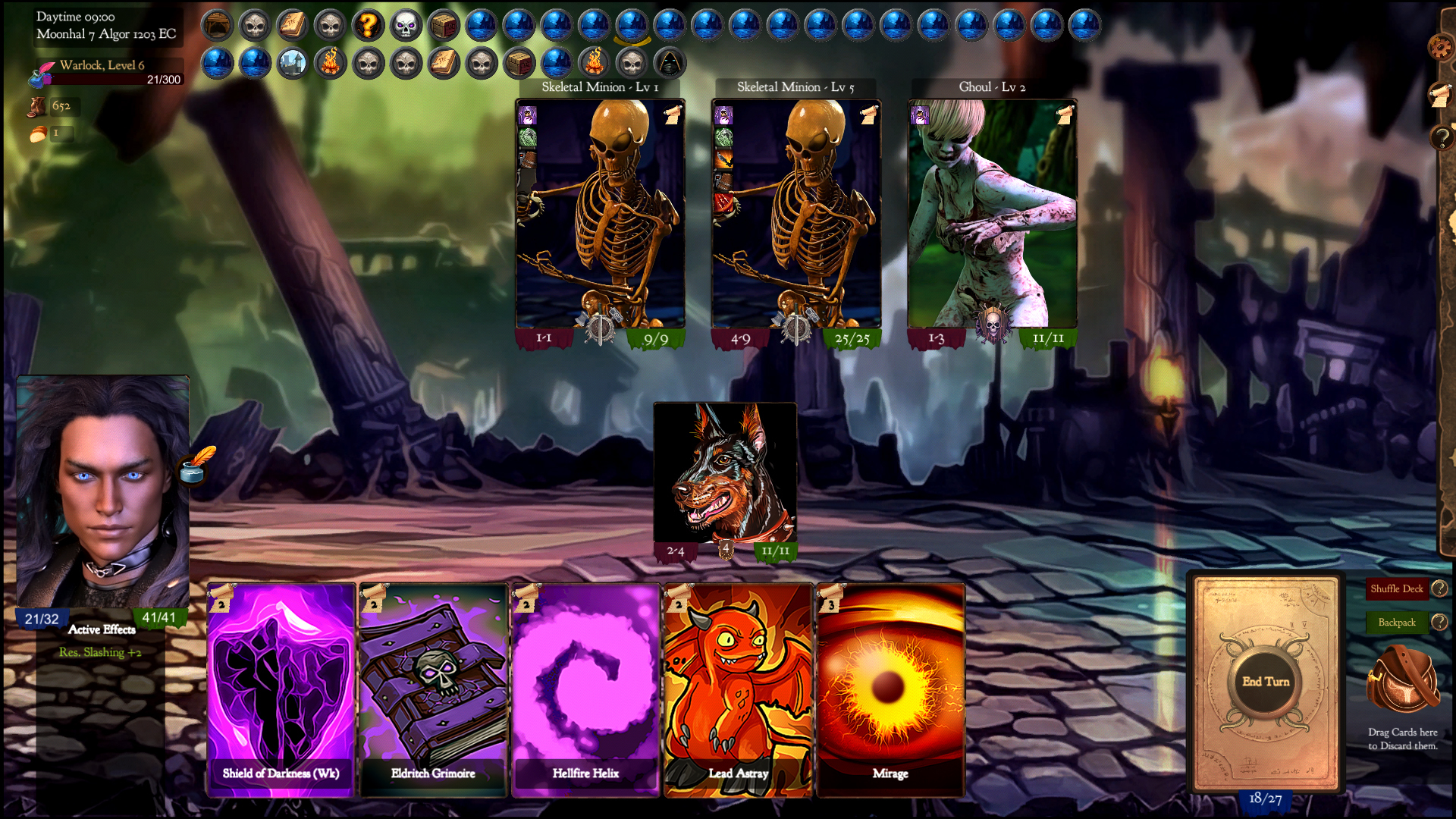

Aside from the new Stage Graphics that are only available in the Development branch (0273), every other change is included in the main branch as well (0272.2). The reason I am putting these two in one post is not about being frugal, but because your current Adventure mode saves may not be compatible with 0273+ builds. Especially if you are in the middle of an exploration.
So if you plan on starting an Adventure mode switch to the Development Branch. Future changes to the Adventure mode will be adding rather than changing things. If you are in a middle of an adventure run and use the Development branch, switch to the Main Branch till you finish it or return to the tactical map. Otherwise all the other mode saves shouldn't have any issue with the transition forward.
If everything goes smoothly, the new Graphics (and more) will be coming to the main branch by Friday.
I hope you'll enjoy these new changes! Have fun and let me know if you encounter any issues!
EA Build 0273
New Stage Graphics & Environments
- Changed the Background Graphics of all Stages to their final versions
- Non-Adventure saves are unaffected by this change, but Adventure save games may be incompatible with this version especially if you are in the middle of an active exploration as some early areas are now named differently. It's recommended to finish the Area Exploration & return to the tactical map before upgrading to this version!
- This also changes the in-game Enviroments and can affect your Enemy, Event & Location Mods
- Environment "Ice Cave" renamed to "Old Ruins" & Cave event to "Old Ruins"
- Environment "Bandit Camp" renamed to "Destroyed Village" & Bandit Camp event to "Destroyed Village"
- Environment "Beach" renamed to "Lake"
- Dungeon event was renamed to "Old Temple"
- Environment "Infernal Cave" renamed to "Infernal Gate"
- The new Area Graphic Sets you can use in Locations are now: Stronghold, Old Ruins, Destroyed Village, Old Temple, Infernal Gate, Lush Forest, Marsh, Dark Forest, Lake, Ghost Town, Temple Ruins, Arid Hills, Icy Mountains
- The new 'Environments' you can use in events & enemies are: Old Ruins, Destroyed Village, Dungeon, Forest, Marsh, Lake, Arid, Arctic, Infernal Gate, Urban. (Any Custom enemies or events in other Environments will be impossible to appear, so you'll have to update them to a new environment or remove the Environmental condition.)
- Reassigned the Graphic sets in the Adventure Locations
EA Build 0272.2
UI Additions
- When using the Smart Preview in a Full Artwork card it will display with the Normal Card template.
- While hovering over a Full Artwork card it will change into its normal frame version so you can read what it does. You can disable & toggle on/off this functionality using the Num / (Divide) key.
- When Toggling Full Card Artworks with the Num * (Multiply) or Changing the on Hover setting a message will display in the Combat Log. (In both cases a Character need to be active to be able to toggle those settings on/off).
- In Character Sheet:
- New Mirror button allows to change the character's avatar/appearance during the run
- If a Perk unlocks a new Skill, clicking on the Perk (mind not clicking the lock icon!) will show up this Skill Card to make an informed decision if its a skill you want to have unlocked.
- The Smart Preview & Character Sheet dialogs are movable so you can move it anywhere in the screen you like. There is no collision with the screen edges so be careful where you drop it.
Misc Additions
- During a run: F5 key will bring up the Main Menu with the Profile Manager open.
- User Artworks in mods are now cached after loaded for the first time (and till the mod manager resets) for a better long-term performance
- You can define the StartsUnlocked:1 property on cards to initialize them in the DB as Unlocked cards independently on Player's mastery. i.e if you use a special card pool for Invoke or ChooseOne with Pickfrom[discipline] and want to access Tier 1+ cards in there. You have to start them unlocked, especially if the player can never gain mastery in the special discipline to unlock them.
- Cards can create an Overlay effect over the player's avatar using both CustomBuffOverlay:1 & OverlayEffect[Artwork]. Overlay Artwork in this case need to have a 1:1 ratio i.e 330x300, 256x256 etc. i.e example you can use the exact same artwork as the card.
- Both CustomBuffOverlay & CustomBuffTransformation will be hidden from the card text & player's effect list and just happen behind the scenes.
- The Transformation & Overlay effect itself will appear in the player's effect list. i.e CustomBuffOverlay:1, OverlayEffectRotting Flesh:1, will display nothing on card rules. Once the card triggers in the player effects only the Rotting Flesh:1 will be listed (not Overlay:1). Overlay & Transformation however still have values behind the scenes which you can Expend, Check in Contingencies behind the player's back etc.
- You can use CustomBuffOverlay:1 along with the short notation OverlayEffectCard:1, to set the Custom Overlay = to the Card Name.i.e For the card Rotting Flesh I could then use CustomBuffOverlay:1, OverlayEffectCard:1
- In Modder's Shell: ReClone [Cardname] will fetch the Card Definition like [CloneCard] but prepend the [ReDefine] tag.
Bugfixes
- The faint watermark icon representing the card type wouldn't appear on custom Disciplines, unless the Discipline was of a playable Class or a Race.
- Fixed an issue with Certain Town backgrounds making the Rations & Farthings unreadable
- Activate Cards algorithm wasn't activating Cards with ExpendBuffFarthings or modified-by-perks-to-0-value-Expends
- Expend Buffs could turn negative from perk discounts. They are now removed from the card rules once the discount makes them obsolete
- Area Completion reward multiplier was always 1 regardless the Area length, longer areas will now give better rewards