
Hi folks!
Starting with the UI improvements, this build adds a little something that we probably all wanted. It's one of the many cases where show is better than tell, so:
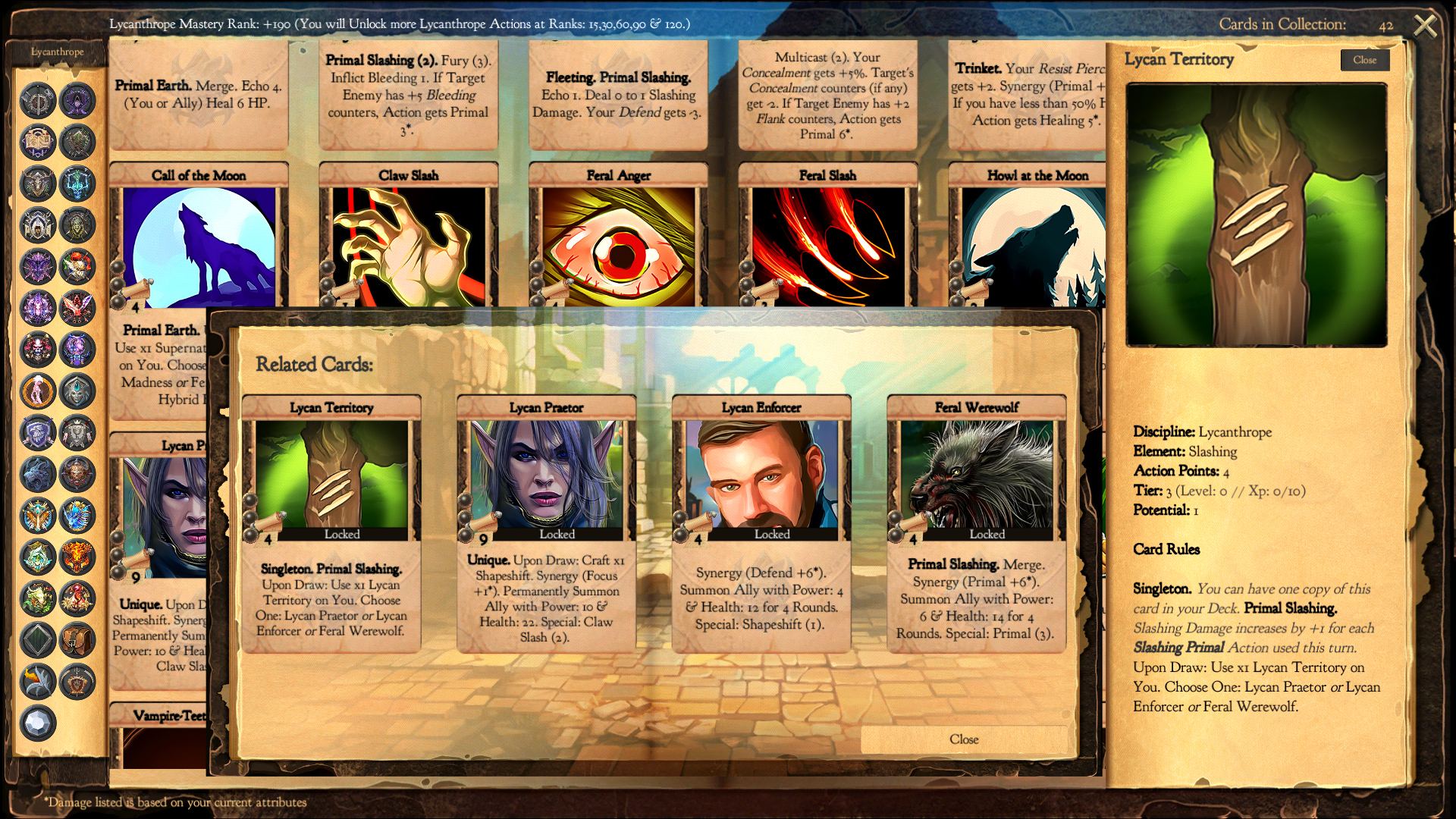
This preview window will activate when you click on the Card Info button (or if you are in Player's Handbook by clicking on the Card) & will behave differently depending the situation. Basically will try to guess what you are trying to see:
1. Card is in your Hand and no Synergy Active or You are in the Player's Handbook: Either way you already know the short text so you click on the information button, probably to read the detailed rules. The Combat Log (or the Gallery Preview) will display the Detailed rules like before. The additional preview dialog will popup if necessary to show any associated cards.
Like what is this 'Retire in the Coffin' ally ability my Elite Guard has? I wish my toddler hadn't run away with my keyboard so I could look it up in the terms codex...
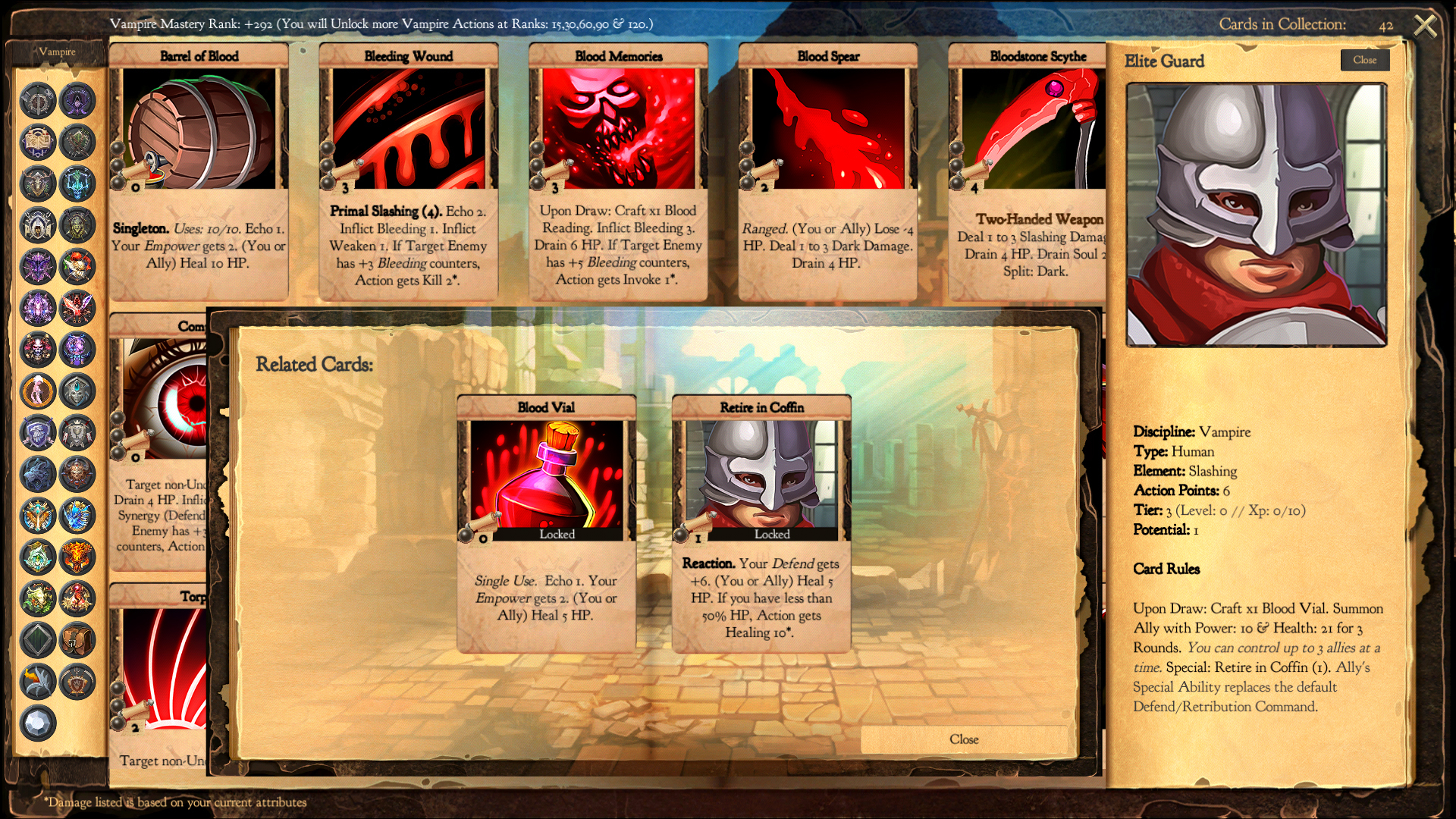
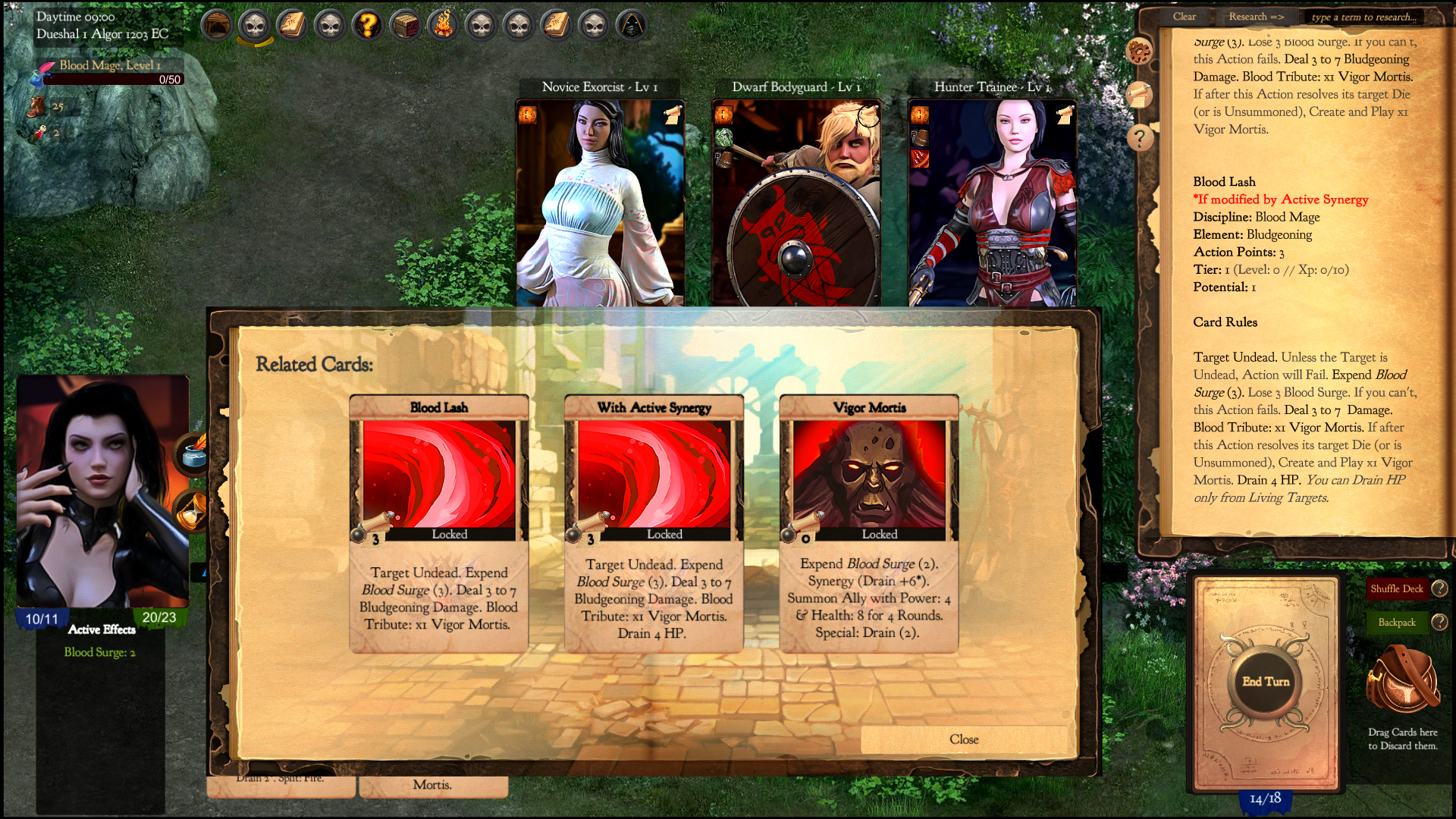
2. Card is in your Hand and a Synergy is Active: You think that you know the short text so you probably are clicking the Card Info button to read the detailed rules and confirm your assessment. Combat Log will display the Detailed rules & Active Modification rules like before. In addition to the associated cards, the new preview dialog will also display the original and the modified card side by side so you can easily compare them.
3. You are in the Character Sheet and thinking: Damn! It would be cool if I could just see the Card instead of all this wall of text. Clicking on the Skill will now open up this additional preview dialog and Show you this Skill in Card form along with any associated cards.
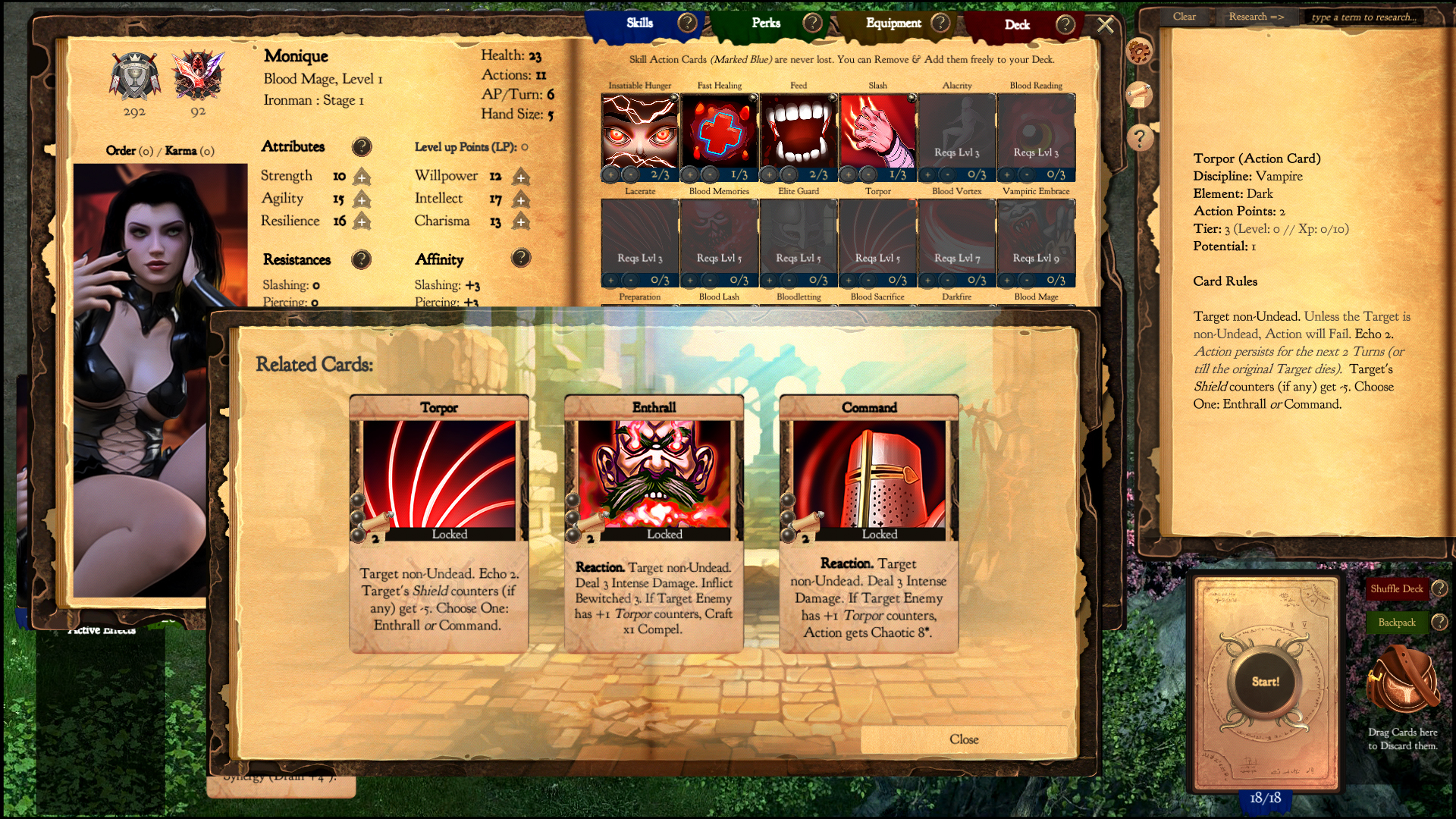
4. You are in the new preview dialog and one of the cards that came up have associated cards: Click on it to dig deeper and display them.
And that's all you need to know about the new Card Preview system. I hope you'll find it useful ;)
Have fun and let me know if you encounter issues!
EA Build 0271.3
New Card Preview Window
- When clicking the Card Details buttons if the card has any associated cards i.e Spellcraft, Mutate etc. A Dialog will popup and show them.
- When clicking the Card Details buttons if additionally a Synergy is active, the modified Card will display along with the original
- When clicking a Skill in the Character sheet the Skill will also display as Card along with any associated Cards
- Combat Log Preview is still there
Additional UI Related Improvements
- Actions with Expend Cost will gray-out if you don't meet their requirements.
- Actions will no longer get locked-out completely while gray-out (you can't use them but they can be discarded, view their details & picked up as loot.)
- Card Activation function will now also execute each time a Card Created to catch out Cards just created and activate/deactivate them visually
- Buff/Debuff Texts in cards will now display in dark cyan while Expend costs in dark red
- Slightly adjusted Disabled Cards overlay to make their text a bit more readable
- Slightly Refined the Copy Card template
- Clicking outside of a dialog will now close your Character Sheet & Smart Preview if open
- Smart Preview now is scrollable
- In Character Sheet:
- While Hovering over a Skill in Skill view: num+ will add copies to your deck, and num- will remove copies from the deck
- These shortcuts will also work in Deck View. Be careful as there is no confirmation and (non-skill) red cards can be lost forever once removed from deck
- In Adventure Mode & Special Areas: Completing any area in adventure mode (even repeatable areas) or subareas (Dungeon,Cave,Camp) in any mode will now give you a bonus amount of tokens, mastery with both class & race, perk points, bonus farthings and restore a small amount of HP & AP. Relative to the level and nodes cleared.
Balance Changes
- Enemies will Multiply into a (Level - 2) version of themselves (if such a version exists). Should be less brutal now, but if you still find those enemies way too hard (or annoying) you can always remove the 'Multiply' Tactic from Yakts & Oozes .json files.
- Boss (D4) Iocasti promoted to D5, Added 2 New Bosses (Order of Light) in D6 & D7
- Adjusted the intensity of enemy Consecrate/Desecrate effects to scale much slower and be deadly only on Boss level enemies (level/1.7 + 2, max 12) instead of (2 * level, max 10) ie Abaddon (Lv17) has Desecrate of 12, Amynarath (Lv15) has Desecrate 10 (from 10), but the Random level 5 Necromancer has only 4 (from 10). Same values go for Consecrate.
- Added several new racial templates in Demons & Devils that give them more varied abilities
Bugfixes
- After 0270 patch: Ranged was behaving incorrectly in Flying & Cover(ed) targets
- Discard, Cursed Perk Bonus wasn't displaying on card, even though it was calculating properly
- ReUseArtwork artwork would display blank properly in the Equipment Tab
- Action Cards outside of hand (i.e in a Chest) were counted by the Card Spacing algorithm
- Restarting the game with a Synergy Active would make cards in the Smart view displaying as if a Synergy is still active
- Toucan Pet had a definition error in its ability
Modding related Changes
- StartingEquipment section of a Class.json can now contain additional initially unequipped items ie an alternative weapon, accessories or armor choices.
- Changed the InvokeLimit error text in English.json to be more accurate: "CombatLogInvokeLimit":"Invoke: Invocation Fizzles (Too many cards in hand or no suitable cards to invoke!).",
- Custom Archetype Artworks & Custom Card Artworks use different index to avoid conflicts
- Modders can specify a custom Deck Size limit on an Archetype by Archetype base.
- "MinDeckCards":x, specify the minimum deck size. If unset it defaults to 18. ie "MinDeckCards":20
- "MaxDeckCards":x, specify the maximum deck size. If unset it defaults to 60. ie "MaxDeckCards":120
- Only a value set in a Class archetype can define the Deck Limits.
- Your Archetype Definition can override this value temporarily i.e You set a Starting Deck of 100 Cards, and then set a Deck Max at 30.
- Draft mode always override the MinDeckCards value and sets it to 12
New Event Rewards
- LevelUp & Perk Points (LP & PP), can be given as Event Rewards using LP:x & PP:x as reward string respectively.
- Mastery (for both Race & Class) & Tokens, can be given as Event Rewards using Mastery:x & Tokens:x. Or individually with RaceMastery:x & ClassMastery:x (Player's current Race & Player's current Primary Class)
New Game Mode Properties [set manually in GameMode.json]
- ConvertToSkillCost:x, you can specify how many Tokens the player spends when converting a card into skill. i.e "ConvertToSkillCost":10 sets the cost to 10 Tokens. 0 or Undefined sets this value to default 5. You can set this value to -1 to disable the cost and make learning skills free.
- DecayingBuffs: list of strings, you can force certain buffs to decrease over time. [Empower,Bleeding,Feeblemind,Envenomed,Burning & Frostbite are already decaying by design, while some Debuff completely at turns end. Experiment or use this for your CustomBuffs.]
- ie. DecayingBuffs = ["Defend","Nether","Transformation"] will make those 3 Buffs to decrease by -1 at the end of turn & while enemies are present (everything debuffs when changing nodes)
- Added the following line in English.json: "CombatLogPlayerDoTDecay":"Your {0} reduced by -1. "