
Check out our Discord, Facebook, Twitter, and Twitch to get the latest development news and updates.
Read "Mainline Patch - August 11th, 2020 (Part 1)
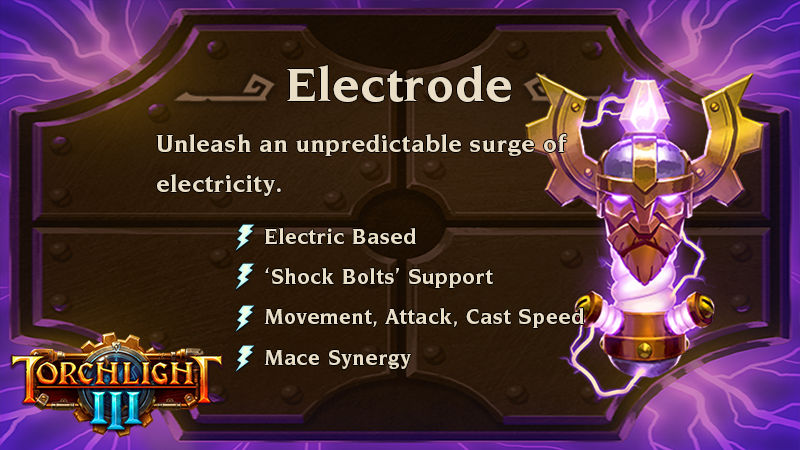
- Electric Based
- ‘Shock Bolts’ Support
- Movement, Attack, and Cast Speed
- Mace Synergy
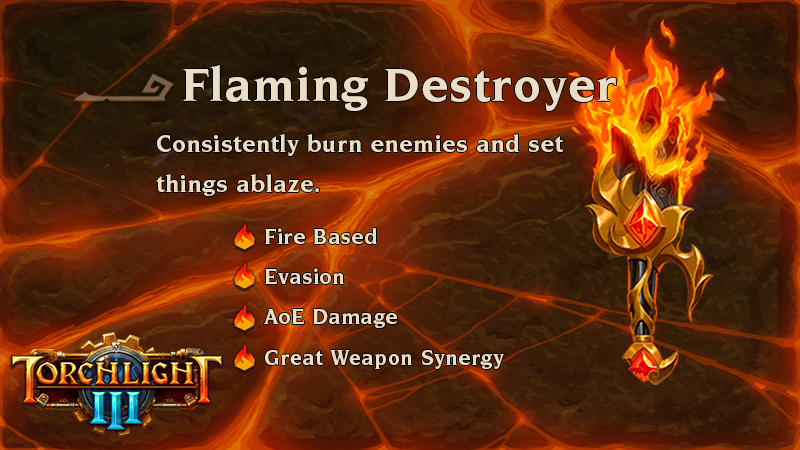
- Fire Based
- Evasion
- AoE Damage
- Great Weapon Synergy

|
ElectrodeUnleash an unpredictable surge of electricity. |
 | Localized Storm Active Skill Channel a powerful storm around you that drains your Relic Energy, lasting until it is depleted. The storm calls down lightning strikes on targets in range. While the storm rages, you and your allies gain boosted damage and move speed. |
 | Shocking Display Passive Skill Electrode delights in being used, granting a change to release Shock Bolts that deal damage when you slay a shocked foe. |
 | Shocking Force Passive Skill The crushing force of a mace helps make for greater conductivity. Basic Attack increases Relic Energy regeneration, but a Mace must be equipped to get the bonuses from this passive. |
 | Chaotic Strikes Active Skill Summon small storms that move chaotically away from you dealing damage as Electric. |
 | Living Barrier Active Skill Channel a protective electric field around yourself, increasing block chance. While the field is active, periodically release Shock bolts at nearby enemies, dealing damage. |
 | Large Bores Passive Skill Electrode grants its wielder a chance to Shock enemies, releasing shock bolts that deal damage. |
 | Lightning Strike Passive Skill A chance when you hit a Shocked enemy to call down a lightning strike on them, dealing damage. |
 | Conjure Electrode Active Skill Surge power through Electrode itself, conjuring it to a targeted location. Electrode will periodically fire Shock Bolts from itself, dealing damage as Electric. |
 | Thousand-Volt Burst Active Skill Blast electric shockwaves from your location, damaging enemies with increasing power with more tiers. The blast grants a massive casting & attack speed buff to the player. |
 | Energizer Passive Skill Gain Relic Energy faster by attuning with this ancient Relic. |

|
Flaming DestroyerConsistently burn enemies and set things ablaze. |
 |
Sword Smash Active Skill Summon an ethereal sword that slams into enemies in front of you, dealing damage as Fire. |
 |
Ignition Source Passive Skill The spirit of Flaming Destroyer surges, giving you a chance to burn enemies for damage. You also gain evasion chance that increases with additional tiers. |
 |
Magma Burst Passive Skill When you kill a Burning enemy there is a chance they will explode for damage. |
 |
Blazing Pillar Active Skill Conjur a whirling geyser of fire that seeks out enemies, dealing damage as fire for a set amount of time. |
 |
Giant Swings Passive Skill Like the great weapon it once was, Flaming Destroyer delights in seeing a big, swinging weapon. Basic Attack increases Relic Energy regeneration, but a Great Weapon must be equipped to get the bonuses from this passive. |
 |
Cloak of Flames Active Skill Wreathe yourself in a cloak of flames that drains your Relic Energy, lasting until it is depleted. The ring of fire burns enemies for damage for a set amount of time. While the buff is active, you and nearby allies deal more damage, and gain evasion. |
 |
Nimble Flames Active Skill You’re surrounded by dancing flames, granting Evasion chance and when you evade you explode in a Fire Nova, hitting enemies around you for damage as Fire. Your barrier becomes more powerful with more tiers. |
 |
Firestorm Passive Skill When you hit a burning foe, there is a chance Flaming Destroyer will drop a Fireball onto them for damage. |
 |
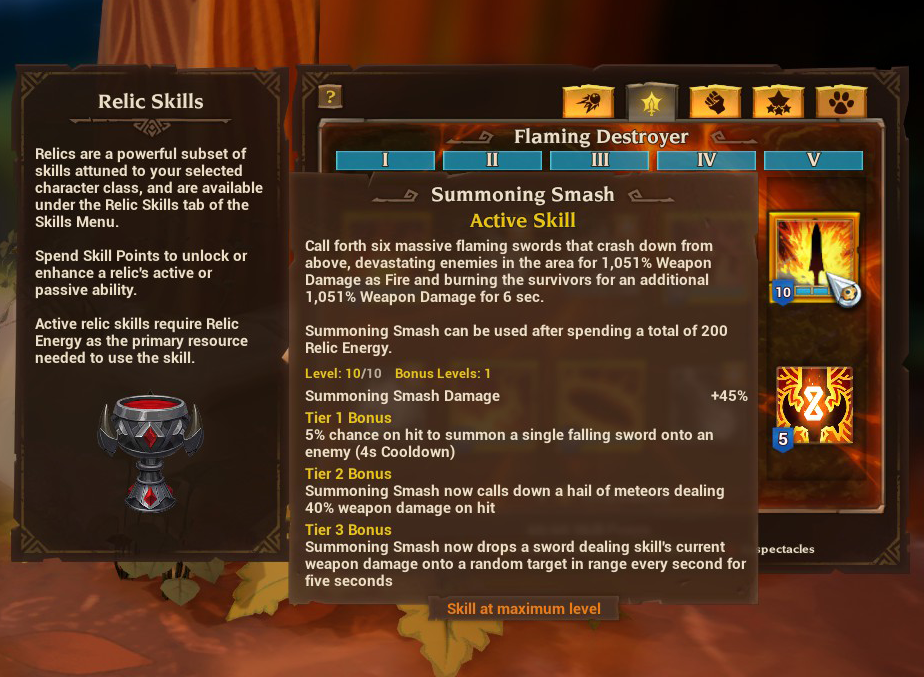
Summoning Smash Active Skill Call forth six massive flaming swords that crash down from above, devastating enemies in the area for damage as fire and burning the survivors for additional damage. |
 |
Energizer Passive Skill Gain Relic Energy faster by attuning with this ancient Relic. |
- Every Relic Active and Passive skill has tier levels which make them more powerful, providing additional means of support or damage.
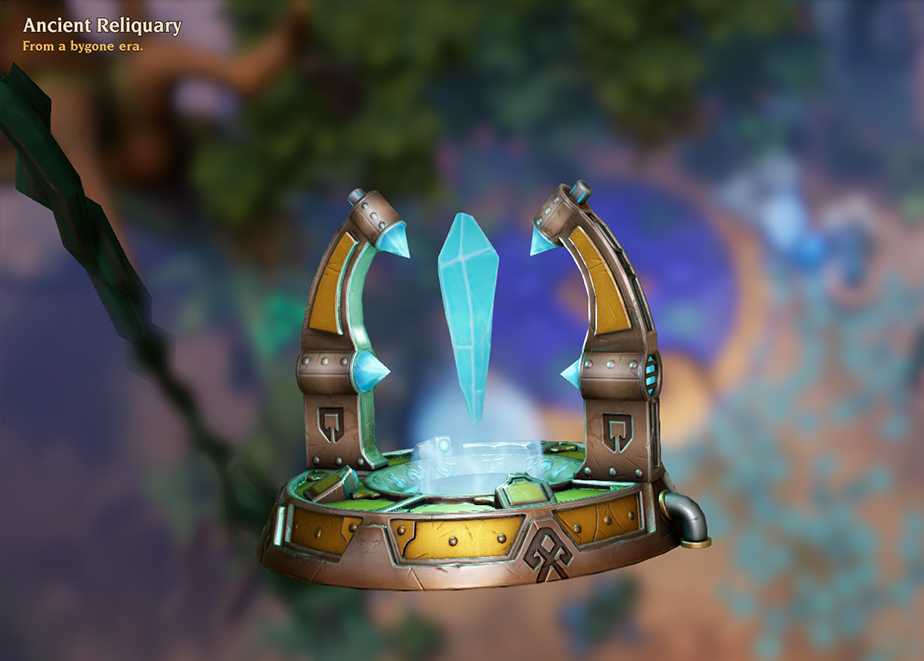
- Because Relics have been completely incorporated into their own skill tree, they no longer are leveled up like they previously were. The Reliquary is no longer a functional fort decoration, but will now serve as an exclusive Early Access gift that will serve as a reminder of ‘a bygone era.’
- Because Relic skills are part of the class skill trees, you can use Respectacles to respec your skill points at fort skill stations if you want to tinker with your Relic skills.
We are extremely excited to hear about the new class builds that players are creating and how the new Relic skills play into group mechanics. We’ll continue to tune and balance skills and combat and we’ll be watching http://tl3feedback.echtragames.com for feedback and technical issues. Again, we really appreciate all the suggestions and bug reports you are submitting.
- Echtra Bean
GENERAL
- Created ability for linked Arc account to enable customer support (work in progress).
- Updated engine version to use the network fixes for high frame rate users.
- Status effect & trait network optimizations. Additional updates to various skills to reduce memory and increase performance.
- Reduce outgoing bandwidth related to achievement quests. We now have cheaper messages that we can send to the client for achievement updates.
- We now prevent MulticastSkillListUpdated() from getting called every time you do a kill, which should stop excessive data.
- Fixed an issue where the game becomes temporarily unresponsive after rapidly clicking the 'Reset to Default' button in the 'Video Settings' menu.
- The game user settings now better defaults for good performance without overheating (see expanded note in intro above).
- Fixed several different crashes on the server when a path could not be found.
- Fixed a crash that could occur when serializing some kinds of status effects (blood drinker active missiles skill)
- Fixed a hitch when opening the death screen for the first time. This was caused by loading all the empty inventory slots in the lifebound items lost section.
- Fixed crash when fighting Strongtusk.
- Fixed server crash in GetHasApplied().
- Reduced a loading hitch in the Sadista fight when summoning netherim.
- Optimized the witch summoning skeletons, the netherim spellbreakers/spellslingers summoning netherlings and Sadista summoning netherlings to avoid a hitch.
- Fixed a hitch loading level up skill.
- Fixed a hitch loading missiles.
- Fixed hitch in MonsterSpawner Pick Spawn Component or spawning monster.
- Railmaster train skills preload the cars that they use to prevent a hitch.
- Fixed a hitch caused by GC.
- Fixed a hitch in CritterSpawner after regenerating navmesh.
- Fixed a hitch with loading APN-selected props and gadgets.
- Traps triggering both monsters and hazards should no longer cause a hitch.
- We now preload characters before entering the game to help prevent hitching.
- Updated skill effects that were potentially affecting server performance.
- Fixed UI screens that were responding to events while they were hidden and causing performance problems.
- Fixed an issue where performance briefly drops when the player selects a Legendarium skill slot.
- Fix auto disconnect of new characters due to not finding quest data for those characters, which is expected.
- Removed excessive internal logging.
- Oodle compression is now enabled for PC.
- Fixed an issue where Achievements were not showing when completed.
- Heavy Metal achievement can now be completed upon collecting Metal Nuggets (instead of Copper Nuggets).
- Fixed an issue with the "Terminator" achievement that could potentially not track all Automaton kills.
- Fixed an issue with the 'Savant' achievement not unlocking upon meeting its requirements.
- Fixed an issue preventing the "Rotten Core" achievement from completing.
- Removed three Relic based Achievements.
- Fixed Exterminator achievement not counting Hyvid kills.
USER INTERFACE
- New batch of localization imported and compiled.
- Fixed an issue with async-loading the level before trying to travel to it, so the loading screen covers the first part of warping to a new location.
- Fixed an issue where players were unable to go back to title after failed login.
- Replaced the red x icon with a remove icon and reformatted the "New Hero" button to be less prominent.
- Added the controller help screen. Will display only when the controller is connected.
- Fixed Sharpshooter class description so that they are identical despite switching customization settings.
- Fixed issue where the Dusk Mage's skill 'Spirit Well' is missing its description during the character creation process.
- Fixed "New Hero" button so it can be better clicked.
- Fixed a redundant '+' PC button is displayed next to the button icon responsible for creating a new hero.
- There are now quicker state changes and more contrast on selected and hovered difficulty panels.
- The difficulty panel now has 2 clicks to accept the new difficulty (a highlight and select state).
- Increased the amount of time until we give up on allowing party members to revive you from 45 sec. to 2 minutes.
- Fixed an issue where uninformative messages displayed when attempting to join a full party. Now displays a message when trying to invite when you have a full party or when you try to join a full party.
- Fixed an issue where occasionally players would not see nearby players listed in their nearby list. We no longer require that the other player is close. They should just be on the same zone server.
- Fix for not enabling audio in the party channel after the first party member switches to a role of speaker.
- Fix for audio not enabling for existing party that had none after the first player changed voice role to speaker.
- Steam Party nickname invites now filter the search to only examine players on the current platform.
- Fixed an issue where players are able to speak to each other even after going to the character select menu.
- Fixed an issue where navigating through other players' panels in the Nearby tab of the Social menu does not highlight them.
- Added 2 more skill slots. New slots added to settings key binding menu.
- Changed Relic skill slot UI/text for Skill Slot 6.
- Added new Relic background images, Relic HUD icons, and updated all Relic UI for the new Relic Subclasses, including help text, skill icons (some may be temporary), tooltips, etc.
- Moved the warning message lower to avoid overlaps with other HUD elements.
- Increased the size of Buff/Debuff icons in the HUD skill bar area.
- Polished up the enemy HUD to make sure messages never overlap other UI.
- Increased the size of the affix text of the boss target info.
- Fixed an issue where there was no description for Antidote Potion displayed while hovering over the item's icon in the HUD.
- The order of skills on the HUD bar now matches the order in the skills menu bar.
- Fixed an issue where critical strikes text appears even when the player deals no damage with no weapon.
- Added Difficulty level shield to HUD.
- Added Challenge Level on the HUD.
- Modified font style of level up banner text. The stroke was too thick.
- Modified font style for Contract level number. The stroke was too thick at this font size.
- Removed the message "Your attacks are ineffective".
- Fixed an issue where players received 'Equip Weapon to Deal Damage" message in combat, even with a weapon equipped.
- Gamepad can now use all 9 skill slots. The Left Trigger should now toggle between two sets of four skill slots. The gamepad also adjusts the order of the skill slots so that the default skill is on the far right and uses the Right Trigger. Skill hotkeys don't show over skills that can't currently be pressed - which is a console requirement.
- Fixed an issue where the skill bar covers up the gamepad swap bar key.
- Fixed an issue where there is no option to Exit from the title menu with a gamepad.
- Fixed an issue with the gamepad where the item tooltip obscures the button guides in the Enchanter's Altar interface.
- The skill bar order now longer changes permanently after switching to gamepad mode.
- Updated the controller help diagrams to reflect the new Skills mappings.
- Updated treatment of the Gamepad Skill toggle UI.
- Fixed a bug where focus would not be applied correctly when opening the quest reward widget with the gamepad.
- Fixed exit button being visible on title screen in gamepad modes.
- UI optimizations for minimap and quests.
- Fixed issue where in widescreen formats the portal icon on the frontier map was not completely clickable.
- Fixed phase dungeon mini-map marker remaining visible after the portal has closed upon leaving the phase dungeon.
- Rebuilt some data maps for areas that appear inaccessible on the mini-map, but are not. Or that are accessible, but do not appear that way.
- Fixed an issue where Act 2 & 3 towns on the world map are not greyed out even though players have never been there.
- Map spoke text label reads better. Increased font size and added stronger stroke.
- Add additional states to the minimap/fullmap/quest info UI
- On PC a button should toggle the three states: 1. Minimap 2. Full map 3. No Map (Another keyboard key toggles the mini map.)
- The controller should cycle through the following 5 states: 1. Minimap + Quests 2. Full Map + Quests 3. Full Map Only 4. Nothing 5. Minimap Only
- Edited down the Digitus basic attack description so that it fits better on the item tooltips.
- Improved formatting on basic attack description on item tooltips.
- Fixed an issue where while switching the skills tabs in the 'Skills' menu, a tooltip for the previously highlighted skill is displayed.
- Fixing a number of relic tooltip bugs and scaling issues.
- Fixed Scatter Shot tooltip that displayed the incorrect cooldown when Wingspan is equipped.
- The A/Cross button is now mapped to basic attack again.
- The video settings menu has been updated: There are no longer Save and Apply buttons - everything is updated as the settings are changed.
- "Show Nameplates" no longer show breakables and other gadget based items.
- Added UI scaling option. Scale changes currently only take effect after restarting the client. In a future patch the change will take effect immediately after clicking “Accept”.
- Updated the Options button to be all caps "OPTIONS" on the prompt element.
- Debug panel is collapsed instead of hidden.
- Better formatting of mailbox items and fixed issues that made the mailbox button hard to click after exiting the options menu.
- New fort drag view cursor.
- Increased the font size of Fazeer's Dun'djinn screen title.
- Polished Fazeer card set UI including smoother intro-outros for result and cluster rules reveal screens and updated card set empty footprint.
- Removed the hovering of the Challenge Dungeon cards as it was causing bad text artifacts. Replaced with a glowy effect.
- Increased the font of benefit and detriment description text.
- We now tell the player both the number of Challenge Level you failed and the challenge level you are reset to on the failure screen.
- Fixed issue with affix text running off the Challenge Dungeon card.
- Fixed an issue where the "Claim Reward" button appears on "Challenge Failed" UI
- Fixed an issue where the Challenge Dungeon UI does not default to the furthest progress for your character.
- Added a new card state for "current" unlocked challenge and level selector tray polish. The level selector can now be fast forwarded via gamepad, Page Up / Page Down, or clicking the button a lot.
- Fixed an issue where the selected Challenge Level card lingers around for too long after the portal is generated.
- Fixed an issue where Challenge Level cards on the sides cannot be selected by clicking on their outer sides.
- Fixed an issue where pressing the 'back' button during the cards pop-up animation causes the Fazeer's Dun'djinn UI to become unresponsive to any input apart from the 'close' button.
- Corrected some of the timing to be able to select cards earlier.
- Updated reveal animation of new Challenge rules.
- Fixed issue where Challenge card animation and SFX fluctuate if your cursor is in the right spot.
- The Dungeon card tray now glows when revealing a new set.
- Removed an extraneous step from the set reveal screen.
- Fixed an issue where the rules card would rehide when backing out of the confirm screen.
- Recipe rarity is now viewable in Echnanting UI.
- Fixed an issue where the continue button in the Results panel was covered up by an invisible image.
- Fixed breaking down legendary enchanting recipes at your Enchanting Altar telling you that it unlocked a new Legendarium affix.
- Added a hyphen to the "Two-Handed Weapon" enchanting category name.
- Edited down the informational text for enchanting recipes.
- Added a description for enchanting recipes that says the category that it is for and what types of armor or weapons can be enchanted with the recipe.
- Fixed an issue where skills in the Legendarium were not saved if the player presses escape out of the Legendarium menu before hitting equip.
- Added stats entry for pet's immunity to damage type (from legendary pet collars) in the Legendarium.
- The Legendarium library panel is slightly narrower to make sure it does not get chopped off on the left side of the screen.
- Fixed issues with sound and layout of the "New Legendary Affix Slot" notification.
- Fixed an issue where the upper border texture of the Pet Shelter panel is cut off from the right side.
- Updated the receive pet UI to make sure everything scales properly at all screen formats and the pet location is centered better.
- Added Pet description for the Pet Skills tab.
- Added a tooltip for the locked Pet Skill slots.
- Added more info for the Pet Skills description panel when pressing the LS button on gamepad or the ? button on mouse/keyboard.
- Pet quality is now communicated in the Pet Shelter UI.
- Fixed issue where Pet gear attack stats appear grouped with other player stats.
- Fixed issue where some pet stats are not shown in Stats menu.
- Fixed an issue where the information present below the inactive Pet skills description was incorrect.
- Fixing splash screens for the various platforms to be consistent.
- Updated/removed obsolete relic-related loading screen text.
- Reduced asset size on Graye's loading screen.
- Optimized Railmaster and Sharpshooter loading screen assets.
- Updated loading screen art in Hyvid areas.
- Added the foreground and background assets for Strongtusk and Voltura loading screen.
- Updated loading screens for the following areas: Crash Course, Thorned Ingress, Belly of the Beast, Ancestral Grove, Sunken Ruins, Ascent of Echoes, Grand Hall, Cliffs of Ore, Amber Hold, Machineworks, and others…
- Loading screen fixes so that it is cleaner with no crazy pops.
- Updated Relic icons.
- Updating Luck Tree status effect icons and other Monument status effect icons.
- Updated world map icon for Echo Landing.
- Hooked up lore speaker portraits for Commander Vale, Thunderthighs and Zephoras.
- Fixing hookups for several lore lines to have the correct portraits.
- Updated minimap icons with the correct versions. Some icons had reverted to the old ones at one point.
- Asset and image optimization.
- New minimap resource icon (Pick axe).
- Reduced size of contract progress art.
- Removed unused assets to make more space in HUD atlas.
- Corrected oversized skill icons and adding major and minor shield icons for Railmaster skills.
- Added icon for Rare Bone quest item.
- Adding helm, gloves and shoulders gear category icons.
- Fixed proportion on gear category icons, and adding pants and digitus icons.
- Fixed the size of fort decoration icons that were oversized.
- Added icons for new floor fort decorations.
- Updating icon for Jam Gear so it does not spill out of the frame.
- Added fort prop icons for Arms Cart and Fazeer’s fort building.
- Fixed an issue when the 'New legendary slot' icon is active, its notification is played again when any other icon appears or disappears.
- Inventory stats panel is now visible by default.
- Fixed all misspellings of Venomous on Bane.
- Increased width and padding in quest tracker.
- The revive dialog is now centered on screen. Will play well with the Lifebound UI on all screen sizes.
- Fixed an issue where the Credits section was not accessible from the Title Screen and Character Select Menu.
- Added Oodle to the credits screen.
- Fixed an issue where the navigation header displays incorrectly on ultrawide displays.
- Used a shorter string for the "Gain Level/Unlock" skill prompts on the skills screen.
- Moved the "More Info/Less Info" prompts to a floating prompt on the left side.
- Skill screen legend text is now stacking to optimize the space. Also made sure that the skill description header fits the panel better.
- Moved show/hide info prompt to the same location as the clickable button in the skills panel.
- The active area of the item rollover is now tighter.
- Fixed an incorrect hitbox on the "Make Active" contract button.
- Essence currency now fits in the designated area when the amount is insanely large.