
Intro:
This version focuses on introducing a local two-player competitive mode, while also addressing and optimizing multiple performance and functional issues.
Updates:
Doppio
- Added a local multiplayer competitive mode, Doppio Double Fight, in free mode.
- Use saved characters from free mode, default to the same character, and 2P can select other characters by entering the serial number.
- Player characters reset (re-equip initial weapons) and swap initial locations every 100s or after one player falls.
- Use a fixed orientation camera, aiming mode is not available.
- Characters will be marked with colors and characters at the top, indicating approximate health.
- Locking logic has been specifically optimized.
- Different operation modes such as keyboard + mouse (2P), keyboard + gamepad, gamepad + gamepad are available.
- When the 2P uses the No.1 gamepad option is checked in settings, one gamepad can be used for local two-player play.
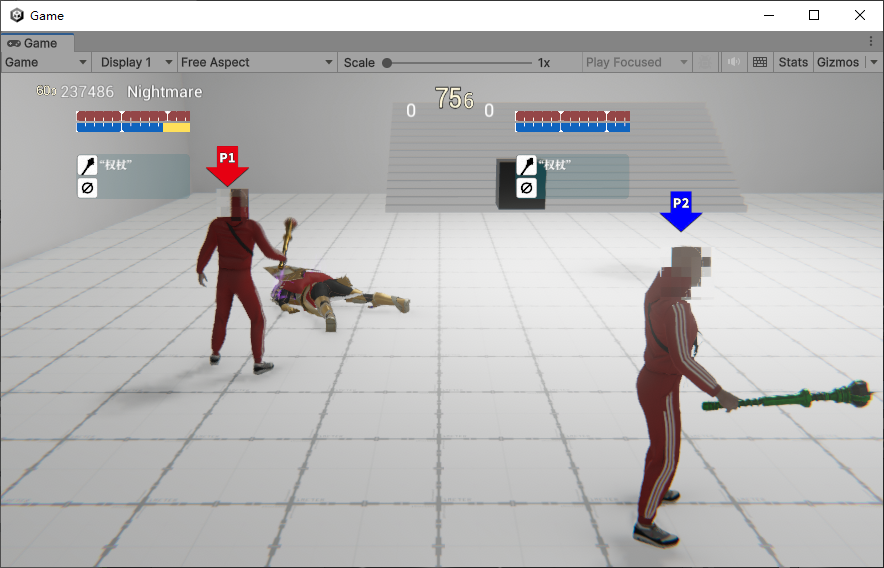
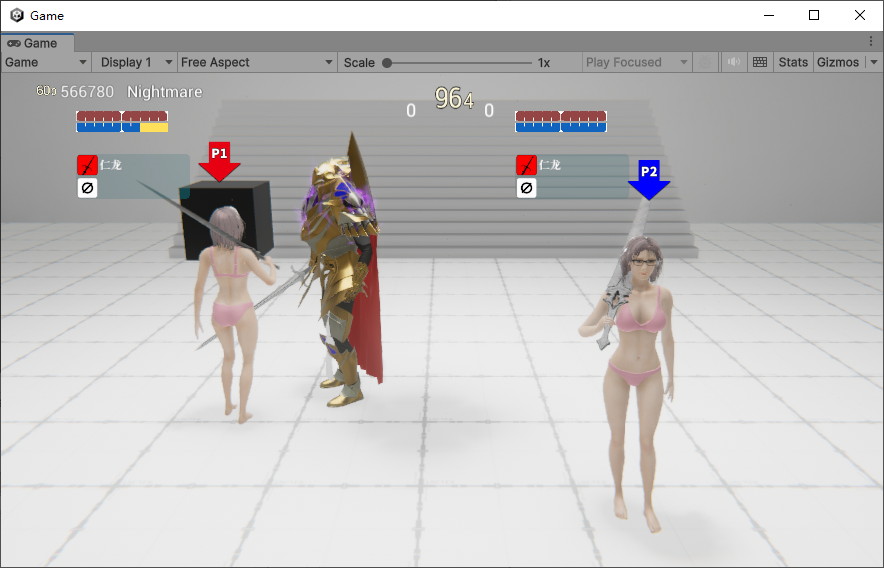
- 2P keyboard controls are as follows:
- Right Shift: Lock
- Right Ctrl: Dodge
- Arrow Keys: Movement
- Numpad 0: Sprint
- Numpad 1: Attack
- Numpad 2: Kick
- Numpad 3: Heavy Attack
- Numpad 4: Interact/Pick up
- Numpad 5: Skill
- Numpad 7: Previous Weapon
- Numpad 8: Next Weapon
- Numpad 9: Info Panel
- Currently, the 2P gamepad control settings are synchronized with 1P.
Critical Fixes and Optimizations:
- Fixed numerous memory issues, further improving program stability and performance.
- Fixed the issue of character movement stutter during locking or other low frame rate conditions.
- Optimized character control and turning movement, now more flexible and accurate.
- Fixed synchronization of direction correction during aiming and locking in multiplayer mode.
- Optimized the animation and position synchronization effects of characters in multiplayer mode, making it smoother.
- Optimized visual effects for kicking and battle roar.
- Fixed multiple issues that could cause connection failures in multiplayer mode.
- Fixed the issue where polluted sound effects would not stop after a character was defeated.
- Fixed the issue where character shadows would not display in the quality mode in the cinema scene.
- Fixed foot misalignment issues in some heavy attack animations.
Conclusion:
The current local two-player competitive mode is just an appetizer, with more scenarios and gameplay to be introduced based on it in the future. Stay tuned! Merry Christmas!
2025.1.7 Emergency Fixes
- Fixed the issue with character indicators in two-player mode in Endless Nightmare.
- Fixed the crash caused by UE Templar when leaving slippery surfaces.
- Optimized the turning, walking, and other animation effects of UE Templar, adding posture tilting during movement.
- Added screen shake effects to some actions of certain weapons.
- Fixed an issue with the hand during the normal attack of dual-handed swings.
- Fixed the damage bonus of the corrosion abnormal effect on UE.
P.S ASL Script
state("Eruption")
{
int LevelSelected : "GameAssembly.dll", 0x01F2F560, 0xB8, 0x0, 0x140;
int GreenHP : "UnityPlayer.dll", 0x01BC38D8, 0x258, 0x10, 0x100, 0x28, 0x21C;
int CCBossHP :"GameAssembly.dll", 0x01F18BE0 , 0xB8, 0x0, 0x38, 0x10, 0x20, 0x21C;
int UEBossHP :"GameAssembly.dll", 0x01F072D0, 0xB8, 0x0, 0x248, 0x0;
int PlayerHP :"GameAssembly.dll", 0x01F04FA8, 0xB8, 0x0, 0x48, 0x21C;
}
split
{
bool shark2 = current.UEBossHP <= 0 && old.UEBossHP > 0 && current.LevelSelected == 14;
bool t2 = current.UEBossHP <= 0 && old.UEBossHP > 0 && current.LevelSelected == 18;
bool CCBoss = current.CCBossHP <= 0 && old.CCBossHP > 0;
return (CCBoss || shark2 || t2) && current.PlayerHP > 0;
}
start
{
return current.LevelSelected == 0 && current.GreenHP == 1000;
}