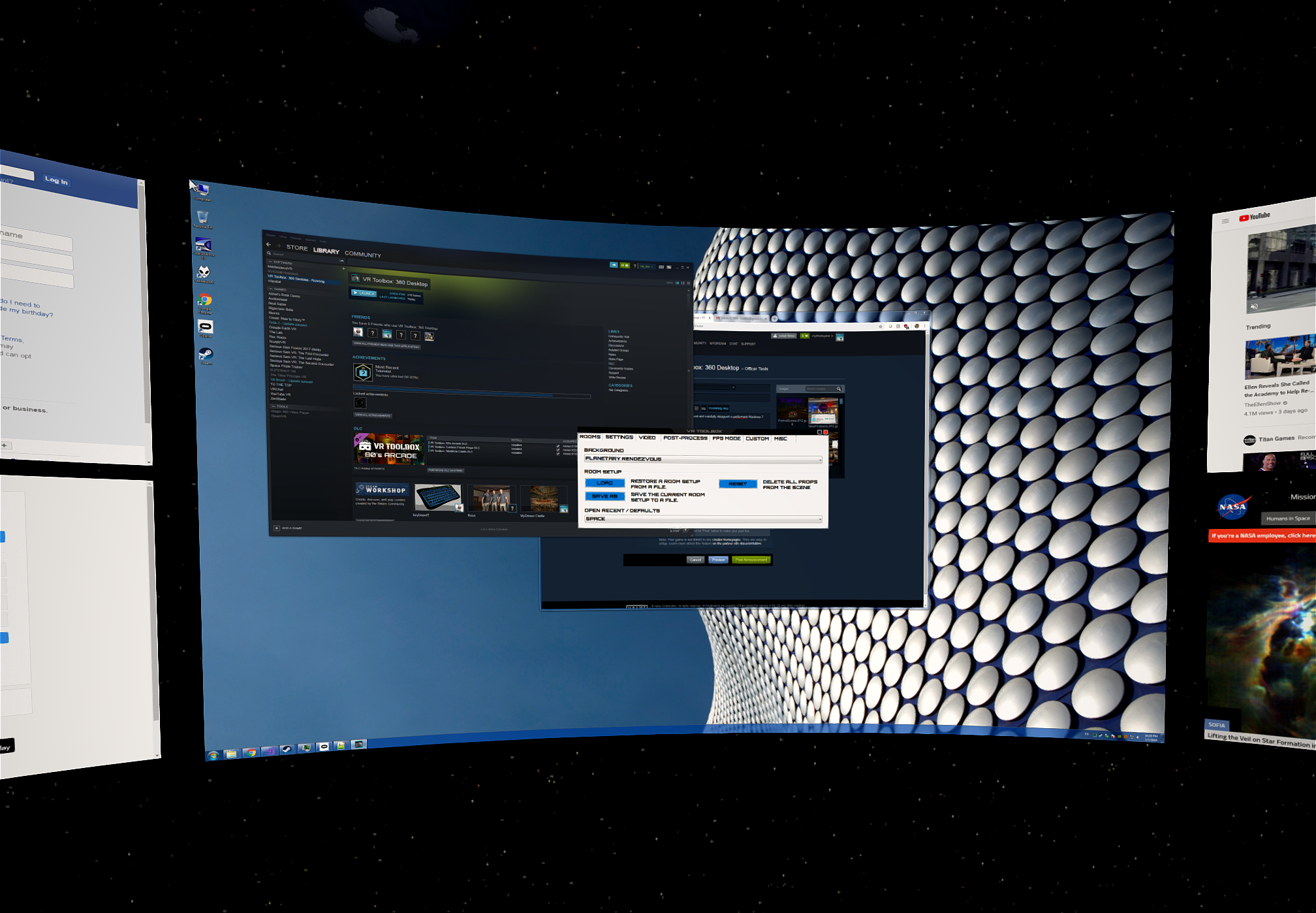
VR Toolbox: 360 Desktop

MyDream Interactive Inc.

Released
Dec 26, 2016
Platforms
Last updated
Wishlist on SteamAdd it on the Steam store page. Opens in a new tab.

Updates & announcements

20 posts
Clear
  1. Developer post

    Incognito Update!

    Good news everyone, we've got an update! We've added incognito browsers to VR Toolbox, which are added to the scene using Add Screens and selecting the new incognito browser icon. You'll know you are on an incognito window if the edge glows magenta when brought in focus. We've ad

  2. Developer post

    Walking and Discord!

    We have a few updates for VR Toolbox! First, we’ve added a great new way to get around - walking mode! With two controllers activated, holding the grip buttons on both and start swinging them by your side - this will move you in the direction you are looking at. To move backwards

  3. Developer post

    Windows 7 Support

    We listened to your request and carefully designed a performant Windows 7 desktop capture. With this we are enabling Windows 7 support. Previously VR Toolbox required Windows 8.1 or 10. There are a couple limitations to keep in mind: Non-DX 10/11 full screen exclusive apps will f

  4. Developer post

    New Free DLC! VR Toolbox: 80's Arcade is now available!

    We're pleased to announce the release of a new DLC for VR Toolbox! The 80's arcade is loaded with tons of new props including two rooms, on/off toggle lights, arcades boxes, and plenty of new furniture! The new DLC is free forever, and we hope that you enjoy it! Check it out here

  5. Developer post

    Support for the OTOY Render the Metaverse Contest Backgrounds

    There is a stunning collection of 28 Megapixel 3D skyboxes at: You can load them as your VR Toolbox room backgrounds by: Downloading them from the above web site (there is a download button on the right of each row). Selecting a Custom background in VR Toolbox and pointing the di

  6. Developer post

    Mixed Reality Support is Live!

    We're happy to announce that Windows Mixed Reality HMDs are now fully-supported by VR Toolbox! Due to the way the controller is designed, we are still experimenting with the final controls, but we've made sure all VR Toolbox features are available on the controller. A basic setup

  7. Developer post

    Mixed Reality Support is Live!

    We're happy to announce that Windows Mixed Reality HMDs are now fully-supported by VR Toolbox! Due to the way the controller is designed, we are still experimenting with the final controls, but we've made sure all VR Toolbox features are available on the controller. A basic setup

  8. Developer post

    Achievements! Oct 4 Update

    Hi folks, We have a quick update to fix a few issues, restore the minimize button on the VR Toolbox window, and introduce our new Achievements! We only have a few right now, but we'd love to know what kind of achievements you'd like to see us add in the future.

  9. Developer post

    Achievements! Oct 4 Update

    Hi folks, We have a quick update to fix a few issues, restore the minimize button on the VR Toolbox window, and introduce our new Achievements! We only have a few right now, but we'd love to know what kind of achievements you'd like to see us add in the future.

  10. Developer post

    Major Update Announcement!

    Greetings VR Toolbox Community! We have some great news in this wrap-up of recent updates! We’ve got some new features, upcoming content, and some great new stuff from the community. What’s New? VR Toolbox has gotten a lot of great features recently! - The UI window has been upgr

  11. Developer post

    Major Update Announcement!

    Greetings VR Toolbox Community! We have some great news in this wrap-up of recent updates! We’ve got some new features, upcoming content, and some great new stuff from the community. What’s New? VR Toolbox has gotten a lot of great features recently! - The UI window has been upgr

  12. Developer post

    New Space Theater Room + Props

    We added a theater set of props for your movie-watching pleasure. The props can be found in the menu under "Add Props" => "Styles" => "Theater". We also included a preset room, called "Theater Futuristic" that you can recall from the Rooms dropdown in the GUI.

  13. Developer post

    New Space Theater Room + Props

    We added a theater set of props for your movie-watching pleasure. The props can be found in the menu under "Add Props" => "Styles" => "Theater". We also included a preset room, called "Theater Futuristic" that you can recall from the Rooms dropdown in the GUI.

  14. Developer post

    YouTube 360 Update

    YouTube changed their 360 encoding and for a while we didn't play some videos correctly. We have implemented the new formats and VR Toolbox should automatically detect them except for one. If a video doesn't appear to play correctly, try changing the 180/360/SBS/OU/Cube settings.

  15. Developer post

    YouTube 360 Update

    YouTube changed their 360 encoding and for a while we didn't play some videos correctly. We have implemented the new formats and VR Toolbox should automatically detect them except for one. If a video doesn't appear to play correctly, try changing the 180/360/SBS/OU/Cube settings.

  16. Developer post

    VR Keyboard

    By popular request, we added an in-VR (Mottie) keyboard accessible through the global menu. It spawns in front of you, and can be resized or moved anywhere using the standard VR Toolbox mechanics. Note that the input is directed towards the screen you last looked at. - Rous

  17. Developer post

    VR Keyboard

    By popular request, we added an in-VR (Mottie) keyboard accessible through the global menu. It spawns in front of you, and can be resized or moved anywhere using the standard VR Toolbox mechanics. Note that the input is directed towards the screen you last looked at. - Rous

  18. Developer post

    Detaching Windows apps in their own screens

    While the browser and video player screens allowed enjoying a good amount of content, they were not sufficient for all use-cases. We enabled a new experimental feature where any desktop app can be detached in its own screen. The app menus / pop ups will appear with a gentle 3D ef

  19. Developer post

    Detaching Windows apps in their own screens

    While the browser and video player screens allowed enjoying a good amount of content, they were not sufficient for all use-cases. We enabled a new experimental feature where any desktop app can be detached in its own screen. The app menus / pop ups will appear with a gentle 3D ef

  20. Developer post

    Free Demo

    Try and enjoy virtual desktop, gaming, movies, and 360 video now for free. The demo is equivalent to the full version, except for: - watermark at the top of the view (not visible when playing 360 content). - no image post-processing. - no anti-aliasing. If you like the demo, plea