MotionMuse Version 1.1.9 : Unbaking Poses and Curves
MotionMuse Version 1.1.9 introduces unbaking of animation to key-poses and unbaking of individual curves. Unbaking is the process of reducing the number of key-frames in an animation without degrading its quality so that it can be easily edited. This is useful for motion captured
MotionMuse Version 1.1.9 introduces unbaking of animation to key-poses and unbaking of individual curves. Unbaking is the process of reducing the number of key-frames in an animation without degrading its quality so that it can be easily edited. This is useful for motion captured data; where there may exists a key at every time-frame; but in order to make changes the user requires only a few critical key frames that define the overall animation. Version 1.1.9 adds the ability to unbake animations in two ways, unbaking to key-poses and unbaking of individual curves based on user-defined quality parameter and time range. This allows the user to control the unbaking process based on his/her requirements. All visible curves in the key-editor are unbaked in the given range with each key's position and tangents computed to preserve the overall animation quality. The user also has the ability to unbake successively and/or interactively undo and try different input parameters until the desired result is achieved. Unbaking curves allows the user to simplify visible animation curves irrespective of the input animation, this is useful for making small targeted changes to an animation without disturbing the overall animation. The full changelog for Version 1.1.9 is given as follows:
Added: Unbaking to key-poses and unbaking individual curves based on user defined range and quality.
Added: Two new buttons added to KeyEditor in order to unbake keys and curves.
Added: Slider in KeyEditor in order to set the quality of unbaking for both keys and curves.
Note: Unbaking range is defined by the ghost/motion-editing slider for all visible curves only.
Note: Unbaking works for all selected joints and transform animation curves.
Note: The user can partially unbake animations by selecting a sub-set of joints and transforms.
Fixed: Creating IKEffector crashing the application in some cases.
Fixed: Undoing/Redoing not reflecting changes in interpolation type in the GUI.
Fixed: Retargeting crashing after deleting the scene.
Using unbaking in version 1.1.9:
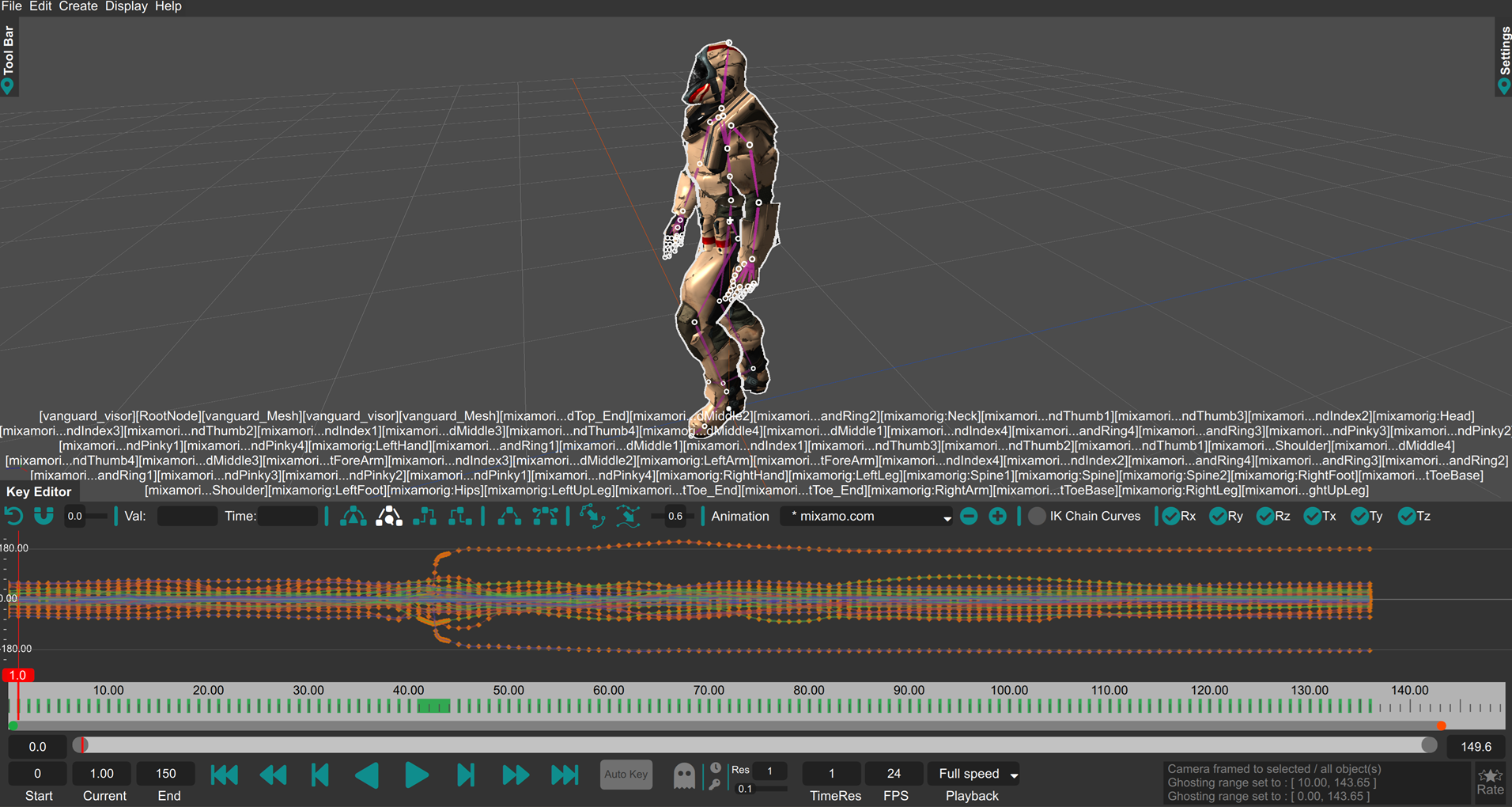
Consider the following input animation sequence
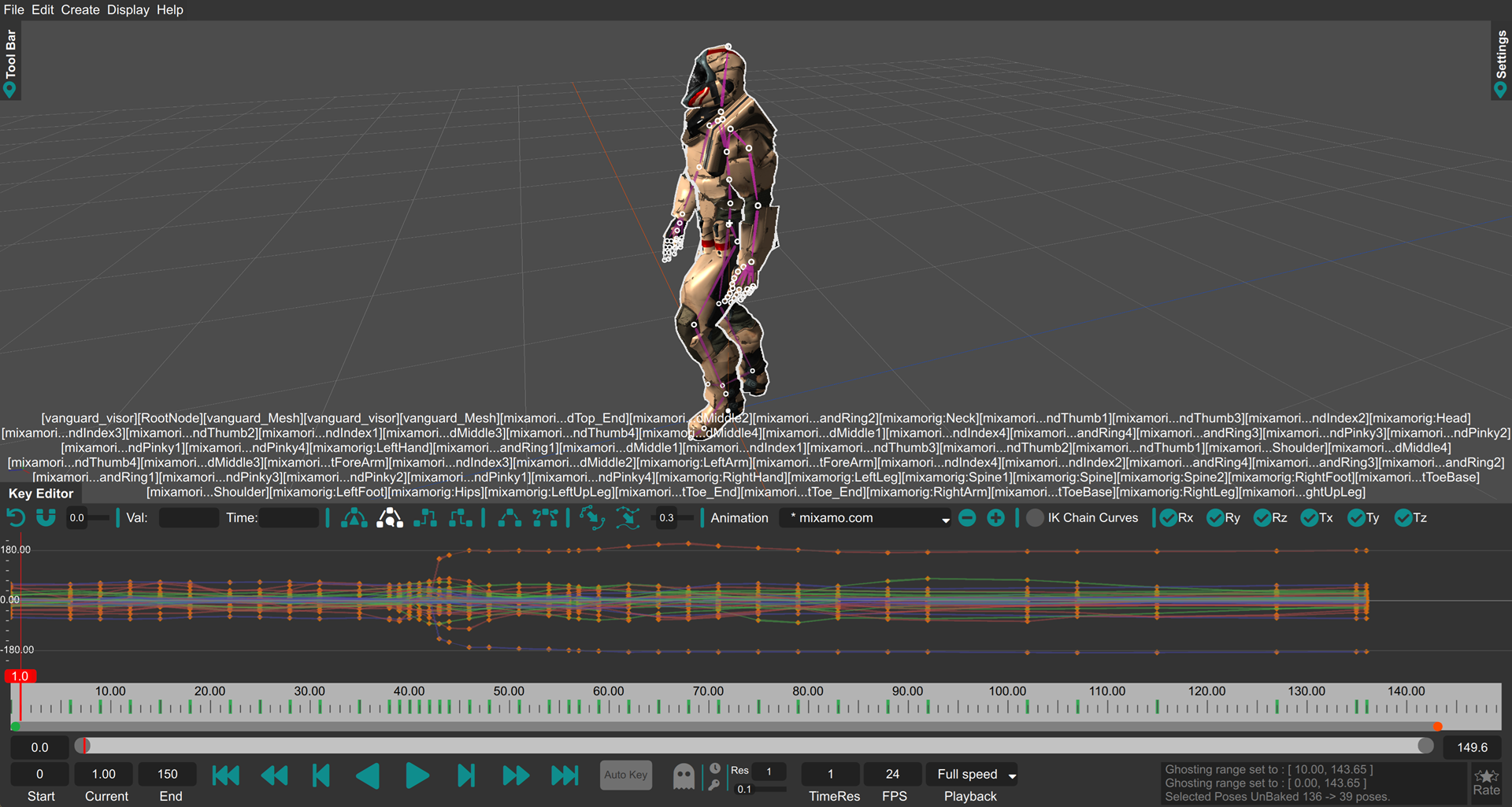
The "Unbaking Poses" option unbakes the animation by trying to solve for the best key-frames that fit the animation quality within the Motion-Editing slider range. This tries to optimize for the poses of the selected joints and finds the control points and tangents that best match the input animation while minimizing deviations as:
the "Unbaking Curves" option solves individual curve independently. This option is not very useful for unbaking mocap data, however is very useful in particular cases where the the user wants to edit some small part of the animation and wants editable keys in order to do so. Please note, unbaking the entire animation per-curve will produce a less desirable outcome than unbaking poses, hence this option should only be used in cases where required. The output of per-curve unbaking is shown below for the same input.
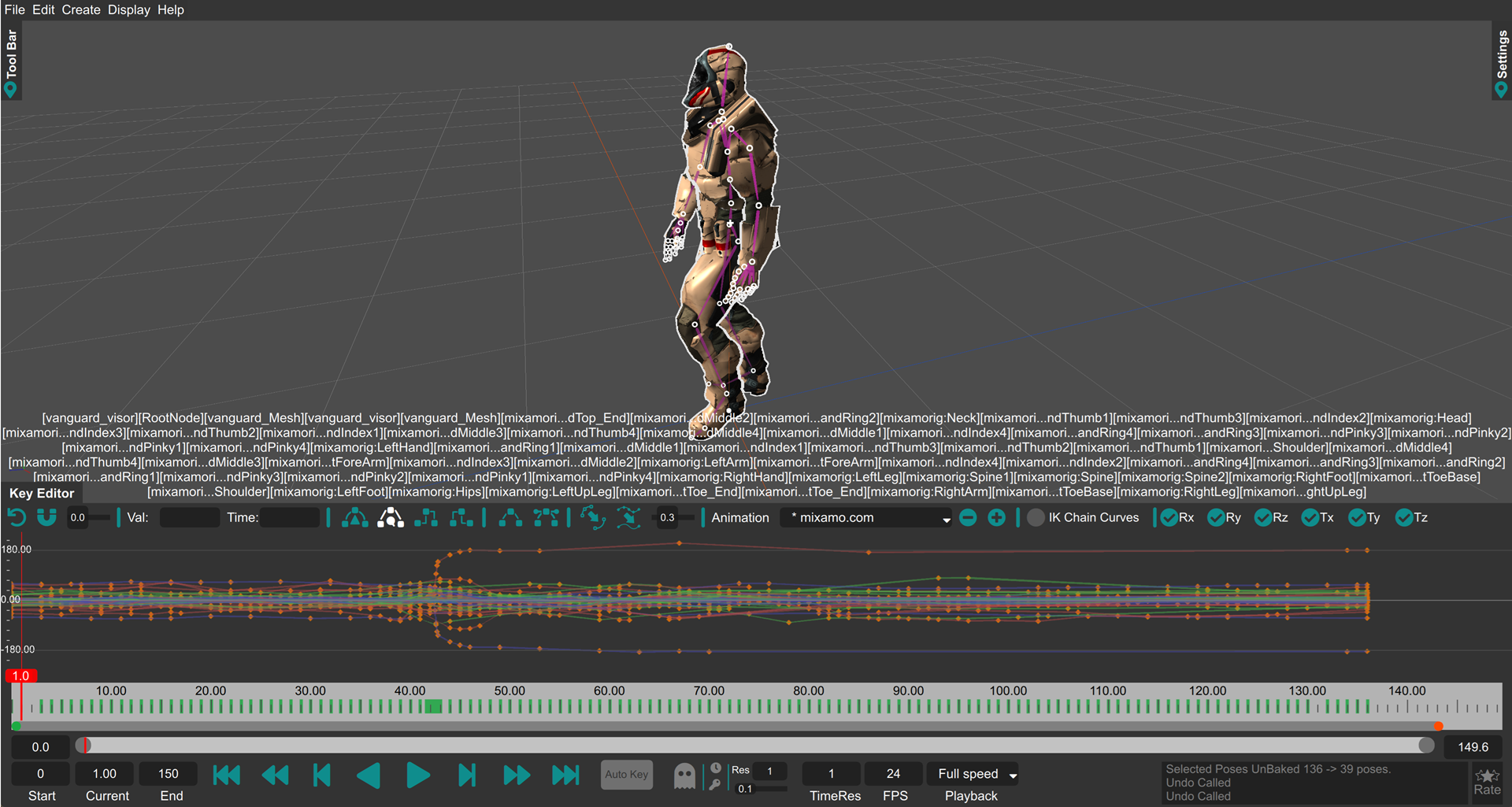
It should be noted that unbaking each curve individually does not necessarily reduce the number of key-frames for the entire animation as each curve can have different control points depending on the curve and thus do not match up in the timeline. For best results, for a given animation, unbaking using poses is more desirable.
A video explaining the Unbaking process: