I've teamed up with Polyarc, the developers of the Moss games, to celebrate the anniversaries of both our games! You'll find a free paint by numbers pack of five beautiful Moss artworks on the Paint by numbers page. There's also a new feature to assist you in painting this pack a
I've teamed up with Polyarc, the developers of the Moss games, to celebrate the anniversaries of both our games!
You'll find a free paint by numbers pack of five beautiful Moss artworks on the Paint by numbers page. There's also a new feature to assist you in painting this pack and any other PBN image: the Paint within lines feature. When enabled, it masks out an area around the color you have selected, so that it's easy to paint the shapes of the PBN template. If you stray too far outside of the lines you'll still put down paint though, so no cheating!
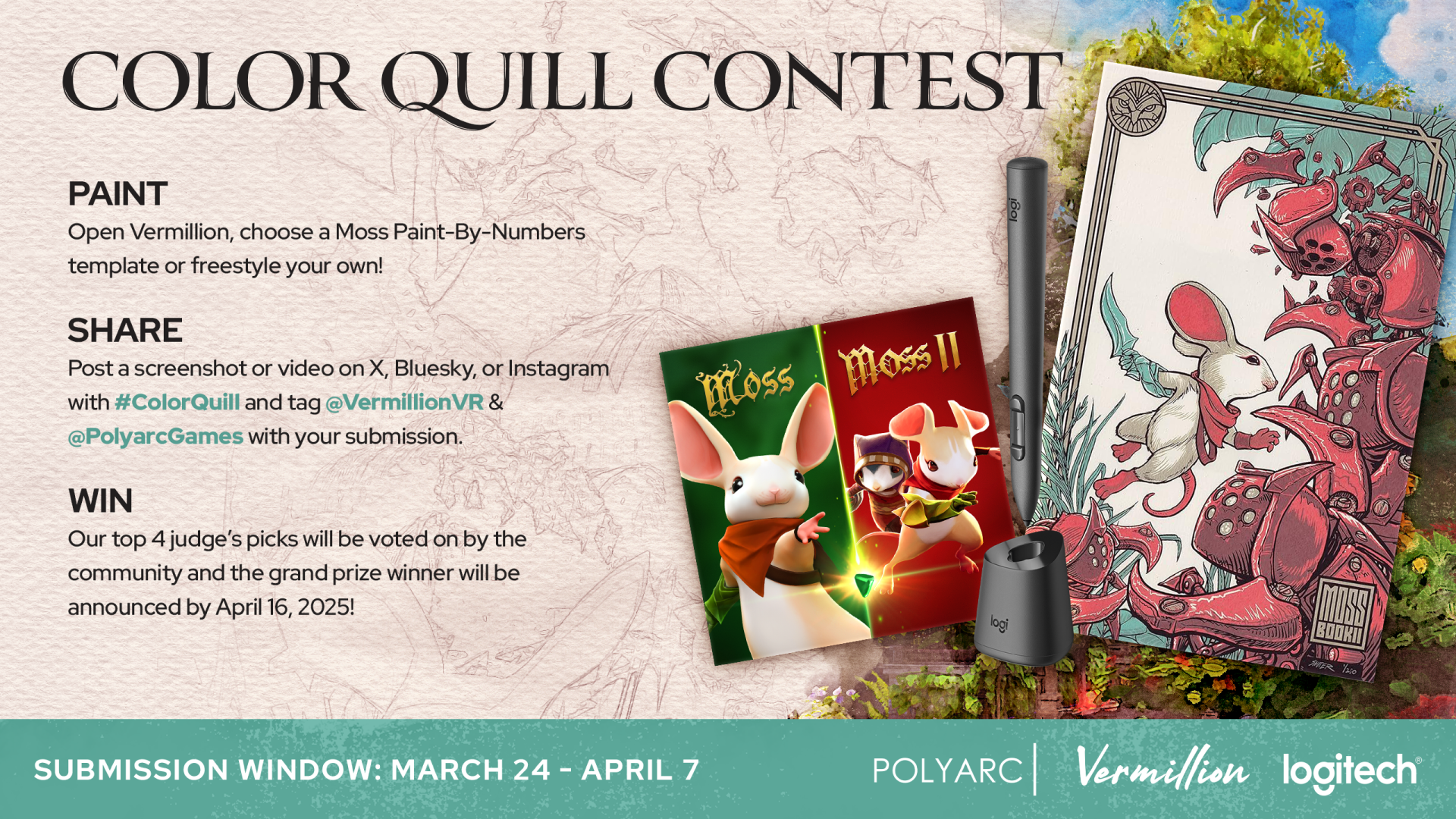
Be sure to participate in the contest for a chance to win an MX Ink stylus and a limited edition Moss poster!
It's time for a few cool new features! Vermillion now features an eye dropper. Press and hold the former clean brush button (the lower button on your brush hand controller) to pick any color from the canvas, palette, mixing tray or rag. Aim into empty space to clear the brush. Pa
It's time for a few cool new features!
Vermillion now features an eye dropper. Press and hold the former clean brush button (the lower button on your brush hand controller) to pick any color from the canvas, palette, mixing tray or rag. Aim into empty space to clear the brush.
Paint blobs on the palette now resist mixing so you don't have to clean your brush before sampling another color on the palette.
Paint blobs on the palette are bigger.
You now get a posed ghost hand to hold the brush.
The laser pointer is stabilized to make it much easier to click things.
The laser pointer is now always following the direction of your controller, rather than the brush.
Fixed hand stabilizer ruler not rotating properly depending on how the easel is facing.
Fixed palette and brush stand being in the wrong position when changing handedness with the easel at a non standard orientation.
Web pages can now be dragged to scroll them.
As always, if you're enjoying Vermillion, please consider leaving a review. Thanks for your continued support!
The easel has always been a bit clunky to move. No more! You can now move the easel in all dimensions with just one grip, and easily and swiftly position it anywhere you like. I've also opened up the entire studio floor for you to position the easel in, as this feature has often
The easel has always been a bit clunky to move. No more! You can now move the easel in all dimensions with just one grip, and easily and swiftly position it anywhere you like. I've also opened up the entire studio floor for you to position the easel in, as this feature has often been requested. Now you can see the studios from entirely new angles!
No idea what to paint? Vermillion now comes with its first paint by numbers pack, giving you the choice of four pre-made PBN templates to get started straight away. You can of course still generate PBN templates from your own images. The generator panel has moved to the new Paint
No idea what to paint? Vermillion now comes with its first paint by numbers pack, giving you the choice of four pre-made PBN templates to get started straight away. You can of course still generate PBN templates from your own images. The generator panel has moved to the new Paint by numbers page on the floating screen, under the Custom tab.
Additional changes:
The tutorial now skips the palette undo action, and instead the button binding is shown on a foldout panel on the palette.
The tutorial now has clear calls to action on every step, to avoid any confusion on what is expected.
You can now generate a paint by numbers template from your own images and any image you find online! Vermillion will generate the outlines, which you can show above or below the paint on the canvas. The palette will be automatically filled with the required colors, between 2 and
You can now generate a paint by numbers template from your own images and any image you find online! Vermillion will generate the outlines, which you can show above or below the paint on the canvas. The palette will be automatically filled with the required colors, between 2 and 20. You can change how detailed you want the outlines to be. You can isolate outlines to one color at a time, so you can very easily apply the right color in the right area. Painting has never been more accessible!
Additionally, you can now open local images on the floating screen directly from inside Vermillion, which you can also use to generate paint by numbers templates.
As always, if you're enjoying the update, please consider leaving a review! Greatly appreciated. Have fun! 🙏🏻
Distant grabbing of studio equipment (brushes, palette, easel and stand grips) is now a setting that's disabled by default. You can enable it again from Settings > Controllers. Fixed 3D model export being blank and 10m under the origin. Fixed brush disappearing when grabbing s
Distant grabbing of studio equipment (brushes, palette, easel and stand grips) is now a setting that's disabled by default. You can enable it again from Settings > Controllers.
Fixed 3D model export being blank and 10m under the origin.
Fixed brush disappearing when grabbing someone else's brush and then repositioning an easel or a stand.
Added line from hand to distant grab hand to make the remote grabbing intent clearer Fixed several small bugs WMR controller binding for toggling the projection should now be correct, thanks to muuyo
Added line from hand to distant grab hand to make the remote grabbing intent clearer
Fixed several small bugs
WMR controller binding for toggling the projection should now be correct, thanks to muuyo
Hey everyone, I've been hard at work on the Quest MR update, and I'm passing the savings onto you ! You can now mount your paintings in the Manor and Loft studios by approaching a wall, and even have them sitting in a customizable frame. The paint now looks a whole lot glossier.
Hey everyone, I've been hard at work on the Quest MR update, and I'm passing the savings onto you!
You can now mount your paintings in the Manor and Loft studios by approaching a wall, and even have them sitting in a customizable frame.
The paint now looks a whole lot glossier. It's pretty damn tasty if you ask me. You can still reduce or disable the specular highlight using the slider on the lamp, but will you want to? I think not.
The painting settings have moved to a little panel on the palette, where you can now set the canvas mixing sensitivity, paint thickness, and an all new infinite paint toggle. I've revamped the canvas mixing sensitivity at 0 to properly never mix with what was on the canvas. With the mixing sensitivity at 0 and the infinite paint toggle enabled you can doodle away at your heart's content!
You can grab anything from a distance now, so you don't have to reach and stretch or bump into the real world.
I've fixed the hands being the wrong way around if you're starting in OpenVR as a leftie. Sorry about that!
I've changed the two inch brush to have a smoother look to its paint.
A dry palette knife is now an excellent tool for smoothing paint on the canvas. Try it, it's something else.
If you're enjoying the update, please leave a store review! That really helps out. Thanks!
With the switch to OpenVR, I forgot about the toggle projector binding (click on brush hand thumbstick). This is now fixed. Also, Vermillion is just 15 reviews away from transitioning to "Overwhelmingly positive"! If you've enjoyed your time in the studio, I'd really appreciate y
With the switch to OpenVR, I forgot about the toggle projector binding (click on brush hand thumbstick). This is now fixed.
Also, Vermillion is just 15 reviews away from transitioning to "Overwhelmingly positive"! If you've enjoyed your time in the studio, I'd really appreciate you taking a minute to leave a review. 🙏🏻
The overlay is now out of beta! Have fun painting in any VR game. Remember that you need a powerful system to run two VR games simultaneously. You can always lower the SteamVR render resolution to gain performance! Another important change this update brings is improved locomotio
The overlay is now out of beta! Have fun painting in any VR game. Remember that you need a powerful system to run two VR games simultaneously. You can always lower the SteamVR render resolution to gain performance!
https://www.youtube.com/watch?v=udc1i97KPLY
Another important change this update brings is improved locomotion. Locomotion was always a second class citizen in Vermillion, but this is no longer the case.
Better teleport
Smooth locomotion
Snap, quick, and smooth rotation
Grab locomotion (very useful to position yourself just right!)
The smooth locomotion options are especially useful in overlay mode!
One more cool addition this update brings is a new outdoor studio. You know, in case you're done painting in Skyrim or VRChat.
The final important change this update brings is that now the default VR runtime is OpenVR, instead of OpenXR. OpenXR is the supposed new standard, but it's been nothing but trouble since Vermillion's launch. To this day it causes some users' controllers to not track. Out with the new, in with the old! You can still use the OpenXR launch option to bypass SteamVR on non-SteamVR platforms, such as Oculus and WMR.
Fixed issue with layered transparent paint. Only applies to new paintings. When trying to join a public room and none is available, you now automatically create a public room yourself so others can join later. Fixed player moving when going in and out of multiplayer. Added "Merge
Fixed issue with layered transparent paint. Only applies to new paintings.
When trying to join a public room and none is available, you now automatically create a public room yourself so others can join later.
Fixed player moving when going in and out of multiplayer.
Added "Merge" label on layer merge button for clarity.
Made the easel less heavy to move around.
Changed the way thick paint is applied, so you can't get overly thick paint from going over the same bit twice.
The overlay beta can now also start as the regular game.
Ever dreamed of painting the mountains of Skyrim? Or sit on the balcony overlooking City 17 while doodling away? You can now, using the overlay beta. It renders Vermillion as an overlay over any Steam VR game. It captures the inputs, so there's no interference. You can turn the i
Ever dreamed of painting the mountains of Skyrim? Or sit on the balcony overlooking City 17 while doodling away? You can now, using the overlay beta. It renders Vermillion as an overlay over any Steam VR game. It captures the inputs, so there's no interference. You can turn the input capture on/off easily with a toggle at your feet, where you can also hide the overlay entirely.
To opt into the beta, right click Vermillion in your Steam library > Betas > select overlay. You now get a new launch option to start Vermillion as an overlay. I'm really looking forward to see where you will be painting!
Artwork by the talented Liz Edwards! https://www.youtube.com/watch?v=vArWTlRieGI
You requested it, and here it is! You can now merge layers down. This allows you to free up layers, so you can make complex compositions without worry. You can now move layers. Gone are the days of forgetting to start on layer 2, and not being able to put in your background after
You requested it, and here it is!
You can now merge layers down. This allows you to free up layers, so you can make complex compositions without worry.
You can now move layers. Gone are the days of forgetting to start on layer 2, and not being able to put in your background afterwards.
The longest standing bug in Vermillion is fixed: blurring a paint stroke on a higher layer no longer creates a white halo.
Note that you can only merge layers on new paintings. This is because the way transparent paint used to be shown on the canvas was incorrect, and made it impossible to merge layers down. Your old paintings are not affected by this change, but you therefore also can't merge layers on those.
Other changes:
You now see the player names above their heads when you're on the multiplayer session page, so you can easily block or mute the right person.
I scaled the Facebook avatar heads down to make them human-sized.
Fixed spots of opaque paint appearing in the stroke of the dagger brush with thinned paint.
Fixed the floating screen lagging behind the item it's docked to.