Hello - real short bugfix update for MasterPlan! I'll be back with a bigger update sometime soon~ ___ FIX: It wasn't possible to desaturate the color selected in the Edit Color menu previously; this is now fixed. FIX: Crash when loading some images that are indexed.
Hello - real short bugfix update for MasterPlan! I'll be back with a bigger update sometime soon~
___
FIX: It wasn't possible to desaturate the color selected in the Edit Color menu previously; this is now fixed.
FIX: Crash when loading some images that are indexed.
Yo, hello~! Quick update to fix issues with pinning cards and add a new card specifically for pinning (the Pinboard Card). The Pinboard card just allows you to pin cards to them easily and simply. You can, similarly to Maps, also wrap Pinboards around a group of selected cards ea
Yo, hello~!
Quick update to fix issues with pinning cards and add a new card specifically for pinning (the Pinboard Card). The Pinboard card just allows you to pin cards to them easily and simply. You can, similarly to Maps, also wrap Pinboards around a group of selected cards easily with a shortcut (Shift + X).
Full changelog below:
___
QoL: Adding Pinboard Card. The Pinboard card is just a blank card that allows you to pin multiple cards together.
FIX: Some issues with card pinning and copying cards that are pinned.
FIX: Cards now properly are pinned when loading projects.
QoL: Adding keybinding shortcut to cycle capitalization for highlighted text.
QoL: Clicking and highlighting a word and then dragging will highlight whole words, like most text editors (there's a little work to be done here still).
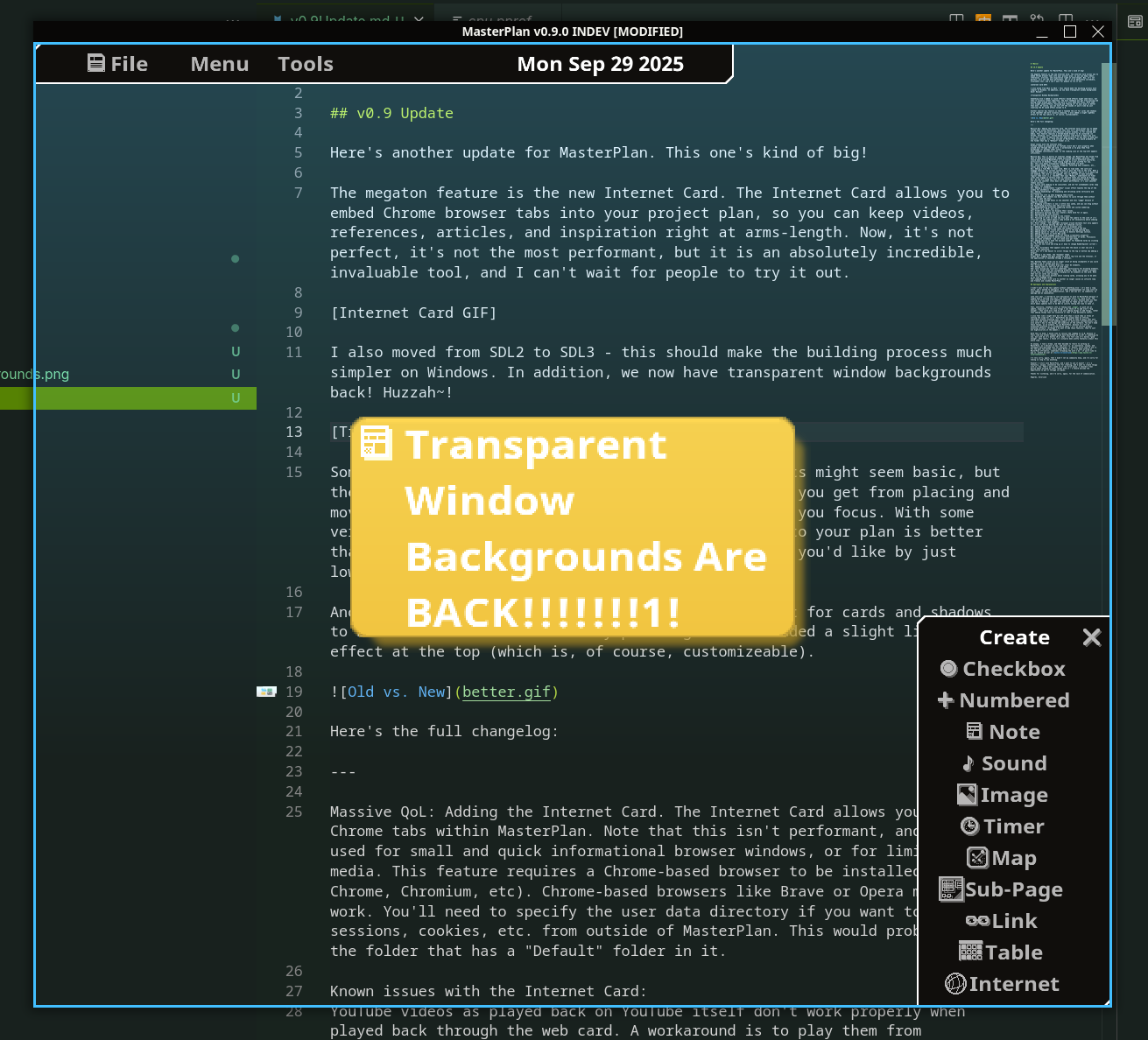
QoL: Adding the ability to make the window entirely transparent (be a bit careful with this - you can make the window always wholly transparent!). Note that this breaks existing BG window transparency settings, so please re-set it to what you'd like.
Hello! What's up, again! Firstly, sorry for it being so long since the last update - life got very busy and I got sick a few times over the past few months. I still should do better with updates, so for that I apologize. So, firstly, this update is pretty short and sweet - the ma
Hello!
What's up, again!
Firstly, sorry for it being so long since the last update - life got very busy and I got sick a few times over the past few months. I still should do better with updates, so for that I apologize.
So, firstly, this update is pretty short and sweet - the main new feature is that you can now pin Cards by simply dropping them on either Map or Image cards. This allows you to, say, easily make pinboards to group related Cards, or pin relevant notes onto images, for example. There's also a fix to the Mac build - something with paths wasn't allowing it to launch there, so that should be fixed now as well. There's more stuff, but mainly smaller things like some small optimizations and fixes.
Secondly, I wanted to talk a bit about what MasterPlan's future would be. For now, I want to focus on updating its quality of life features to be easier to use, as well as do an optimization pass. v1.0 should probably be focused on delivering a polished version of the current incarnation of MasterPlan, without collaboration or modding capability. Both of those features (as well as others) are good, but they're not completely necessary to the existence of MasterPlan or to even assist with planning most projects. There's always been other gamedev planning tools that do multi-user collaboration better than MasterPlan, like Hack n' Plan or Trello - the main appeal of MasterPlan was that it was offline, purchase-once, and primarily focused towards single users.
That said, I have been investigating modding and have figured out a system that I think should work very well. Users would be able to program their own cards and share them through a modding hosting service, like mod.io - probably not Steam Workshop because MasterPlan isn't only available on Steam. That way, you could add cool additional functionality for planning projects out.
Anyway, those are thoughts for the future - the near future should be focused on refining what MasterPlan currently is.
Here's the full changelog:
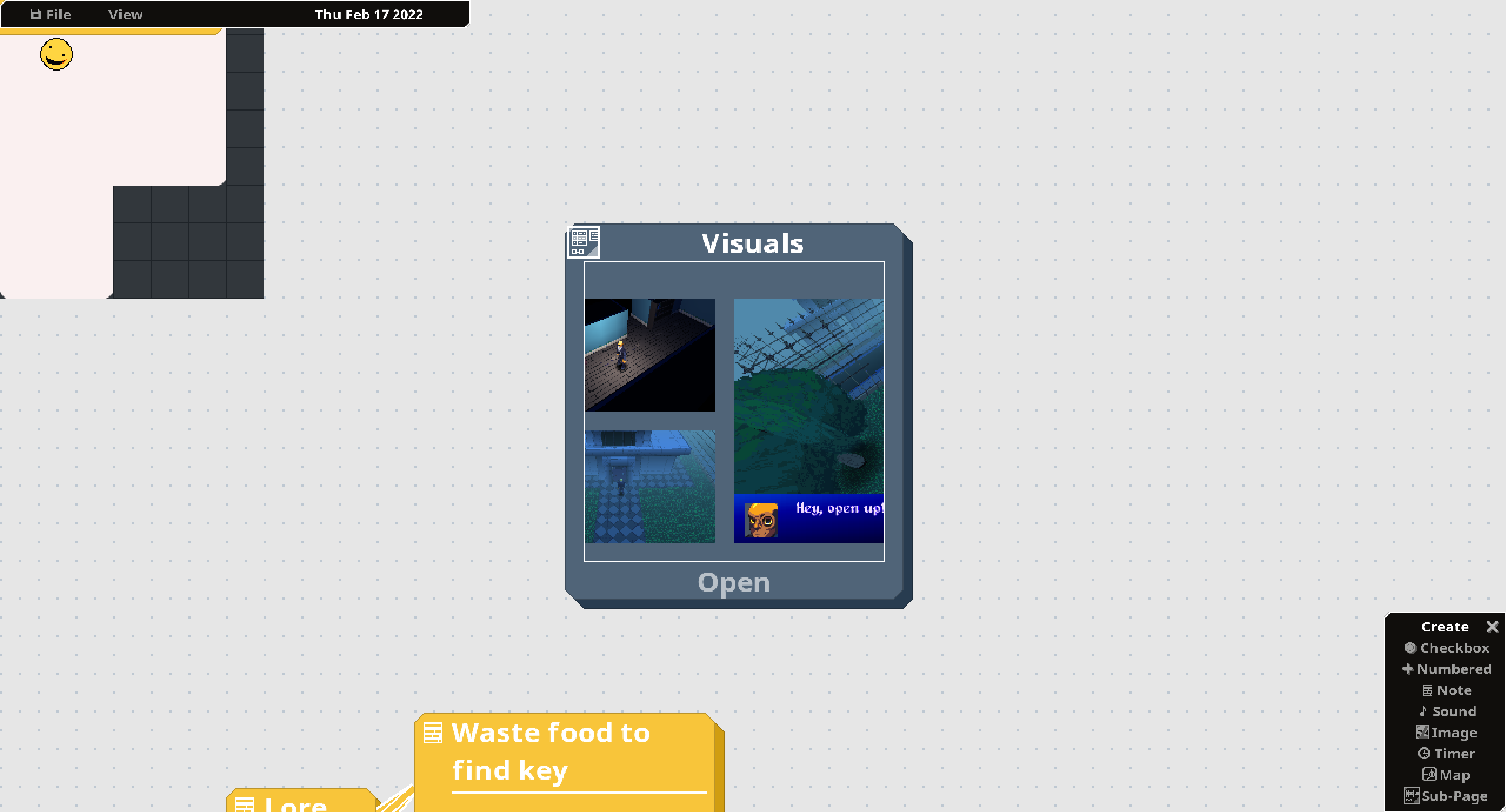
QoL: Cards can now be pinned to other cards (specifically, map and image cards) by dropping them onto the "base" card. Doing so allows you to more easily move cards together as a group, and enables using blank Map cards or images as effectively "pin boards". Map cards also have a shortcut to "wrap around" all selected Cards and pin them to itself (defaults to Left Shift + X).
QoL: Slight improvement to where lines from card to card point to.
QoL: When resizing cards, now there's a small size indicator at the bottom-right of the cards.
QoL: Adding terrain pattern to Map Card. Useful for terrain / maps.
QoL: Segments segment harder now for Map Cards (previously different colors with the same pattern would blend into each other). This makes using multiple colors and patterns easier and more comprehensible.
Style on'em: Map Card is now (once again?) slightly transparent, giving a slight transparent glass effect.
QoL: Adding keybindings to rotate Maps by 90 degrees.
QoL: Grid background texture cleaned up.
QoL: Links to cards now appear more consistently towards the cards' centers.
QoL: Link joints are now centered in the cells when dropping them for consistency with cards.
QoL: Adding shadows for images.
QoL: Adding a shortcut to wrap a Map card around other Cards and pin them to it (called Smart Scale).
QoL: Map card blank spaces aren't as dark.
QoL: Minor optimizations to reduce memory usage.
QoL: Optimized processing stacks of Cards.
QoL: Grid background color made slightly darker.
## Fixes
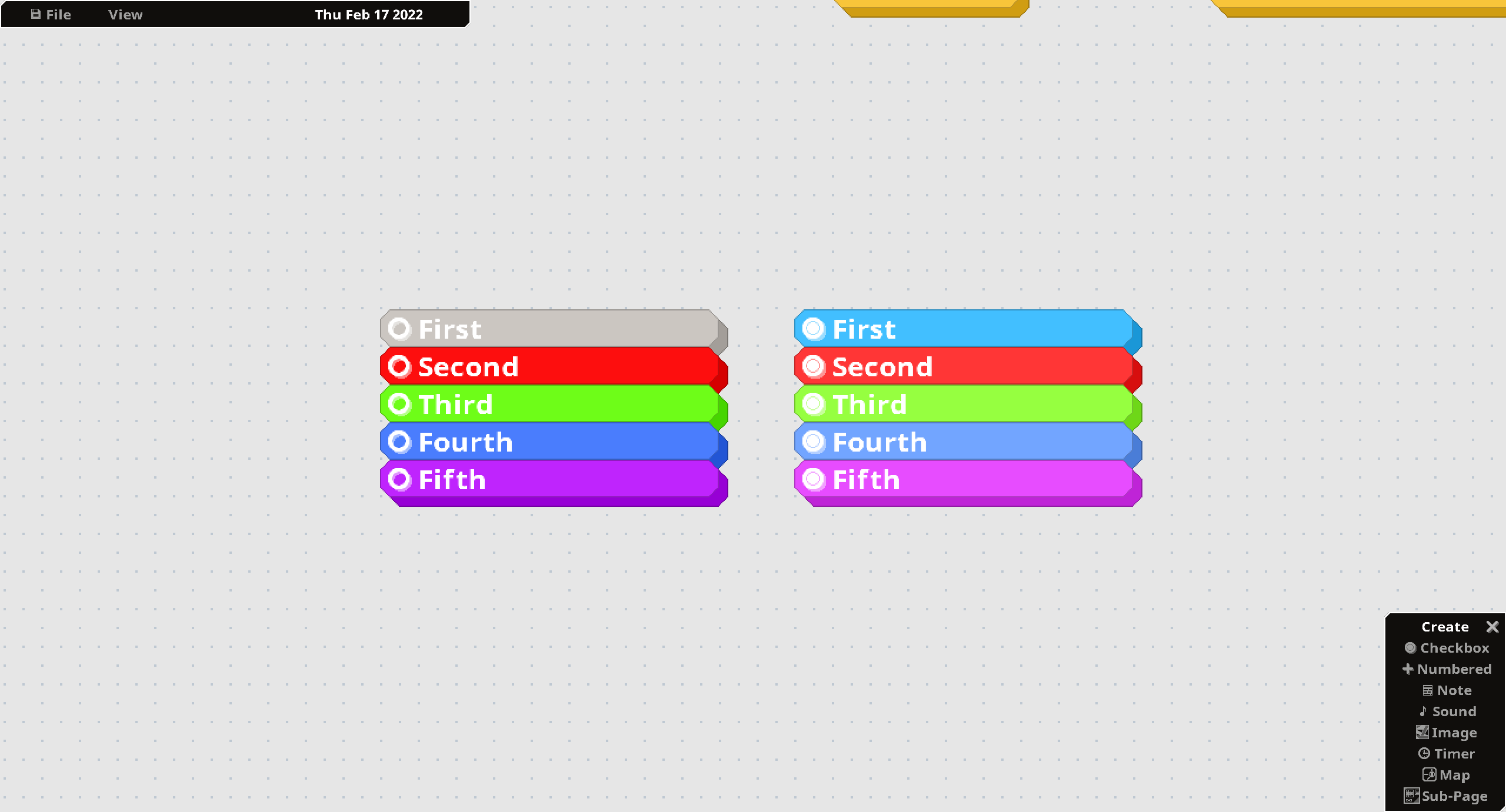
FIX: Completed checkboxes have more consistent color cycling.
FIX: Dropping files previously didn't work as it should have; it should now be fixed (except on Linux + Wayland; seems like I'm getting display server crashes in this case.)
FIX: The Timer card now works properly; previously Clock Mode was broken.
FIX: Sound loading caused a crash for Macs - this should resolve it.
FIX: Pressing menu buttons in a window positioned over a map while in edit mode no longer draws / edits the map.
FIX: Creating and destroying links now creates sounds.
FIX: Map Card previously didn't go into the foreground while editing, which makes it difficult to draw on / around objects on top of the Map.
Yo! So, MasterPlan's 33% off for the Autumn Sale! Also, here's a very long-awaited update! This one's kind of a doozy. (Do people still say doozy?) The Internet Card! The megaton feature is the new Internet Card . The Internet Card allows you to embed Chrome browser tabs into you
Yo! So, MasterPlan's 33% off for the Autumn Sale!
Also, here's a very long-awaited update! This one's kind of a doozy. (Do people still say doozy?)
The Internet Card!
The megaton feature is the new Internet Card.
The Internet Card allows you to embed Chrome browser tabs into your project plan, so you can keep videos, references, articles, and inspiration from the internet right there in your plan. It's not the most performant thing in the world, of course - it's running an internet browser in the background, after all, but I feel like it's an absolutely incredible, invaluable, and unique tool for expanding your plan out into the world wide web. (Of course, you still have the ability to simply paste links to images or sounds into MasterPlan to download them on-demand.)
To use it, you have to have Chrome / Chromium installed on your computer because I didn't want to bloat MasterPlan with a full Chrome install. Recent Chrome-based browsers like Opera or Brave should also work. If you don't want to use it, you don't have to, of course - simply don't create an Internet card, and MasterPlan won't spin up Chrome in the background.
MasterPlan is still offline first, after all.
(P.S. If you're on Linux and installed Chrome through a Flatpak, you'll have to point MasterPlan to Chrome in MasterPlan's settings. It'll probably be at /var/lib/flatpak/app/com.google.Chrome/x86_64/stable/active/files/extra/chrome.)
Sounds!
As you might have heard in the video above, something else I added in v0.9 are unintrusive sound effects!
Sound effects might seem basic, but they're actually rather important - the more feedback you get from placing and moving items around your plan, the better it feels, the more "real" it feels, and the more engaged you'll be with the planning process. The more you'll _want_ to plan.
Of course, you can turn off the sounds if you'd like by just lowering the UI sound effect volume to 0. I'd like to offer different sound effect packs, like I currently do with themes, and even open them up to users to share. The first sound effect pack is the sine sound effect pack, SND01, from snd.dev.
Moving to SDL3!
I also moved MasterPlan from using SDL2 to using SDL3 using Zyko0's purego go-sdl3 library. This should make the building process a lot simpler on Windows. With this move, we also now have transparent window backgrounds back! Huzzah~!
Note that I implemented a custom solution for the application loop timing, so it might be a bit janky and stuttery for a bit; please put up with it while I refine it.
M1 Mac Support!
Also, there's now an (experimental!) M1 / ARM Mac OS build. I still do not have an ARM Mac for testing, so I don't strictly know if it works, haha.
Please feel free to try it out and let me know if it works for you.
JUICE!
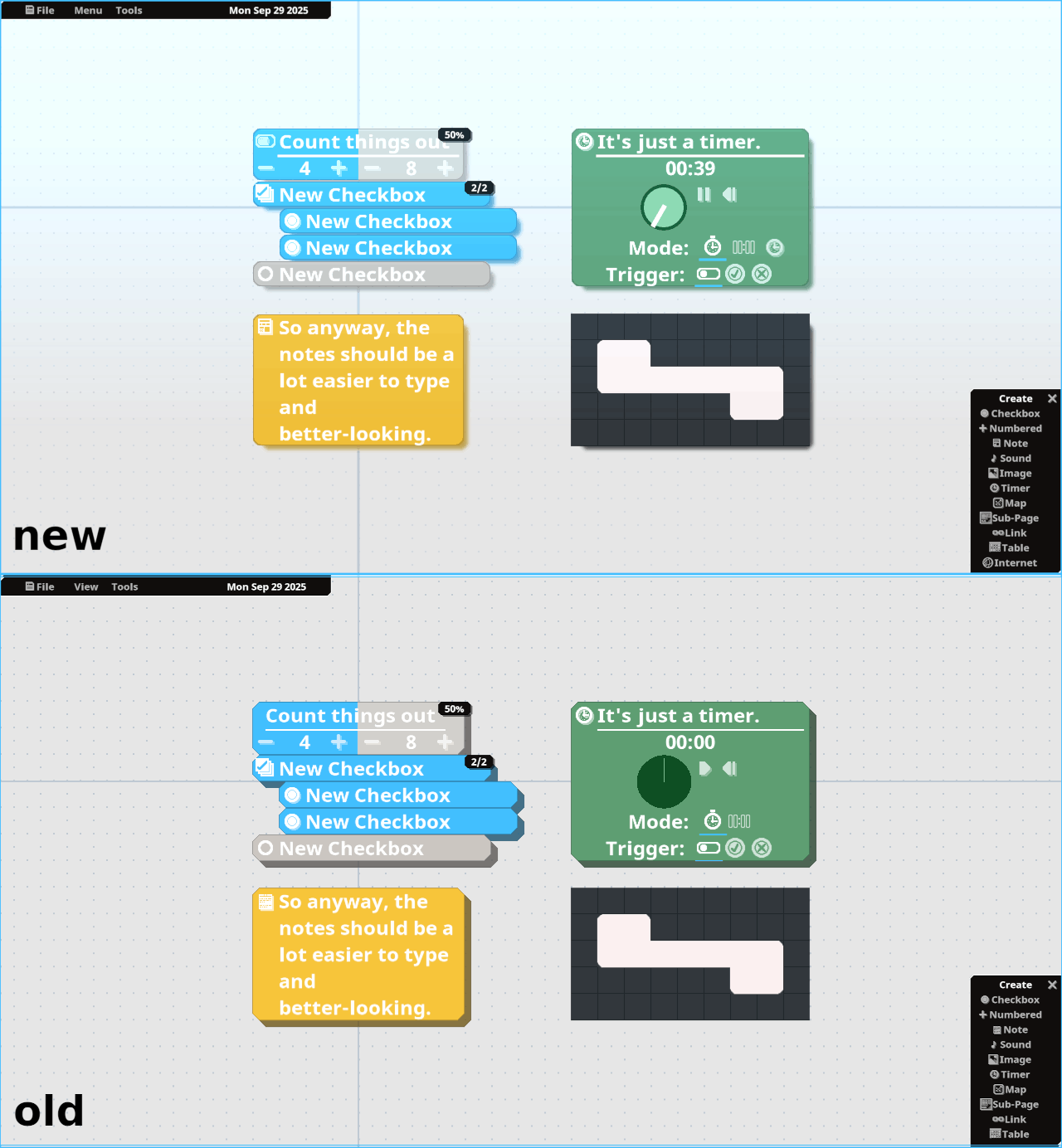
Another smaller QoL feature is that I did an art pass for the cards and shadows - they're now smoother and more visually pleasing. Shadows also now are colored according to the card color, which makes them look better in general and show up better on dark themes.
I also added a slight "lightbox" effect at the top of the screen (which is, of course, customizeable in opacity). This helps to give the feeling of being of MasterPlan being more "open". The color of the lightbox effect depends on the currently set theme. This might seem like a weird addition, but it genuinely does make MasterPlan feel less sterile and claustrophobic.
(Quick sidenote of a small quality of life improvement: As you can see in the above GIF, Numbered cards now have an icon at the top-left. If you click the icon, it switches to having no maximum value for unbounded number values.)
Wait, if this is v0.9, what About the Drawing Card?
Previously, I said that I wouldn't use v0.9 until I had complete feature parity with v0.7 from years ago, which is waaaay back before I moved to SDL2, before the visual refresh, etc. One of the last big missing features from that version was the Card that allowed you to draw, right here inside MasterPlan. So what's up with that?
Well, I opted to just move to v0.9 because I didn't want to keep adding to the "0.9 prealpha" version number I had previously. It seemed clunky. I thought it better to just move forward with the version number, so this will be v0.9. I do see the utility of reimplementing the Drawing Card, but I just haven't gotten around to it yet.
If you had key art that you'd like to move forward, hold off on saving over those project files until I reimplement that missing Card, which I can do in an upcoming update; please be patient!
Well, that's about it - stick around to after the changelog for a full message about my extended break and plans for moving forward.
Thanks a lot for reading. Thanks for using MasterPlan. Thank you!
Here's the full changelog:
[ Quality of Life Updates ]
Adding the Internet Card. The Internet Card allows you to embed Chrome tabs within MasterPlan. Note that this isn't performant, and is best used for small and quick informational browser windows, or for limited web media. This feature requires a Chrome-based browser to be installed (so Chrome, Chromium, etc). Chrome-based browsers like Brave or Opera may also work. You'll need to specify the user data directory if you want to keep your sessions, cookies, etc. from outside of MasterPlan. This would probably be the folder that has a "Default" folder in it.
Known issues with the Internet Card:
- YouTube videos as played back on YouTube itself don't work properly when played back through the web card. A workaround is to play them from duckduckgo (or perhaps other sites).
- Some webpages continuously load while you're on them, so the loading icon at the top-left appears infinitely.
This is mostly an internal change, but MasterPlan has moved from SDL2 to SDL3 with dynamically loaded extracted and loaded libraries. This should mean building MasterPlan is now simpler across different platforms, particularly on Windows. Frame timing might be a bit scuffed for now.
As a result of this change + Github having new ARM MacOS runners, there is now support for ARM MacOS! Please test it out to see if it works for you.
This also means transparent window backgrounds are back!
Sounds added! When clicking, dragging, selecting menu elements, etc., sounds play to help give feedback.
Adding a Time Mde to Timer card. When in time mode, the card will enagage whenever the current system time is past the time on the card. When a checkbox is above it and enabled, the card is engaged, and if it is above and not enabled, the card is not engaged. This can be used to make everyday, regular todo lists (i.e. checkbox that says "Monday", underneath are Timer cards that engage at certain times to indicate tasks you should be doing).
UI and art fixed up a bit to look overall significantly better. Shadows are also now smoother (this does not impact performance, it's just smoother shadow sprites).
Fixing card shading to be consistent, and not for unshadeable cards (map and table, for example).
Adding a customizeable "lightbox" visual effect towards the top of the window for aesthetics + "openness".
Adding keybindings for expanding and shrinking cards vertically and horizontally.
Cards now lift up when dragging them around.
Dropdown GUI elements now have buttons to cycle through them without having to open the menu.
Scrolling through menus is now smoother and less "jaggy" because of subpixel rendering.
Dragging scrollbars is now a little less janky, and you can drag without the mouse being directly over the scroll area.
Reimplementing different numbering styles and custom numbering separators (e.g. dash, dot, etc).
Slider UI elements now display their values.
Externally pasting text now creates a Note Card for it again.
Reordering map tool buttons.
The selection box drawing is now cleaner.
Focusing on cards on undo now only pans the camera to the card if it's offscreen (so the camera doesn't jump around a lot necessarily while undoing a lot of different card changes)
Minor change - the highlight rectangle around editable text only appears if you're not active editing the text for enhanced clarity.
Adding keybinding to reset card size to original size.
Pushing map elements now loops the elements around the map.
Adding options to rotate and flip maps in the map editing menu.
Adding option to reset all settings in General Settings section.
Adding shortcuts to shift Map cards.
Possibly fixed subpage cards not taking screenshots properly?
Slight optimization in determining onscreen-ness of Cards. Previously this was done on-demand - now it's done once per frame.
Adding ability to hide the maximum number for Numbered Cards by clicking on the Numbered Card icon.
You can now click and drag up or down to change NumberSpinner current / max values.
Scrollbars that appears only when the mouse is near now are a little less sensitive.
It's now easier to scroll things to the top or bottom (by adding a margin).
Adding a new theme, the "Snowman" theme.
Logging now gets output to both a log file and the terminal, if the application is launched through a terminal.
[ Fixes ]
Boolean Table cards are no longer stuck at being incomplete if you cycle through a row or column with all X's.
Scrollbars now reliably draw over other UI elements.
Adding table to the list of card names (I don't know what I meant by this, I forget, haha).
Color mixing was incorrect sometimes, particularly for blinking elements.
FIX / QoL: Fixed cards not collapsing properly. Cards now reliably collapse to one line, or a maximum size to display all UI elements on the card. Note that not all cards can collapse.
You can now press buttons while linking cards, allowing you to be able to go into SubPage cards.
Jumping from a Link card to another no longer causes an infinite loop and freezes and crashes MasterPlan.
The default sound buffer size is now set to 1024 to fix crackling, bad audio on Windows. (Not every OS can be Linux, sorry~)
An Explanation and Moving Forward
OK, so! I didn't want to end this update yet without an explanation.
Firstly, I wanted to apologize. It's been waaaaaaaaaaaay too long since my last update, or even any communication, and I owe you all, my community, an apology and an explanation.
Late last year, I started to lose motivation to work on MasterPlan because while I wanted to keep working on it full-time, it wasn't selling enough for me to do so and there was still so much to do to get to release. The feeling of being slow with updates compounded as well, because when you feel like you're behind, you feel like you have to "make up for lost time", which means updates have to be "BIG ENOUGH" to justify taking the time to make it.
That, naturally, snowballs into it taking even _longer_ to push out an update, as the time becomes a blocker to working on it. So, while I didn't really intend to do it, I ended up taking a break from working on MasterPlan and started working on other projects (both gamedev and _actual_ freelance work).
(As an aside, I also wanted to apologize for silently missing the v1.0 release date - I originally planned for MasterPlan to be released in, like, 2022 or something and marked that on the Steam page for MasterPlan. Well, I missed that date and just kicked the ETA forward silently, which I missed again. That's not fair to you all and was an indication of mismanagement, right there. I'm very sorry about that...)
---
To be honest, I feel like I'd bitten off more than I could chew in terms of setting the scope for v1.0 - MasterPlan has always been an offline, individual project planning tool, but I decided to take on goals that, while being very cool and useful (like modding support or multi-user collaboration), also weren't really key to the design and usability of the software.
You don't need modding, as an example, to use MasterPlan, because it's not an extendible platform - it's an offline project planning tool; that's what the focus has always been. So why am I putting modding as a goal for v1.0? (Although, to be fair, I do want to add those features, and I have actually made a lot of progress in determining how modding could work for MasterPlan! These features are just not high-priority at the moment.)
With this in mind, I would like to revisit the roadmap to v1.0 in another devlog update. It feels like any normal company would have MasterPlan at v2.35+ or something by now. Meanwhile, here's me reimplementing MasterPlan entirely from the ground up once already, having moved from SDL2 to SDL3, and it's barely at v0.8, haha.
I've felt like MasterPlan has not been "good enough" for all this time, when really, I think it's actually exceptionally polished for what I originally envisioned it to be (though there's still stuff to do, of course).
---
Anyway, over time, I slowly regained the desire to work on MasterPlan, without really worrying about it taking so long between updates. Since about March or so, I've been working on MasterPlan off-and-on, sometimes streaming the work I do. (If you'd like to pop in, please do over on my Twitch.) I'm very sorry, again, that I didn't let my community know what was going on, and I'm sorry for taking so long to say anything.
However! I still do love MasterPlan. It's a great tool, and I want to use it myself - I want to create things with it, too. That's why I made it in the first place - I'm a game developer. I shouldn't feel guilty about working on other things with it - I should welcome the opportunity to use it, and use the things I run into as fuel for development.
Anyway, thanks for listening, and I'm sorry, again, for the lack of communication. I really appreciate my community being patient with me and actually using the software - it's been really encouraging to get messages from people saying how it's really changed how they plan things out, or how helpful it's been. It really makes me glad to know that something I made could be useful to other people.
This has gone on long enough, I guess. See you later with another update soon.
Sorry about that! I thought I resolved the issue previously, but it clearly was not resolved. Things should be good on Windows now; thank you for your patience!
Sorry about that!
I thought I resolved the issue previously, but it clearly was not resolved. Things should be good on Windows now; thank you for your patience!
Hello! Here's a quick hotfix to resolve some of the problems users were having with the last update. Here's a changelog: QoL: Adding more audio playback buffer size options. QoL: Dropped files onto MasterPlan now create cards in the center of the window, rather than the mouse las
Hello! Here's a quick hotfix to resolve some of the problems users were having with the last update. Here's a changelog:
QoL: Adding more audio playback buffer size options.
QoL: Dropped files onto MasterPlan now create cards in the center of the window, rather than the mouse last was prior to exiting the window.
FIX: Menus no longer disappear when the MasterPlan window is minimized on Windows.
FIX: Swapping rows and columns in Tables now works properly (previously, swapping rows and columns had pressing a cell correspond to the transposed cell in the table).
Hello! It's been awhile since the last time I released an update - sorry about that! I wanted to get this out before 2023 started, but that didn't end up happening... In any case, here's another MasterPlan update! This one brings a few bigger improvements! NOTE: Please be sure to
Hello!
It's been awhile since the last time I released an update - sorry about that! I wanted to get this out before 2023 started, but that didn't end up happening... In any case, here's another MasterPlan update! This one brings a few bigger improvements!
NOTE: Please be sure to backup your projects before you update and load them into the next version - better safe than sorry!
Tables!
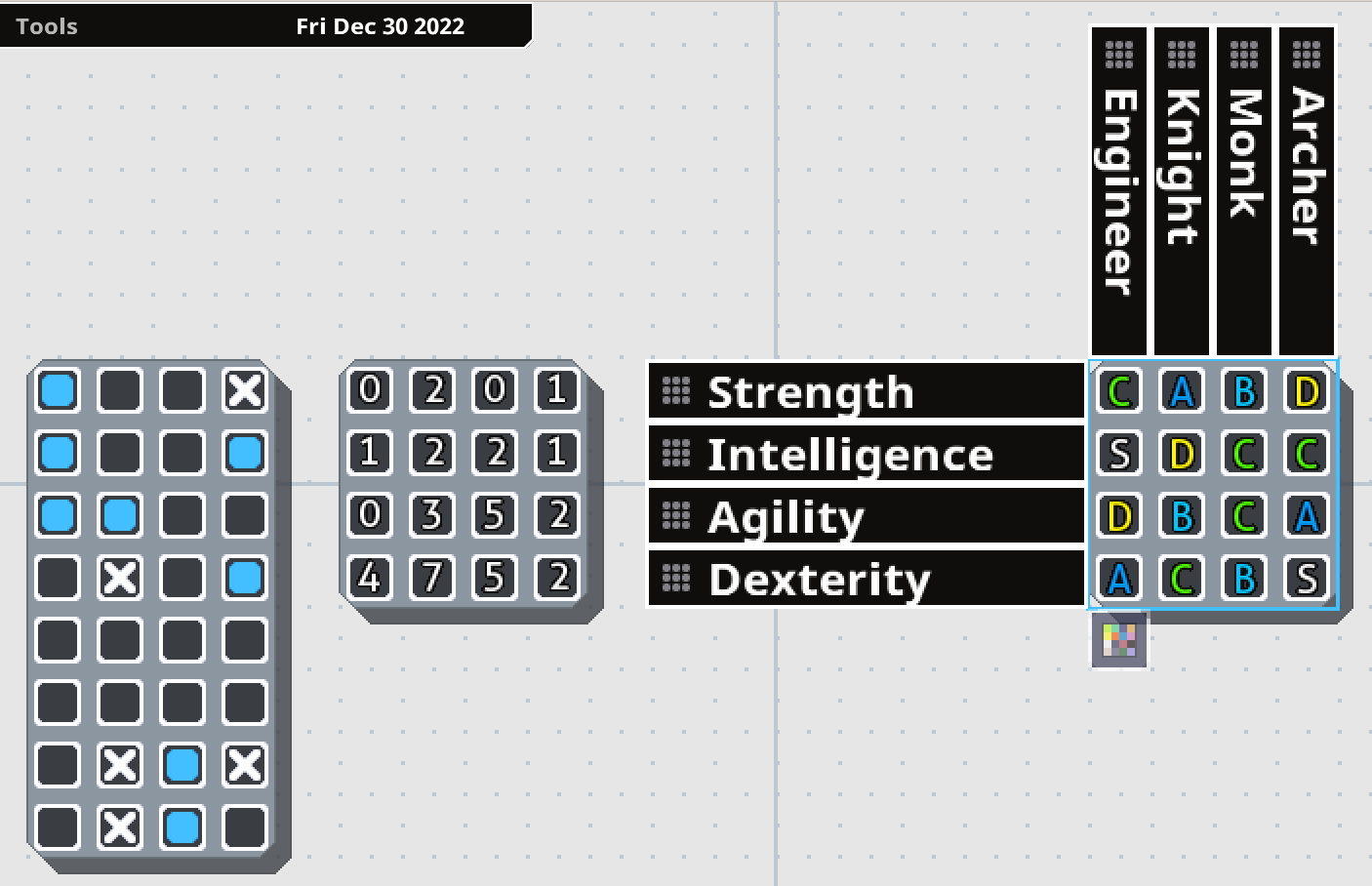
Tables have been re-implemented into MasterPlan! Tables represent grids of information, which can hold one value each. They're primarily useful for repeatable tasks or relative statistics. However, now they're even better than their previous incarnation.
In v0.7, Tables' row and column names were editable from another screen. Now, all that can be edited right from the project overview. You just double-click on a row or column heading to rename the column or row, and you can click and drag the dotted areas on the headers to rearrange the order. Expanding or shrinking the card adds or removes cards as necessary. Left-clicking cycles through the possible values, while right-clicking cycles in the opposite direction.
Previously, Tables also only worked as checkboxes to indicate repetitive tasks that needed to be completed. Now, Tables have different modes of representing their information, accessible from a menu (the button being visible at the bottom of the Table when it's selected). Rather than just serving as checkboxes, they can also show grades (S, A, B, C, D, E, F), or numbers (going from 0 to 10). This way, you can use tables to cleanly and easily represent a variety of relevant information for your project.
By laying out information in a Table, it makes it simpler to compare and contrast information. For example, in the above example, the right-most table represents a series of stats for four classes (Engineer, Knight, Monk, and Archer). By easily laying this information out in a table, you can see at a glance that the Monk and Knight have no S-rank stats, which might indicate an balancing issue.
Multi-Card Editing
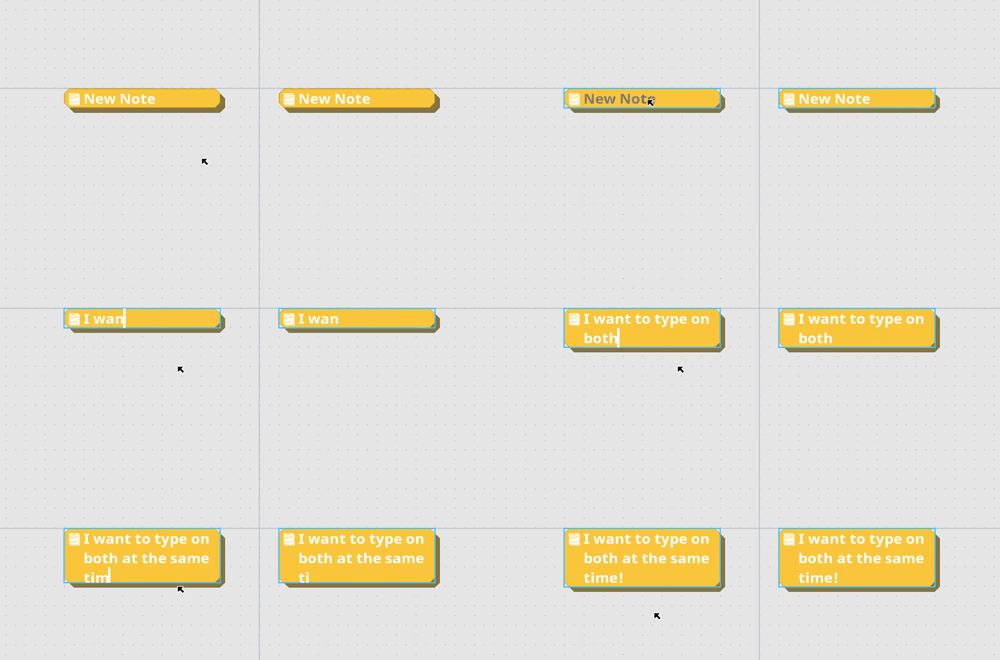
Multiple Cards can now be edited at the same time. This is now as easy as holding the multi-card edit key (left shift, by default), and making the change you want to a card. The same property on other selected cards will also be changed to the same value. So you can, for example, select a group of Checkbox cards and edit them all at the same time, or write some common text on all cards at the same time.
For editable text, hold the multi-edit key and double-click to edit the text. As you type, the text will update on all related cards as well. Note that while this isn't perfect in its current incarnation, it does mean a huge usability boost. I'll keep working on it over time to improve things!
As an aside, while editing text in a card in a stack, you can now press tab or shift+tab (by default) to head to the next or previous card and start editing text there as well.
Text Wrapping Modes
This isn't a huge deal, but I've added a new text wrapping system for writing text in MasterPlan. Previously, when writing text and the text became too long for the card, the card would grow vertically - now you can press a key shortcut (Ctrl+W, by default) or press the text wrapping button to switch the text wrapping mode to Horizontal Overflow mode. In this mode, Cards expand horizontally while typing, only growing vertically when you manually add new lines.
Mac Support
I've looked into M1 Mac support in the meantime between the previous update and this one. I still don't have an M1 Mac, so I have no method to test it myself, but this update may also add support for the M1 chip through Rosetta. Please test out the Mac build if you have an M1 Mac and let me know if it at least boots properly now.
Well, that's it for the big stuff; to follow is the detailed changelog, which is also mirrored in the wiki.. Thanks a lot for your support, and I hope to keep working on MasterPlan into 2023!
____
- RE-IMPLEMENTATION: Adding tables back in. Tables are useful to outline data in a matrix field, represented as an intersection of rows and columns. Rows and columns can be freely resized by clicking and dragging a row or column to rearrange. Double-clicking on the text allows you to edit that text. Tables can be visualized in a few different ways currently: as checkmarks, numbers, or grades (S - F). You can press tab and shift-tab to cycle between editing text for each element. - QoL: Adding tooltip buttons to help explain unclear settings or options. - QoL: Adding ability to edit multiple cards at the same time by holding the "Mulitple" key, (aka the "Add to Selection" key, which defaults to left shift). - When selecting / operating on multiple cards with the left-shift key, a + will appear next to the mouse cursor to indicate this. - Editing text is done by holding the multi-edit key and double-clicking on the text to edit. All selected cards will have their relevant text field updated by typing. - QoL: Adding ability to move to next or previous card in stack by pressing "Next Card / Prev. Card" shortcuts (defaulting to Tab or Left Shift+Tab, respectively). Doing this while editing text will move to the next editable text in the next card up or down in the stack. - QoL: Editing text or collapsing Cards now adjusts the rest of the stack. This isn't perfect, and I still have a lot more I want to do with stacks to improve usability and make them even more fun to work with. - QoL: Adding a toggle-able text editing wrapping mode. The menu that displays this will appear at the top-right when editing text on a Card. You can press the button or press the keyboard shortcut to toggle between text wrapping modes (Ctrl+W when editing text). - There are two wrapping modes currently: Wrap, and Expand. Wrap will have cards grow downwards vertically, gaining more lines as you type beyond their borders. Expand will have cards grow horizontally when necessary. - QoL: Adding name of project to loading prompt when you decide to load a project. - QoL: Adding setting to change how numbered cards are displayed (either as percentage or current amount out of maximum). - QoL: Numbered Cards now allow negative numbers. - QoL: Numbered Cards now allow the current value to surpass the maximum. - QoL: Highlighting text should be slightly more efficient than previously (though work still remains in this regard, and for optimization in general). - FIX: Collapsing cards is now properly undo-able. - FIX: Icons for applying colors to cards no longer change color depending on theme. - FIX: When render textures are recreated (primarily done on Windows when the window is resized or altered), ensure they are never too small (0x0 in size). This might fix a crashing issue for Windows users. - FIX: If a path cannot be made relative (on Windows, for example, if a piece of media points to an external drive), the path is saved and loaded unaltered. Note that this change might mean images don't save or load properly between the previous version and this one, so double-check when upgrading to ensure things work properly. - Contribution by Peter0x44: Improve HOME/END text selection when editing text (previously this would only expand the selection, rather than select from the original position to the caret's new position).
Hello, just pushed a quick hot-fix to resolve an issue where media (images and sounds) linked from other drives on Windows wasn't being saved. This should be resolved now. Thank you for your patience!
Hello, just pushed a quick hot-fix to resolve an issue where media (images and sounds) linked from other drives on Windows wasn't being saved. This should be resolved now. Thank you for your patience!
Hello! It's been awhile, but here's another update for MasterPlan ! This one is mainly a maintenance release, but there's some nice quality-of-life features in here as well. I'll go over the main ones to follow here. (As always, make sure to back up your work frequently, particul
Hello!
It's been awhile, but here's another update for MasterPlan! This one is mainly a maintenance release, but there's some nice quality-of-life features in here as well. I'll go over the main ones to follow here.
(As always, make sure to back up your work frequently, particularly around times like this where the program undergoes an update. Thanks!)
External Media Cache
Previously, when linking to media on the Internet like images or sounds, MasterPlan would only download that media to your computer's temporary directory, deleting the media when MasterPlan closes. While this works perfectly fine, it can make loading projects slow as it has to resolve a connection to each of these media sources before downloading them.
This can now be sidestepped by specifying a per-project cache location to store your media downloads. If a cache location is specified in MasterPlan's settings, then MasterPlan will check the cache directory first to see if the file exists already - if so, then it will use that file, rather than downloading it again.
Icons
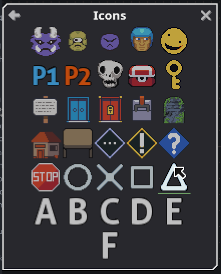
Prepackaged icons have been added to allow you to easily indicate positions or characters of interest in your project. Icons added are always sized at one cell large by default to serve their purpose well in usage on maps, for example. While the current set of icons is kinda bad (by my own estimation), they will be improved as time passes, and more icons will be added. I believe it would also be nice to add the ability to easily use external and custom icons, as well, for even more extensibility.
Various Other Additions
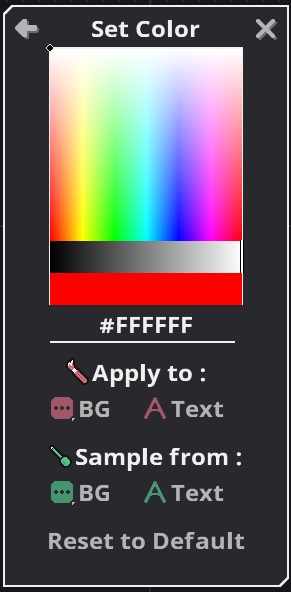
You can now freely color the contents of cards, not just their backgrounds. This should be good to help identify high-priority Cards and to help certain color combinations look more readable with any given theme.
You can now customize the audio playback buffer size and sample rate. This is particularly of note if audio plays back through MasterPlan and sounds crackly or otherwise low-quality. MasterPlan should also no longer crash when starting if there is an issue initializing the audio system - if there is an issue, it might be due to the currently selected audio settings, so check those out if you get a warning message.
Mac M1 Support + Testing
I've been looking into M1 Mac support, and so far it's not been too easy without access to a device myself. As far as I understand it, M1 Macs can run applications built for Intel Macs just fine through Rosetta, but MasterPlan doesn't currently work through Rosetta for reasons unknown to me. This being the case, it would be helpful to get some M1 users to test some things out with, so if you'd like to try testing various builds of MasterPlan (or anything else I work on) to help with Mac M1 compatibility, please join the official SolarLune Games Discord server here! Thank you very much!
Oh, and the next major update will probably include Tables, so feel free to give me some feedback on what you think would make for a good Table in MasterPlan. Thanks! ______
Anyway, those are the cliffnotes. The full changelog on Github is available there, and here's the changelog for this version specifically:
QoL: Mouse wheel scrolling is now more sensitive and tied to the Mouse Wheel Sensitivity Input setting.
QoL: Adding ability to cache downloaded resources. Caching downloaded resources works by specifying the per-project cache folder in Settings > General Settings. Any downloaded images, sounds, etc. will be stored here, instead of being placed in the temporary directory. When loading a project, these same locations will be used to load the images, meaning that downloaded resources will only be downloaded once; after that, they'll be pulled from the cache directory. If the cache directory doesn't exist, then it will work as it normally does (downloading to the temporary directory).
QoL: Pasting text into MasterPlan now creates a more logically sized card, rather than a super wide one.
QoL: Double-clicking to edit labels no longer adjusts the caret position.
QoL: Page Up and Page Down now advance 5 lines when editing text.
QoL: Adding icons, accessible through a menu in the View menu. Icons are automatically packaged with MasterPlan and serve to allow you to easily add images that represent characters, locations, ideas, etc. to your project for visual representation. The packaged icon set will be improved and expanded upon as time passes, and it may even be possible to easily add user-created icons in the future.
QoL: Make left/right arrow keys move the cursor to the start/end of a selection.
QoL: Don't draw caret if a selection is open.
QoL: Arrows are outlined now.
QoL: Adding ability to delete the last word with Left Ctrl + Backspace.
QoL: Adding ability to select all text before or after the caret with Left Shift + Home or End.
QoL: Multi-line log messages now are indented on the following lines for better readability.
QoL: Adding option to disable grid disappearing on zoom out.
QoL: Adding ability to color card contents, just like card backgrounds can be colored.
QoL: Adding settings to change audio playback buffer size and audio sample-rate. These settings can be useful if the default audio playback settings don't allow you to play audio back, or if sounds sound bad when played back. Note that changing these settings take effect only after restarting MasterPlan.
QoL: Adding broken image icon for images that have invalid filepaths.
OPTIMIZATION: Cards won't draw the card or shadow if they're not at least partially onscreen.
FIX: Saving screenshots to a project now properly loads them back.
FIX: When editing a map, holding the color pick key now will pick a color only if a tool is selected, making it easier to deselect cards if that is the same key (which it is by default - Left Alt).
FIX: Lines / links now draw on top of other cards.
FIX?: MasterPlan will no longer attempt to create a larger render texture than the graphics card can support (this might happen when updating text).
FIX: Deadlines are now included in exports.
FIX: You can now click buttons that are over a Map while editing.
FIX: Being unable to create sounds due to sound files not being compatible with MasterPlan no longer crashes MasterPlan, but rather displays a warning log message.
FIX: Toggling debug mode is disabled in non-development versions of MasterPlan.
FIX: Starting MasterPlan no longer crashes if the audio system cannot be initialized.
Thank you very much for reading these notes and for the continued support for MasterPlan - I really do appreciate everybody's help to make this a great piece of software for productivity, note-taking, and project / long-term planning.
Hello! Here's a quick update with some minor fixes that I wanted to get out since a couple of bugs were a bit heavy: QoL: Adding jump button next to pages in hierarchy view. QoL: Orphaned page names are now darker than normal page names. FIX: Cards are now again placed in the ce
Hello! Here's a quick update with some minor fixes that I wanted to get out since a couple of bugs were a bit heavy:
QoL: Adding jump button next to pages in hierarchy view.
QoL: Orphaned page names are now darker than normal page names.
FIX: Cards are now again placed in the center of the screen if the option to place new cards in a stack is disabled.
FIX: When cards automatically resize when typing text, other cards that move to make room now properly are moved when undoing / redoing.
FIX: Exporting now only exports pages that have not been deleted.
FIX: Menu to go up from a sub-page now appears again if opening a project from within a subpage (specifically, the last subpage in the project).
FIX: If a page has no accessible path to the route, it is now considered deleted (if in a normal project) or orphaned (if in a project that already contains orphaned pages).
Note: When loading a project with orphaned pages, deleted / inaccessible pages will show up in the Hierarchy view as "orphans" - this allows you to get at their contents. When saving a project with orphan pages, as long as they have no contents, they will be deleted. The change here is that if a project has no orphans, deleted pages will not be accessible from the hierarchy.
___
That's it; thanks a lot for your support and patience!
Hello, this is a really small update. Just wanted to fix an issue with images not loading properly in the last hotfix update, as some filepaths were detected to be URLs. No version bump for this update. Have a good one, and see you with some more fixes and improvements soon~
Hello, this is a really small update.
Just wanted to fix an issue with images not loading properly in the last hotfix update, as some filepaths were detected to be URLs. No version bump for this update.
Have a good one, and see you with some more fixes and improvements soon~
Yo! Here's a quick hotfix release to help resolve some issues and improve some things with Alpha 7! To run through the changes real quick-like: RE-IMPLEMENTATION: Adding option to place newly created cards in a stack if a card is selected (this setting defaults to off). If the op
Yo!
Here's a quick hotfix release to help resolve some issues and improve some things with Alpha 7!
To run through the changes real quick-like:
RE-IMPLEMENTATION: Adding option to place newly created cards in a stack if a card is selected (this setting defaults to off). If the option is enabled, Cards created through keybindings or through the Create menu will be inserted into the stack underneath the currently selected Card.
OPTIMIZATION: Resizing images no longer unnecessarily uses additional VRAM. (Internally, resizing images doesn't need to recreate the owning Card as the image doesn't show the card in the first place.)
FIX: Images and sounds should no longer cause crashes when linked from a drive apart from the one MasterPlan starts on - this means that if a path cannot be made relative, it will be stored as absolute.
FIX: Images and sounds with relative filepaths should link relative to the project file again (previously it was linking relative to MasterPlan's installation folder - whoops!).
FIX: Crashes should actually write vital information to the log file again, rather than inexplicably cutting that part out.
FIX: MP should no longer crash when selecting non-existing cards in a direction (i.e. pressing right with no card to the right).
FIX: Creating a new project while in a subpage will no longer have the "exit subpage" window stuck onscreen.
QoL: More efforts to improve memory usage / free memory more aggressively, particularly when creating new projects / loading other projects in sequence. Please let me know if this doesn't work!
QoL: Adding maximum image size buffer with customizeable size. Images that are larger than this buffer size will be scaled down to fit in this size when added to a project. The size will be capped to a maximum value of whatever your graphics card will support. The smaller the image buffer size, the smaller the images will be scaled when loading (meaning less fine details when zooming in on your project), and so the less VRAM they will consume. This setting takes effect on newly loaded resources (so change the option and then reload the project or restart MasterPlan to see the effect).
QoL: MasterPlan now saves which page you're on when you save the project.
QoL: Keybindings to select top or bottom card in Stack now default to Home / End, rather than Page Up / Page Down.
QoL: Adding keybindings to select top or bottom card in the selected Card's indentation group (Page Up / Page Down).
QoL: Adding keybinding to select all cards in indentation group or below. (Left Ctrl+Space). - For previous users, with these added keybinding changes in mind, please look over the shortcuts to ensure there are no keybinding conflicts (or reset the keybindings to default to avoid having conflicts).
QoL: MasterPlan should now prefer using the dedicated GPU over the integrated GPU on Windows for computers that have the option.
QoL: Disabled buttons are now darker, and button choices for button groups are now slightly lighter (60% > 70% brightness).
_____
Welp, that's it! Thanks a lot for your support and patience, again!
Well, well, well! It's been quite awhile! So this is a bit of a chonky update - there's quite a few nice, new features included here. I'll go into a couple of them right here! 0.7 Project Loading Well this might be a bit of a surprise, but I've added the ability to load projects
Well, well, well! It's been quite awhile!
So this is a bit of a chonky update - there's quite a few nice, new features included here. I'll go into a couple of them right here!
0.7 Project Loading
Well this might be a bit of a surprise, but I've added the ability to load projects made in MasterPlan v0.7. Note that 0.8 still isn't at feature parity with v0.7 (lines don't exist in the same way, tables and whiteboards aren't re-implemented yet), but this should at least make transferring your projects to v0.8 a little smoother. Please let me know if a project doesn't load correctly!
Deadlines
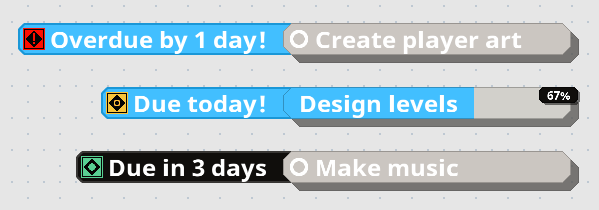
Deadlines have been reimplemented into MasterPlan v0.8! While crushing deadlines are, indeed, a quick way to feel like you're dying inside and out, they can also be a good tool to get you off your butt to finish stuff. Be responsible with them! Each completable Card (checkboxes or numbered cards), can have a deadline associated with it, and the icons for Deadlines change depending on whether they have time left on the clock, are due today, are overdue, or are already completed.
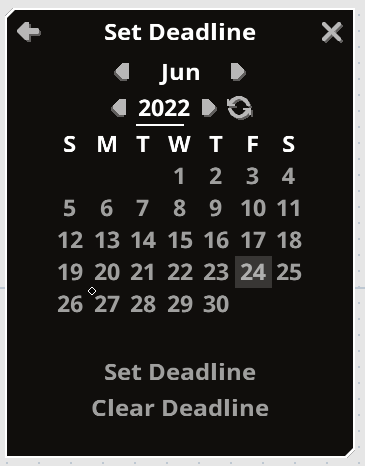
Deadlines can be set using the new Set Deadline tool. With this tool (available from the Edit menu), you can see both what the current deadlines for selected Cards are (notated above by the small diamond next to June 27th), as well as set and clear any deadlines from selected Cards. The UI is rather straightforward and simple, while also being clean and easy to use, in my opinion, though there's still room for improvement!
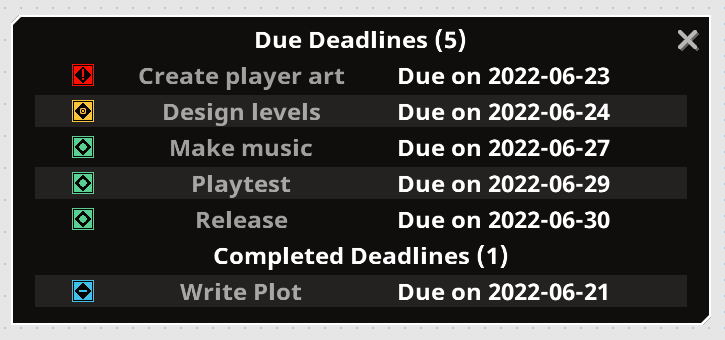
Once you've set your deadline, it will appear next to the card, as shown above. You can also see all deadlines available in your project from the new Deadlines view.
As you can see in the above example, the "Write Plot" task has been completed, while I still had five other tasks to complete. One is overdue (the red one), one is due today (the yellow one), and the other three are due in some time. (Of course, these due dates and statuses are according to the date I took this screenshot, haha).
Please feel free to use deadlines to impose a greater sense of responsibility and timing to your projects!
Exporting Projects
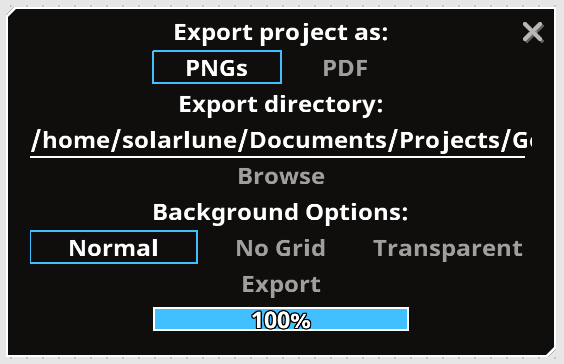
Projects can now be exported to two visual formats - a single document PDF file, and multiple PNG files. When exporting projects, the result will be created into a directory of your choosing. The exported result will cover the entirety of your project, generating a 1:1 view of the current state of your entire project, allowing you to easily share it with others.
Note: Please ensure there's no files you'd like to keep named after the project + "_Export.pdf" / + "_Export_PageName.png" when you do this, as it will overwrite any existing files when exporting. In the near future, I suppose I'll need to add a prompt indicating files may exist with these filenames, and asking if you'd like to overwrite them. In the meantime, be careful with any existing files' filenames.
Along with the previous updates, there's some more quality of life improvements shipping in this build as well. For example, when editing text on cards, the card will now fully resize vertically automatically - that means that if you add new lines, then the card will expand, and if you delete those lines, the card will shrink. This makes the flow of editing text much simpler, since you don't need to resize Cards if you want to delete lines. You can still manually resize cards as desired, of course. You can also now easily copy card colors in the Set Color menu, making it even easier to Custom Color Cards Consistently. Cool!
MasterPlan now uses less memory at a baseline if pages are largely unused / keep towards the center. Previously a large amount of data was preallocated unnecessarily. And some other stuff - check out the detailed changelog below for more info.
___
Welp, that's the update! Here's the detailed changelog:
RE-IMPLEMENTATION: Deadlines have now been reimplemented. Deadlines are set from the Edit menu, and following the philosophy of new MasterPlan, multiple Cards can have their deadlines set at a time. In the View > Deadlines menu, you can also see the currently active and completed deadlines in your project, sorted in order of urgency. RE-IMPLEMENTATION: Image, Sound, and Link file paths are now saved in relative path notation (i.e. "../icon.png" for a file named "icon.png" in the folder above MasterPlan's executable). This should play more nicely when loading projects from different locations as long as its resources are in the same locations relative to the project. Note that this relativity doesn't apply for the arguments section of a Link Card set File Mode. RE-IMPLEMENTATION: The Home and End keys now once again jump to the beginning or end of editable text. QoL: Implementing v0.7 project loading. Note that 0.8 still does not have all features of 0.7, so some features (standalone lines, whiteboards, tables, among possibly others I haven't foreseen) are going to be missing. Otherwise, MasterPlan v0.8 will let you know when you load a v0.7 project through a message at the bottom-left. After loading it, you'll need to save manually in a location - it would probably be best NOT to save over your original v0.7 project. Please do feel free to let me know if any v0.7 projects don't load in v0.8! QoL: Adding ability to export projects to PDF / PNG. Exporting allows you to export your project to either a series of PNG files (one for each page) or a PDF file (one PDF file, but one page in the PDF file per page in MasterPlan). The Export option is visible in the Tools menu. QoL: Lowering MasterPlan's memory usage floor by ~60% in cases where a project's pages are largely empty. (Internally, this is done by making it so the backing collision grid is only 1x1 and grows as necessary, rather than starting out at 1000x1000 and growing from there.) QoL: Editing text on cards now will automatically resize the card vertically when necessary. QoL: When editing text on a Card, the camera will move to focus more on the text editing caret if the caret gets too close to the edge of the window. QoL: Adding ability to grab color from the first selected card when coloring Cards in the Set Color menu. QoL: Adding Tools menu, moving Flatten Project to Tools menu. QoL: Adding Take Screenshot menu entry to Tools menu. (It has always been possible to take a screenshot, it's just been only accessible via a keybinding until now.) QoL: Adding project settings option to zoom to cursor when zooming in or out - note that this does not take effect when setting the zoom level directly using the number keys. QoL: Adding project settings option to enable / disable shadows QoL: The grid now will disappear if you zoom out beyond 100%, rather than only beyond the previous zoom level (50%). QoL: Starting MasterPlan on a Linux distribution without qarma, matedialog, or zenity will inform you to install one of these missing dependencies (sorry KDE users, I'll need to address this somehow!). QoL: Renaming arrow connection shortcuts to "Connect Cards" and "Disconnect All Links". QoL: Renaming "Smooth movement" to "Smooth panning + zoom" in settings. QoL: Minor graphical tweaks to UI to improve visibility. CHANGE: "Stack lines" are now outlined. CHANGE: Making shadows slightly darker and partially transparent. FIX: Setting color using hex string no longer has an inaccurate value / brightness - this was noticeable when setting the color using a hex string, but with a darker than 100% value. FIX: Cards now correctly set their undo state regardless of if they're onscreen or not. (Previously, this wasn't the case, and Cards being offscreen would cause them to not update their undo state when doing things that affect them, like changing their color, for example.) FIX: Deleting sub-page cards no longer creates orphan pages. FIX: GIFs linked from the internet should now load properly when loading the project. FIX: Dropdown menus now extend downwards into space properly depending on the currently selected (multiline) option, rather than there being a massive space at the bottom when they're open (this can be seen specifically in the "Transparency Mode" menu). FIX: Custom fonts with empty glyphs no longer crash MasterPlan. FIX: Foreign / non-English latin characters (like Ç) no longer create a blank line in editable text. They also are now properly stepped through with the keyboard arrow keys / word jumping.
Thanks a lot for all of your support over the past year and some change that MasterPlan's been rolling; really appreciate your patience and expressions of "I love your app", haha. I'll catch you guys soon with some more improvements and new features!
Hello! Just wanted to throw out a quick hotfix for yesterday's update! Here's the quick rundown: QoL / FIX: Cards now only update if they are on the current page, unless they are timers (as timers still have to tick). This is an optimization, and also a fix for an issue where dou
Hello! Just wanted to throw out a quick hotfix for yesterday's update!
Here's the quick rundown:
QoL / FIX: Cards now only update if they are on the current page, unless they are timers (as timers still have to tick). This is an optimization, and also a fix for an issue where double-clicking causes seemingly random sub-pages to open (in truth, this is because they were still being updated and "existing" in their original location on the project, despite the user not being on their page).
QoL: Editing the filepath of image and sound cards now automatically highlights the filepath text to edit. Note that this is not done for Link cards linking to programs because you may wish to edit the arguments instead of the filepath, so you can choose.
QoL: Adding keyboard shortcuts to edit the description text of Checkbox, Note, Numbered, Timer, Sub-Page and Link Cards (defaulting to Enter).
QoL: Orphaned pages (pages that you can't reach from an existing Sub-page Card) are named as such in the Hierarchy menu.
QoL: MasterPlan will let you know if you attempt to paste something from your system clipboard and it's empty.
QoL: MasterPlan will let you know if you attempt to paste filepaths that it can't automatically detect.
QoL: Adding a new "Spearmint" theme.
QoL: Reworking empty image graphic to be visually clearer.
FIX: Saving a screenshot to the project no longer causes a message indicating a temporary already exists to pop up.
FIX: Canceling browsing for a file for cards (i.e. for Image, Sound, and Link cards) no longer causes a message indicating the user canceled it to pop up.
FIX: Cards that have been saved from the clipboard to the project can no longer be edited to point to other images (since this would cause those other images to also be saved).
FIX: Images that are downloaded from the internet are no longer attempted to save directly in the project.
FIX: Orphaned pages (pages that aren't pointed to from an existing Sub-page Card) are no longer saved if they have no cards in them when saving the project.
FIX?: Images linked from the internet should properly display after loading the project now?
Anyway, that's it - be sure to make backups of your projects, just in case. Thanks a lot for your patience, again~!
Yo, 'sup! Looks like I'll be able to keep it up with monthly (or more frequent) updates to MasterPlan, which is good. Here's v0.8.0 Alpha 6 - this update is mainly a quality of life and bugfix release, and primarily features a few things to improve workflow and make MasterPlan mo
Yo, 'sup!
Looks like I'll be able to keep it up with monthly (or more frequent) updates to MasterPlan, which is good. Here's v0.8.0 Alpha 6 - this update is mainly a quality of life and bugfix release, and primarily features a few things to improve workflow and make MasterPlan more stable.
To kick things off, there's one major-ish addition in this update, which is the Hierarchy menu.
Hierarchy Menu
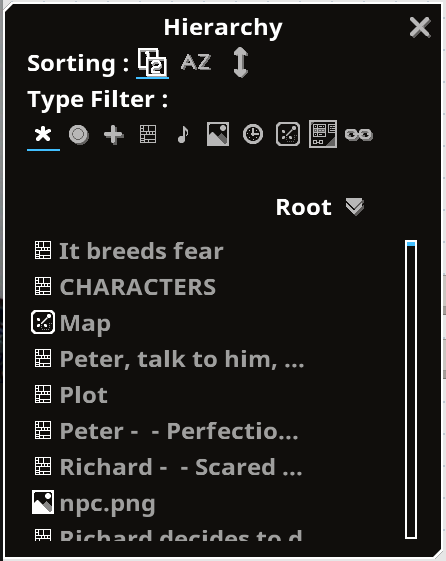
The Hierarchy menu allows you to easily view your project at a glance and see it in an ordered list. You can filter the list by card type, or change the sorting on the list to alphabetically or spatially sorted. It's not necessarily the fastest thing on earth, as there's still ways it could be optimized to run smoother. However, it's still useful, so I decided to push it out in its current state. Hopefully you'll find it useful as well for navigating larger projects!
Automatic Backups
Automatic backups have been re-implemented from version 0.7, as well, giving you the ability to automatically create backups of your projects on a timed basis (i.e. every 10 minutes). By default, every saved project will create backups automatically and they'll be created in the same folder as the project itself. MasterPlan will also automatically delete old backups that exceed a certain maximum number per project (i.e. 6 backups per save file). Of course, these options are tweak-able in the settings section. (As an aside, MasterPlan will also not delete a backup project if you're currently working from it.)
By means of these automatic backups, you can have a bit more peace-of-mind. Of course, you may still want to use a versioning system or other manual backup system to be absolutely SURE you don't lose any data / information.
Roadmap
I've neglected creating a public roadmap for awhile now, and for that, I apologize! I decided to go ahead and create the roadmap over on the same site where the documentation is held, the github repository for the project. This way, any users can keep up with the current progress of the project and see how far it has to go before completion. Please continue to feel free to give feedback for me through the usual means (here, Discord, etc.) if you feel like a feature should be added or removed, or perhaps bumped up in priority to arrive sooner than planned. I appreciate the feedback I've received so far, and will continue to try to make MasterPlan work even better.
Sub-page Offsetting Bug
This update has a fix for projects that used sub-pages and found that they pointed to the wrong destination pages on load. Saving such projects now should correctly point to the desired destination page (yay!), but unfortunately, I have not been able to automatically fix those projects that have this issue (aww!). Really sorry about that!
I wanted to resolve this cleanly, but there wasn't an easy "one-size-fits-all" solution for this problem. If you have a project that uses subpages and the destinations are wrong (i.e. you open a sub-page and it doesn't lead to where it should), you'll have to manually fix this. However, this update does feature a tool to flatten projects, pulling all cards out of sub-pages to the root page to allow you to easily restructure, and the "lost" data may still be in your project, allowing you to easily rebuild it (you can search for the data using either the Find tool or the new Hierarchy tool to search for extra "Root" pages, or just flatten the project to pull all data from all sub-pages to the root page). After flattening the pages, you should be good to simply delete all existing sub-page cards and restructure.
Sorry about that, again, and thanks for your patience in regards to this!
___
Anyway, that's about it for the big stuff! Hope to see MasterPlan continue to grow, and I thank you for being patient with MasterPlan's progress.
____
Here's the detailed changelog:
QoL: Adding Hierarchy menu. This menu allows you to see your project at a glance with each card listed under its named page. You can filter out cards by card type, or sort them alphabetically or by position on the page.
QoL: If MasterPlan crashed when attempting to autoload a project, it won't automatically try to load that project again when restarted.
QoL: Sub-page Card screenshots now resize to fill the Card, rather than being cropped.
QoL: You can now double-click on Sub-page Cards to open them, rather than needing to press their Open buttons.
QoL: Zoom goes out to 5% now, instead of 25% minimum. Adding a shorcut for this zoom level as well.
QoL: Adding Flatten Project tool to Edit menu. This tool allows you to pull all cards from sub-pages and place them into the main / root page, organized horizontally going to the right.
QoL: Reworked map and image icons for enhanced readability.
QoL: Adding keyboard shortcut to open the help documentation on Github.
QoL: Adding keyboard shortcuts (the function keys, by default), to open the Create, Edit, Hierarchy, and Stats menus.
QoL: Scrolling through menus via the mouse wheel is now absolute, rather than being relative to the overall "height" of the menu.
QoL: MasterPlan will now warn you on load if a project contains orphaned pages (pages that cannot be reached through sub-pages).
RE-IMPLEMENTATION: Re-implementing Cut Card context menu option / keyboard shortcut.
RE-IMPLEMENTATION: Adding mouse wheel sensitivity for scrolling menus.
FIX: Files that no longer exist will now be removed from the Open Recent... menu. This triggers when any project is attempted to be loaded.
FIX: Loading a recent project now properly closes the file menu.
FIX: Triggering Find to find a Card on another page no longer deselects the text (i.e. Ctrl+F no longer cancels out editing the find text).
FIX: MasterPlan should no longer crash if a Card is too large (i.e. if it requests a texture of a size that is too large for the video card to generate. Instead, the texture size will be capped).
FIX: MasterPlan should, again, no longer save sub-pages incorrectly, such that sub-pages point to incorrect locations. If you have a project that has sub-pages in the incorrect order or pages that are inaccessible from sub-page cards, unfortunately, the best result would probably be to use the Flatten Project tool to effectively start over - really sorry for the inconvenience on this bug!
FIX: MasterPlan should, again, be compiling partially statically on Linux, such that SDL is no longer a dynamic dependency (so you shouldn't have to install SDL to use MasterPlan).
FIX: Quick hot-fix to fix not being able to click buttons in the context menu. Whoops!
FIX: Also fixes the context menu contents being in the previous position for a single frame.
FIX: Link Cards can now have customized colors.
FIX: Window transparency will be more accurately set / the window won't be very slightly transparent sometimes.
CHANGE: Keyboard shortcuts have been edited, so be aware of this - you may wish to reset all shortcuts to default, to ensure there's no keyboard shortcut conflicts.
CHANGE: Previous sub page menu is now at the bottom-center, by default.
Adding basic roadmap on Github: https://github.com/SolarLune/masterplan/wiki/Roadmap
Anyway, thanks a lot! Really appreciate everybody's support, as usual~
Hello! Sooo here's another update for MasterPlan, this time bringing it up to v0.8.0 alpha 5! As usual, let's go over the bigger stuff first: Link Cards A new type of Card, the Link Card, has been added to MasterPlan! You can use this to point to Cards on your project and jump to
Hello!
Sooo here's another update for MasterPlan, this time bringing it up to v0.8.0 alpha 5!
As usual, let's go over the bigger stuff first:
Link Cards
A new type of Card, the Link Card, has been added to MasterPlan!
You can use this to point to Cards on your project and jump to them easily, giving you control over the structure of your plan from a "macro" scale. If the Link Mode is set to File Mode (the disk icon), then you can also use Link Cards to link to files or programs on your computer to open or execute them, right from MasterPlan. If the card links to a file, then MasterPlan will have the OS open the file using whatever the default program that's associated with the filetype is.
(As an aside, note that in this update, any copied Sub-Page Cards will no longer reference a single sub-page. This is because you can use Link Cards to point to sub-pages.)
As usual, be sure to back up any existing important projects before loading and saving it with this new version of MasterPlan!
Card Sliding
Cards can, once again, be moved via the keyboard! If a card moves into another one, they will swap position, and you can move multiple Cards at once by simply selecting them beforehand. This was a good feature back in v0.7, and it's good to have it re-implemented in v0.8 (though it's still not absolutely perfect). Tab and Shift+Tab (by default) can also be used to cycle through Cards in order, going from the top-left to the bottom-right.
Window Transparency
In MasterPlan v0.7, there was a feature to make the background of MasterPlan's window transparent, thereby allowing you to literally see through it to windows in the background. While I would love to reimplement this feature, unfortunately, the new framework I'm using doesn't support it out of the box. For now, I've implemented window transparency. With window transparency, you can make the entire window transparent on certain events (i.e. when you tab away from the window, when the mouse exits MasterPlan's window, etc). _____
In any case, those are the real broadstrokes of this update, along with a variety of other fixes and improvements. For past changelogs or the manual, feel free to see the Wiki here.
Adding the Link Card type. The Link Card can be used to link to another card, either on the current page or another sub-page. This is done by pressing the Link button - after a Card is linked, the card will change color slightly and an icon will appear, indicating a link is established. Pressing the "Jump" button on the Card (or pressing Enter) will then jump to the target location. Link Cards can also be set to link to programs or files on your computer and can open them right from MasterPlan. Pressing "Execute", in this case, will attempt to run or open the file as applicable.
RE-IMPLEMENTATION: You can now move and select cards via the keyboard. Moving cards in this way will attempt to have them swap with their neighbors.
RE-IMPLEMENTATION: You can now again skip numbering top-level cards (so they can serve as categories, effectively).
RE-IMPLEMENTATION: Adding option to outline the window in a colored rectangle.
QoL: Adding window transparency.
QoL: Arrows no longer point to Cards quite so oddly.
QoL: Keybindings can be searched by key / mouse button name as well now, rather than just by shortcut name.
QoL: The rows for each shortcut in the keybindings section now have alternating background colors for readability.
QoL: The screenshot area for subpages are now shown by means of a rectangle and a small camera icon beneath the sub-page name displayed on the grid background.
QoL: Loading projects now outputs more information to logs.
QoL: Separating keybinding for open / close sub-page out to two separate bindings.
QoL: Adding setting to focus on cards when undoing or redoing.
QoL: Add Log message when disconnecting all arrows from a Card via the keyboard shortcut.
QoL: MasterPlan should now be built at least partially statically moving forward, making for a smoother experience on Linux without the need to install SDL-related dependencies.
QoL: You can now use zooming and panning shortcuts while connecting Cards via arrows.
CHANGE: Moving borderless window to Visual options section.
CHANGE: Rewording some shortcut names.
MINOR CHANGE: The bar in scrollbars are now colored and positioned properly.
FIX: Map palette no longer closes when clicking away from the editing map.
FIX: Maps are no longer blank right after autoloading on Windows.
FIX: A single path in the Open Recent... menu is now no longer blank.
FIX: Moving from subpages where you're editing text now properly deactivates the text editing mode. This also fixes the inability to use shortcuts after leaving the subpage in this case.FIX: Create menu is now sized a bit more properly.
FIX: MP no longer crashes if the custom font path is a directory.
FIX: Copying sub-pages no longer reference the original page. Instead, the copy just has the name and leads to a new, blank page. NOTE: This applies to any existing v0.8 saves with multiple sub-pages referencing a page.
FIX: MP no longer crashes if placing cards too far away from the center. Previously, this was about the distance away from the edge of the grid as that is from the center.
FIX: Minor fix - copying and pasting cards now only displays a message if cards are actually selected / in the paste buffer to do so.
FIX: Don't allow numbered cards to have negative tasks completed (Thanks, @Peter0x44!)
FIX: MP no longer crashes if a theme lacks a color for an element. Instead, the event is logged at the bottom-left and the element is colored bright pink to destroy your optic nerve for making such an obvious mistake you piping hot fool.
FIX: MP no longer crashes if opened when using a theme that no longer exists. Now it defaults to Sunlight if the theme is no longer available for whatever reason.
FIX: Cards that are linked via arrows with a joint and placed very closely to the joint won't point to the top-left corner of the screen.
FIX: Saving a project should now work a bit more reliably as we now manually sync the changes to disk after writing the file out.
FIX: Contextual buttons above Maps and Images now are colored properly regardless of theme.
FIX: Creating Cards via the Create menu now selects them automatically.
MINOR FIX: Pressing Enter / Return when editing text no longer triggers the key press for shortcuts that use it.
MINOR FIX: Horizontal spacing improved for rows of elements with manually defined spacing.
Thanks a lot, as usual, for your support and feedback! Looking back on v0.7, v0.8 looks and feels so much better, haha. See ya! - SolarLune
Yo! Here's another quick quality of life / minor fix patch - below, I'll list the changes. I've also started mirroring these changelogs over on MasterPlan's Github Wiki here , which is nice to have as an additional mirror for information and changelog data. ____ RE-IMPLEMENTATION
Yo! Here's another quick quality of life / minor fix patch - below, I'll list the changes. I've also started mirroring these changelogs over on MasterPlan's Github Wiki here, which is nice to have as an additional mirror for information and changelog data. ____
RE-IMPLEMENTATION: Adding movement smoothing option. Defaults to on; turning it off makes movement, zooming, and menu scrolling absolute, rather than softened. QoL: Removing "colored area" around editable text labels. QoL: Fix text rendering artifacts on menus. (Thanks, @ishidex2!) QOL: If path names in the Open Recent menu have the same filename, more of the path will be displayed to make it unambiguous. (Thanks, @ishidex2!) FIX: The completion color for custom colored Cards is now tweaked slightly for enhanced visibility. FIX: MasterPlan no longer crashes when saving pages when subpages were created out of order.
Hello! Here's a quick set of hotfixes and other minor improvements being brought to alpha 4.1! One nice new feature here is that menus are now able to be anchored to the sides or corners of the window. When anchored, they'll generally try to stay in the same location even if the
Hello!
Here's a quick set of hotfixes and other minor improvements being brought to alpha 4.1!
One nice new feature here is that menus are now able to be anchored to the sides or corners of the window. When anchored, they'll generally try to stay in the same location even if the window changes size.
Anyway, here's the changelog below. Thank you for your patience and participation in the community!
_____
QoL: Menus can now be anchored. By dragging them to a side or corner of the screen, they will stay there even after resizing MasterPlan's window. QoL: The main menu can now be moved from the top-left corner and positioned wherever you want. QoL: Either of the Find Next or Find Prev. keybindings now open the Find menu. Related to this, there is no longer a need for the keybinding to summon the Find Menu, specifically, and so it has been removed. QoL: Using Find Next or Find Prev. to cycle through found Cards now highlights the text to search for, making it easier to quickly look for several cards in sequence. QoL: Adding keybinding to remove all links from the currently selected Card. FIX: Removing a joint in a link now properly generates an undo state. FIX: Creating a joint just creates one undo state (after dropping it). FIX: Some menus' buttons were largely invisible with some themes (internally, this was due to IconButtons defaulting to white). This is now resolved. FIX: MasterPlan no longer crashes when presing the Clear button in the Find menu when first summoning it. FIX: Find menu now properly loops through all found Cards when searching (previously, it would loop erratically, sometimes selecting the same Card twice). FIX / QoL: You can now use the Find menu to search sub-pages (previously, it only searched the current page). FIX: MasterPlan no longer crashes when loading projects featuring subpages that were created out of order (i.e. if you created two subpages, deleted them, created one more, and then saved the project). FIX: MasterPlan no longer crashes if a card was in a stack when linking (via a line) to another card above in that stack. FIX: Don't log "Deleted 0 Cards." when pressing delete without having a card selected.
HELLO! It's been awhile; very very sorry about that! I got sick for a few days back in December, which threw off my schedule and workflow. I was working on a boards menu / hierarchy, but found it unsatisfactory. After some more work on MasterPlan, I thought, "Well, since I'm alre
HELLO!
It's been awhile; very very sorry about that!
I got sick for a few days back in December, which threw off my schedule and workflow.
I was working on a boards menu / hierarchy, but found it unsatisfactory. After some more work on MasterPlan, I thought, "Well, since I'm already late, I should make this update a big bigger," and kept working on it to try to make it even better. That was probably not a great idea, since I'm so late now, haha. Apologies, again!
In any case, here's, finally, another update for MasterPlan - huzzah! There's a few cool features in this update.
Card Coloring
Firstly, you can color your Cards now!
As of this new version, coloring your Cards is easily done on a per-Card basis, simply by using the new Edit > Color menu. You can either select the color using a color picker, or type (or paste) in a hexadecimal color code (like #FF002A). You can color (or reset the color of) multiple Cards at a time using this same menu.
Sub-Pages
You have access to Sub-Pages now!
Sub-Pages are Cards that transport you to new boards. You can open them up and place Cards within them (including other Sub-Page Cards). If you copy a Sub-Page Card, the pasted Card will reference the same underlying sub-page, which might be a pleasant side effect if you want multiple ways to get to a specific location. (Note that I still want to implement a system that allows you to jump to a card on-command; this is just an additional little feature that seems fine to leave in for now.)
When you are finished populating a Sub-Page with cards and exit it, the Sub-Page card itself will display what's inside that sub-page - specifically, what's underneath the two origin axes (where the grid's center is).
Feel free to use Sub-Pages to help organize your project even more effectively!
It will serve as an easy-to-access central repository where I can write up documentation on how to use MasterPlan effectively, and will contain helpful illustrations and GIFs when necessary. The wiki is currently hosted on the GitHub repository for MasterPlan - while it could be hosted on another wiki hosting service, I find GitHub's Wiki section easy to read. It's also ad-free, so it should be perfectly fine (at least, for now).
The wiki is also easily accessible from within MasterPlan itself, right from the File menu.
Also, RAM / VRAM usage also shouldn't be nearly as bad now! Huzzah!
Other News
Branch Movement
Also, as of this update, v0.8 will no longer be on a beta branch, but will rather be placed onto the main branch. The older original version of MasterPlan (v0.7) will instead be pushed to a new branch that you can opt into to use (so I'll just be effectively reversing the current situation, where v0.7 is on the main branch and v0.8 is on a beta branch).
This way, existing users who want to use the older version of MasterPlan can continue to do so, while those who want the current version of MasterPlan can also do so while expecting to see updates coming through regularly.
This is being done because I feel like MasterPlan v0.8 is easier to use, more intuitive, is more indicative of the finished product, and is just more polished than v0.7. I also want to use it more for marketing purposes, thereby allowing people to see, not the rough gem that 0.7 was, but the much more polished product that 0.8 is and continues to grow to be.
To use the old v0.7 version of MasterPlan, simply right-click on MasterPlan in your library, go to Betas, and select the alpha_0.7 branch. To use the latest, v0.8 version of MasterPlan, simply leave the beta section set to None, and update when you have the opportunity (or uninstall and reinstall).
*Note that v0.8 still doesn't load v0.7 projects yet, but I would still heavily recommend v0.8; it's pretty sick (in a good way)!
Price Change
In other news, the price for MasterPlan has gone up a bit - from $18 to $20. This is mainly because the longer I work on MasterPlan, the better it gets, and the more effective of a planning tool it becomes. It only makes sense, then, to raise the price to remain compelling with what you, as a user, receive. That said, I'm never going to make the price prohibitive; it probably will max out at around $25, and even then will go on sale periodically (like it currently does).
Overall, it's been quite a wild ride working on MasterPlan, but I'm finally getting to the point where I personally feel like it's actually comfortable and nice to use. I'm proud of it, and I enjoy using it, which is a good sign, haha.
Ubuntu Support
Oh, also, due to changes in the way I've built MasterPlan, it should now work fine on Ubuntu (specifically) without you needing to build it yourself. This is because previously, it was built on my personal machine, which has a newer libc version than the LTS version of Ubuntu. Just be sure to install SDL2 and an X11 dev package for clipboard support (libx11-dev, xorg-dev, or lix11-devel, as is available on your OS), and you'll be good to go.
I'll need to tackle M1 Mac development next; I might have a few ideas on that front, as well.
____
Anyway, here's the full changelog:
IMPROVEMENT: Adding sub-pages. A sub-page is a card that allows you to access another page, thereby giving you more means of planning and organizing your project. IMPROVEMENT: Adding a "Help" link to File menu. The help link takes you to a wiki, located on the Github repo for MasterPlan. The Help wiki will serve as a useful online central reference on using MasterPlan, and will be updated as MasterPlan grows. IMPROVEMENT: Adding customizeable colors. Cards' colors can now be customized using the Edit > Set Color menu. IMPROVEMENT: Sounds can now trigger other Cards on playback completion when placed in a vertical stack, or when connected via links. IMPROVEMENT: Line arrowheads now will have a black outline if they have a white fill color (like images). IMPROVEMENT: Adding buttons to shift map elements around from the palette menu. IMPROVEMENT: Adding Stop All Sounds keybinding. IMPROVEMENT: Shadows are no longer transparent and aren't as dark. RE-IMPLEMENTATION: Reimplementing the ability to take screenshots (defaults to F11). RE-IMPLEMENTATION: Reimplementing the borderless window option. RE-IMPLEMENTATION: Reimplementing the option to automatically load the last opened project. RE-IMPLEMENTATION: Reimplementing loading a plan from file system by double-clicking on it in Windows when MasterPlan is associated with .plan files, or by passing in the path to the plan as the first argument when starting MasterPlan. QoL: Cards and menus are now resizeable from all sides, not just the right and bottom. QoL: Cards can now only be resized when selected (which makes selecting cards easier, since you no longer have to worry about accidentally resizing a card when you mean to click on it). QoL: Messages that repeat are now combined (i.e. spamming Ctrl+Z becomes "Undo event triggered. x10" instead of creating 10 individual "Undo event triggered" messages). QoL: Line arrowheads now use the main color, rather than the outline color (again). Reeeeeeeeal quick QoL: Resizing multiple cards now requires holding the new resize cards shortcut (left-shift by default), which means moving multiple cards is easier. QoL: Adding Deselect all cards shortcut (Left Ctrl + Left Shift + A). CHANGE: Focus on Cards now defaults to Left Shift + F. CHANGE: Removing overview devlog button (as the overview video is old). CHANGE: Adding Moss, Terra Cotta, and NS-DOSS themes. CHANGE: Focusing on Cards now zooms into the Card as well. FIX: Sound play button now properly changes back to play when the Sound is stopped. FIX: Changing fonts no longer causes maps to turn invisible. FIX: MasterPlan internally refreshing textures (i.e. when resizing the window on Windows or changing fonts) no longer leaks RAM / VRAM like a son of a gun. FIX: Short messages (that appear at the bottom-left) now appear long enough and are timed properly. FIX: The keybinding to unlock the aspect ratio when scaling an image now properly works when holding the key. FIX: The Menu close button no longer is always white, but rather changes color according to the theme. FIX: Maps no longer internally each create their own palette menu (whoops). They share one menu now, of course, thereby lowering memory usage. FIX: Undoing now works correctly when loading projects. FIX: You can no longer open the context menu (right click) while a fullscreen prompt is open. FIX: You can now undo and redo while editing text or with the context menu open. FIX: Themes refresh every second when the Visual Settings menu is open. FIX: Loading projects should no longer set the project's modified status. FIX: Pasting cards from the context menu pastes them from where the menu opens, rather than from where you click on the "Paste Cards" menu. FIX: Numbering is no longer broken, displaying a variety of 0's, for when a card is underneath a non-numberable card (like a Note). FIX: Non-numberable cards (like Notes) placed between a parent and its numberable children no longer break dependency in a stack. FIX: Projects should no longer save links between cards incorrectly. Again. Internally, this was because it was previously possible to create cards that shared IDs, thereby making them link incorrectly when the project is loaded. This should fix the issue. (Although you will need to re-create the previously broken links and resave your project. Sorry!) FIX: MasterPlan is now built using Ubuntu 20.10, so if you're running Linux (particularly a stable distro like Ubuntu), you should be good to use MP directly from Steam or itch, rather than needing to build it yourself due to libc issues.
Welp, that's about it - thanks a lot for your patience! I hope you enjoy using MasterPlan, and I hope to keep getting updates out, and more regularly, at that.
Yo, 'sup! It's been almost three weeks since the last update - apologies for letting time get away from me! I've been cracking away on both MasterPlan, and a cool 3D software renderer that I've written from scratch in Golang named Tetra3d ! Check it out if you want something slow
Yo, 'sup!
It's been almost three weeks since the last update - apologies for letting time get away from me!
I've been cracking away on both MasterPlan, and a cool 3D software renderer that I've written from scratch in Golang named Tetra3d! Check it out if you want something slow (but useable) and jank (and awesome) for gamedev, lol
In any case, here's MasterPlan v0.8.0 Alpha 3! This one is a bit of a minor update, but it's kind of important because I've finally gotten the text to not be so manky! Huzzah!!!
I definitely spent hours over the past several months, trying to figure out exactly why the text looked so bad. As it turns out, it was just a single line of code that was doing something I hadn't considered. Just change a couple of numbers and the text doesn't look thrashed anymore.
That's coding, I guess, haha. ¯\_(ツ)_/¯
This fix should apply to any font displayed within MasterPlan, including custom fonts, which is cool. Other than that, this update also has some fixes / optimizations and quality of life improvements, like searchable keybindings and the old Load Recent menu (so you can easily access recently loaded projects). Anyway, here's the full change-log:
Double-click settings (save previous task type, double-click to create a card) have been combined into a single dropdown.
Adding option to search for keybindings.
Adding confirmation dialog on creation of new project or on project load if the current project has been modified.
RE-IMPLEMENTATION: Saving a project now also saves the camera location and zoom level.
RE-IMPLEMENTATION: Adding project name and "MODIFIED" status to titlebar. The modified status is set when something in the project changes that necessitates the creation of an undo state.
RE-IMPLEMENTATION: Adding "Load Recent..." menu to easily access previously loaded projects. The maximum number is 10 (this is arbitrary).
FIX: Lines between cards that are directly next to each other no longer glitch out and point to the top-left infinitely.
FIX: Text on cards no longer looks trashy on the edges for some characters.
FIX: Undoing no longer deselects the current tool for Maps.
FIX: You can no longer partially undo the loading of a project (i.e. undo right after loading).
FIX: Lines from Cards that have no color (like from images) now have black outlines.
FIX: You can now more easily click on line endings or nodes that are on top of Cards.
CHANGE: Line arrowheads are now colored instead of white.
FIX: You no longer accidentally click on something in the background by clicking on a button in a menu that then closes.
OPTIMIZATION: Cards no longer attempt to render if offscreen.
Rewording some shortcuts.
___
Anyway, that's about it this time. Thanks a lot - I hope to have something more substantial for the next one, hopefully sooner than three weeks from now!
- SOLVRLUNE (we're in 2021, so everything has to be spelled like this now, sorry, it's the rules)