
Hello dudes and dudettes,
After releasing the two DLC, "Fantastic Quests and Where to Find them" and "Iron Nerds" we didn't even take time to rest and continued our mission to improve Doom & Destiny Worlds.
First of all, we upgraded the free DLC "Iron Nerds" adding 3 new hats, 3 new armors and 3 new weapons, inspired by the classic classes like the "Paladin", the "Samurai" and the "Priest".
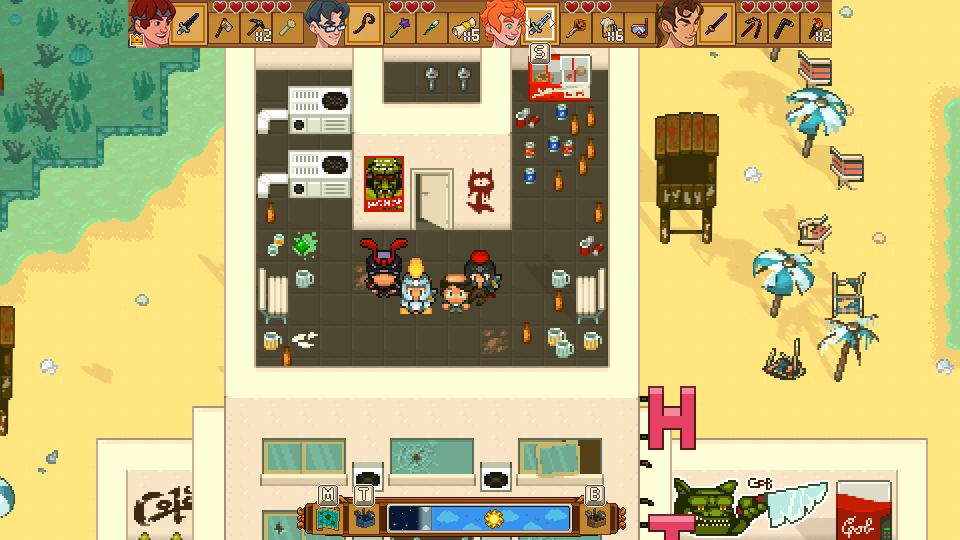
As some of you might know, we are currently developing the mobile version of Doom & Destiny Worlds. With the help and support of many beta tester, we managed to find and correct many small issue and improve the overall gaming experience, both for handled devices and Steam.
We even improved the STEAM DECK version!!!
Without further ado, here what changed ːfsmː
Update 14891 changes:
Changes
- When changing weapons in battle, gear is now sorted and easier to browse.
- In Survival Mode, food can now be sold as intended.
- Improved the readability of Status in the menu.
- Rings do not show up in "Accessory" list at the crafting station.
- [GRAPHICS] Reworked a few interior floors and walls to better distinguish floors from walls upper surfaces.
- [GRAPHICS] Updated icons to better show the Tier of the items.
- [Multiplayer] During crafting the button Request now updates immediately after a change in tracked list.
- Added animation when giving a bag to other character.
- Added option inspect in shop mode.
- [Mobile] In shop holding buttons +- the items to buy/sell increase/descrease faster and buttons are bigger (x2).
- [Mobile] In battle back button is now shifted a little more up and on the right.
- [Mobile] In shop the option Buy/Sell now is before Inspect.
- [Mobile] When you press accept in a shop, while inspect mode is active, the window to buy/sell appear immediately instead of closing inspect mode.
- Added: Now you can slide faster the map pressing shift and a direction.
- [Mobile] Changed graphic on back button.
- Now the character's abilities and equipped weapons correctly blend with the quick-bar when crafting.
- When a state description appears at the bottom of the screen, it is now fully displayed, even if requires a partial overlap.
- [Mobile] Now the sorting button enters/exits the screen with the crafting windows.
- [Mobile] Now when you place a pin the map automatically zooms in to show the added text.
- [Mobile] Resized the discord icon in the pause menu.
- Improved the appearance of the sorting icon in the crafting menu.
- [Mobile] Now the limit to the game name length is also evident in the input window.
- [Steam] Now Customize Controls should appear even if navigating the menu exclusively with the Mouse Cursor.
- Added a fadeout transition when closing the pause screen.
- Improved the looks of the selector.
- [Mobile]You can now send the game to the background from the pause menu.
- [Mobile] Now when you change input mode the game will try to play a tutorial for the new input mode once for every input mode.
- You can now read the Blueprint of an ingredient if you highlight it.
- You can no longer change the ingredients when crafting from the favorites category.
- You can no longer select the background windows while using Craft & Equip.
- [Mobile] Improved positioning of item/equipment and powers in battle.
- Improved the detail screen of consumable or throwable items.
- You can now sell equipped items.
Fixes
- Fixed the Arcane ring giving bonus to SP instead of MP
- Fixed some missing localization words.
- Fixed some questlog description in ITALIAN.
- Fixed a graphic issue for the Checkpoint if placed by the player near the water.
- [Mobile] Fixed: In shop when you clicked on equip buy appears instead of sell.
- [Mobile] Fixed when you change some tracked items the window shift in a wrong position.
- [Mobile] Fixed buttons in track/edit didn't work.
- [Mobile] Fixed while tracked window is open you can select windows below.
- Fixed: Window inspect on the right didn't close clicking on actor window or equip window.
- [Mobile]: In crafting, moving back in a different phase now cursor don't follow the last item selected but the last index selected.
- [Mobile] Fixed: Now survival bar always shift in correct position open crafting.
- [Mobile] Fixed in option window open from pause the area that allow closing window option is not correct.
- Now the Discord icon correctly appears when closing the DLC Description.
- Now when you close a sub-menu and you are returned to the inventory , the sub-menu list is still open.
- [Survival Mode] Fixed an issue with the Well Rested state being applied twice on the characters that didn't yet join the party.
- Fixed overlapping of unlocked powers in the equipment description.
- Solved a crash when pressing Y button or S key in the title screen.
- [Steam] Fixed a crash when pressing L or R when the DLCs are no longer displayed.
- [Steam Deck] Fixed a few textures that were not correctly cleared when being re-used in Proton.
- [Mobile] Fixed a crash when saving with a choice window was still open.
- [Steam] Removed the big brown window that was appearing on screen when exiting the in-game Command Customization screen with the ESC key.
- Fixed the states descriptions to improve separation of different effects and readability.
- Fixed a freezing bug when collecting coins.
- Fixed the opacity of the Mod icons to make them simpler to understand.
- [Mobile] Now the game should correctly restore from deep sleep by creating an auto-save and reloading it when application is resumed.
- Fixed a small issue with the window transitions not entering straight from outside the screen.
- [Mobile] The achievement screen should now correctly show on all devices.
- Fixed the transition from the title screen to the gameplay. It will now correctly fadeout instead of flickering or showing randomness.
- [Mobile] Fixed the font size when placing furniture.
- Now the loot should no longer drop on unreachable terrain.
- The Turbo window should now correctly disappear when pressed on the Party Command window.
- Fixed an issue that caused some transparent text to appear lower than the opaque counterpart.
- [Mobile] You can now correctly cast powers targeting 'self' from the status window.
- Fixed an issue with the deactivation of the background windows while selling an item.
- [Mobile] Fixed the translation of the 'application not available' message when checking app license.
- Fixed an issue that caused the Turbo window to appear while the Fight! intro was still playing.
- [Mobile] Fixed overlapping of the survival GUI with the back button in battle.
- Fixed a rare issue where the level would disappear as a consequence of dying or drowning.
- Solved issue with the detailed stats screen, when opening it while inspecting an item.
- Now the sound effects should correctly start as soon as the loading is completed.
- [Mobile] Now the longer power names in battle should appear correctly.
- [Mobile] Fixed the transitions from the title screen to the game.
- [Mobile] Fixed the prompt to insert the pin name.