
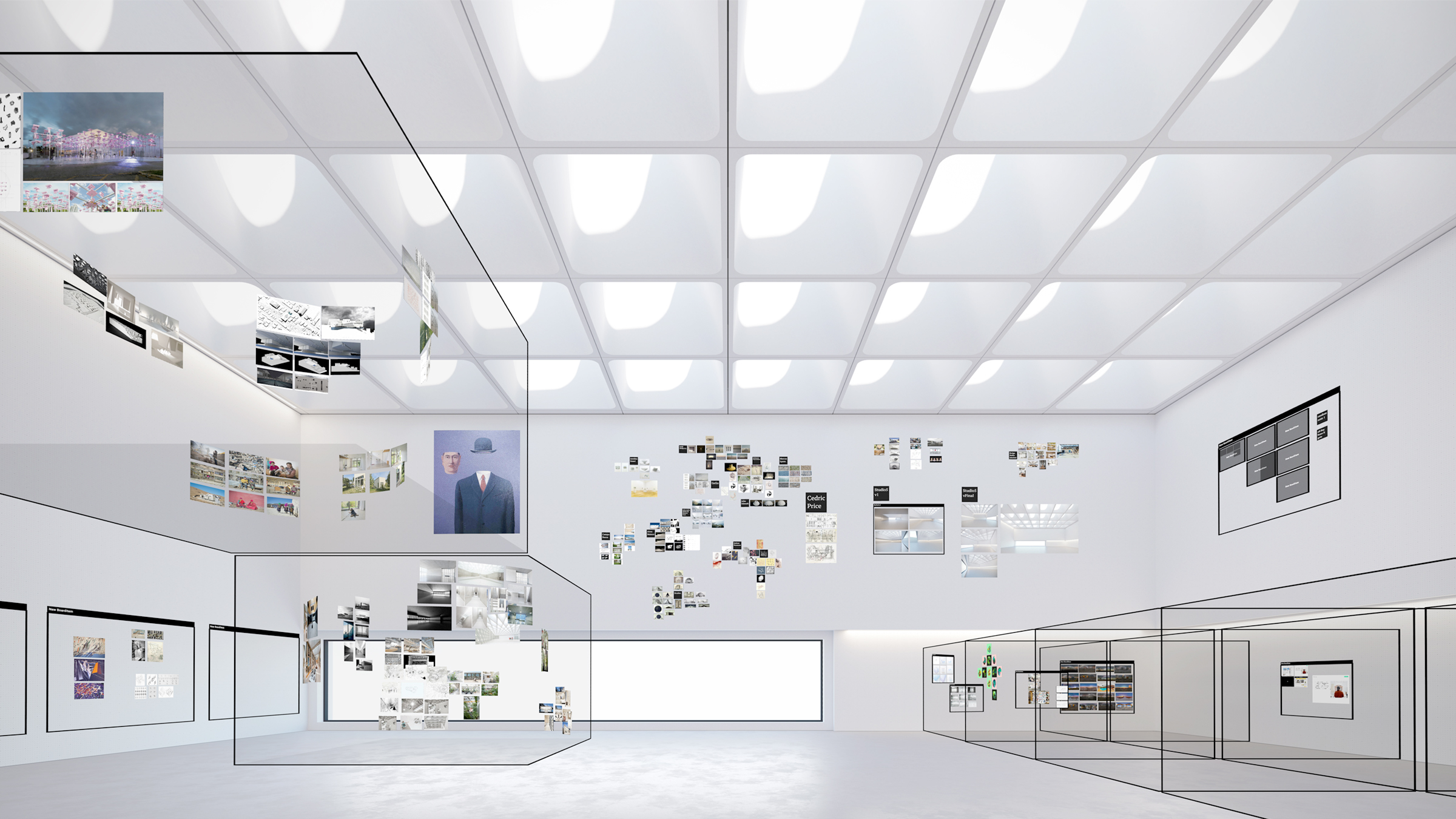
Over the past year, we've been hard at work building a new version of Softspace. Today, we're super excited to announce that the new Softspace is now available on Steam.
The new Softspace is both more powerful and more beautiful than the Beta. It has a refreshed user interface that lets you interact quickly and easily with items both near and far. It comes wrapped in a beautifully rendered architectural environment. Under the hood, new asset processing pipelines and extensive multi-threading support lets you see hundreds of images and PDFs at once—even on an Oculus Quest.
Thats right: Softspace now runs on the Oculus Quest. The Softspace experience is nearly identical on desktop and standalone, and we are committed to maintaining feature parity across hardware platforms. You can download Softspace for Quest via SideQuest.
Please Note
- To get Softspace running smoothly on the Quest, some features from the Beta are disabled in the new version while we work on mobile-friendly implementations. Details below, but please note that 3D models and 3D sketching will come later.
- This new version is technically quite different from the Beta, so workspaces are not interoperable between the two versions.
To Our Beta Users
Softspace has evolved a great deal since we released the first Beta on Steam, in big part because of the support and feedback that we received from you. As we've promised since the beginning, we would like to say thank you by offering you one year of Softspace Plus for free. You should have already received an email about this. If not, please write to us at [email protected] and we'll get you set up.
What's Changed
Environment
One of the things that we learned from early users was the importance of having a virtual environment that feels like a real place. This helps to foster spatial memory, making Softspace more useful as a virtual memory palace and project war room. The new Softspace has a large, open environment where you can organize your content. We've designed the environmental materials, lighting, and geometry to promote comfort, productivity, and focus.
Quest Support
When we launched Softspace Beta in December 2018, the Oculus Quest had not yet been publicly released. Since then, the Quest has shown that standalone headsets will be crucial in bringing spatial computing mainstream. Custom asset processing pipelines in the new Softspace let it run smoothly on the Quest even while displaying hundreds of images and multiple other users inside a beautifully rendered environment.
Companion App
Typing passwords in virtual reality is a pain. We built a Companion App that lets you easily manage your account and workspaces from your smartphone, or a web browser.
Interaction Model
We've redesigned the UI so that it's much easier for you to work with objects that are both nearby and far away. Based on our user tests, it should only take a minute or two for you to adapt to the new system. Our Quick Start Guide (found in the Companion App) will help get you up to speed.
What's Still To Come
Sketching
Softspace Beta allowed users to sketch in 3D space. This was an interesting feature, but we discovered that most users actually wanted to directly annotate content instead. We're rebuilding the sketching feature to better match user's needs.
3D Models
Softspace Beta offered basic support for viewing 3D models. The new Softspace doesn't have this feature yet—but it will soon. We really want to maintain feature parity between all hardware platforms, so more development and optimization is needed to make sure that 3D models load smoothly on standalone devices like the Oculus Quest.
Avatars
Multiuser support is incredible important: creative collaboration is one of the top reasons that people want to try Softspace. The current design of user avatars is minimalist, while still capable of conveying a sense of the user's presence. We are actively developing more advanced avatars that can represent individuals in a more personal way.
Index Support
Because we don't have access to an Valve Index for testing, we advise Index users that UI elements connected to the controllers are not properly positioned. Everything technically works, but Softspace is not considered ready for Index users yet. We're working on getting a test unit so we can fix this.