
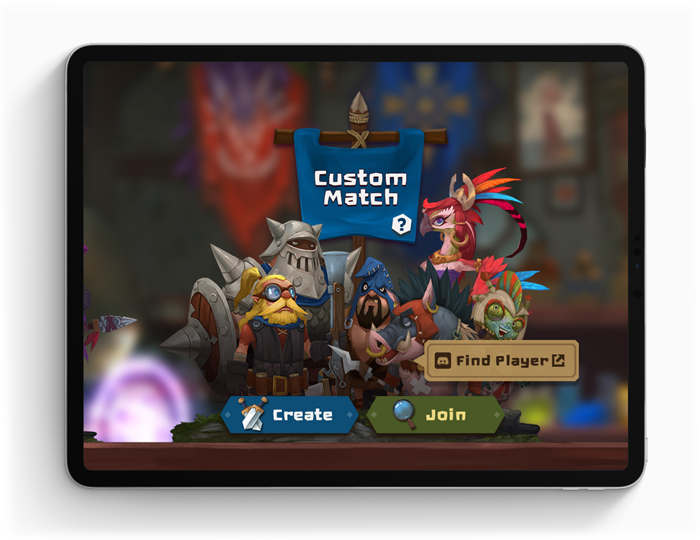
Hello, everyone. Many of you have been asking us how you can play MINImax Tinyverse with friends. We are eager to let you know that from June’s Update you will finally be able to do so using our Custom Match System.
Today let’s take a closer look at how to use this system.
HOW TO CREATE CUSTOM MATCH
Custom Match system becomes available once you reach lv.3. It unlocks for each realm separately, so you would need to reach lv.3 on both realms.
Once you do reach lv.3 go to Battle -> Custom Match and click on the “Create” Button.


Once inside of Custom match menu you will see your name as a Host and several areas to invite opponents or observers.
You can edit your team deck by pressing on "Team" Button and once you are ready to fight press “Ready”.

HOW TO INVITE OTHERS TO YOUR CUSTOM MATCH
On the left menu, you will see a code that you can copy or share in the in-game chat right away.
Inside of the game you can share invites in Public chat, Groups and in one-on-one whispers with other players.
You can also copy the code and share it with a friend on Discord or other messengers.


HOW TO JOIN CUSTOM MATCH
If you are joining the match from in-game chat click on the green button in chat that says “Join”.
After that, you can pick a role to join as a player or observer. Once confirmed, you will be able to edit your team and select "Ready" to let others know you want to start the fight.


If you are joining the match outside the game make sure the host let you know the code of the room.
Open the game, click “Battle” menu, in Custom Match menu select “Join”. Now pick your role as a player or an observer. Once confirmed, you will be able to edit your team and select "Ready" to let others know, that you want to start the fight.
HOW TO OBSERVE OTHERS PLAYING
You don’t have to be playing to join others Custom Match. Up to two players can get a code from a host or join through a link in-game to observe. This mode is perfect if you want to show somebody a cool strategy, coach or even hold your own tournament.
REMOVING OTHERS FROM YOUR CUSTOM MATCH
If you have somebody joining you match you don’t want to have there, as a player or observer, you don’t have to cancel your match. You(host) can press on the X button and remove them. After this, they will not be able to join it again. Keep it in mind, in case you accidentally kick somebody, you will have to create a new custom match room to invite them again.

We hope you have a better idea now on how this system will work in June’s Update.
Make sure to leave us feedback on Official Discord.
https://discord.gg/minimaxtinyverse
Subscribe to MINImax Tinyverse Newsletter
http://eepurl.com/gsr6_j