
A new feature added in DomiCard.
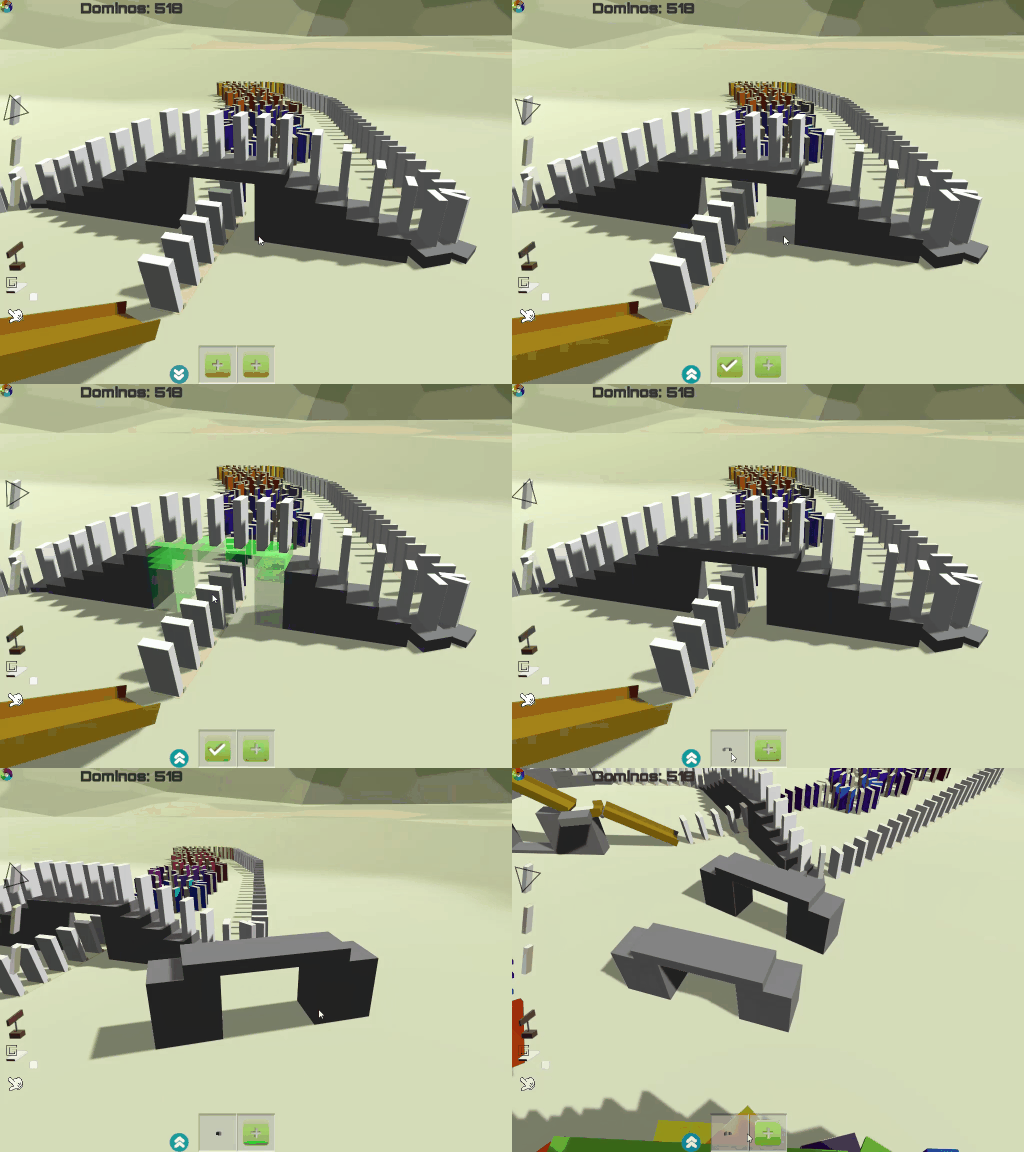
Players can select existing cubes and pack them into one group. After that, you can simply build cubes in this group with one click!
- Start selecting: Left click on the "Plus" button to start selecting cubes. Holding "Left Shift" and click the left mouse button to select cubes one by one (click on the selected cube to unselect it).
- Finish selecting: Left click on the "Yes" button to finish the selecting. The group of selected cubes will be displayed in that area.
- Use the group: Left click on the group of cubes, then those cubes will be following your mouse position.
- Delete the group: Right click on the group of cubes, then delete this group.