
I hadn't planned on putting out this patch so soon, but the improvement was so nice to have I couldn't wait!
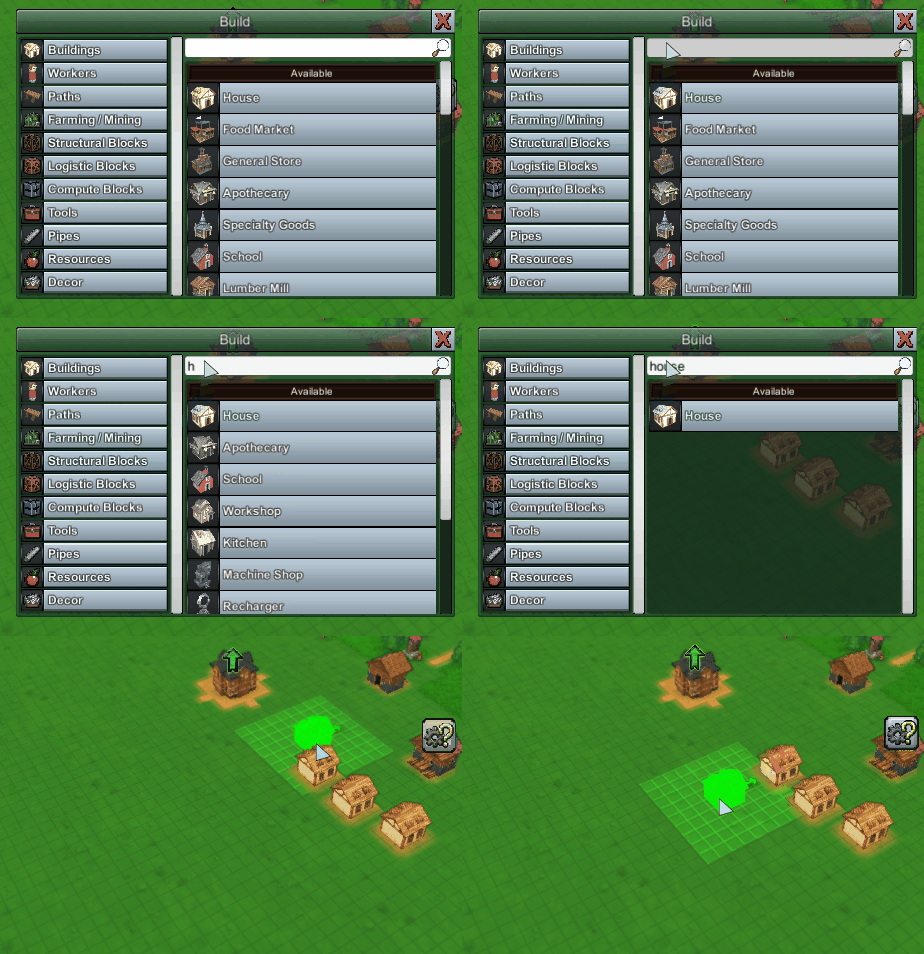
The Build menu has been reworked to allow you to easily enter in text to filter the results - no more scrolling through long lists to find the specific building you want.
Just hit the "Open Build Menu" hotkey (default: B) and start typing, you'll see results instantly. Use arrow keys up & down if necessary to navigate to the item you want, and hit Enter to begin building with that item.
You can still navigate by selecting a category with the cursor, and doing so will further restrict the search results you get. You can return to the 'all items' view by clicking the same category like a toggle.
As a result the category-select hotkeys were removed (would have conflicted with instant text searching), but that was kind of a hidden feature anyways, and this should remove the need for those keys anyways.
The Item Filter select panel works much in the same way, although without the arrow navigation (yet).
I also redid the top-left player inventory panel, as coin counts were getting obscured in the tiny inventory boxes. I also expanded the remappable inventory hotbar icons right below the main player inventory (just click on them to track counts of any item you want!)
Hope you enjoy this update, as always reviews are extremely appreciated, and stay tuned for many more updates!
Erik