![Armored Battle Crew [World War 1] - Tank Warfare and Crew Management Simulator cover art](/_next/image?url=https%3A%2F%2Fshared.akamai.steamstatic.com%2Fstore_item_assets%2Fsteam%2Fapps%2F814740%2Fheader.jpg%3Ft%3D1585154027&w=3840&q=80)
Hey Tankers,
The latest update with RNAS Armored Car is finally here! More details below.
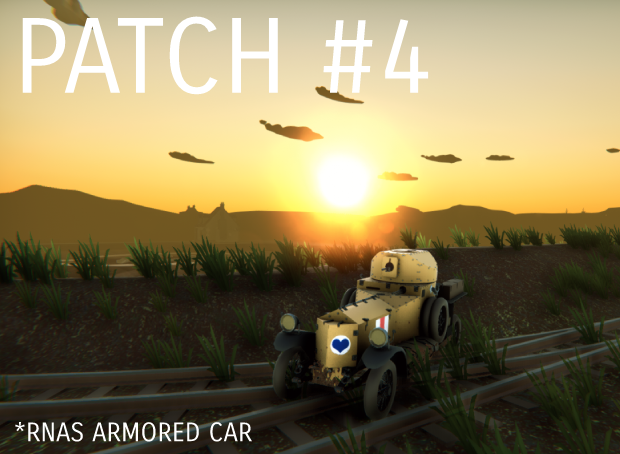
Be sure to restart Steam so that the patch downloads.
Build v0.2.4b Change Log:
New Vehicle
- RNAS Armored Car is unlocked by default. You can add it to the garage by using the “Create New” button or the “+” on the tank carousel.
- RNAS Armored Car will have tow line abilities (front and rear) to pull the vehicle out of trouble. You can access them via the steering module.
- RNAS Armored Car will have 3 turrets to choose from. Access them from the Arsenal panel in the garage.
New Features
- You can now use shortcut “J” to order your crew to repair the manned module. Shortcut key can be modified in the Options menu.
- The speed of the Slow Mo mode can now be tweaked in the Options under the gameplay tab. Default value is 0.3.
New Campaign Mission
- Added a new Campaign Mission IV (Chipilly Spur) to Battle of Amiens
Bug Fixes
- Fixed issue with the Train derailing in Mission Panzerzug
- Fixed issue with Mark V Star Wide track incorrect terrain resistance value
Other Changes
- To address the issue of Tank slot setting getting reset, we have created a new folder, named “TanksData”, to store the tank slot setting and it is marked for Steam cloud save. But the changes will only be applied after the patch is installed. Which mean that is still a chance Steam will reset the tank slots when the patch is installed. Just in case, you can backup the old “Tanks” folder in the game installation folder.
Do let us know your feedback through:
Discord
Steam Forums
Armored Battle Crew Team