
In next update, we will support different controller button settings for input mode.
This is a temporary solution, mainly for some games that use the same trackpad button to play the game, the situation may make users feel troubled. Especially for VRChat users.
This setting is only for Vive and Windows MR users currently. How about Oculus users? No worries! We provide a better configuration for you.
We support two different controller settings:
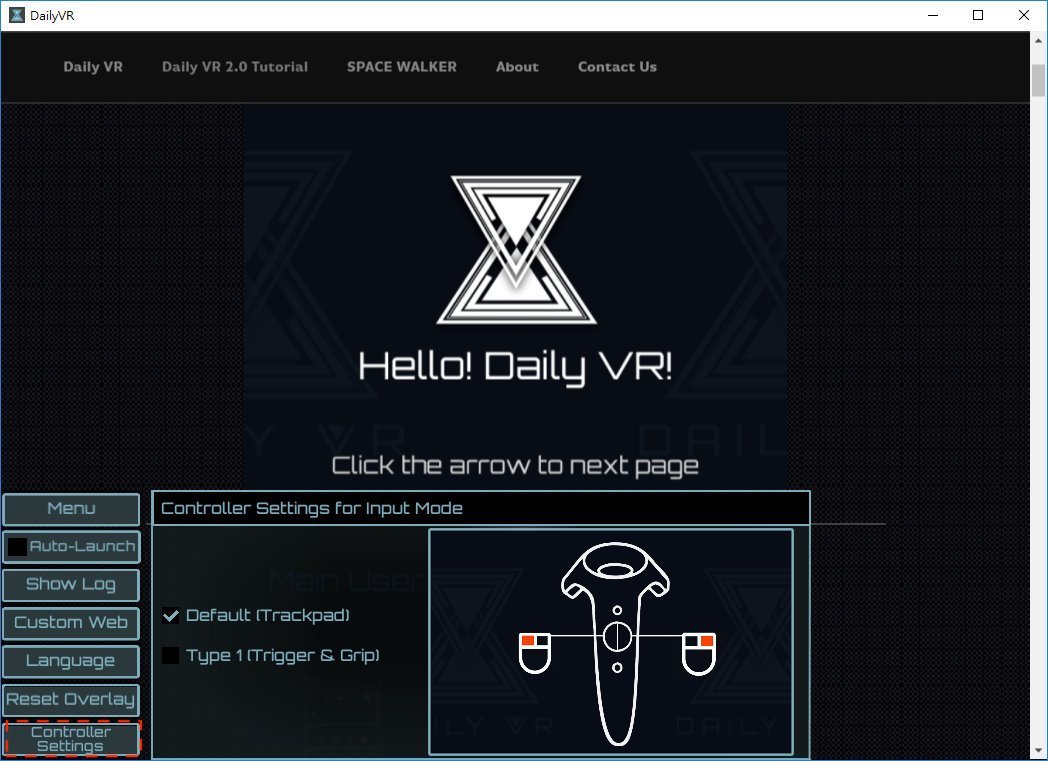
1. Default
Trackpad left side is mouse left button, right side is mouse right button
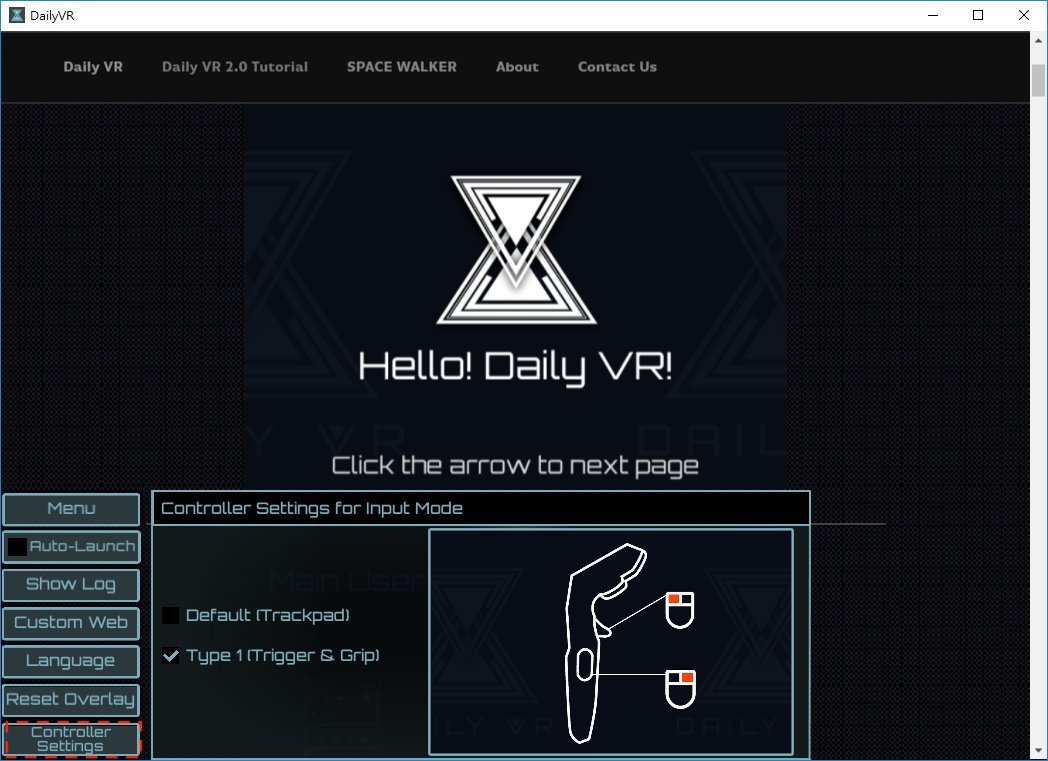
2. Type 1
Trigger is mouse left button, side button is right button
In the future, we plan to support STEAMVR Input. Users can configure the buttons as they like.
Looking forward to next update!