
Hello everyone!
It has been two weeks since adventurers landed onto Europa island, and seeing everyone having such a great time really puts a smile on our face, thank you again for your continuous support!
In order to provide higher quality and richer content, we are currently focusing entirely on the development of new systems (such as DX12) and polishing various details of the game in all aspects.
Today, we are introducing the new Accessories system and Vehicle appearance system which will debut on January 31st (PST)! These two systems are the first step in our direction to enrich character customization possibilities. In the near future, we will continue to introduce more content and systems like this, allowing players to utilize their creativity to create personal characters and jump into the action IN STYLE!
Accessories system
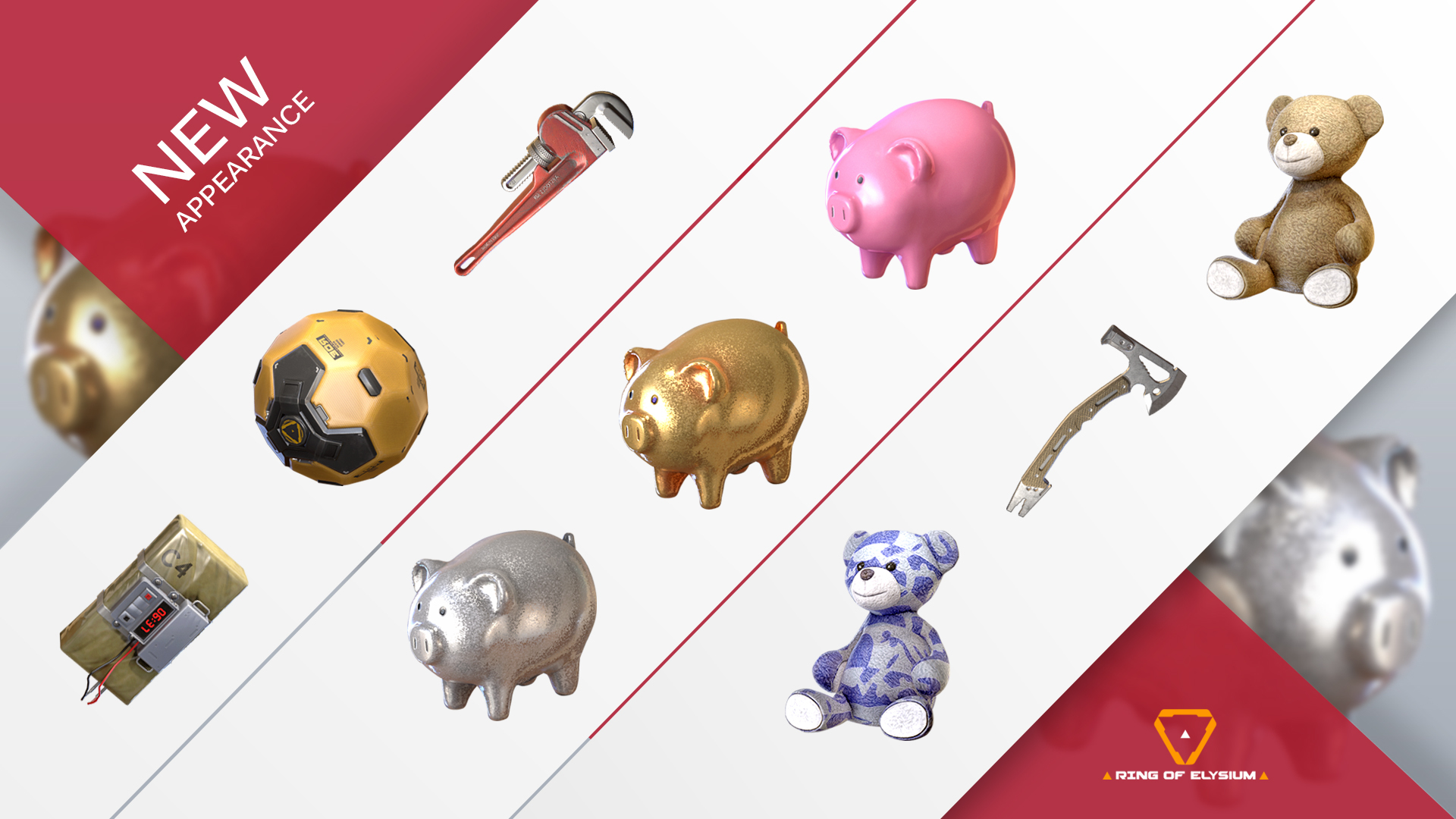
How to obtain accessories:
- In the lobby's Store interface, players can find the "Accessories" tab and browse through all the available accessories, and purchase them with E-Points.
- Other than the Store, players can also obtain accessories through the “Early Spring Card-flip” free raffle event and the “Lucky draw” system that launches on Jan. 31st(PST). Make sure to check them out!
How to set-up accessories:
- In the lobby's Appearance interface, players can find the "Accessories" tab, select and set-up accessories on default characters and Adventurer Characters. There are 1-2 available "hook points" on each character, and each accessory can be used on multiple different characters.
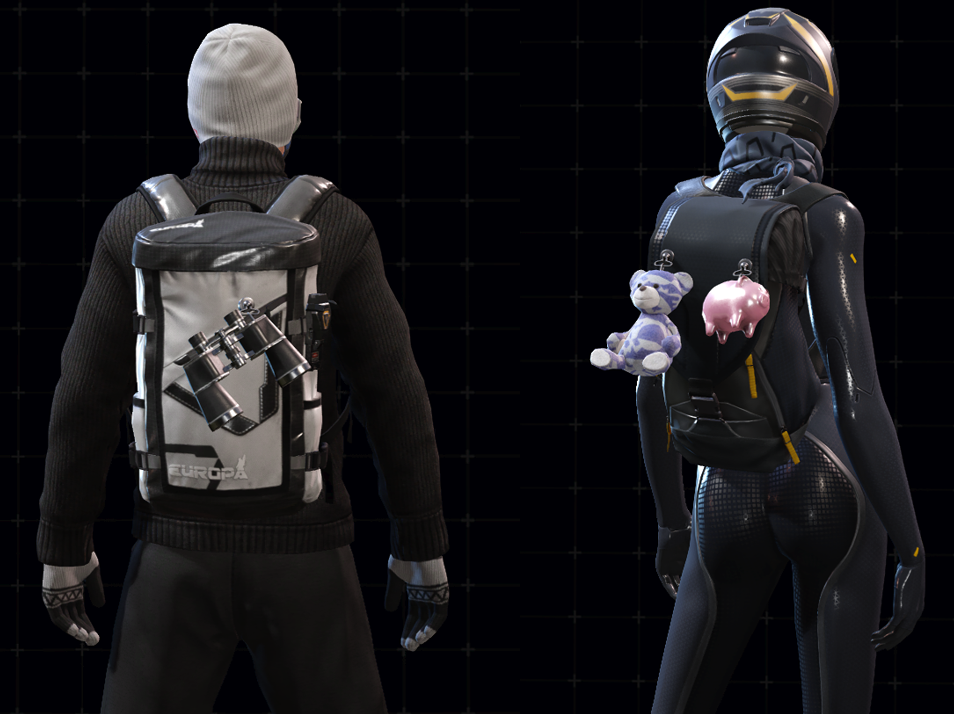
- Players can set-up accessories for each Adventurer character style individually

- If the player wants to use multiple identical accessories on a single character/style, they need to purchase or obtain the corresponding amount of the same accessory

Vehicle appearance system
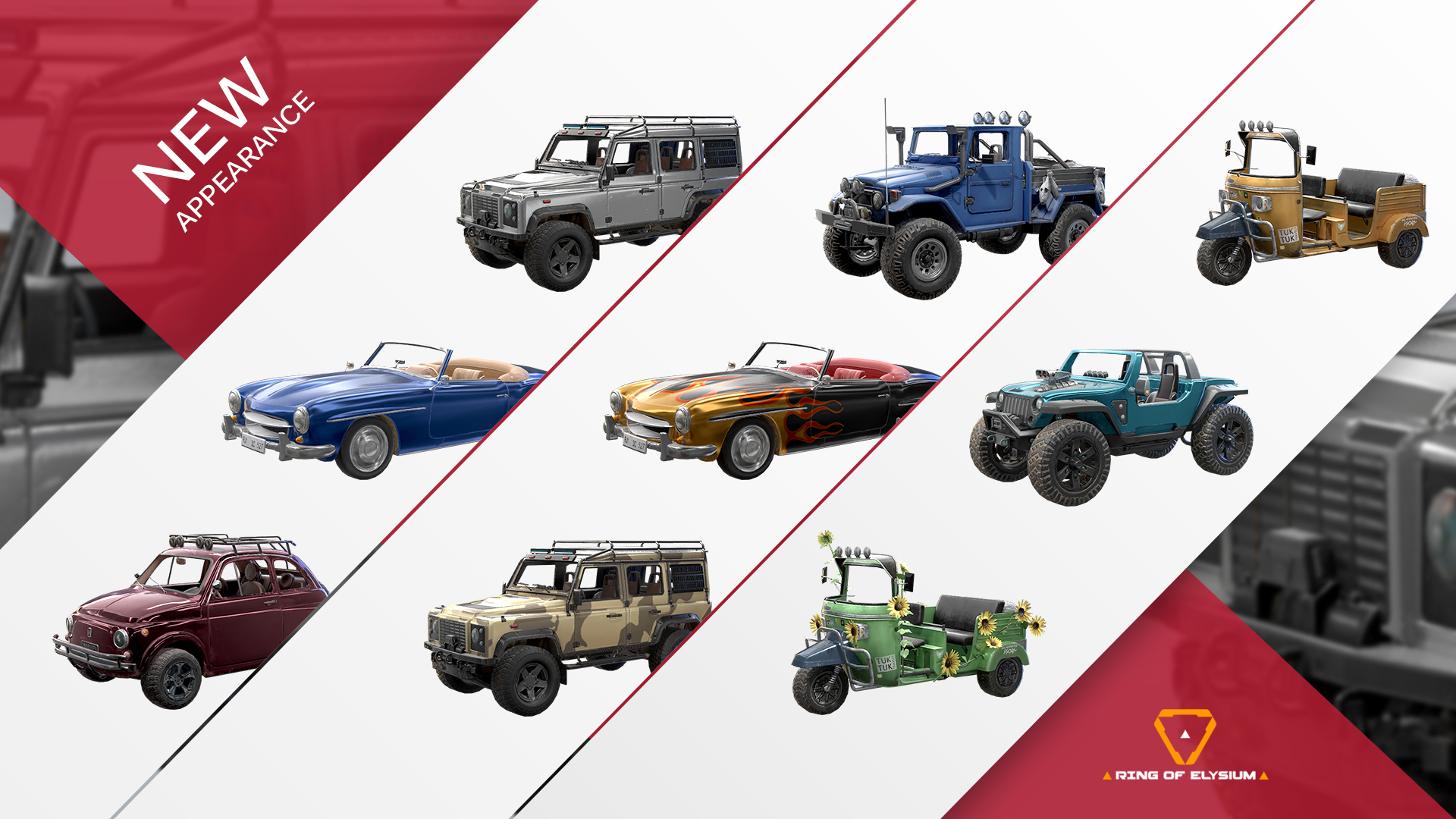
How to obtain vehicle appearances:
- In the lobby's Store interface, players can find the "Vehicle appearance" tab and browse through all the available appearances, and purchase them with E-Points.
- Other than the Store, players can also obtain vehicle appearances through the “Early Spring Card-flip” free raffle event and the “Lucky draw” system that launches on Jan. 31st(PST). Make sure to check them out!
How to set-up vehicle appearances:
- In the lobby's Appearance interface, players can find the "Vehicle appearance" tab, and simply select the type of vehicle and select the desired vehicle appearance to use
How to apply vehicles appearance in-game:
-
Rule #1: Vehicles must be at default color/appearance state to be modified
- When a vehicle in under default state, if a player gets on the vehicle (doesn’t have to be the driver’s seat), the vehicle will automatically switch to the player’s selected appearance
- Each vehicle’s appearance can only be modified once, once modified, other players will not be able to modify the appearance again
- After players get off the vehicle, the vehicle appearance will not return to the default state, it will remain it’s modified appearance
-
For example: Player 1 selects the vehicle appearance Sports car – Blue in lobby, gets into a game and enter a default sports car (red), the sports car automatically modifies its appearance to blue. Now, player 1 leaves the vehicle, and the vehicle’s color remains blue. Then player 2 (who selected a different sports car appearance) enters the car, he will not be able to modify the vehicle’s appearance again during that game
In order to more intuitively display the various default appearances of in-game vehicles, we made a picture for reference:
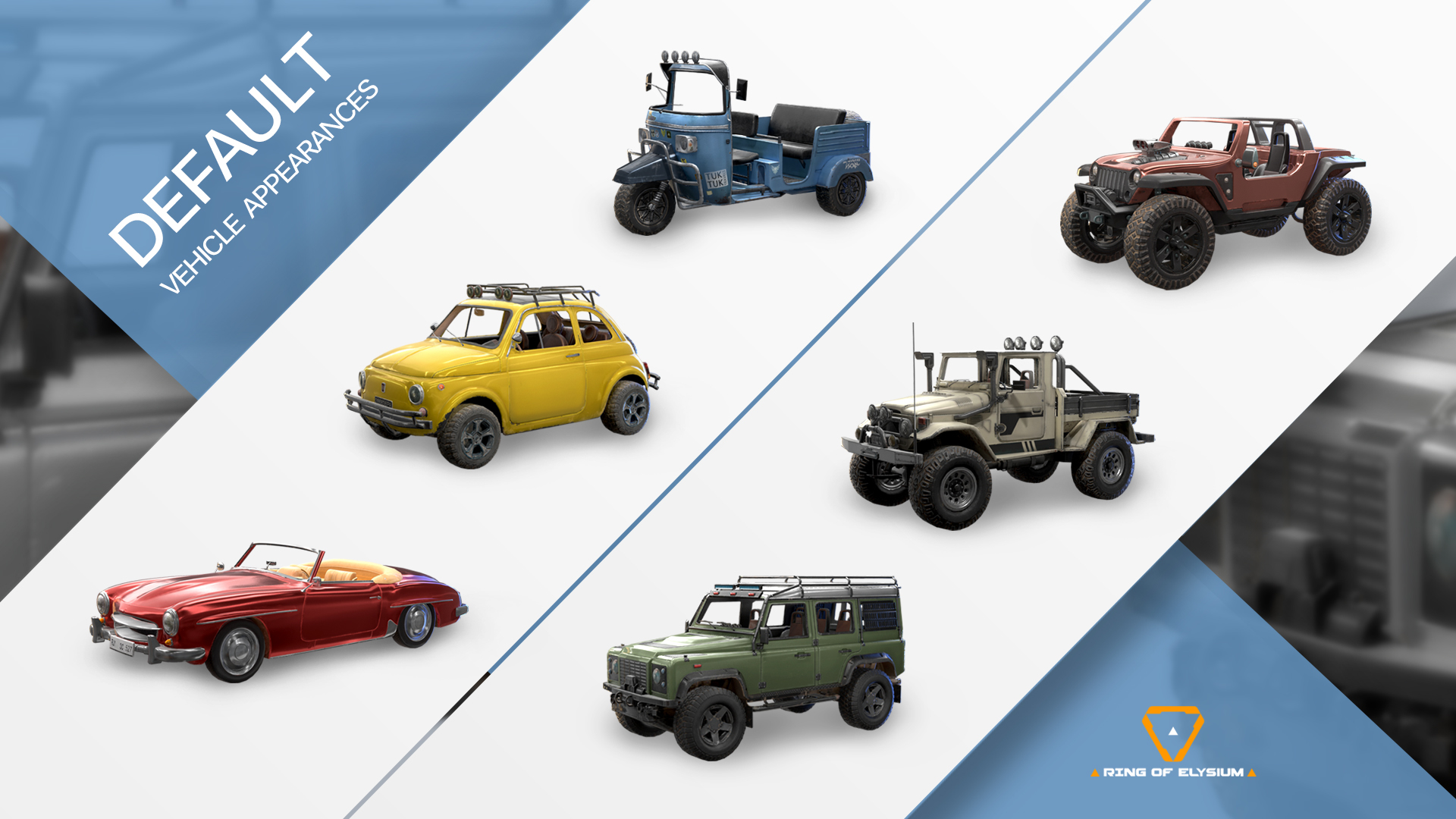
That’s all for the detailed introduction of our Accessories & Vehicle appearance system, have fun!
-ROE DEV Team