
Hey everyone, as previously mentioned we were also working on adding a localization mod tool to the game. This means that you can now localize the game into your own language and share it with other players that speak your language!
Click and drag to build multiple items
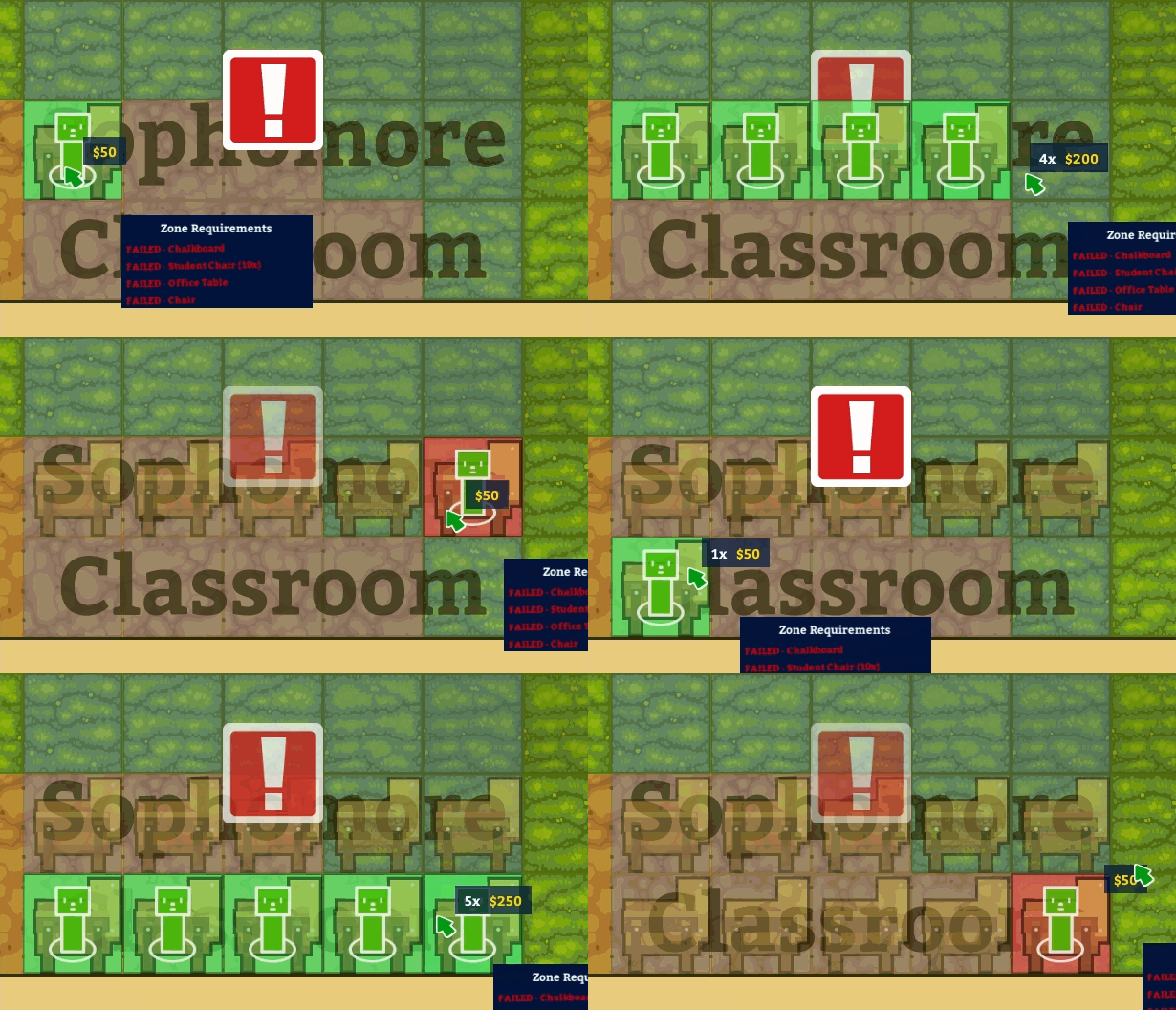
Before we get into that though, I want to mention that we also addressed something that folks have been asking for, which is to be able to click and drag objects when building! Okay, now that's out of the way, let's get to using language mods.
How to install a language mod
Subscribe
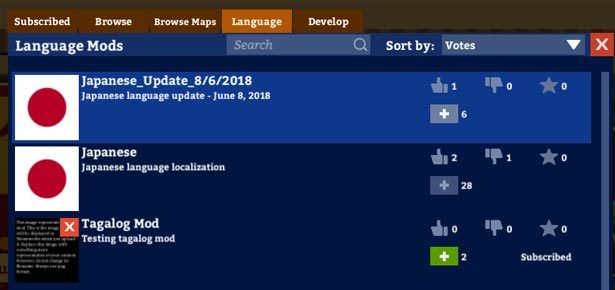
1. Go to the settings menu and click on the language mod. This will bring you the language tab in the mods panel (alternatively from the main screen you can simply click on the mods panel and click on the language tab)
2. The available language mods should now load and display in the panel.
3. Subscribe to the language that you like by clicking the plus button. Wait for it to download 100%.
Install

1. After the language mod has downloaded 100%, click on Subscribed tab on the mods panel. This will list all the mods that you're subscribed to, including the language mods found at the lower half of the panel. Note that you can only tick only one language at a time.
2. Click on the Apply button at the bottom of the panel. The game will ask you to restart the game. Click Yes.

3. On restart of the game, you should see a panel showing all of your installed mods. Click continue to play the game in your chosen language!
We need your help!
As you can see, we don't have many localization mods ready. We're already in touch with a few volunteers, but the more languages we can reach, the better!
If you're interested in making a localization mod, please check out the link below. It contains the link to our localization tools as well as a step by step guide to uploading your mods to the game.
How to create a localization mod
Known Issue : "Broken Roads" Bug

We're aware of a bug where the roads seem to be broken or missing tiles. Someone cleverly referred to them as "potholes" This is something we're a little stumped by, so we hired some QA people us figure out how to replicate it so we can fix it.
tl:dr we're doing our best to fix it as soon as possible,but in the meantime your games should work as normal, just with ugly roads.
That's it for now. We're taking a break from working on modding stuff to get back to work on content for the game. We'll see you at the end of the month for another update!