
Thanks for all your great feedback on the latest patch. Here are a couple more things we added in with this patch specifically because you requested it.
Putt Preview
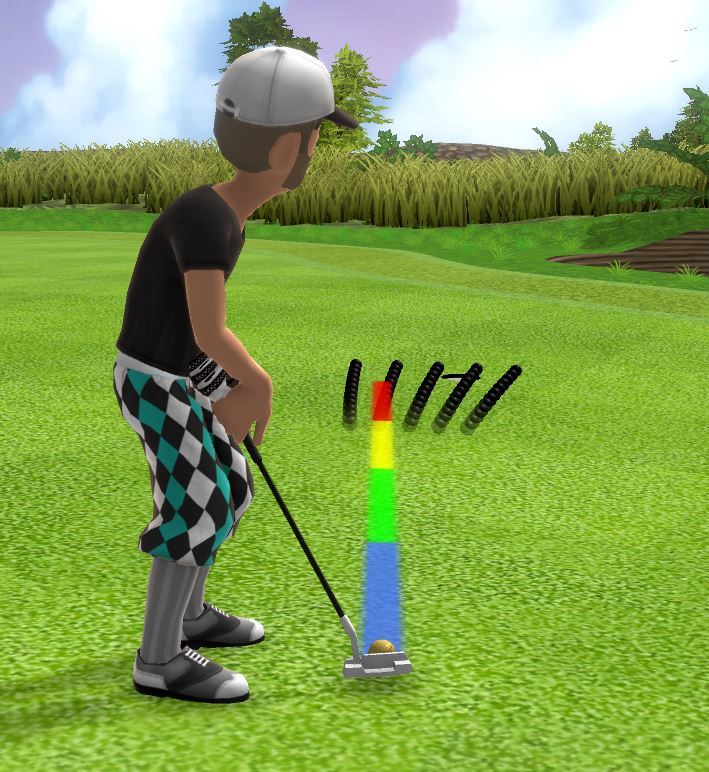
You told us putting was hard and you needed a better way to read the greens. In this patch we introduce putt preview. It works the same whether you are in VR or Non-VR mode.
Simply push the putt preview button and watch as preview golf balls simulate the break of the green.
Keep in mind, the putt preview is not there to show you exactly where to aim. You still have to account for power and speed which can change how much a putt breaks.
Flag Stick indicator on Swing Meter
You told us it is not always easy to calculate power percentage for less than 100% shots. For less than 100% shots, we added a flag stick to the swing meter that does the calculation for you.
Keep in mind, you are still responsible for judging other factors that affect power such as wind, uphill/downhill, or lie (in the deep rough). However, with the new flag stick it is pretty easy to add or take away just a little to account for these factors.

Topspin and Backspin UI supports mouse clicks
You requested the ability to click the topspin or backspin arrows with a mouse. We added that in with this patch.

UI Support for Ultra Widescreen
The UI was a little wonky if you played in ultra widescreen. In this patch we improved support for ultra widescreen resolutions. While we went through the UI with a fine-toothed comb, if you find any additional UI elements that we missed, please let us know.

Other Things
- Split Screen is turned off by default.
- Bots are turned off when min-putt courses are selected.