
Added
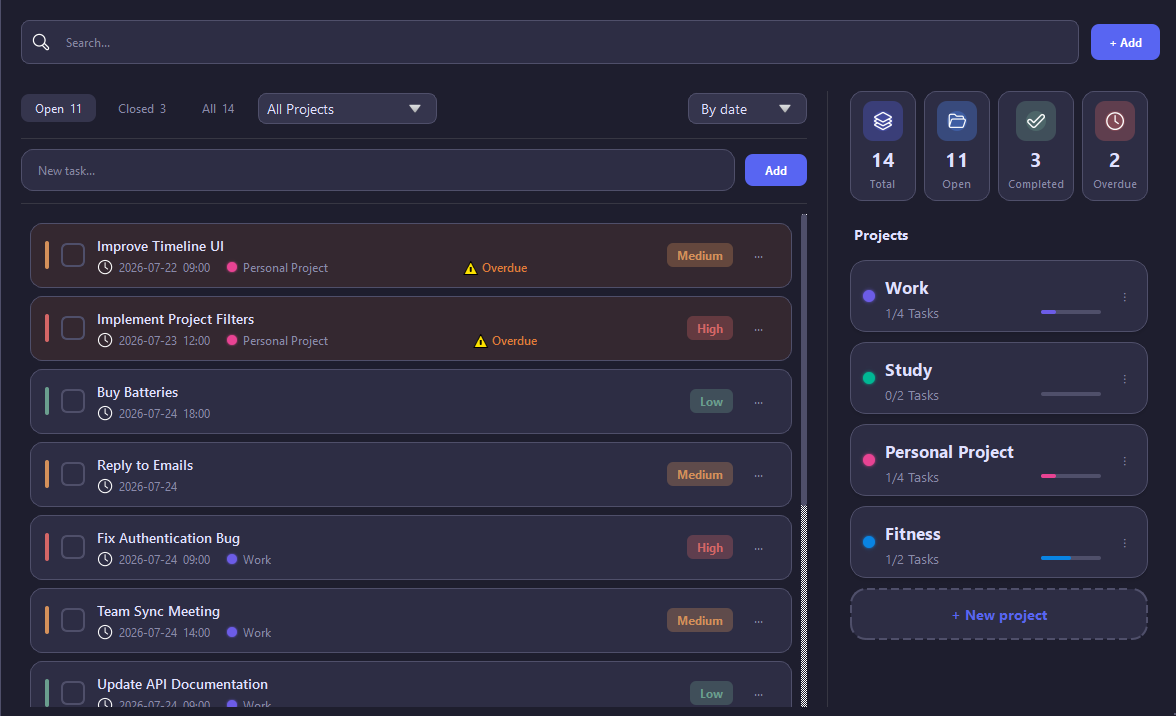
Main Window
Added support for creating projects to organize your tasks.
Added the ability to filter tasks by project.
Each project can now have its own color indicator for easier navigation.
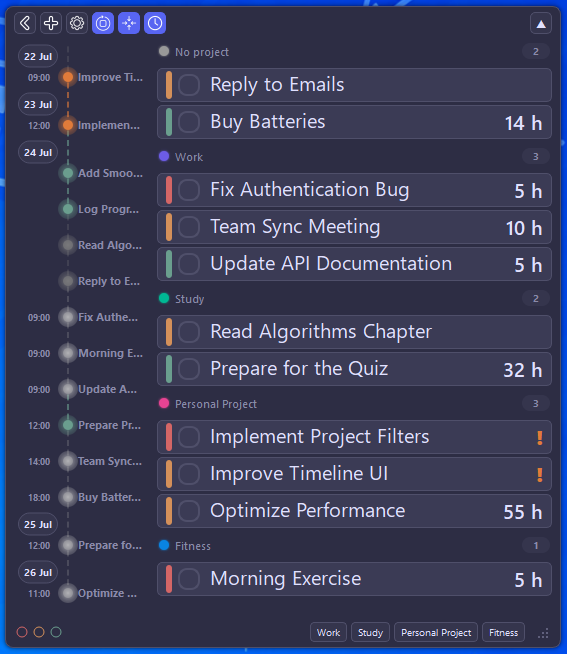
Overlay
Tasks are now grouped by project. Tasks without a project are automatically placed in the "No Project" group.
Added a new grouping option to the bottom toolbar, allowing tasks to be grouped by project in addition to priority.
Added a project indicator showing the number of open tasks in each project.
Added a new Timeline button to the top toolbar. Clicking it opens a side panel displaying your tasks in chronological order.
Tasks are arranged from top to bottom based on their scheduled dates.
The timeline helps you quickly see which tasks should be completed first and which are planned for later.
Circular indicators show the current status of each task - completed today, overdue, or pending.
Clicking an indicator highlights the corresponding task in the list for quick navigation.
Fixes
Fixed an issue where the overlay could lag behind the cursor when dragged quickly.
Added and updated localization for the new interface elements.