Source: Steam Community (opens in a new tab)

Changes and new stuff:
- Leveling up screen effect received a more visible animation, slowmo effect and automatically opens upgrade menu.
- Updated piercing system. Now you can make projectile pierce targets. Such mechanics was given to rocket launcher, RG-6 and M79.
- Increased slow motion effect limit. For example, when taking damage.
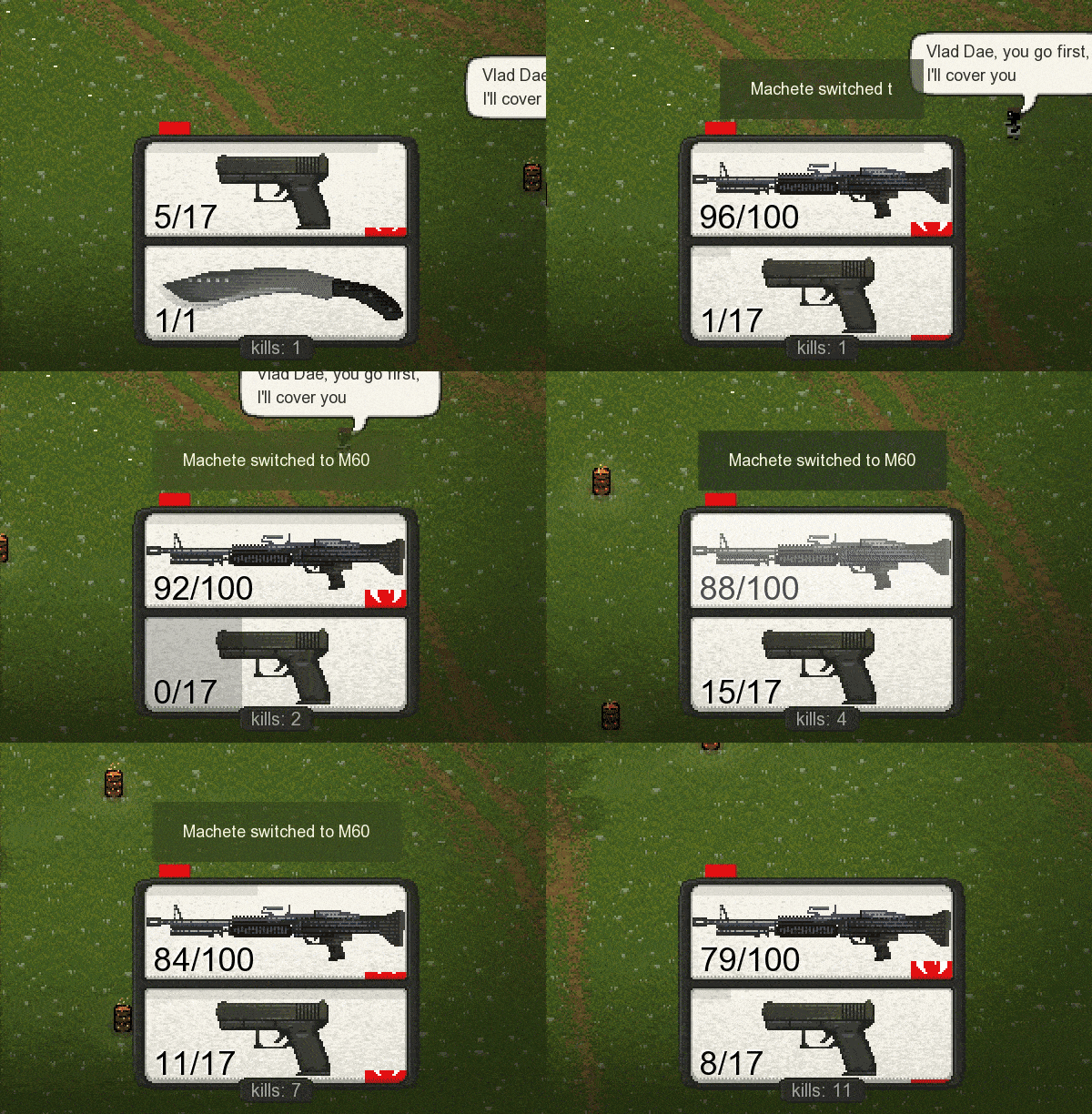
- HUD and other menu now become semitrasparent only if the player is under them. A random barrel at the corner of the screen won’t prevent you from checking your weapon status.
- Added pick up and swap animations for weapons.
- Added a slight delay between weapon slot swapping. You won’t swap the weapon back and forth with a fast mouse wheel scrolling.
- Hotkeys on menu buttons are shown as icon pictures now.
- MeleeResist now stacks with resist values from both of your weapons.
- Reworked Village Defense level, now with more boss fights scenes.
- Rocket launcher now turns faster and its rockets will now accelerate in air.
- Player movement won’t affect projectile motion vector of rocket launcher, RG-6 and M79 anymore.
- Changed “Long barrel” upgrade for M79. Now it increases accuracy, projectile speed and makes projectile trajectory more straight.

Fixes:
- Fixed mobs getting heavy lags if spawned on impassable zone.
- Now at the level start and after picking up a weapon, it will be turned to the right direction instead of right side by default.
- Fixed parameter ShootAngle not working at all.
- Now heavy FPS drops won’t let you to go through obstacles.
- Fixed scenario lines for starting weapons, for example “Weapon 1 = value”.
For modders:
- Added new weapon parameters "BulletOnPiercing", "PiercingRange", "PiercingTargets".
- "Piercing" command got two new value options: 4 and 5.
- Explosion damage can now be set separately from the main projectile damage. New weapon parameter "ExplosionDamage".
- New weapon parameter "BulletOnHPout" - what happens after bullet losing all it’s HP. It can use same values like "BulletOnColl" can.
- Now you can change the sprite of a weapon model in player’s hands with “SetImage” command.
- Log can now display errors of failing to load a small (Weapon.png) or a big (Weapon_Image.png) files. If the weapon doesn’t use some of these, you should set the value to “Null” so it doesn’t see the error there.
- New weapon parameter “MovementAffectsBullets” - allows to disable the impact of player movement on a motion vector of weapon projectiles. In short: allows to shoot straight while running.
