
Colorblind Modes in Unreal Engine
Let’s dive into building colorblind accessibility features.
We wanted our game to be widely accessible. Not just with gamma and contrast settings, but also with color remapping for the three most common types of color blindness: protanopia, deuteranopia, and tritanopia.
Disclaimer: This dev log describes LUTs for colorblind support, but accessibility should not rely on color correction alone. Effective design includes high contrast, multiple visual cues, and avoiding color as a single point of failure.
The problem:
We have four sheep: white, black, grey, and brown.

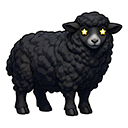


However, when the image is desaturated, the grey and brown sheep become difficult to distinguish due to their similar values. Because the game presents sheep as separate front and back halves that must be paired correctly, this becomes a gameplay issue.
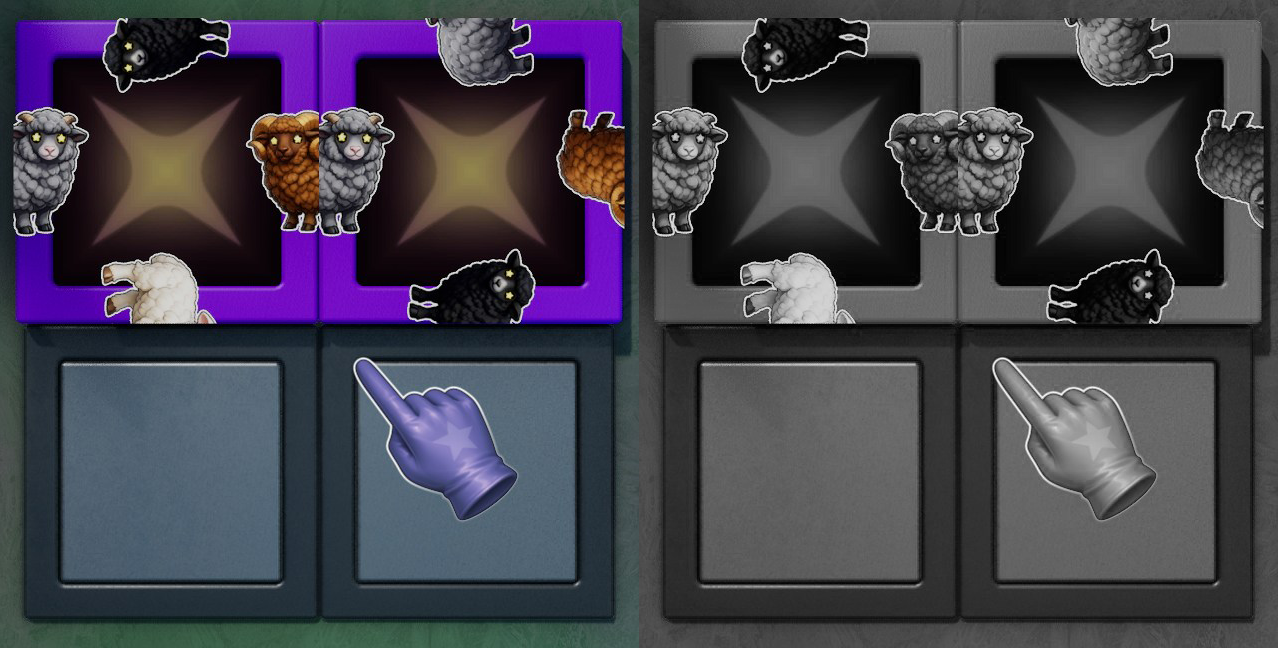 Here’s the game in both saturated and desaturated versions. Notice that, when desaturated, all the sheep except the grey and brown ones are easy to distinguish.
One solution: LUTs
Color lookup tables, or LUTs, are commonly used in post-process volumes. They provide a way to remap scene colors.
I used a tool created by Andrew Willmott called CBLUTGen
This tool gives LUTs correcting for the three most common types of color blindness.
However, the output format from CBLUTGen is not directly compatible with Unreal Engine, so a conversion step was required.
CBLUTGen produces LUTs as a 32×32×32 RGB cube, stored as a 1024×32 2D image. Unreal Engine, on the other hand, expects a 16×16×16 RGB cube, unwrapped into a 256×16 texture. The color channels had to be swapped as well.

(32 cube from CBLUTGen)
To convert between these formats, I first reconstructed the 3D LUT in linearized [0..1] RGB space. Then I swapped the color channels, keeping red as-is while swapping green and blue.
After that, I downsampled the LUT from 32³ to 16³ and repacked it into Unreal’s expected strip format.

(16 cube with swapped channels, ready for import into Unreal)
This conversion was implemented programmatically using a Python script. After verifying the results, the LUTs were imported into Unreal, where they can be applied directly through a post-process volume.
Partway through this project, I explored OS-level color filters, but found them limited and prone to distorting visuals or gameplay clarity. Implementing the solution in-game provided better control and results.
Accessibility Options
The options widget includes a real-time preview that updates the Ishihara plates and the bottom-right color photograph according to the selected colorblind setting. An optional daltonization step further enhances contrast, though it may appear overly strong to some users.
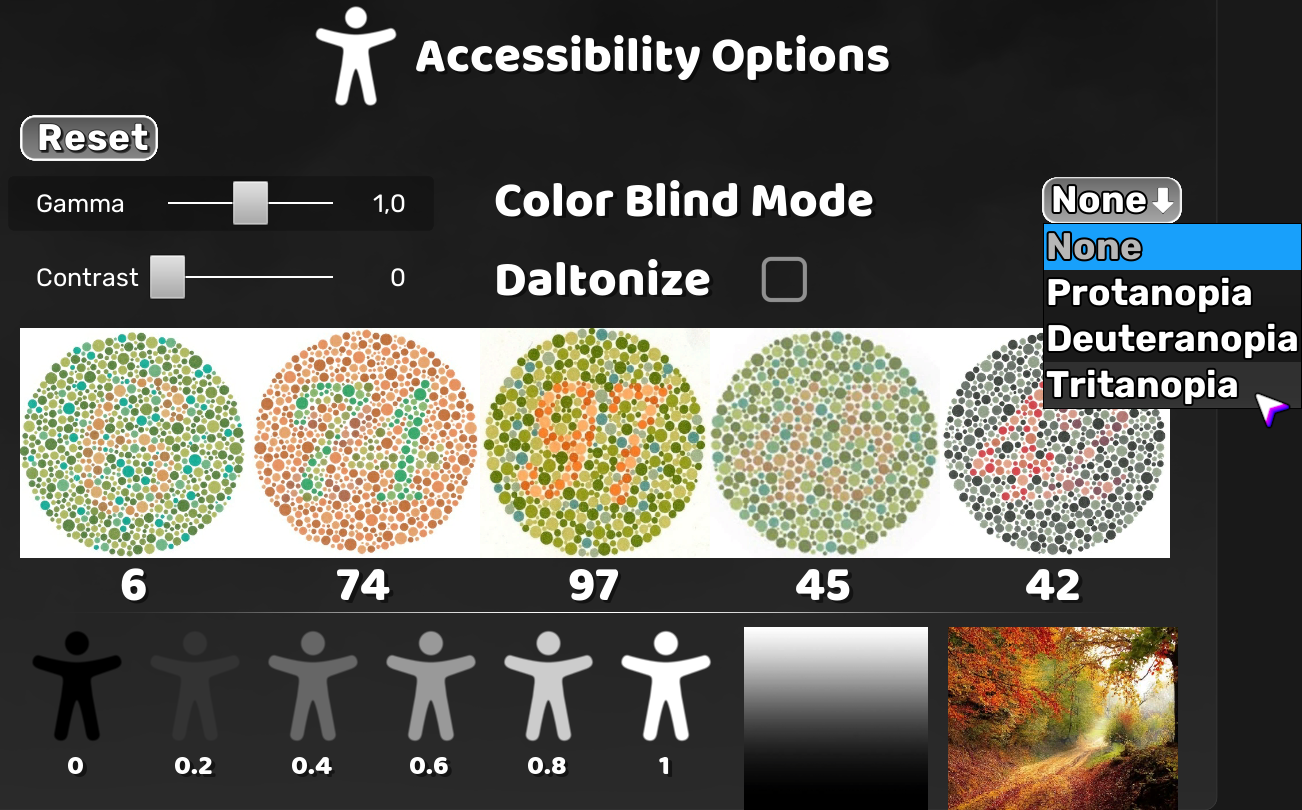 Gamma and contrast options were also placed here.
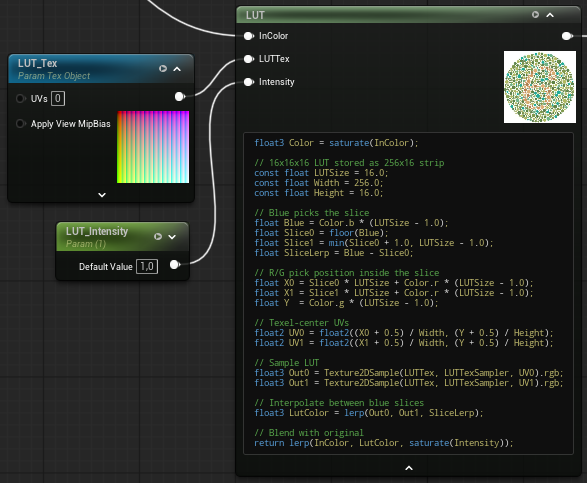
The LUTs can also be applied in Unreal materials using a custom node, which was quickly prototyped with AI assistance. Setting the correct filter mode, bilinear filtering, was critical for accurate results, along with verifying the setup using a neutral LUT.
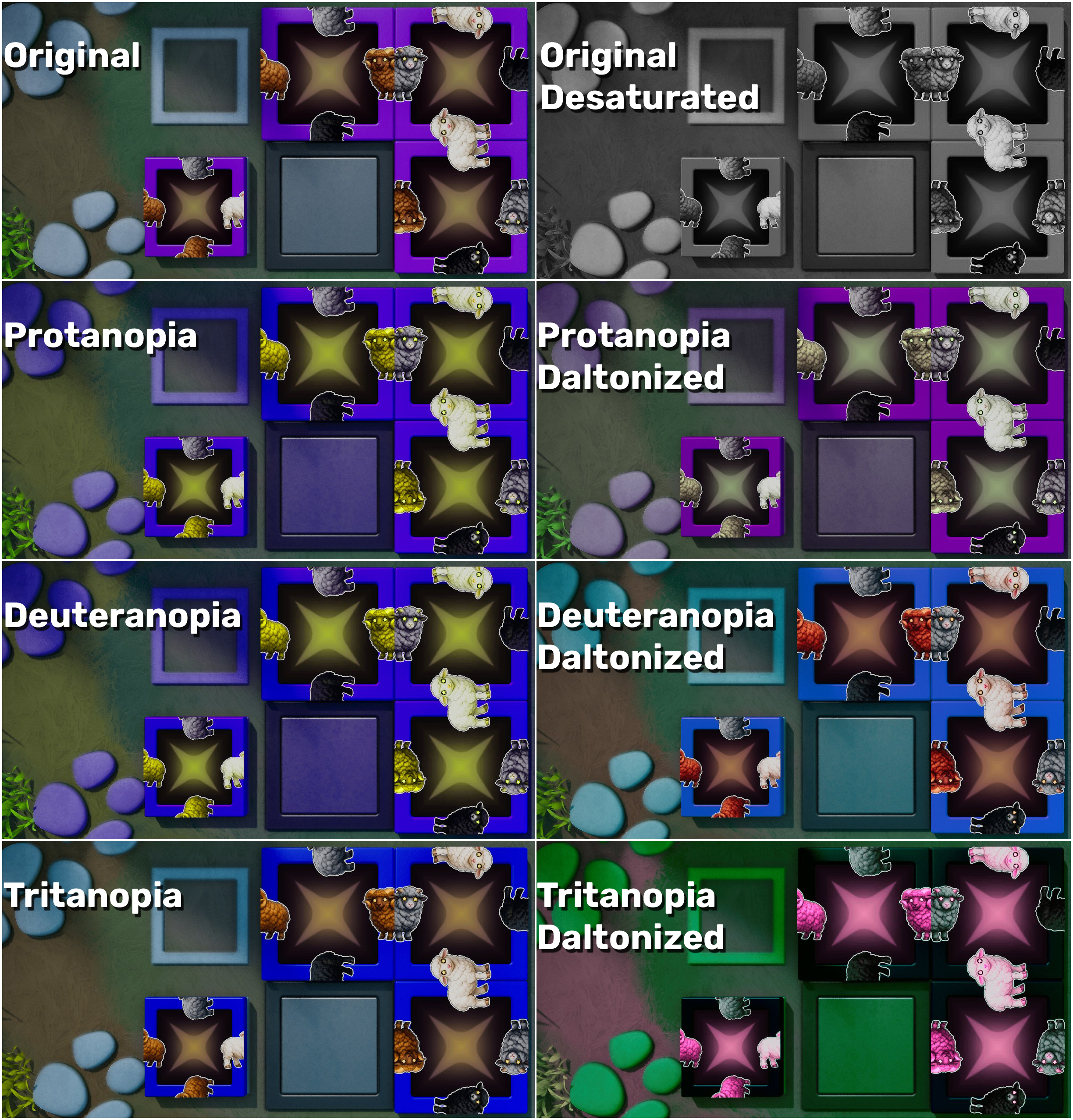 The resulting in-game appearance.
So far, feedback from a few colorblind players has been positive. I’d like to hear from more to see how useful this is and if there are any issues. All feedback is welcome.
Author: Erik Lindgren, OmniScapes Interactive