
Major New Feature - Song Styles / Custom Soundfonts
Players can now add their own custom soundfonts to Tomo Jam.
This allows another layer of customization for how every track in the game sounds. Want a song to sound more retro, more orchestral, more synth-heavy, or something totally different? You can now set that up with your own .SF2 files.
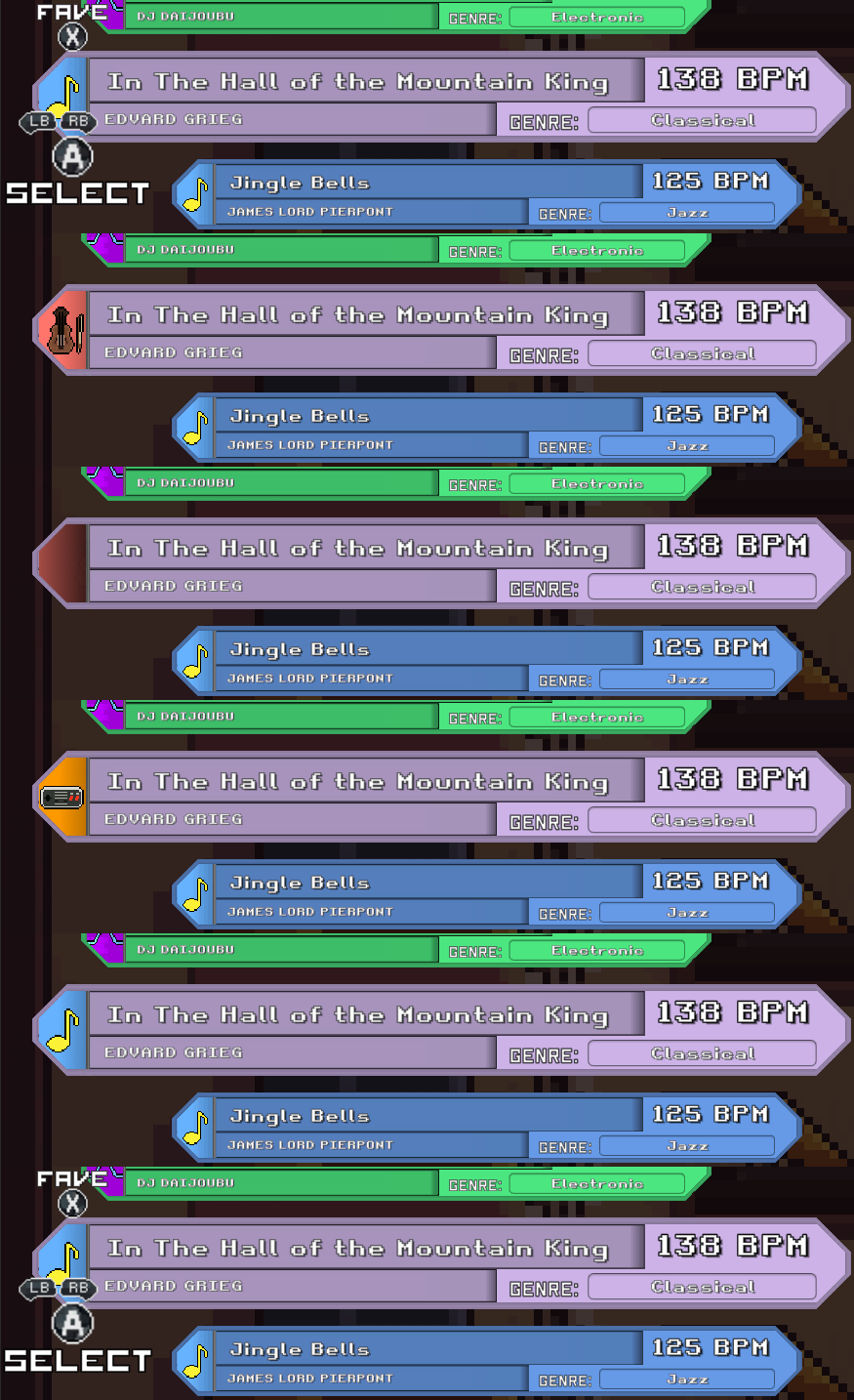
Song Style Metadata
The metadata editor has been updated with a new Song Style field.
For now, authors can choose from four styles:
Generic
Retro Chiptune
Synth
Orchestral
The selected Song Style represents the intended sound for that song. If the player has a soundfont assigned for that style, Tomo Jam will automatically use it.
Setting Up Soundfonts
You can configure Song Styles in:
Options > System
There are now four soundfont path fields, one for each style:
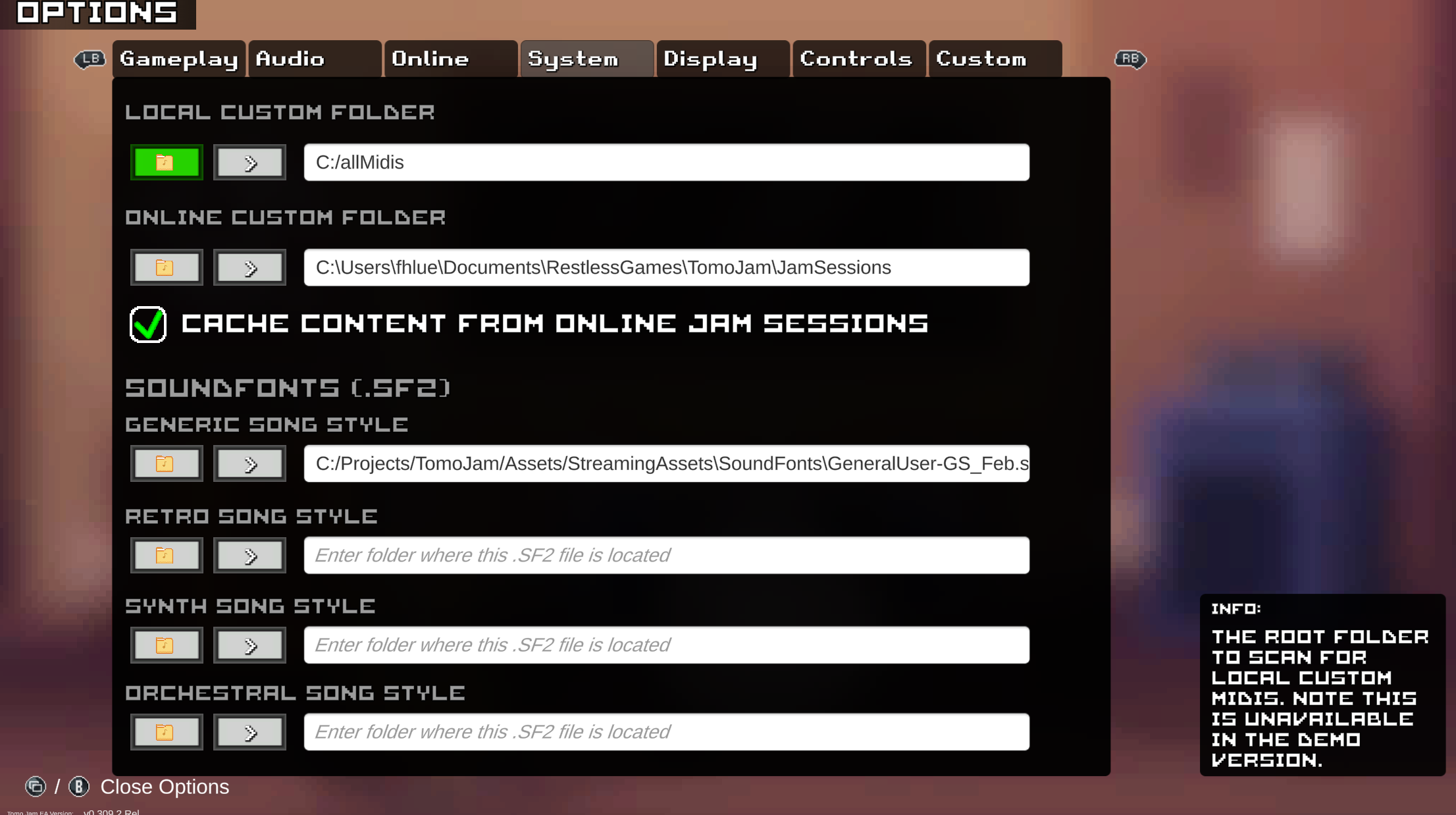
Generic
This is auto-populated and packaged with Tomo Jam.
It uses the current default soundfont, GeneralUser-GS, and will act as the fallback if a song is set to a style that the player has not configured.
Retro Chiptune
Intended for chiptune-style tracks.
Synth
Intended for synthesizer-heavy or electronic-focused tracks.
Orchestral
Intended for orchestral tracks.
These names are only suggestions - you can use any .SF2 file in any slot, including the Generic slot.
Bonus update: all fields in Options > System now have a "file picker" option so you don't have to copy the path if you'd rather use a native windows file browser
Switching Song Styles in Song Select
In song selection, you can now cycle between Song Styles using:
L / R on controller
Q / E on keyboard
This lets you instantly hear how a song transforms with different styles, as long as you have those styles configured in Options.
Note About Online Jam Sessions
Soundfonts are not included as part of Online Jam Session content sync.
That means when playing online, you will always hear your own locally configured Song Styles.
So if the host has a custom orchestral soundfont and you do not, you will hear the song using your local setup instead.
World Tour Button Added
The title menu now includes a World Tour button.
It is currently disabled, but it is there as a small sign of things to come.
Coming Soon™
Song Button Improvement
Scrolling titles have been reintroduced for song buttons when the song title is longer than the available text field.
This should make longer song names easier to read again.
Changes and Fixes
This patch also includes a few gameplay and presentation tweaks:
Cleaned up the difficulty fonts slightly
Stay tuned for more difficulty-related updates in the near future
Tweaked volume normalization
I’m very interested in feedback on this one, since it can be a bit subjective depending on your setup
Tweaked note hit judgements to be slightly more forgiving, especially in dense passages
World Tour Progress
World Tour mode is still heavily in development.
Many systems are currently in-flight, and I’m working hard toward a vertical slice where players will be able to play through roughly a week of the campaign.
And yes, it includes a calendar system :p
More details soon.
Thanks to the community for the feedback, testing, and support.
As always, keep jammin~
Frank, Restless Games