
New Features
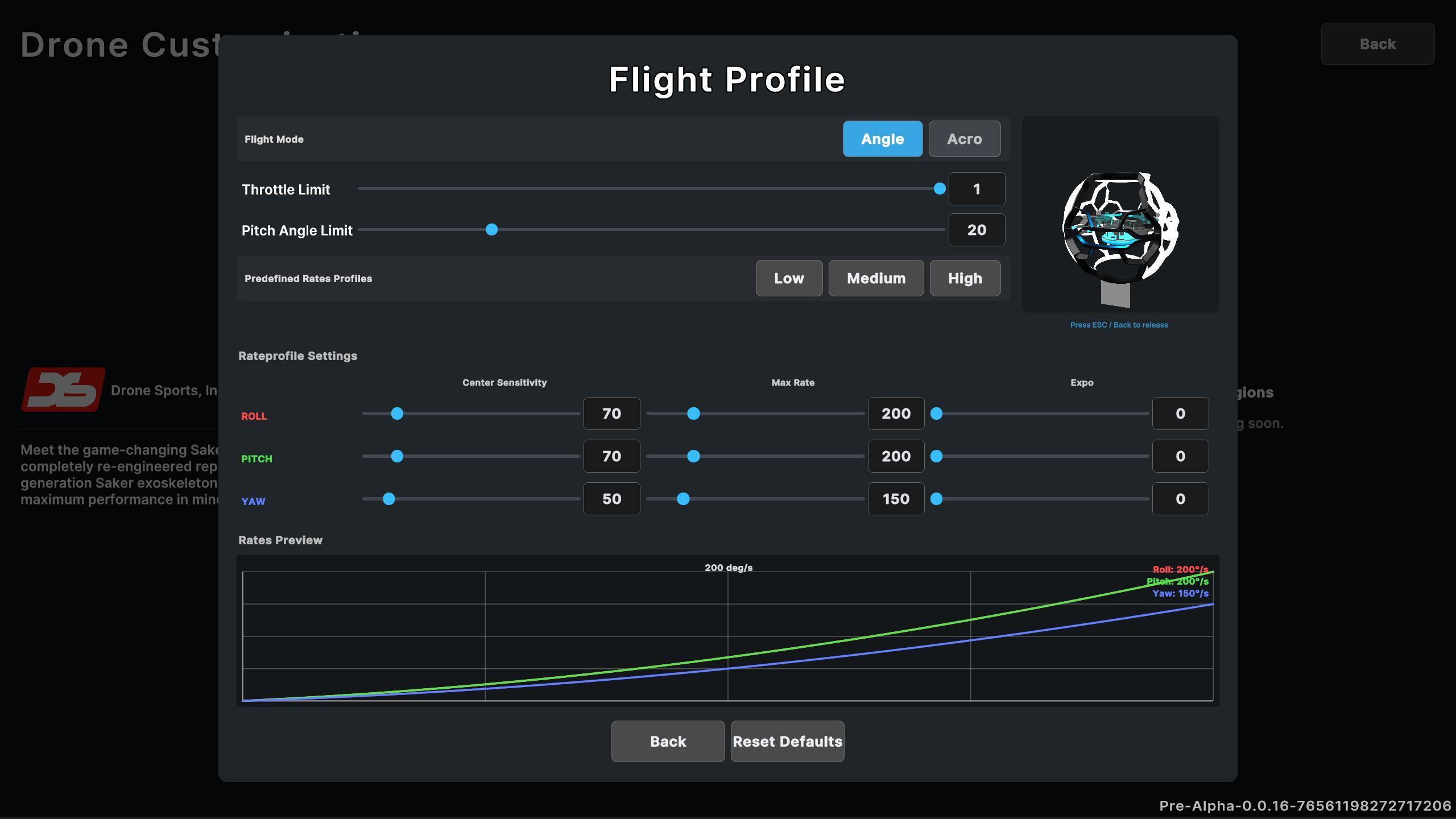
Flight Profile Customization: Players can now fine-tune the handling and performance of their drones with the new Flight Profile menu!
New Customization Menu: Added a dedicated "Flight Profile" menu accessible from the Drone Selection screen (Main Menu) and directly from the Pause Menu during gameplay.
Adjustable Flight Dynamics: Players can tweak five key flight characteristics using visual sliders or direct numerical input:
Throttle Limit: Cap the maximum thrust output.
Pitch Angle Limit: Restrict the maximum tilt angle in Angle mode.
Roll, Pitch, and Yaw Rates: Fine-tune angular rotation speeds for Acro mode and general handling.
Per-Drone Profiles: Flight profiles are saved independently for each drone chassis. Customizing the rates on one drone will not affect the handling of a different drone model.
Live Adjustments: Tweaking flight profile properties from the Pause Menu applies the changes instantly to your active drone without needing to respawn or restart the match.
Reset to Defaults: Added a "Reset Defaults" button that perfectly restores the unique, factory-default flight dynamics specifically tailored for the currently selected drone.
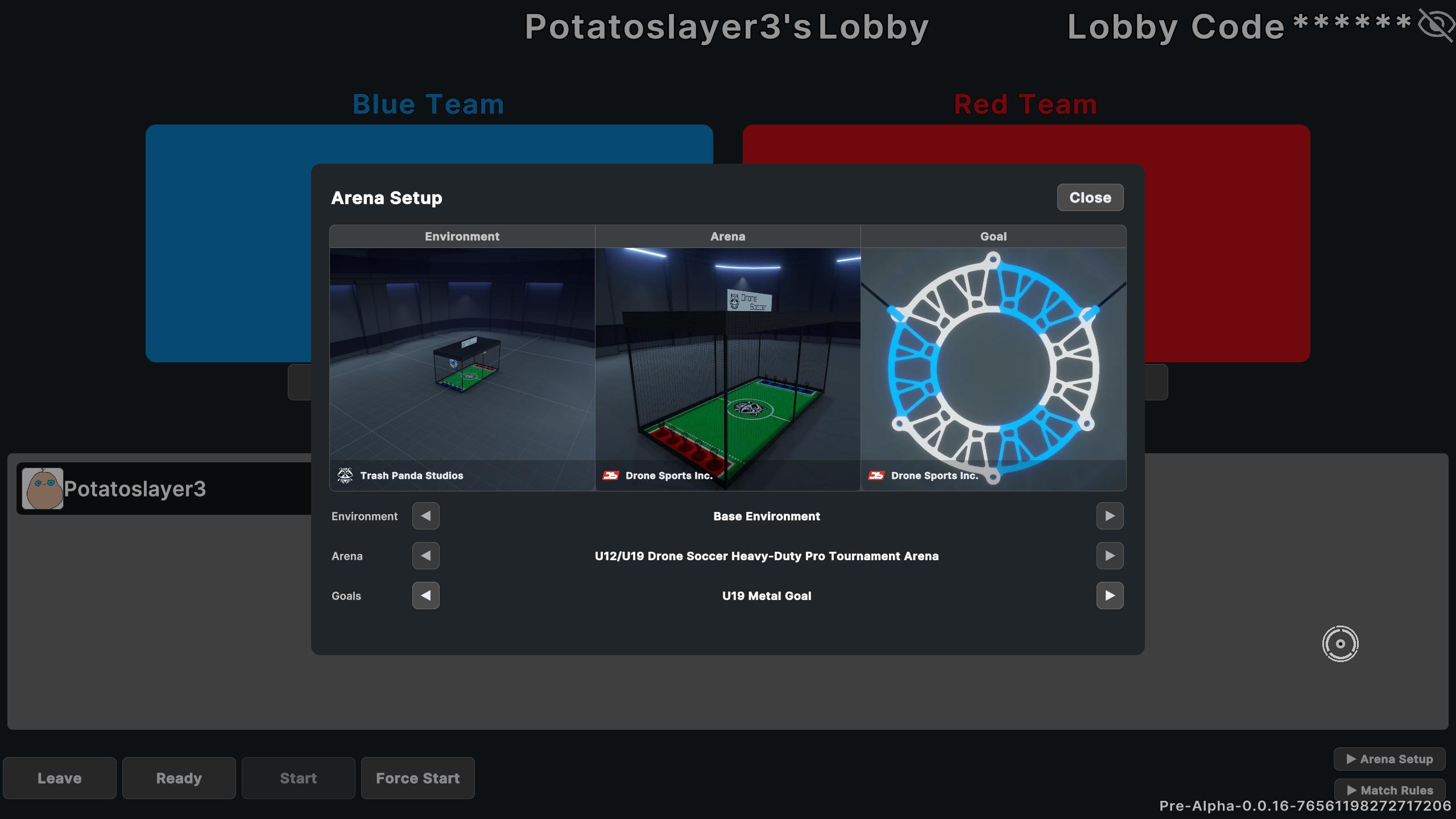
Customizable Arenas: You can now fully customize your match setup by selecting your preferred arena, environment, and goal types:
Goals
Drones Sports Inc. U19 Metal Goal
TPS LED Goal
Arenas
Drone Sports Inc. U12/U19 Drone Soccer Heavy-Duty Pro Tournament Arena
Environments
Base Environment
Quality of Life
Penalty Phase UI: Added a new display for the start of the penalty phase. It now clearly indicates which team is striking and which team is defending.