
Important information
Transferring progress from existing VK Play and Astrum Play accounts to Steam is not possible. To start playing on Steam, you need to create a new account, linking it to an Astrum Play account. However, there are specific details in some cases. You will find the details in the news article below.
Quick Guide for New Players
Simply add Warface to your library from the Steam Store and launch it through the Steam client. However, if you want to access Customer Support or use our web services, you'll need to create a new Astrum account directly in the game. It will then be linked to your Steam account, allowing you to access all available services.
You'll be prompted to create an Astrum Play account, link your email address, and verify it in-game in order to:
top up your account balance;
manage your website inventory;
participate in promotions;
access the game website;
contact Customer Support.
Once your account is created, you won't need to sign in again.
If you are launching Warface on Steam for the first time
Don't have an Astrum Play account? Let's create one and link it to Steam!
You need to create a new Astrum Play account by clicking the "Create Account" button.
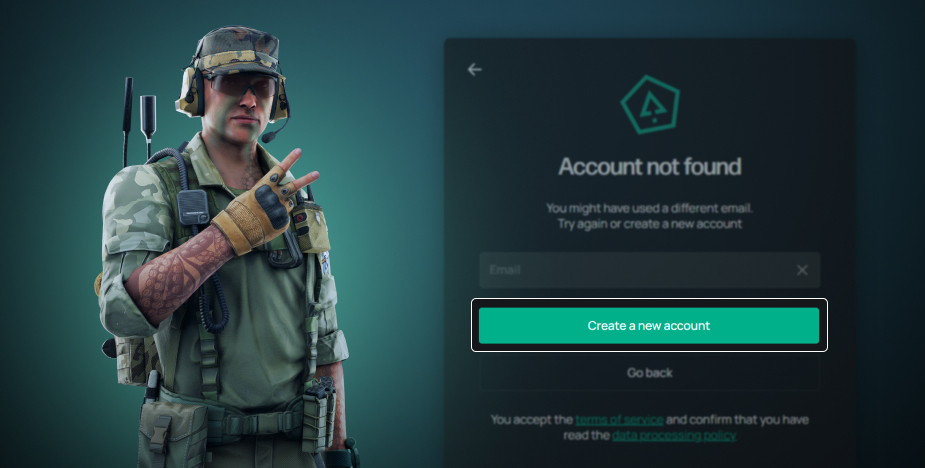
In the window that appears, you must enter the email address that will be linked to your Warface account on Steam. It is important that this email has not been used by you before for registering and playing Warface.
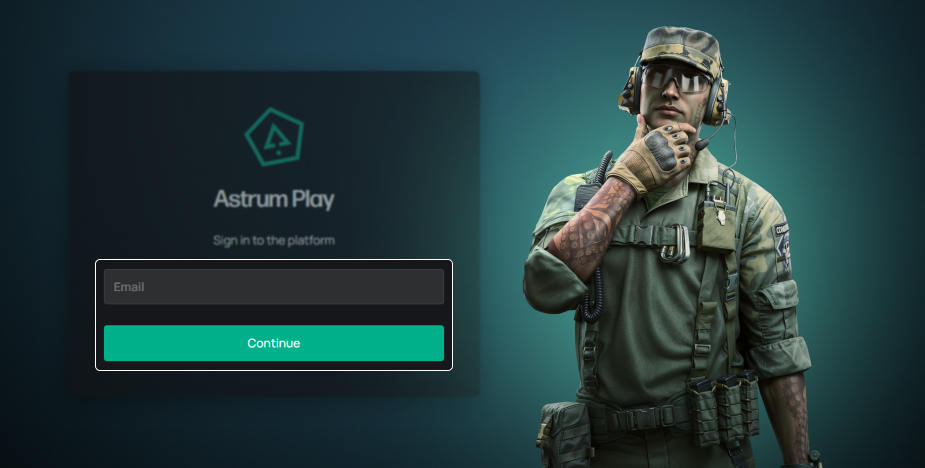
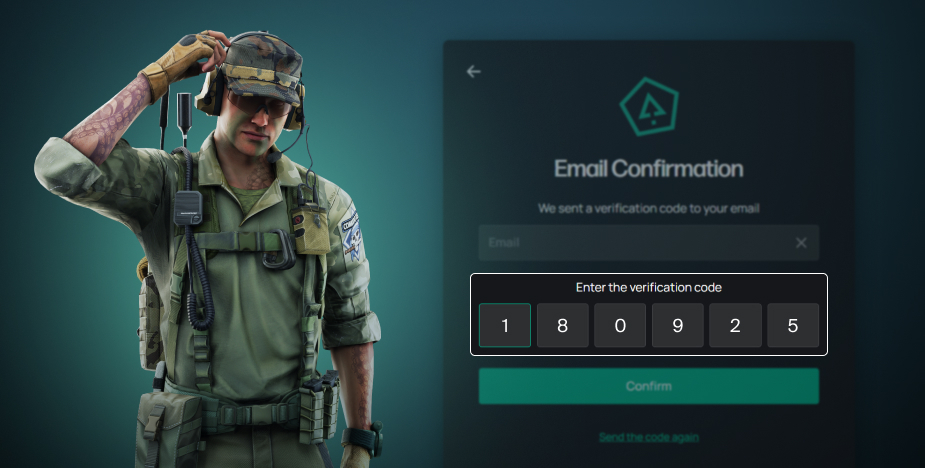
A verification code will be sent to the specified email address. You need to enter this code in the field.
Next, you need to create a password and confirm it. Remember your password! You will need it if you want to visit the game's website or contact technical support.
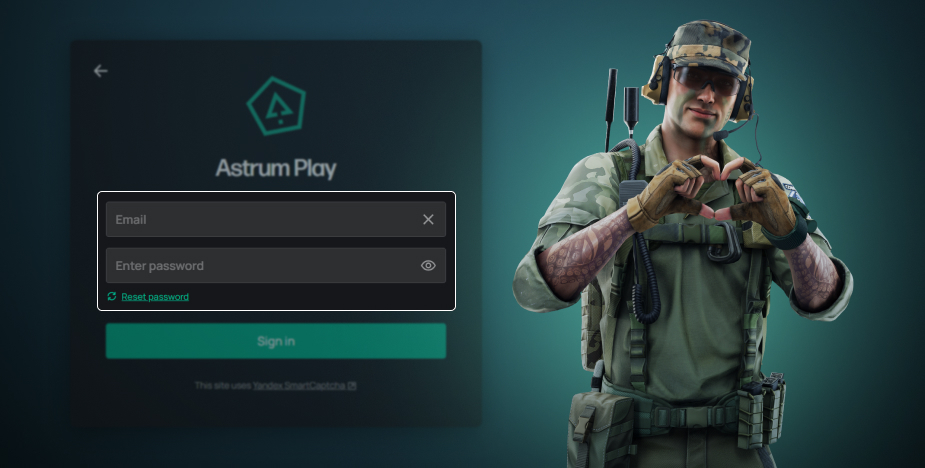
After this, your Astrum Play account will be created, your Warface account on Steam will be linked to it, and you will be able to launch the game.
Account created. What's next?
You now have a Steam account linked to your Astrum Play account, which gives you access to all web services both in-game and through your browser, including payments, as well as the ability to contact Customer Support. If you forget your account password, you can always recover it on this page.
If you have played Warface on Steam before
The information below concerns players who had already played Warface on Steam prior to 2022. The sequence of actions in this case depends on whether such an account was transferred to VK Play or not.
Account was transferred to VK Play in 2022
In 2022, all players had the opportunity to transfer their accounts from Steam to VK Play on a special promo page. If you took advantage of this, you cannot transfer that same account back to Steam, but you can continue playing in the VK Play Game Center.
If you still want to start playing on Steam, you need to create a new account by following the guide above.
Account was NOT transferred to VK Play in 2022
If you previously played Warface on Steam but did not transfer this account to VK Play, it will still be accessible, and your progress will be preserved. However, you need to complete a few simple steps.
Upon the first launch, the game will prompt you to create an alternative login method for the account previously used to play on Steam. This will be either VK Play or Astrum Play, depending on your account's history.
If prompted to use VK Play, in the window that opens, you should choose a convenient login method (VK ID or Mail.ru email) and confirm it. You can use an existing one or create a new one if that is more convenient for you. In this case, be sure to remember the login and password, as you may need them later.
If prompted to use Astrum Play, you simply need to create a new account using any email address that hasn't been previously registered in Warface. Refer to the guide provided above for this.
In both cases, after logging into the game on Steam following the account linking, you will see your old Steam character with all progress intact.
Transfer was completed, but via customer support
Some players missed the transfer period on the promo page and later contacted VK Play support to request adding a VK ID alternative login method to their Steam account. They can now use their current VK Play account to log into the game via Steam. However, please be aware that the type of authorization determines the available functionality, including payment methods and access to certain services.
If you prefer this option, please ensure you enter the credentials for the correct VK Play account. Please note: such an account most likely already has a Steam account linked to it.
Game website services and technical support
To use the services available on the game's website, you need to log in using the Astrum Play or VK Play account linked to your Steam account. Almost all services will be available to you, with a few exceptions.
Note: For players outside the CIS and only for owners of new accounts, logging in to the website via Steam ID is available. To perform the in-game actions described above, you will still need to link your Astrum Play account due to the specifics of the authentication system.
To log in to the website via Steam:
In the authentication window, select VK Play login.
In the "Email or phone" field, enter your 17-digit Steam ID followed by "@steam", for example, 12345678909876543@steam. You can find your Steam ID in the launcher settings: Steam > Settings > Account.
Click "Continue" and complete the login process.
For technical reasons, Steam players have restricted access to services requiring phone verification: "Gift to a Friend" and "Express Reserve." It also won't be possible to use local offers like SberSpasibo, Rostelecom Internet, and Dom.ru.
If you have questions or encounter issues while creating an account, please contact Astrum Play technical support.
If you face difficulties within the game, please contact Warface customer support — we will do our best to help!