
Hello everyone!
Fixed issues with SteamVR occuring when its launched.
Added to VRChat game option to generate Overlay Text which will show you currently active OSC actions
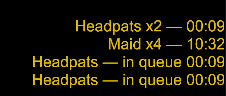
You can enable it by going to VRChat game and going to Settings and toggling Enable Text Overlay
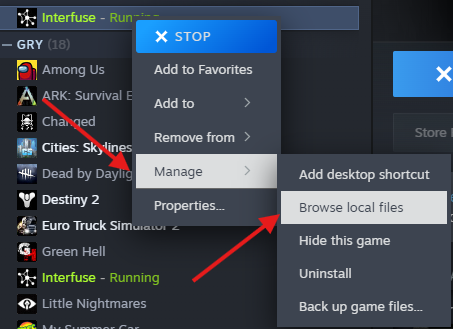
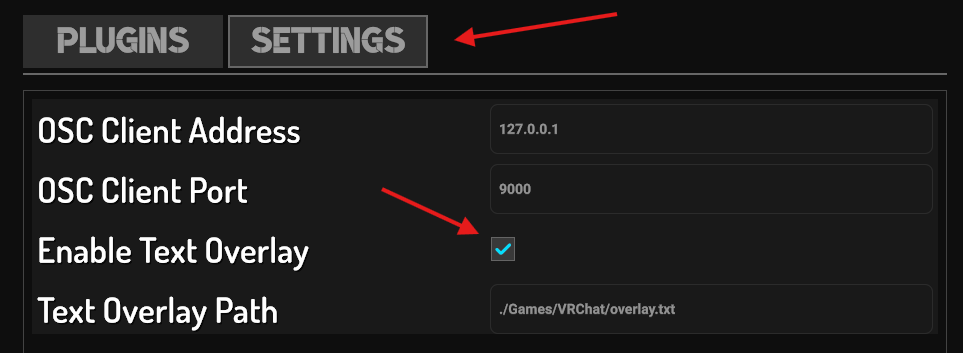 By default overlay.txt can be found in app install location Games -> VRChat folder, if you don't know how to find app install location right-click on
 Interfuse in your library -> Manage -> Browse local files.
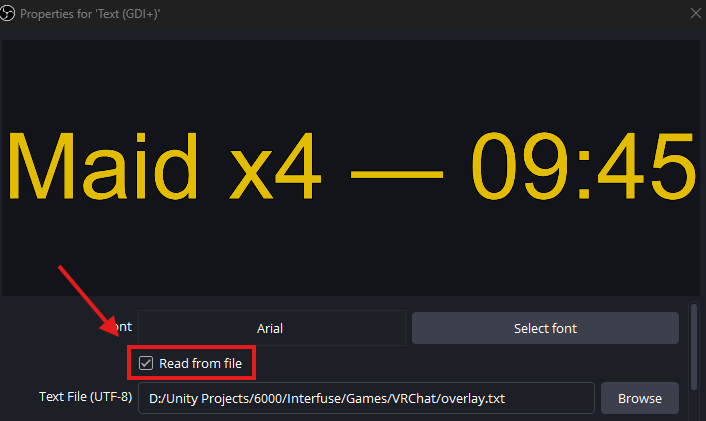
Example using OBS | Create Text and toggle Read from file then Browse to location of file
Thank you all for your continued feedback and support 💙 – it helps us improve Interfuse and keep adding more features for your streams!