
Demo Update – UI/UX Improvements and Bug Fixes
Hello Industronauts,
We’ve updated the Industronaut Demo with new UI/UX improvements based on early player feedback.
This update focuses on making the early survival experience clearer. We added new feedback icons and messages to better explain why placement, snapping, power, or production may be blocked.
New Feedback Icons and Markers
Icon | Meaning |
|---|---|
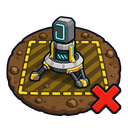
| Cannot place drill here Drills must be placed in a valid mining area. If mining zones are not visible, hold TAB or press Caps Lock to change HUD visibility. |
- | Mining zone marker Discovered mining zones now appear as 3D markers in the world. The marker disappears when you approach the mining zone. |
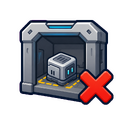
| Outdoor placement required This object cannot be placed indoors. It must be placed outside. |
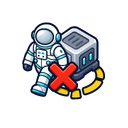
| Player blocking placement Move away from the placement area. |
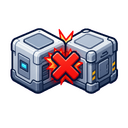
| Object collision Another object, such as a worker drone, is blocking placement. |
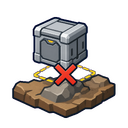
| Terrain collision The terrain is blocking placement. |
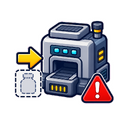
| Machine needs input The machine is missing required resources. |
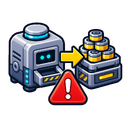
| Machine output full The machine cannot continue because its output is full. |
| No power The machine or structure has no power connection. |
| Power off The machine is manually turned off. |
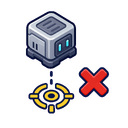
| Invalid snap point The object cannot snap to this point. |


Bug Fixes and Improvements
Several bugs fixed.
Improved feedback for structure placement.
Improved machine status feedback.
Improved clarity in the early demo experience.
We’re continuing to improve Industronaut as we prepare for Steam Next Fest.
Thank you to everyone who played the demo and shared feedback. Your reports help us make the game better.
If you enjoy the demo, please consider wishlisting Industronaut on Steam.