
Hello everyone, This update adds a new Fox Meow Code, more fish and decorations, and several quality-of-life improvements. More importantly, Steam Workshop is now officially open for No Slack Pets: Lo-Fi Paws. You can now browse, subscribe to, and use player-created content through Steam Workshop, and also upload your own creations to share with other players.
V1.0.41 Update Notes
🆕 New
Added Steam Workshop support (currently for room decorations)
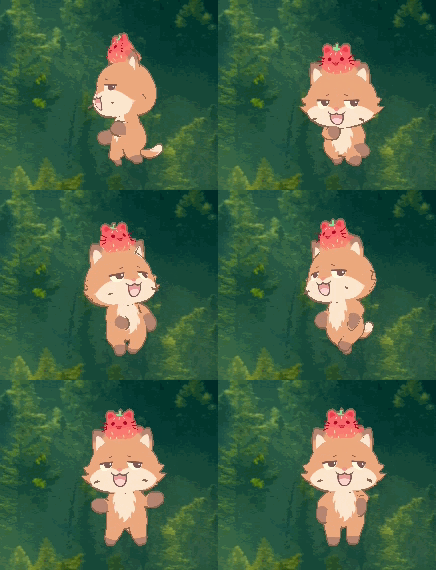
Added a new Fox skin (Meow Code): fox
Added 6 new gamepad device items

Added 34 new fish
Added 1 new scene clock decoration
Added 1 new device clock decoration
⚙️ Improvements
Added settings support for automatic lobby rejoin
Adjusted the petal effects of the SS-rank Sakura Headgear
Improved transparency for some eye lenses
You can now unequip the cursor and use the system default cursor
🐞 Bug Fixes
Fixed clipping issues between some headgear, ears, and faces
Fixed an issue where text on calendar and clock decorations would also flip when the item was flipped
Fixed an issue where the lobby chat UI could remain visible when other players were hidden
Steam Workshop Is Now Open
The Steam Workshop for No Slack Pets: Lo-Fi Paws is now open.
You can now visit the Steam Workshop page to browse, subscribe to, and use player-created content, or upload your own creations to share with other players.
At the moment, the supported Workshop content type is: Room Decorations
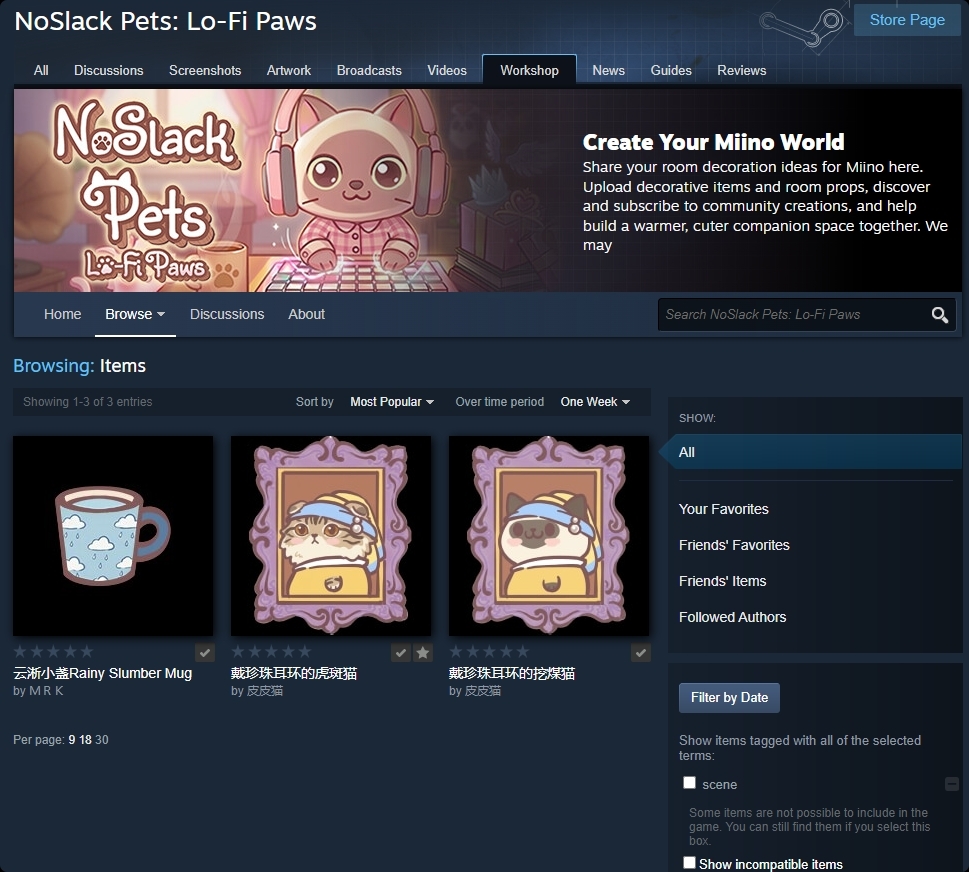
Click here to visit the Workshop page
You can also access it in-game:
Open the House Edit screen to browse Workshop content
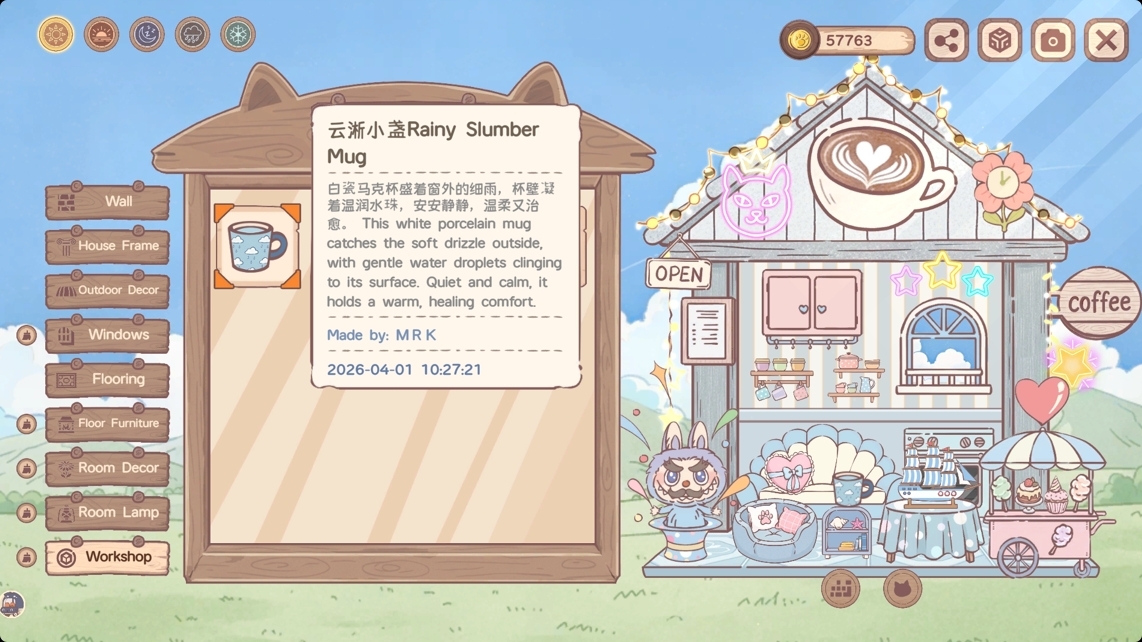
Go to Menu > Decorations > Workshop to upload your own item
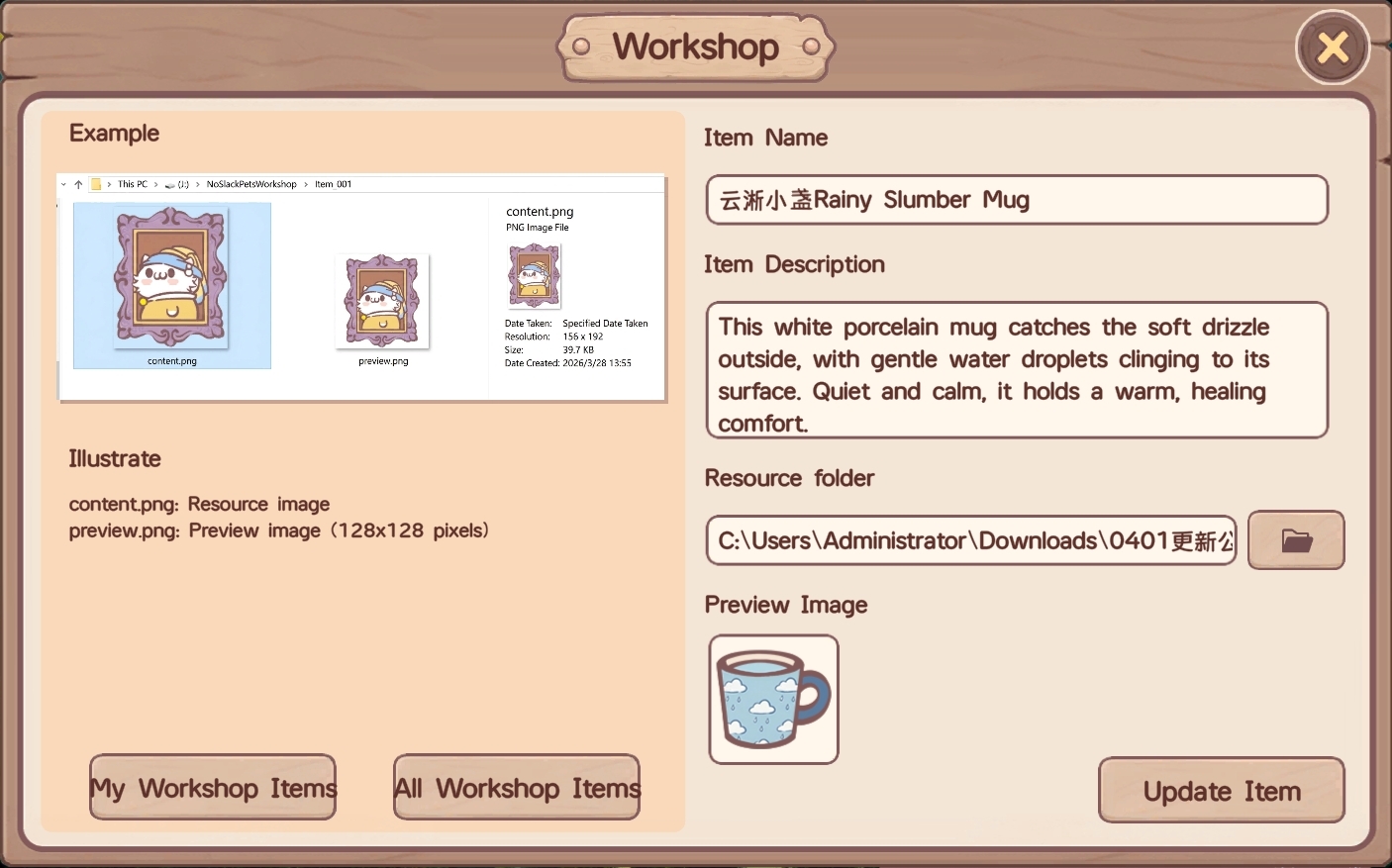
Please note the following when uploading items:
Your resource folder must include both the item image and the preview image
The preview image filename must be preview.png or preview.jpg
Only JPG and PNG image formats are supported
After subscribing to a Workshop item, the in-game list may not refresh immediately. Please wait a moment and check again shortly after.
Workshop FAQ
Q: How do I edit a Workshop item I already uploaded?
A: After the first upload, a file named published_file_id.txt will be generated in the resource folder. After that, you only need to replace the corresponding files in the same folder and upload again.
Q: Why doesn’t a subscribed item appear in the game immediately?
A: There may be a short delay before subscribed Workshop content refreshes in-game. Please wait a little and check again.
Q: Why can’t other players in the lobby see the Workshop item I’m using?
A: Other players also need to subscribe to the same Workshop item in order to see it correctly in-game.
Steam 社区 :: 指南 :: NoSlack Pets: Lo-Fi Paws Steam Workshop Guide
Thank you, as always, for your feedback and support. If you’ve tried this update or the new Workshop feature, feel free to leave us a message in the community. And if you’re enjoying the game, leaving a Steam review would mean a lot to us and really helps our small team.